

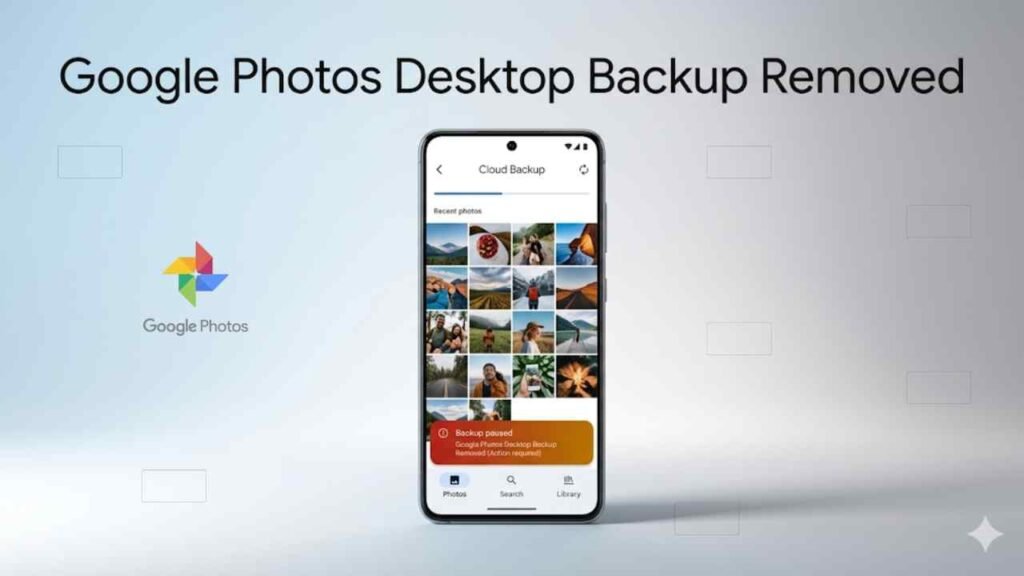
Google Photos desktop backup removed is the change that will hit power users hardest—especially anyone who uses a PC as the central hub for organizing and uploading photos from multiple sources. Google is retiring the Google Photos backup integration inside the Google Drive desktop app, a workflow that let you point Drive for desktop at a local folder and quietly push new photos and videos into Google Photos in the background.
For most casual users who only back up phone camera rolls, this won’t feel dramatic. But for photographers, creators, and anyone with a large library of DSLR or mirrorless files, the Google Photos desktop backup removed decision is a big deal. It replaces a simple “set it and forget it” pipeline with options that may be less reliable, more browser-dependent, and easier to break when your computer sleeps.
Google is notifying affected users by email, and it’s also planning in‑app prompts to push people toward Google Photos’ newer web-based folder backup approach. The timeline is staged: the ability to add new folders ends first, then existing folder sync continues for a short period, and finally the desktop sync stops entirely.
Here’s what’s changing, who’s affected, why Google might be doing it, and how to keep your photos backed up without losing your workflow.
What exactly is being removed?
The phrase Google Photos desktop backup removed refers to Google ending the feature in Google Drive for desktop that can automatically upload media from PC folders into Google Photos.
Until now, many users had a convenient setup:
- connect a camera or SD card to a PC
- import photos into a designated folder (Lightroom, Photos, or file system)
- let Google Drive for desktop handle the background upload to Google Photos
- access everything later on phone, tablet, and web, organized in Photos
This was one of the most underrated “prosumer” workflows in Google’s ecosystem, because it made Google Photos function like a true cross-device photo hub—not just a phone backup service.
Key deadlines: when the Google Photos desktop backup removed change takes effect
Google’s transition happens in phases. The most important dates being communicated are:
- June 15: you won’t be able to add new folders for Google Photos backup via Drive for desktop
- August 10: existing folder sync to Google Photos stops working via Drive for desktop
In between those dates, your existing folders should continue to upload as they do today. After August 10, the Drive desktop app will no longer back up media to Photos, and you’ll need another method.
If you rely on this workflow, don’t wait until the final week. The Google Photos desktop backup removed change will be most painful if you discover it only after uploads stop.
Who is affected by Google Photos desktop backup removed?
Google is right that casual users might not notice. If you only upload from your phone camera, Google Photos’ mobile backup continues as usual.
The people most affected by Google Photos desktop backup removed are:
- photographers backing up DSLR/mirrorless photos to Google Photos
- creators who store project exports (photos/videos) on a PC
- families using a shared computer to upload photos from multiple cameras
- anyone using Drive for desktop as a “Photos ingestion” tool
If you’ve built a habit around your PC being your archive and Google Photos being your cloud mirror, this changes your routine immediately.
What Google suggests instead: Google Photos web backup for folders
Google is directing users toward a “Back up folders” flow on the Google Photos website. The idea is similar—choose folders, let uploads happen—but it depends on the web app behavior.
The core limitation is reliability. Unlike a dedicated desktop sync client, web-based uploading can be affected by:
- the browser being closed
- background tab suspension
- power-saving settings
- sleep/hibernate behavior
- network changes
Google also suggests installing the Google Photos web app as a workaround for background behavior. That can help, but it’s still not the same as a full desktop sync engine designed to run persistently.
For power users, this is the heart of the frustration: Google Photos desktop backup removed replaces a robust, background-first solution with a potentially fragile one.
Why Google might be doing this (and what it says about Photos’ direction)
Google hasn’t provided a deep technical explanation publicly beyond the retirement notice, but there are a few likely reasons behind the Google Photos desktop backup removed decision.
1) Reducing overlap between Drive and Photos
Drive and Photos have long had confusing overlap. Google might be trying to simplify the desktop app into “Drive sync only,” while Photos becomes its own upload surface.
2) Support and stability costs
Maintaining a hybrid Drive+Photos desktop workflow means more edge cases:
- file types, metadata handling, duplicates
- upload failures and retry behavior
- cross-platform parity issues
- user confusion about where files “live”
Retiring it reduces support burden—even if it annoys power users.
3) Cloud strategy and AI focus
Google Photos is increasingly AI-heavy: search, editing, retouching, and creation tools. As Photos evolves, Google may prefer a tighter, Photos-controlled upload flow rather than a Drive-controlled one.
What you should do now (so you don’t lose backups)
If you’re impacted by Google Photos desktop backup removed, here’s the practical plan.
1) Check which folders are currently syncing
Open Drive for desktop settings and note:
- which folders are set to back up to Photos
- where your camera imports land
- whether you rely on that folder structure in editing software
2) Set up the replacement upload method early
Don’t wait for the cutoff. Test Google Photos web “Back up folders” now and see if your machine/browser setup keeps it reliable.
3) Use a secondary backup (highly recommended)
Even if Photos is your “viewing” library, consider a second backup path for safety:
- a local external drive (3-2-1 rule)
- another cloud backup
- or a peer-to-peer sync tool like Syncthing for redundancy
The point isn’t to abandon Google Photos. It’s to avoid one fragile upload pipeline being your only lifeline.
4) Watch for missing uploads after sleep
If you switch to the web method, monitor:
- uploads after your laptop sleeps
- uploads after Wi‑Fi changes
- uploads during long sessions of inactivity
These are the moments when browser-based backup often fails silently.
Bottom line
Google Photos desktop backup removed is a workflow-breaking change for power users who back up PC folders—especially photographers and creators who depend on Drive for desktop to push camera imports into Google Photos automatically. The staged timeline gives you a window to prepare, but it also means you should act now: document your folders, test Google’s web-based replacement, and consider a secondary backup method if Photos is your long-term archive.
If Google Photos is the hub for your entire media life, don’t leave your backups to chance. The best time to adjust your workflow is before the sync stops—not after you discover your last month of shoots never uploaded.
