



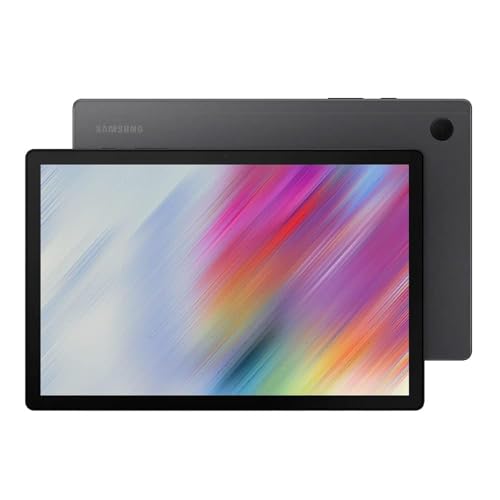
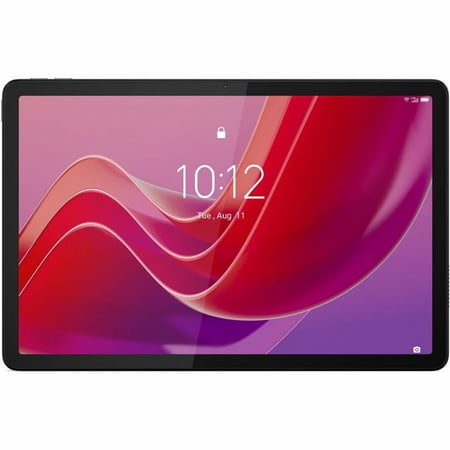
Finding the best tablets under $300 doesn’t mean settling for mediocre hardware. The budget tablet market has shifted dramatically, and the best tablets under $300 now include devices with high-refresh-rate displays, capable processors, stylus support, and genuine software longevity. Whether you’re shopping for a drawing tablet, a streaming companion, a productivity device, or a student tool, the best tablets under $300 category has more credible options than ever before.
The challenge isn’t finding a tablet — it’s knowing which of the best tablets under $300 actually holds up beyond the spec sheet. Some prioritize screen quality. Others lead with battery life. A few try to do everything reasonably well. We’ve evaluated key factors including display accuracy, processor performance, software update commitments, storage practicality, and ecosystem value to build this guide.
This isn’t a list padded with filler picks. Every product here earns its place in the best tablets under $300 conversation for a specific reason, for a specific user type.

At a Glance: Best Tablets Under $300 Summary
When evaluating the best tablets under $300, we compared devices across two tiers — sub-$250 and the full $300 range — across these core criteria:
- Best Overall : HUION Kamvas Pro 16 + Artist Glove Bundle
- Best All-Rounder : Lenovo Idea Tab 11
- Best for Students : Samsung Galaxy Tab S6 Lite
- Best Large Screen : TECLAST T65 13.4″
- Best Windows Tablet : Fusion5 FWIN232 Plus Windows 11
- Best Standalone Drawing Tablet : HUION Kamvas Slate 11
- Best for Families : Samsung Galaxy Tab A8
- Best for Mobile Professionals : Lenovo Tab K11 4G LTE
- Best E-Ink Reader : Musnap Ocean 7″
- Best Pen Display : HUION Kamvas 13 Gen 3
Real-world usage patterns suggest that the best tablets under $300 fall into clear categories: creative tools, general entertainment slates, productivity hybrids, and e-reading devices. Matching the right device to the right user separates a great purchase from a regrettable one.

Best Tablets Under $250


1. HUION Kamvas 13 Gen 3 Drawing Tablet with Screen
Best For: Digital artists and illustrators who want pen display precision at an accessible price point

Product Highlights:
- 13.3″ full-laminated display with Canvas Glass 2.0 anti-sparkle technology
- PenTech 4.0 with 16,384 levels of pressure sensitivity and 2g IAF
- Avg. ΔE<1.5 color accuracy, 99% sRGB, 16.7 million colors
- 5 programmable shortcut keys + dual dial buttons
- Compatible with Windows, macOS, Linux, and Android (USB 3.1 + DP 1.2)
- Adjustable stand ST300 included
- Factory-calibrated color report included
Among the best tablets under $300 for creative professionals, the HUION Kamvas 13 Gen 3 stands in a class of its own for pen display accuracy. This is not a standalone tablet — it requires a connected computer — but for illustrators, designers, and digital artists who already work from a laptop or desktop, it transforms the creative workflow entirely. The Canvas Glass 2.0 reduces glare convincingly without washing out color, and the PenTech 4.0 stylus system delivers the kind of pressure response that previously cost significantly more. For anyone serious about digital art who is evaluating the best tablets under $300, the Kamvas 13 Gen 3 is the most technically capable drawing surface in this price range.
Reasons to Buy:
- Exceptional pen pressure accuracy for the price point
- Factory color calibration adds professional reliability
- Dual dial + shortcut keys genuinely improve workflow efficiency
- Wide software compatibility including Photoshop, Clip Studio, SAI
Reasons to Avoid:
- Requires a separate computer — not a standalone device
- USB-C full-featured cable sold separately
- Not ideal for general tablet use cases like streaming or browsing
2. Lenovo Idea Tab 11″ with Pen and Folio Case
Best For: Students and everyday users who want a well-rounded Android tablet with stylus and case included

Product Highlights:
- 11″ 2.5K display at 2560 x 1600 resolution, 90Hz refresh rate
- MediaTek Dimensity 6300 processor
- 8GB RAM + 128GB storage
- Android 15 out of the box
- Lenovo Tab Pen and Idea Tab Folio Case both included
The Lenovo Idea Tab is one of the most complete packages available in the best tablets under $300 category. You’re getting a 2.5K display with 90Hz smoothness, a full 8GB of RAM for genuine multitasking, and Android 15 — one of the most current Android versions available on any affordable tablet. The included stylus and folio case remove the hidden costs that often inflate the real price of budget tablets. For students who need a device that handles note-taking, video streaming, light productivity, and reading without compromise, the Idea Tab sits near the top of the best tablets under $300 list for sheer all-around value. Lenovo’s software commitment and ecosystem support also add long-term confidence.
Reasons to Buy:
- Pen and case included — no additional accessories needed
- Android 15 provides long-term software relevance
- 2.5K 90Hz display is above average for this price tier
- 8GB RAM handles multitasking comfortably
Reasons to Avoid:
- Dimensity 6300 is a mid-range chip — not suited for demanding games
- Limited availability in some regions
- Brand ecosystem less established than Samsung for tablet accessories
3. Samsung Galaxy Tab S6 Lite 10.4″
Best For: Students, note-takers, and casual users who want S Pen functionality without flagship pricing

Product Highlights:
- 10.4″ TFT display at 2000 x 1200 resolution
- S Pen included with magnetic attachment — no charging required
- Dual speakers tuned by AKG with Dolby Atmos support
- Long-lasting battery with up to 12 hours of streaming
- Samsung DeX desktop experience supported
- Fast-charging USB-C port
- One UI connectivity across Galaxy ecosystem
- 64GB and 128GB storage options
The Samsung Galaxy Tab S6 Lite earns its place among the best tablets under $300 primarily because of the S Pen. No other tablet at this price includes a stylus this polished. The S Pen attaches magnetically, requires zero charging, and integrates directly with Samsung Notes and the broader One UI system. For students and note-takers, that alone is a compelling differentiator. The Dolby Atmos dual speakers make it a respectable entertainment device too, and the DeX mode adds a desktop-style workspace for productivity tasks. It’s not the fastest processor in the best tablets under $300 lineup, but Samsung’s software support and ecosystem connectivity make it one of the most refined experiences available.
Reasons to Buy:
- S Pen included with no extra cost or charging hassle
- Samsung’s One UI is among the most polished Android skins
- Dolby Atmos audio significantly elevates the multimedia experience
- DeX mode adds productivity flexibility
Reasons to Avoid:
- Exynos 9611 shows its age in heavier workloads
- TFT display lacks the brightness of newer IPS or OLED panels
- 64GB base storage feels tight for long-term use
- Software updates will eventually plateau compared to newer devices
4. TECLAST Android 16 T65 13.4″ Tablet
Best For: Streaming, casual browsing, and learning — especially for users who want a large screen with 4G LTE

Product Highlights:
- 13.4″ TDDI display at 1920 x 1200, 120Hz refresh rate
- Widevine L1 certified for full HD streaming on major platforms
- Unisoc T7280 octa-core processor, 2.2GHz
- 6GB RAM + 20GB virtual RAM expansion = 26GB effective RAM
- 256GB internal storage, expandable to 1TB via TF card
- 10,000mAh battery, up to 12 hours video playback
- 2.4/5G dual-band WiFi + 4G LTE (region dependent)
- 13MP rear camera, 8MP front camera
- Android 16 OS
- Bluetooth 5.2, quad-position GPS
Among the best tablets under $300 for pure entertainment consumption, the TECLAST T65 punches above its weight in display size and battery capacity. A 13.4-inch screen with 120Hz refresh and Widevine L1 certification means you’re actually getting HD Netflix and YouTube streaming — something many budget tablets quietly fail to deliver. The 10,000mAh battery is genuinely substantial, and the 256GB storage removes the anxiety of running out of space. The virtual RAM expansion is a marketing-inflated number but the physical 6GB + processor combination handles streaming and light multitasking without frustration. Android 16 is a notable advantage for longevity. For users who want the best tablets under $300 primarily for video content and casual use, the T65 makes a strong case.
Reasons to Buy:
- Widevine L1 enables genuine HD streaming across all major apps
- 10,000mAh battery is among the largest in this category
- 256GB storage + 1TB expandability removes storage anxiety
- Android 16 provides excellent software freshness
- Large 13.4″ screen is ideal for immersive video consumption
Reasons to Avoid:
- Unisoc processor is not competitive for gaming or heavy multitasking
- Virtual RAM expansion is not equivalent to physical RAM
- SIM card support varies by region — confirm before purchasing
- Brand support and long-term update track record less established than Samsung or Lenovo
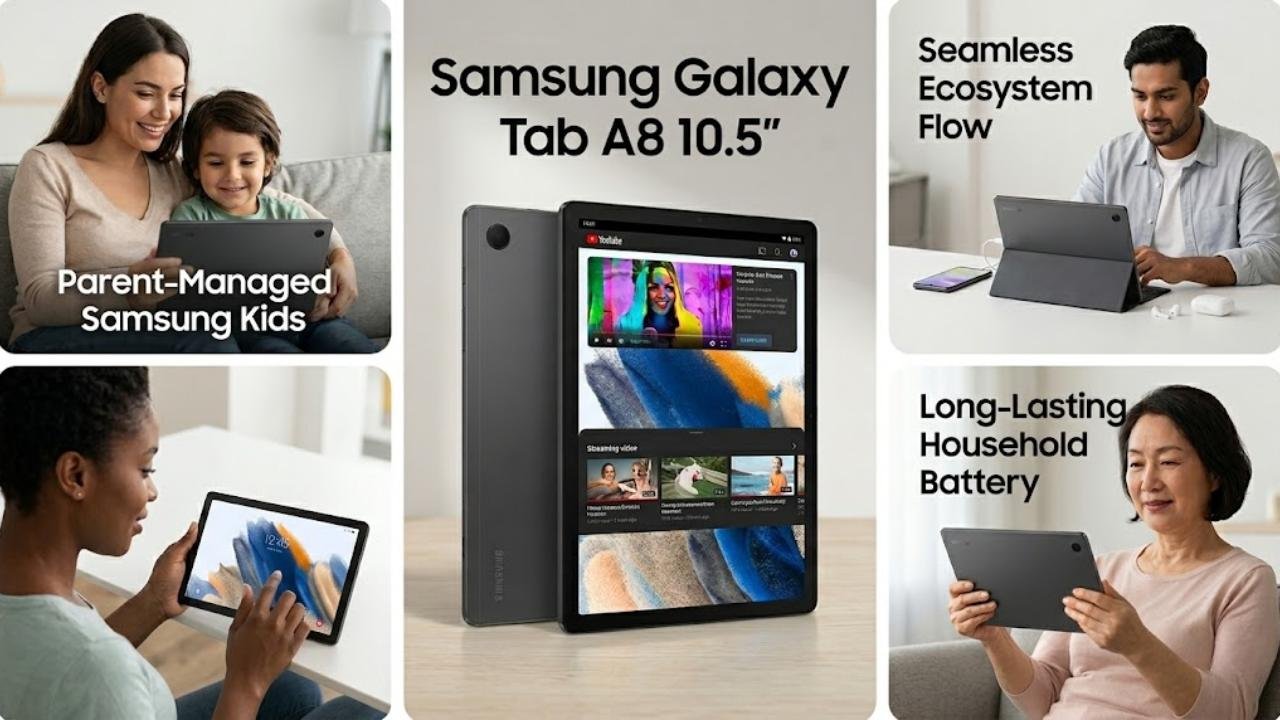
5. Samsung Galaxy Tab A8 10.5″
Best For: Families, casual users, and parents looking for a reliable shared household tablet
Product Highlights:
- 10.5″ LCD display at 1920 x 1200 resolution
- Upgraded chipset with fast-charging USB-C
- 64GB storage with expandable memory support
- Samsung Kids mode with curated, parent-approved content
- Smart Switch for easy data transfer from any OS
- Galaxy ecosystem connectivity with phone, laptop, and wearables
- Available in Dark Gray, Pink Gold, and Silver
The Samsung Galaxy Tab A8 is the most family-friendly option among the best tablets under $300. It’s not trying to be a creative powerhouse or a productivity machine — it’s designed to be reliable, accessible, and easy for every member of the household to use comfortably. Samsung Kids provides a genuinely managed content environment for younger users, while the 10.5-inch display handles streaming and video calls with enough screen real estate to feel comfortable. The Galaxy ecosystem integration means it plays well with Samsung phones and other devices, which is genuinely useful for households already in that ecosystem. For the best tablets under $300 that prioritize ease of use and family versatility, the Tab A8 delivers exactly what it promises.
Reasons to Buy:
- Samsung Kids mode is one of the best parental control experiences on Android
- Reliable Samsung brand support and software updates
- Large 10.5″ screen comfortable for shared household use
- Smart Switch makes setup and migration easy
Reasons to Avoid:
- LCD display lacks the contrast of AMOLED or newer IPS panels
- Chipset performance is adequate but not impressive
- 64GB base storage fills quickly for families with multiple users
- Not ideal for power users or creative professionals
Best Tablets Under $300

1. Fusion5 FWIN232 Plus Windows 11 Tablet
Best For: Users who specifically need a Windows 11 experience on a portable tablet form factor

Product Highlights:
- 10.1″ Full HD display at 1920 x 1200 resolution
- Intel N5100 Quad-Core processor
- 8GB RAM, available in 128GB and 256GB storage options
- Windows 11 pre-installed with full OS functionality
- 5G WiFi, USB 3.0 full-size port, Micro HDMI, Bluetooth 4.4
- Dual cameras included
- 12-month US warranty with US service center
The Fusion5 FWIN232 Plus occupies a very specific niche in the best tablets under $300 landscape: it’s the most accessible Windows 11 tablet at this price point. For users who need compatibility with Windows-only software — enterprise tools, specific educational platforms, full Microsoft Office without workarounds — no Android tablet can replicate that. The Intel N5100 is a competent light-duty processor, well-suited for office documents, web browsing, and video calls. The USB 3.0 port and Micro HDMI output add genuine versatility that Android tablets often lack. The experience is not as fluid as a premium Windows device, but for the best tablets under $300 that run a full desktop OS, the Fusion5 makes a practical and underrated case.
Reasons to Buy:
- Full Windows 11 — compatible with all Windows software and peripherals
- USB 3.0 and Micro HDMI significantly expand connectivity
- Intel N5100 handles office workloads and light multitasking reliably
- 12-month US warranty provides confidence for a budget device
Reasons to Avoid:
- Windows 11 on a 10.1″ touchscreen requires adjustment — not optimized for touch-first use
- Fan noise and heat can be noticeable under sustained workloads
- Display brightness and color accuracy are average
- Heavier and less elegant than comparably priced Android tablets
2. HUION Kamvas Slate 11 Standalone Drawing Tablet
Best For: Artists who want a standalone drawing tablet that works without a computer connection

Product Highlights:
- 10.95″ Full HD+ display at 1920 x 1200, 207 PPI
- 99% sRGB color gamut, full-laminated anti-glare nano-etched screen
- 90Hz refresh rate for smooth visual experience
- 4096 levels of pressure sensitivity, 60° tilt recognition
- 8-core CPU, 8GB RAM, 128GB storage, expandable to 1TB
- 8000mAh battery
- Android 14
- 8MP front camera, 13MP rear camera
- WiFi + Bluetooth connectivity
The HUION Kamvas Slate 11 solves the biggest frustration with pen displays: it doesn’t need a computer. Unlike the Kamvas 13 Gen 3, the Slate 11 is a fully standalone Android 14 tablet that doubles as a complete drawing environment. For artists who work remotely, travel frequently, or simply don’t want to be tethered to a desktop setup, this is a compelling proposition among the best tablets under $300. The anti-glare nano-etched surface provides genuine paper-like texture that improves stylus control and reduces eye strain during long sessions. The 4096-level pen is not as precise as the Kamvas 13’s PenTech 4.0 system, but for illustrations, sketching, and design work, it’s meaningfully more capable than what most general-purpose tablets offer. The 8GB RAM and 128GB storage make it practical as a daily driver Android tablet as well.
Reasons to Buy:
- Fully standalone — no computer connection required
- Anti-glare, full-laminated screen delivers authentic paper-like drawing feel
- 8GB RAM and 128GB storage make it viable as a daily Android tablet
- 8000mAh battery supports extended creative sessions
Reasons to Avoid:
- 4096 pen pressure levels step down from the Kamvas 13’s 16,384 — noticeable to professional illustrators
- Android app ecosystem for professional drawing is more limited than desktop software
- 90Hz is smooth but not exceptional by current standards
- Larger bezels compared to consumer-focused tablets at this price
3. Musnap Ocean 7″ E-Ink eBook Reader Tablet
Best For: Dedicated readers and note-takers who prioritize eye comfort and long battery life over multimedia performance

Product Highlights:
- 7″ E-Ink display with glare-free touchscreen
- Brightness and color temperature adjustment
- Octa-core processor at 2.2GHz, 4GB RAM, 64GB storage
- Android-based with third-party app support
- Supports TXT, EPUB, PDF, MOBI, AZW3, and office document formats
- WiFi, Bluetooth, and USB connectivity
- Stylus pen compatibility (sold separately — not included)
- Available in black-and-white or color E-Ink variants
Among the best tablets under $300, the Musnap Ocean 7″ serves an entirely different purpose than every other device on this list. E-Ink displays are fundamentally different from LCD or IPS panels — they consume dramatically less power, produce zero backlight eye strain, and render text with a quality that many readers genuinely prefer to glass-fronted displays. If your primary activity is reading books, annotating documents, or handwriting notes, this is the most appropriate device in the best tablets under $300 category for that specific workflow. Android compatibility means access to third-party apps beyond the native reader, and the format support is impressively broad. The stylus compatibility adds handwriting functionality, though the pen must be purchased separately — worth clarifying before purchase.
Reasons to Buy:
- E-Ink display delivers exceptional eye comfort for extended reading sessions
- Battery life measured in days, not hours
- Broad format support covers nearly every document and book type
- Third-party Android app support expands functionality
Reasons to Avoid:
- Stylus not included — additional purchase required
- E-Ink refresh rate is not suitable for video, gaming, or general app use
- Color E-Ink variant costs more and still doesn’t match LCD vibrancy
- Limited appeal outside of dedicated reading and note-taking use cases
4. HUION Kamvas Pro 16 Drawing Tablet with Screen + Artist Glove Bundle
Best For: Serious illustrators and designers who need a large professional pen display with pro-grade color accuracy

Product Highlights:
- 15.6″ full-laminated display with anti-glare glass
- 120% sRGB (92% Adobe RGB) color gamut, 16.7 million colors, 8-bit
- 1000:1 contrast ratio for detail in shadows and highlights
- 6 programmable shortcut keys + touch bar
- Battery-free pen with 60° tilt recognition and virtually lag-free tracking
- 2 programmable pen side buttons
- Adjustable stand ST200 between 20° and 60°
- Single 3-in-1 USB-C cable connection (HDMI signal)
- Compatible with Windows, macOS, Linux, Photoshop, Clip Studio, SAI, Lightroom
- Artist glove included for palm rejection and smudge reduction
The HUION Kamvas Pro 16 is the most professional creative tool in the best tablets under $300 guide. At 15.6 inches, it provides a workspace that genuinely rivals more expensive pen displays, and the 120% sRGB color coverage with 1000:1 contrast makes it trustworthy for color-critical illustration and design work. The touch bar combined with six shortcut keys creates an efficient workflow shorthand that reduces time spent reaching for the keyboard. This is not a casual purchase — it requires a computer connection and a level of artistic intention — but for illustrators, concept artists, and designers evaluating the best tablets under $300 for professional creative work, the Kamvas Pro 16 bundle with the artist glove represents exceptional value. The palm rejection glove is a practical addition that addresses a genuine real-world concern during long drawing sessions.
Reasons to Buy:
- 120% sRGB color accuracy is professional-grade at a budget-friendly price
- 15.6″ workspace is among the largest available at this price point
- Touch bar and shortcut keys create genuinely efficient creative workflows
- Artist glove included — a practical, often overlooked accessory
- Wide software compatibility covers all major professional creative applications
Reasons to Avoid:
- Not a standalone device — requires computer connection
- 15.6″ size is substantial and reduces portability compared to smaller pen displays
- Investment is only justified if digital art or design is a primary workflow
- Beginners may find the feature set more than they need
5. Lenovo Tab K11 (TB330XU) 11″ 4G LTE
Best For: Productivity-focused users who need 4G LTE connectivity, a clean display, and long software support

Product Highlights:
- 11″ WUXGA display at 1920 x 1200, 400 nits brightness
- TUV Rheinland eye care certification and Immersive Reading Mode
- MediaTek G88 octa-core processor, 8GB LPDDR4X RAM
- 128GB internal storage, expandable to 1TB via microSD
- 4G LTE with unlocked SIM, WiFi (802.11ac), GPS, Bluetooth
- 7040mAh battery, up to 10 hours video playback
- USB-C 2.0 charging
- Android 13, upgradeable to Android 15, security patches until 2028
- Lenovo Freestyle for PC integration — use as a second monitor or writing pad
- Split-screen, multi-window, Google Lens, smart scanner features
- Dual-tone Luna Gray finish with water and dust resistance
The Lenovo Tab K11 makes a compelling case as one of the most productivity-complete options in the best tablets under $300 segment. The combination of 4G LTE connectivity, Android 15 upgrade path, and security patches committed through 2028 is a software longevity proposition that most budget tablets simply cannot match. Lenovo Freestyle transforms it into a second monitor or wireless writing pad when paired with a compatible laptop — a genuinely useful feature for professionals who travel or work across multiple screens. The G88 processor handles everyday multitasking cleanly, and the 8GB RAM keeps app switching smooth. For users who evaluate the best tablets under $300 through a productivity and long-term value lens, the K11’s combination of LTE, ecosystem features, and update commitment makes it one of the most sensible investments in this entire guide.
Reasons to Buy:
- Security patches committed until 2028 — rare for a budget tablet
- Android 15 upgrade path provides meaningful software longevity
- 4G LTE capability adds genuine flexibility for mobile workers
- Lenovo Freestyle second-monitor feature is a practical productivity differentiator
- TUV eye care certification supports extended daily use
Reasons to Avoid:
- MediaTek G88 is not suited for GPU-intensive gaming
- 7040mAh battery is adequate but not exceptional for the display size
- USB-C 2.0 charging is slower than competing devices with faster charging standards
- Lenovo’s Android skin adds some bloatware out of the box
Model Comparison Table
| Model | Display | Processor | RAM / Storage | OS | Best For |
|---|---|---|---|---|---|
| HUION Kamvas 13 Gen 3 | 13.3″ Full-Laminated | — | — | Windows/Mac/Android | Digital artists, illustrators |
| Lenovo Idea Tab 11″ | 11″ 2.5K 90Hz | Dimensity 6300 | 8GB / 128GB | Android 15 | Students, everyday users |
| Samsung Galaxy Tab S6 Lite | 10.4″ TFT | Exynos 9611 | 4GB / 64GB | Android | S Pen users, note-takers |
| TECLAST T65 | 13.4″ 120Hz IPS | Unisoc T7280 | 6GB+20GB / 256GB | Android 16 | Streaming, casual browsing |
| Samsung Galaxy Tab A8 | 10.5″ LCD | Unisoc T618 | 3GB / 64GB | Android | Families, kids, casual users |
| Fusion5 FWIN232 Plus | 10.1″ Full HD | Intel N5100 | 8GB / 128GB | Windows 11 | Office use, Windows users |
| HUION Kamvas Slate 11 | 10.95″ FHD+ Anti-Glare | 8-core | 8GB / 128GB | Android 14 | Standalone drawing, artists |
| Musnap Ocean 7″ eReader | 7″ E-Ink | Octa-core 2.2GHz | 4GB / 64GB | Android | Readers, note-takers |
| HUION Kamvas Pro 16 | 15.6″ Full-Laminated | — | — | Windows/Mac/Linux | Pro illustrators, designers |
| Lenovo Tab K11 | 11″ WUXGA IPS | MediaTek G88 | 8GB / 128GB | Android 13 | Productivity, LTE users |
How to Choose the Best Tablets Under $300 for Your Needs
For Digital Artists and Illustrators
The best tablets under $300 for creative work split between two use cases. If you work primarily at a desk with a computer, the HUION Kamvas 13 Gen 3 or Kamvas Pro 16 deliver pen display accuracy that standalone Android tablets cannot match. If you want a standalone creative device you can carry anywhere, the HUION Kamvas Slate 11 is the most capable self-contained option in the best tablets under $300 category.
For Students and Everyday Users
The Lenovo Idea Tab with its included pen and case, or the Samsung Galaxy Tab S6 Lite with its polished S Pen experience, represent the best tablets under $300 for students. Both prioritize note-taking, display clarity, and software maturity. The Lenovo leads on hardware specs and Android recency; Samsung leads on ecosystem polish and brand reliability.
For Streaming and Entertainment
If your primary use case is video consumption, the TECLAST T65 stands out in the best tablets under $300 category for its Widevine L1 certification, 13.4-inch 120Hz display, and 10,000mAh battery. The Samsung Tab A8 is the better choice for families who need a managed, child-friendly environment.
For Windows Power Users
The Fusion5 FWIN232 Plus is the only device in this best tablets under $300 guide running full Windows 11. If you need Windows-specific software compatibility, this is your only practical option at this budget. Expectations should be calibrated — it’s a light-duty Windows machine, not a replacement for a full laptop.
For Readers and Note-Takers
The Musnap Ocean E-Ink reader is in a separate category from every other device in the best tablets under $300 guide. If reading and handwritten note-taking are your primary activities, no LCD-based tablet in this price range delivers a comparable eye comfort experience.
For Mobile Professionals
The Lenovo Tab K11 with 4G LTE and its 2028 security update commitment is the most future-proof option in the best tablets under $300 space for professionals who need reliable connectivity and long-term device support.
Key Buying Considerations for the Best Tablets Under $300
Software Update Commitment
This is often overlooked when evaluating the best tablets under $300. A tablet that receives two years of updates retains security and feature relevance significantly longer than one that ships with an older Android version and receives minimal support. The Lenovo K11’s commitment through 2028 and the Lenovo Idea Tab’s Android 15 out of the box set the benchmark here.
Widevine L1 Certification
Many budget tablets ship with Widevine L3 certification, which caps streaming resolution at 480p on major platforms like Netflix and Amazon Prime. Always confirm Widevine L1 support before purchasing any of the best tablets under $300 for entertainment use. The TECLAST T65 explicitly confirms L1 — others should be verified independently.
Storage Practicality
64GB fills quickly in modern usage. If microSD expansion is not available, 64GB base storage is genuinely limiting. The best tablets under $300 that include expandable storage or 128GB base configurations offer meaningfully better long-term usability.
Ecosystem Lock-In
Samsung’s One UI ecosystem creates genuine benefits if you already use Galaxy devices, but creates friction if you don’t. Lenovo’s more open approach and Google ecosystem integration may suit users who prefer flexibility. Evaluate ecosystem fit alongside hardware specs when choosing the best tablets under $300.
Pen Display vs. Standalone Tablet
The HUION pen displays in this guide require a connected computer. If you expect a device that works independently, confirm whether a product is a standalone tablet or a display peripheral before purchasing. This distinction is critical for several of the best tablets under $300 creative picks in this guide.
Conclusion
The best tablets under $300 category is broader and more capable than most buyers expect. From professional pen displays and standalone drawing tablets to family entertainment slates and E-Ink readers, this price point covers genuine use cases with honest hardware quality. The best tablets under $300 for you depend entirely on your primary workflow — and this guide is built to match the right device to the right user, not just rank by spec sheet numbers.
For most general users, the Lenovo Idea Tab and Samsung Galaxy Tab S6 Lite represent the strongest all-around value in the best tablets under $300 space. For creative professionals, the HUION Kamvas series offers a level of pen accuracy that no other manufacturer matches at this price. And for anyone prioritizing long-term software support and mobile connectivity, the Lenovo Tab K11 is the most forward-thinking purchase in the best tablets under $300 category.
Spend time identifying your actual use case before committing. The best tablets under $300 list is only useful when matched to the right buyer — and every device here earns its recommendation for someone specific.
