

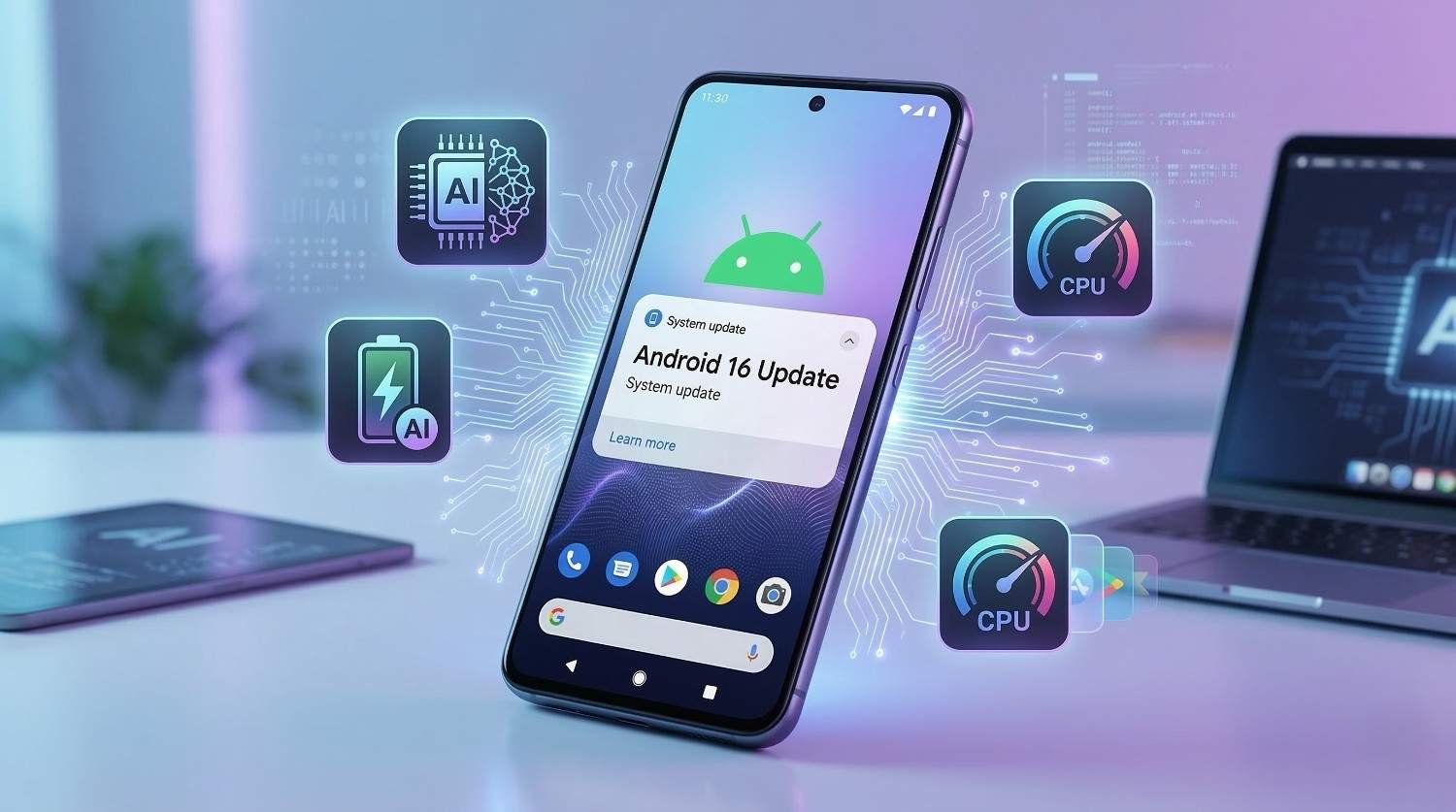
Android 16 update marked a turning point for the Android platform by placing artificial intelligence at the centre of the operating system for the first time. Previous Android versions added AI features on top of the system. Android 16 built AI directly into the core of how the phone thinks, responds, and manages itself.
This is not about a chatbot or a voice assistant. The Android 16 update changed how your phone learns your habits, manages battery, suggests actions, processes your camera images, and responds to what you are doing in real time.
This guide explains every major AI feature clearly, covers which devices received the Android update, and shows you how to get the most from Android 16 on your phone.
What Is the Android 16 Update?
The Android 16 update is a major system release from Google that introduced deep AI integration across core Android functions.
Unlike Android 14 and Android 15, which focused on privacy controls and security architecture, the Android 16 update shifted focus toward intelligence. The goal was to make Android feel more aware of context — understanding what you are doing, what you are likely to do next, and how to help without you having to ask.
All AI processing in Android 16 happens on the device itself. Your data does not need to leave your phone for the system to learn and respond. This approach maintains privacy while delivering AI capabilities that feel genuinely useful rather than invasive.
Google Pixel devices received the Android 16 update first. Samsung, OnePlus, Xiaomi, and Nothing followed with customized versions in the months after the initial release.

What Makes Android 16 Different From Android 15?
Understanding the Android 16 update is easier when you compare it directly to what came before.
| Feature Area | Android 15 | Android 16 |
|---|---|---|
| AI Integration | Limited, surface-level | Deep, system-wide |
| Battery Management | Background app limits | AI-driven adaptive learning |
| App Suggestions | Basic recents | Context-aware predictions |
| Camera Processing | Standard computational photography | AI-enhanced real-time processing |
| Notifications | Cooldown system | Intelligent priority sorting |
| Translation | Manual, app-based | Live, automatic, on-device |
| Performance | Improved scheduling | AI-optimized task distribution |
| Privacy | Strong permission controls | AI with full on-device processing |
The Android 16 update did not remove what Android 15 built. It added an intelligent layer on top of that secure foundation.

Android 16 AI Features Explained
On-Device AI Processing
The most significant change in the Android 16 update is where AI processing happens.
Previous AI features on Android required sending data to cloud servers for processing. Android 16 runs AI models directly on the device processor. This means faster responses, no dependency on an internet connection for core AI functions, and complete privacy since your personal data never leaves your phone.
The system uses dedicated AI processing units built into modern smartphone chips to handle these tasks efficiently without draining battery life.
Context-Aware App Suggestions
Android 16 introduced context-aware app suggestions that go beyond simply showing recently used apps.
The system learns your daily routines over time. If you open a music app every morning during your commute, Android 16 will suggest that app before you even unlock your phone at that time. If you typically check a weather app before leaving home, it surfaces that information automatically.
These suggestions appear in a subtle way and adapt as your habits change. The system does not force suggestions on you — it simply makes the most relevant apps easier to reach at the right moment.
AI-Driven Battery Learning
The Android 16 update introduced adaptive battery learning that goes significantly further than the charging optimization in Android 14.
The system monitors how you use your phone across days and weeks. It learns which apps you use heavily at which times, identifies background apps that drain power without providing value, and adjusts resource allocation accordingly.
Over time, the battery management becomes increasingly personal to your specific usage pattern rather than applying a one-size-fits-all approach to every user.
Intelligent Notification Sorting
Android 15 introduced notification cooldown to reduce repetitive alerts. Android 16 went further with intelligent notification sorting.
The system learns which notifications you respond to quickly, which ones you dismiss without reading, and which apps you tend to interact with during specific times of day. It then prioritizes notification display based on this learned behavior.
Urgent and relevant notifications appear prominently. Lower-priority alerts get grouped quietly. You spend less time managing your notification tray and more time on the things that actually matter.
Live Translation
Android 16 introduced system-level live translation that works across any app without requiring a specific translation tool.
When you receive a message, read an article, or browse a website in a foreign language, Android 16 can translate the content in real time directly on your screen. The translation happens on-device, meaning it works without an internet connection and does not share your reading habits with any external service.
This feature is particularly useful for travelers, people who communicate across language barriers, and anyone who regularly reads content in multiple languages.
Android 16 Camera AI Improvements
The Android 16 update brought meaningful AI improvements to the camera system that benefit every user regardless of photography experience.
Real-Time Scene Recognition
Android 16 introduced real-time scene recognition that works before you take a photo.
The camera identifies what it is looking at — a person, a landscape, food, a document, low-light conditions — and adjusts settings automatically to produce the best possible result. You do not need to switch modes manually. The system handles it as you frame your shot.
AI-Enhanced Low-Light Photography
Low-light photography improved significantly with the Android 16 update.
The AI processing engine captures and combines multiple frames in real time to reduce noise and improve detail in dark conditions. The result is cleaner, brighter photos without the artificial look that aggressive processing sometimes creates.
Smart Photo Organization
Android 16 extended AI capabilities to photo management.
The system can automatically identify and group photos by event, location, subject, or theme — without uploading your photos to any cloud service. This makes it easier to find specific photos in a large library without manually searching or creating albums.
Android 16 Performance Improvements
AI-Optimized Task Distribution
The Android 16 update improved how the system distributes workloads across processor cores using AI-driven scheduling.
The system learns which apps require high performance and which are content with minimal resources. It allocates processing power dynamically based on actual need rather than fixed rules. This results in smoother performance during complex tasks while preserving battery during lighter use.
Faster App Launch Times
Android 16 improved app launch prediction using AI.
The system identifies which apps you are likely to open next based on context and time of day. It pre-loads those apps partially in the background so they open faster when you tap them. This happens quietly without consuming significant battery or memory.
Which Devices Received the Android 16 Update?
Pixel Devices
| Pixel Device | Android 16 Support |
|---|---|
| Pixel 9 Series | ✅ Day one release |
| Pixel 8 Series | ✅ Full support |
| Pixel 7 Series | ✅ Testing phase |
| Pixel 6 Series | ✅ Limited rollout |
| Pixel 5 and older | ❌ Not supported |
Samsung Galaxy Devices
| Samsung Device | Android 16 Status |
|---|---|
| Galaxy S24 Series | ✅ Beta available |
| Galaxy S23 Series | ✅ Testing |
| Galaxy S22 Series | 🔄 Expected |
| Galaxy A55 | 🔄 Planned |
| Galaxy Z Fold 6 | ✅ Beta available |
OnePlus, Xiaomi, and Nothing
| Brand | Android 16 Status |
|---|---|
| OnePlus 12 | ✅ Beta available |
| OnePlus 11 | 🔄 Testing |
| Xiaomi 14 Series | ✅ Rolling out |
| Xiaomi 13 Series | 🔄 Expected |
| Nothing Phone (3) | ✅ Beta available |
| Nothing Phone (2) | 🔄 Testing |
How to Install the Android 16 Update
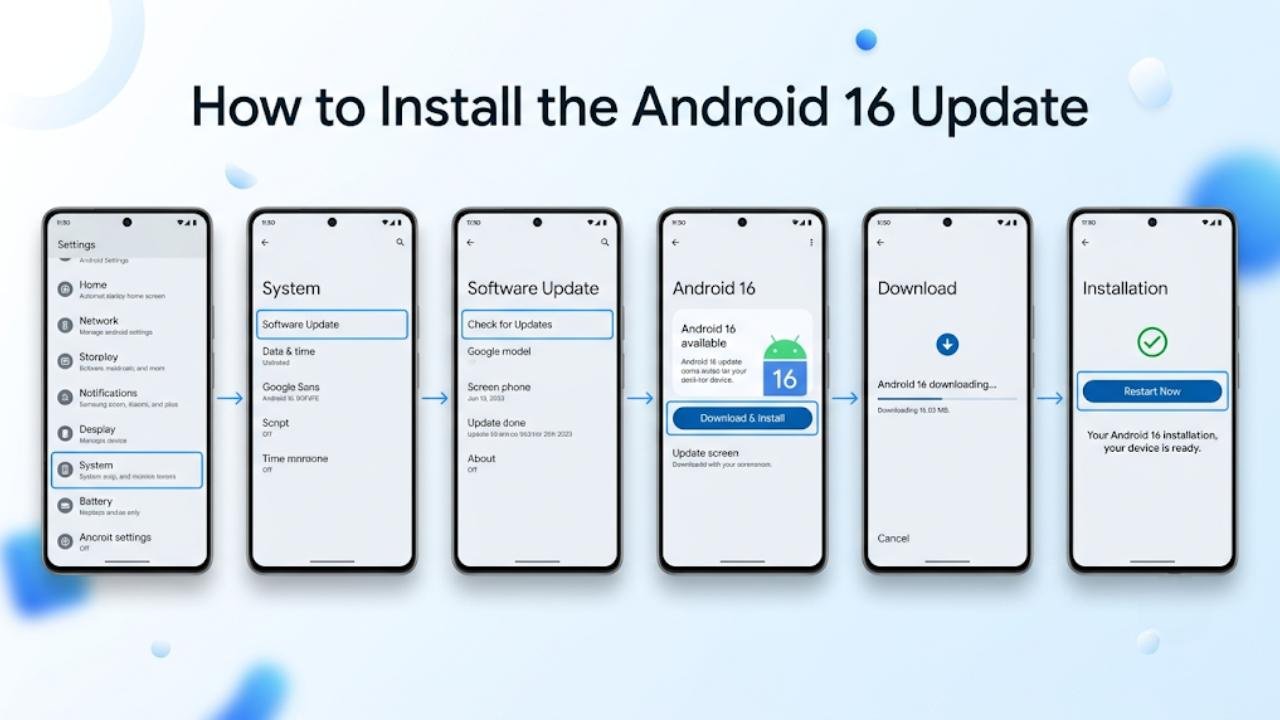
Step-by-Step Installation Guide
- Open Settings on your Android device
- Scroll down and tap System
- Select Software Update or System Update
- Tap Check for Updates
- If Android 16 is available, tap Download and Install
- Wait for the download to finish
- Tap Restart Now when prompted
Installation takes between five and twenty minutes depending on your device and connection speed.
Before You Update
| Preparation Step | Why It Matters |
|---|---|
| Charge battery above 50% | Prevents shutdown during installation |
| Connect to Wi-Fi | Avoids large mobile data usage |
| Back up important data | Protects files if anything goes wrong |
| Free up at least 3GB storage | Ensures the update installs completely |
Common Android 16 Problems and Fixes
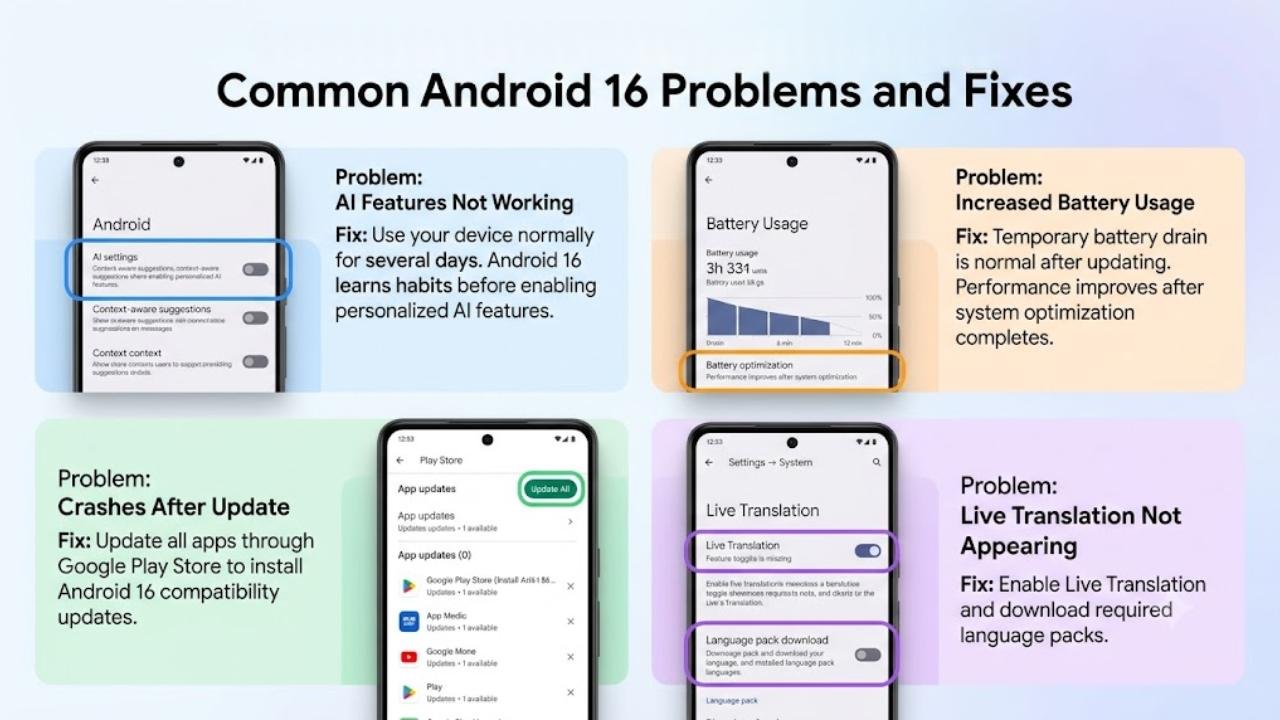
AI Features Not Working After Update
Some users found that AI-driven features like context-aware suggestions did not activate immediately after installing the Android 16 update.
Fix: AI learning features require several days of normal use to build an accurate picture of your habits. Use your phone normally and the features will activate as the system learns your patterns.
Increased Battery Usage After Update
Higher battery consumption in the first few days after the Android 16 update is normal.
Fix: The AI learning process runs more actively during the initial period. Battery performance improves significantly after the first week as the system completes its optimization cycle.
App Crashes After Installing Android 16
Some apps experience crashes after the Android 16 update due to changes in how the system handles background processes and AI task distribution.
Fix: Update all apps immediately through the Google Play Store. Most developers release compatibility updates within days of a major Android release.
Live Translation Not Appearing
Some users could not find the live translation feature after installing the Android 16 update.
Fix: Go to Settings → System → Live Translation and ensure the feature is enabled. You may need to download language packs for the languages you want to use before the feature activates.
FAQs
What is the Android 16 update?
The Android 16 update is a major system release from Google that integrated AI processing directly into core Android functions including battery management, app suggestions, camera processing, notifications, and live translation.
Does Android 16 use AI without an internet connection?
Yes. The Android 16 update processes all core AI features on the device itself. You do not need an internet connection for features like context-aware suggestions, battery learning, or live translation.
Which phones support the Android 16 update?
Pixel 6 and newer Pixel devices received it first. Samsung Galaxy S22 and newer, OnePlus 12, Xiaomi 14 series, and Nothing Phone (2) and (3) are also receiving the Android 16 update in stages.
Does Android 16 improve camera quality?
Yes. The Android 16 update introduced real-time scene recognition, AI-enhanced low-light processing, and smarter photo organization that improve camera results across all supported devices.
Is Android 16 better than Android 15?
Both updates serve different purposes. Android 15 focused on security and privacy. The Android 16 update built an intelligent AI layer on top of that secure foundation, making the overall experience smarter and more personalized.
Final Thoughts
The Android 16 update represents a genuine shift in how Android works rather than a simple collection of new features. By moving AI processing onto the device and weaving intelligence into core system functions, Android 16 makes your phone more useful in ways you notice every day.
Battery life improves because the system actually learns how you use your phone. Notifications become less disruptive because the system knows which ones you care about. The camera gets better results because it understands what it is looking at before you press the shutter.
If your device supports the Android 16 update, installing it is strongly recommended. Give the AI features a week to learn your patterns before judging them. The system genuinely improves with use.
After updating, explore the context-aware suggestions, set up live translation for any languages you encounter regularly, and check your notification priority settings. These three areas deliver the most noticeable improvements that the Android 16 update brings to everyday use.
