

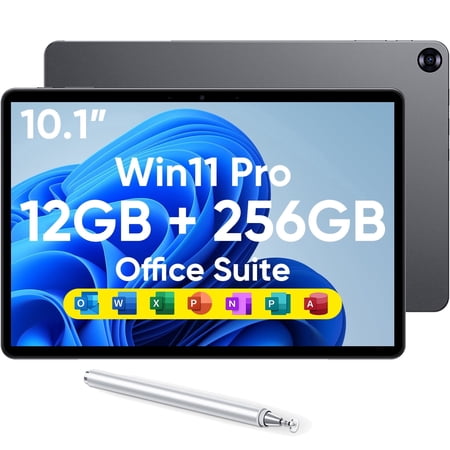
The best Windows tablets deliver something that Android and iPadOS alternatives fundamentally cannot — full desktop application compatibility. When you need to run Microsoft Office desktop apps, legacy business software, CAD tools, or enterprise applications that exist only on Windows, the best Windows tablets are the only tablet category that answers that requirement without compromise. Whether you’re a professional who needs a portable productivity workhorse, a student who wants a lightweight 2-in-1 for classes and assignments, or a casual user who wants the familiarity of Windows in a touchscreen form factor, the best Windows tablets category has a genuinely capable option for your needs.
Choosing from the best Windows tablets requires understanding several trade-offs that don’t apply to Android or iPad alternatives. Windows on a touchscreen requires adaptation — the interface wasn’t originally built for touch navigation, and smaller 10-inch displays can make the desktop environment feel cramped without keyboard and mouse support. Battery life in Windows tablets typically trails Android and iPadOS alternatives. And Windows update requirements and storage management add complexity that iOS and Android handle more transparently.
This buying guide evaluates nine of the best Windows tablets across the full spectrum — from Microsoft’s premium Surface Pro Copilot+ flagship to budget-accessible third-party Windows 11 tablets from Fusion5, CHUWI, and Hyperstrix, and renewed options including older Surface Pro generations that still deliver capable Windows experiences at reduced investment. Products were selected based on processor performance, display quality, battery endurance, Windows software compatibility, build quality, accessory ecosystem, and overall value for the intended audience. If you want the best Windows tablets recommendation that genuinely matches your use case and budget, this guide delivers that analysis.
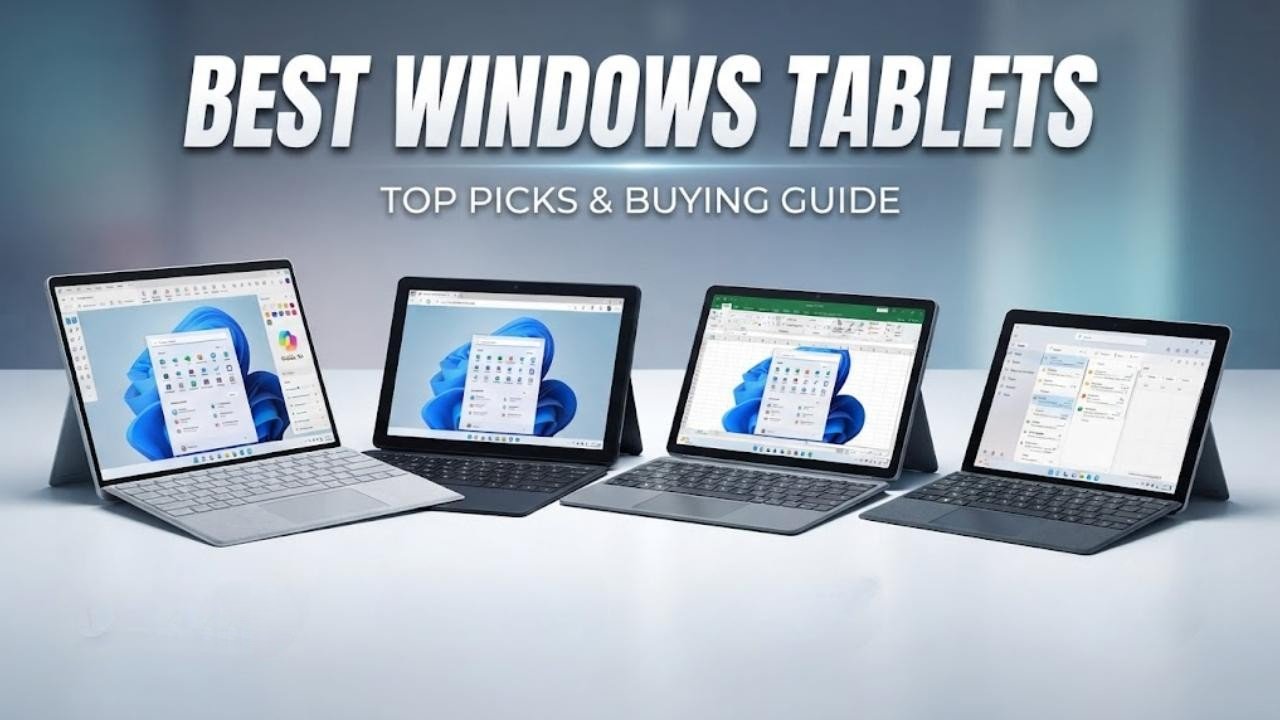
Best Windows Tablets — Quick Picks at a Glance
- Microsoft Surface Pro 12″ (Snapdragon X Plus, Copilot+) — Best overall Windows tablet for AI-powered productivity
- Fusion5 FWIN232 PRO N5 — Best value Windows tablet with two-year accidental damage warranty
- CHUWI Hi10 X2 — Best budget Windows tablet with Intel Core i3 and Windows 11 Pro
- Microsoft Surface Pro 8 (Core i7) — Best Intel-powered Surface Pro for demanding professional workflows
- Microsoft Surface Pro 7 (Core i5) — Best mid-range Surface Pro for everyday productivity
- Microsoft Surface Go 3 (Pentium Gold) — Best compact Windows tablet for portability and light use
- Microsoft Surface Pro 5th Gen (Renewed) — Best legacy budget Surface Pro for basic Windows tasks
- Microsoft Surface Go 1st Gen (Pentium Gold) — Best entry-level budget Windows tablet
- Hyperstrix 2-in-1 Windows 11 Pro — Best compact Windows 11 Pro 2-in-1 with stylus included

Our Top Picks: Best Windows Tablets Reviewed
1. Microsoft Surface Pro
Best For: AI-powered productivity, all-day battery life, and the best overall Windows tablet experience
Why We Picked It
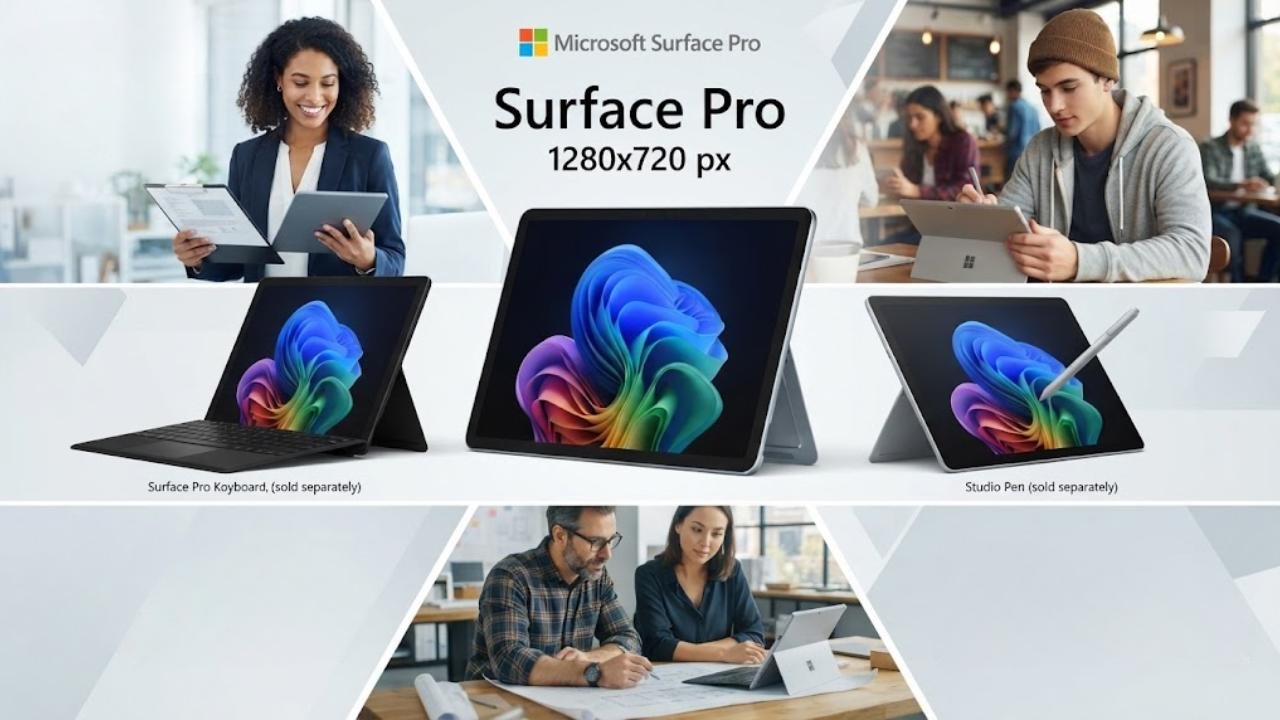
The Microsoft Surface Pro 12-inch Snapdragon X Plus Copilot+ is the best Windows tablets recommendation for most buyers who want a current-generation, premium Windows 2-in-1 experience. This is Microsoft’s most modern Surface Pro — built around Snapdragon X Plus’s 8-core ARM architecture and a dedicated NPU that delivers up to 45 trillion operations per second for AI-powered Windows features.
Copilot+ capabilities including Recall, Live Captions, and AI image generation are available only on this class of hardware, making it the most future-forward Windows tablet in this guide. The 16-hour battery life is the longest of any device in this best Windows tablets roundup — genuinely delivering all-day unplugged productivity that Intel-based Surface Pro generations struggle to match.
The 12-inch PixelSense display at 2196×1464 with vibrant color and crisp detail provides a comfortable productivity canvas, and the built-in kickstand with adjustable angles enables flexible positioning without accessory dependency. Available in Ocean, Platinum, and Violet color options.
Key Specifications
- Display: 12-inch PixelSense, 2196×1464
- Processor: Snapdragon X Plus 8-core with NPU
- RAM: 16GB
- Storage: 256GB or 512GB SSD
- Battery: Up to 16 hours
- OS: Windows 11 Home (Copilot+ PC)
- Connectivity: Wi-Fi 6E, Bluetooth 5.4, USB-C
- Weight: Starting at 1.5 pounds
- Colors: Platinum, Ocean, Violet
Who It’s For
The Surface Pro 12-inch Copilot+ is for professionals, students, and productivity-focused buyers who want the best Windows tablets experience available with all-day battery life, AI-powered Windows features, and Microsoft’s flagship 2-in-1 build quality.
Pros:
- Copilot+ PC with NPU delivers the most advanced AI-powered Windows features available
- 16-hour battery life leads every other device in this best Windows tablets guide
- Snapdragon X Plus delivers fast, efficient performance with low thermal output
- Lightweight design starts at 1.5 pounds for genuine portable daily carry
- PixelSense display delivers vibrant color and sharp resolution for productivity
- Wi-Fi 6E provides next-generation wireless connectivity
- Available in distinctive Ocean and Violet color options
Cons:
- Surface Pro Keyboard sold separately — required for full laptop productivity at additional cost
- Snapdragon X Plus ARM architecture creates compatibility limitations for some legacy x86 apps
- 12-inch display is smaller than the 13-inch Surface Pro 8 — tighter workspace for multitasking
- Surface Pen sold separately — adds further cost for stylus-driven workflows
2. Fusion5 FWIN232 PRO N5
Best For: Best value Windows tablet with exceptional warranty protection
Why We Picked It
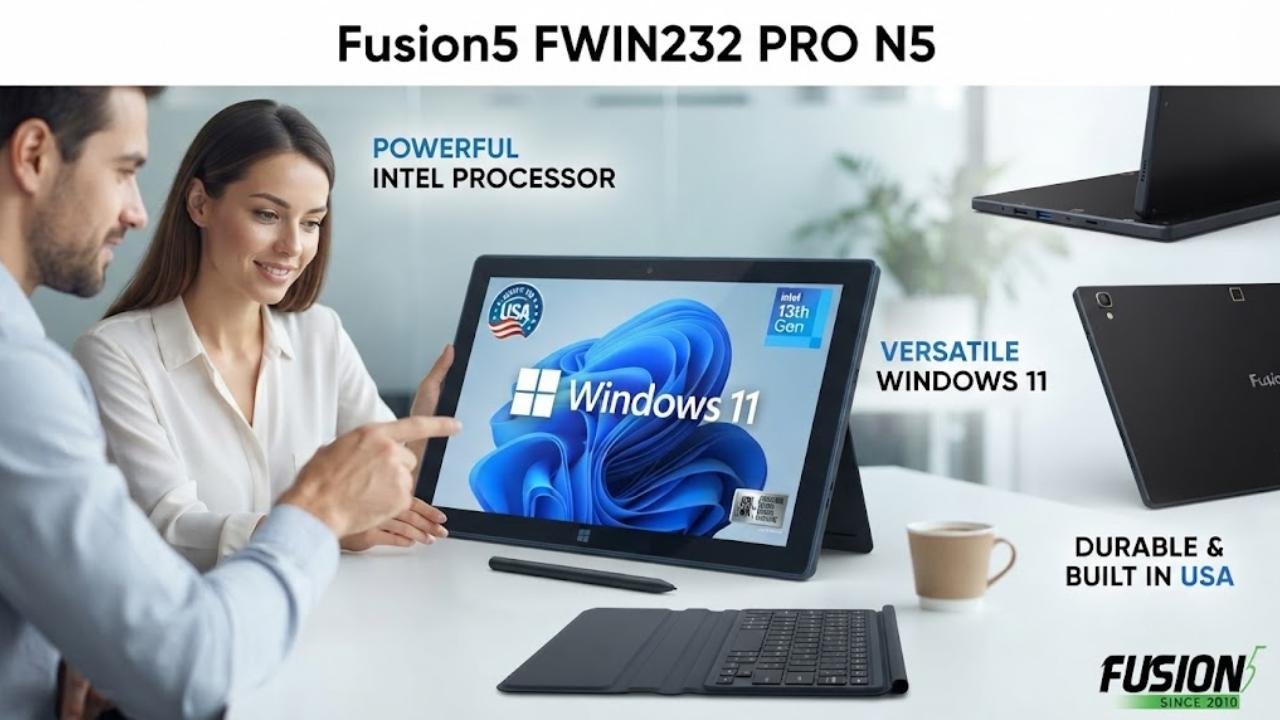
The Fusion5 FWIN232 PRO N5 is the best Windows tablets value pick for buyers who want a capable, full-featured Windows 11 tablet at a mid-range price with the strongest buyer protection commitment in this guide. The two-year full warranty including up to two accidental damage incidents — covering drops and spills — is genuinely exceptional for a Windows tablet at this price point, providing peace of mind that competing devices simply don’t offer. The Intel Alder Lake N100 13th Gen processor turbo-boosts to 3.4GHz, handling document editing, web browsing, video conferencing, streaming, and light multitasking without frustration.
The 12GB RAM enables comfortable Windows multitasking across multiple browser tabs and applications simultaneously, and the 256GB SSD provides fast storage access and ample capacity for everyday workflows. The 10.1-inch Full HD IPS display at 1920×1080 with 500 nits brightness is sharp and bright enough for comfortable productivity use. Assembled in Florida, USA, the Fusion5 adds a quality assurance element that import-only competitors cannot claim.
Key Specifications
- Display: 10.1-inch IPS FHD, 1920×1080, 500 nits
- Processor: Intel Alder Lake N100 (13th Gen), up to 3.4GHz
- RAM: 12GB
- Storage: 256GB SSD (512GB MicroSD expandable)
- Battery: 6000mAh with 36W fast charging
- OS: Windows 11 Home
- Warranty: 2-year full warranty + 2 accidental damage incidents
- Connectivity: Dual-band WiFi, Bluetooth 5.0, USB-C, HDMI
Who It’s For
The Fusion5 FWIN232 PRO N5 is the best Windows tablets pick for students, small business users, and value-focused buyers who want a capable Windows 11 tablet with the best buyer protection warranty in the best Windows tablets guide at a mid-range price.
Pros:
- Two-year full warranty with two accidental damage incidents — best buyer protection in this guide
- Intel 13th Gen N100 handles everyday Windows tasks reliably
- 12GB RAM enables comfortable multi-app Windows multitasking
- 256GB SSD with 500-nit Full HD display provides a solid productivity foundation
- 36W fast charger included in the box — reduces downtime
- HDMI output enables external display connection for expanded productivity
- Assembled in Florida, USA — quality consistency above import-only alternatives
Cons:
- Intel N100 trails Core i5, i7, and Snapdragon X Plus in demanding creative and gaming workloads
- Docking keyboard sold separately — raises total cost for full laptop-mode productivity
- 6000mAh battery provides shorter endurance than Surface Pro alternatives in this guide
- CHUWI and Fusion5 brand after-sales support outside the USA may be limited
3. CHUWI Hi10 X2
Best For: Budget Intel Core i3 Windows 11 Pro tablet with Microsoft Office included
Why We Picked It
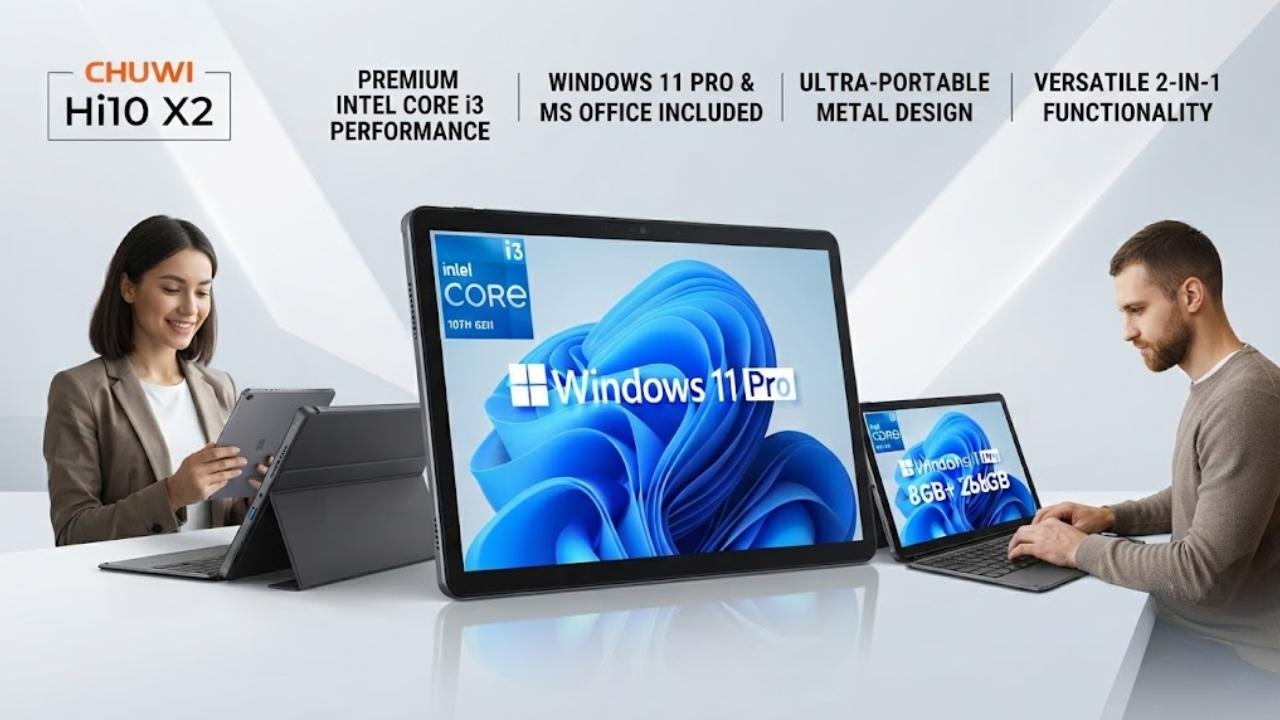
The CHUWI Hi10 X2 is the best Windows tablets pick for budget-conscious buyers who specifically need a genuine Intel Core i3 processor and Windows 11 Pro — a combination that unlocks enterprise software compatibility, domain joining, and IT management features that Windows 11 Home cannot provide — at a price point significantly below Surface Pro alternatives.
The Intel Core i3 at up to 3.9GHz turbo provides meaningfully stronger sustained performance than competing N100 and Pentium Gold processors in this best Windows tablets guide, handling more demanding Office workflows, data analysis applications, and multi-tab browser sessions with greater confidence.
Pre-installed Microsoft Office 2024 adds immediate value without a separate subscription, and the protective case is included in the box. Wi-Fi 6 and Bluetooth 5.3 provide current-generation wireless connectivity, and the USB-C port with USB 3.2 speeds enables fast external storage and 4K display output simultaneously.
Key Specifications
- Display: 10.1-inch In-Cell HD touchscreen
- Processor: Intel Core i3, up to 3.9GHz
- RAM: 8GB
- Storage: 256GB SSD
- OS: Windows 11 Pro (with Microsoft Office 2024 pre-installed)
- Connectivity: Wi-Fi 6, Bluetooth 5.3, 4K Micro HDMI, USB 3.2 Gen 1, USB-C
- Weight: 1.34 pounds
- Included: Protective case
Who It’s For
The CHUWI Hi10 X2 is the best Windows tablets pick for small business users, IT-managed deployments, and buyers who specifically need Windows 11 Pro with genuine Intel Core i3 processing at a budget-accessible price point.
Pros:
- Intel Core i3 delivers stronger sustained performance than N100 and Pentium Gold competitors
- Windows 11 Pro enables enterprise software, domain joining, and IT management
- Microsoft Office 2024 pre-installed — immediate productivity value without additional subscription
- Wi-Fi 6 and Bluetooth 5.3 provide current-generation wireless standards
- USB 3.2 and USB-C with 4K output enable professional docking setups
- Ultra-thin 0.4-inch metal chassis at 1.34 pounds is impressively portable
- Protective case included — immediate protective value
Cons:
- 3.9-star average suggests occasional quality consistency issues — verify seller carefully
- Optional magnetic keyboard sold separately for full laptop-mode productivity
- Windows 11 Pro system activation may require contacting CHUWI support per listing notes
- CHUWI after-sales support and warranty quality are less established than Microsoft’s Surface network
4. Microsoft Surface Pro 8
Best For: Demanding Intel-based professional workflows with premium display quality
Why We Picked It
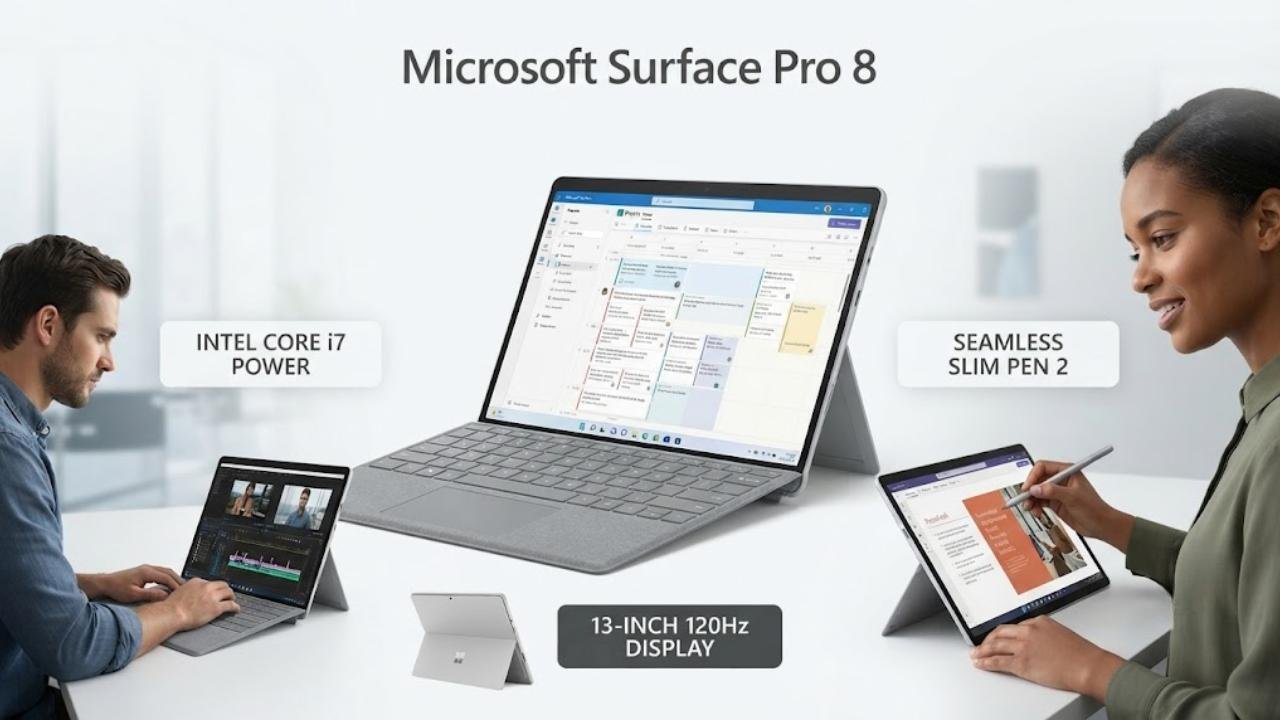
The Microsoft Surface Pro 8 Core i7 is the best Windows tablets pick for buyers who need maximum Intel-based processing power and the largest, sharpest Surface display available at a non-ARM price point. The 13-inch 2880×1920 touchscreen with 120Hz adaptive refresh rate is the most visually impressive display in this best Windows tablets guide — fluid, sharp, and genuinely comfortable for extended creative and productivity sessions that smaller 10-inch alternatives cannot match.
The Intel Core i7 on the Intel Evo platform delivers sustained high performance for demanding applications including video editing, data analysis, CAD, and complex Office workflows that entry-level chips like the N100 and Pentium Gold handle inadequately. The 16GB RAM configuration handles intensive multitasking across multiple demanding applications without memory pressure, and the 256GB SSD provides fast storage access. The Surface Slim Pen 2 integration — stored and charged inside the Surface Pro Signature Keyboard — creates the most seamless stylus experience in any Windows tablet for creative and annotation workflows.
Key Specifications
- Display: 13-inch 2880×1920, 120Hz adaptive refresh rate
- Processor: Intel Core i7 (Intel Evo platform)
- RAM: 16GB
- Storage: 256GB SSD
- OS: Windows 11 Home
- Battery: Up to 16 hours
- Accessories: Surface Slim Pen 2 and Signature Keyboard (sold separately)
Who It’s For
The Surface Pro 8 Core i7 is the best Windows tablets choice for architects, video editors, data scientists, creative professionals, and demanding power users who need maximum Intel-based processing in Microsoft’s premium 13-inch Surface form factor.
Pros:
- 13-inch 120Hz display is the sharpest and most fluid screen in this best Windows tablets guide
- Intel Core i7 Evo delivers the strongest sustained Intel processing in any Surface tablet
- 16GB RAM handles the most intensive professional multitasking without memory pressure
- Intel Evo platform provides certification for performance, graphics, and battery standards
- Up to 16 hours battery life is impressive for a Core i7 Intel-based Windows tablet
- Surface Slim Pen 2 stored in Signature Keyboard creates seamless stylus workflow integration
- Full x86 Intel app compatibility — no ARM limitations
Cons:
- Surface Signature Keyboard sold separately — essential for laptop mode at significant additional cost
- 13-inch size makes it the least portable device in this best Windows tablets guide
- Intel-based thermal management means sustained peak performance can throttle under load
- Premium pricing positions it at the top of the best Windows tablets investment range
5. Microsoft Surface Pro 7
Best For: Balanced Intel productivity with USB-A and USB-C versatility
Why We Picked It
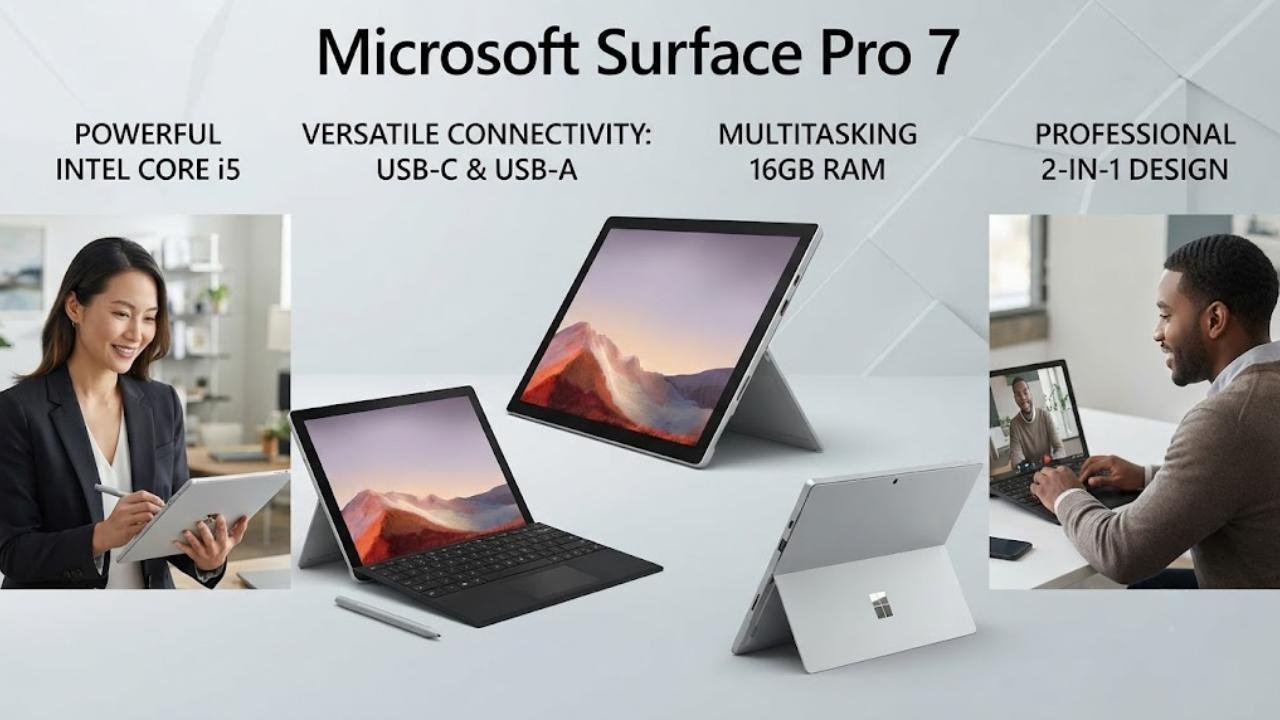
The Microsoft Surface Pro 7 Core i5 with 16GB RAM is the best Windows tablets recommendation for buyers who want established Intel Core i5 10th Gen processing in Microsoft’s reliable Surface Pro 12.3-inch form factor with the practical advantage of both USB-C and USB-A ports — a connectivity combination that the Surface Pro 8 and newer models removed. The USB-A port enables direct connection to legacy peripherals, traditional USB drives, and accessories without adapters — a genuine practical advantage in real-world professional environments where dongle dependency is a daily frustration.
The 10th Gen Core i5 delivers solid sustained performance for document-heavy Office workflows, web-based productivity, video conferencing, and light creative tasks. The 16GB RAM configuration provides comfortable headroom for multi-application Windows multitasking, and the 256GB SSD ensures fast storage access for everyday file operations. Battery life at up to 10.5 hours is competitive for an Intel Core tablet, and the Surface Pro design language remains premium — slim, light at 1.70 pounds, and genuinely professional in appearance.
Key Specifications
- Display: 12.3-inch PixelSense, 2736×1824
- Processor: 10th Gen Intel Core i5
- RAM: 16GB
- Storage: 256GB SSD
- OS: Windows 10 Home (Windows 11 upgrade available)
- Battery: Up to 10.5 hours
- Ports: USB-C, USB-A (both included)
- Weight: Starting at 1.70 pounds
Who It’s For
The Surface Pro 7 Core i5 is the best Windows tablets pick for professionals and productivity-focused buyers who want established Intel Core i5 reliability, 16GB RAM multitasking headroom, and the practical USB-A port that newer Surface Pro models removed, in Microsoft’s trusted premium 2-in-1 form factor.
Pros:
- Both USB-C and USB-A ports — most versatile connectivity in any Surface Pro in this guide
- 10th Gen Core i5 delivers solid sustained Windows performance for productivity workflows
- 16GB RAM handles intensive multi-application Office and browser sessions reliably
- 2736×1824 PixelSense display is sharp and comfortable for extended productivity use
- Microsoft Surface ecosystem — Type Cover, Surface Pen, Surface Arc Mouse compatibility
- Slim at 1.70 pounds for genuine professional daily carry
- Established Surface Pro build quality and Microsoft service network
Cons:
- Battery life at 10.5 hours trails the Snapdragon Surface Pro 12’s 16-hour endurance
- Type Cover and Surface Pen sold separately — raises total investment significantly
- 10th Gen Core i5 is an older Intel generation approaching obsolescence for demanding tasks
- Windows 10 Home base requires Windows 11 upgrade verification
6. Microsoft Surface Go 3
Best For: Most portable Windows tablet for light everyday productivity
Why We Picked It
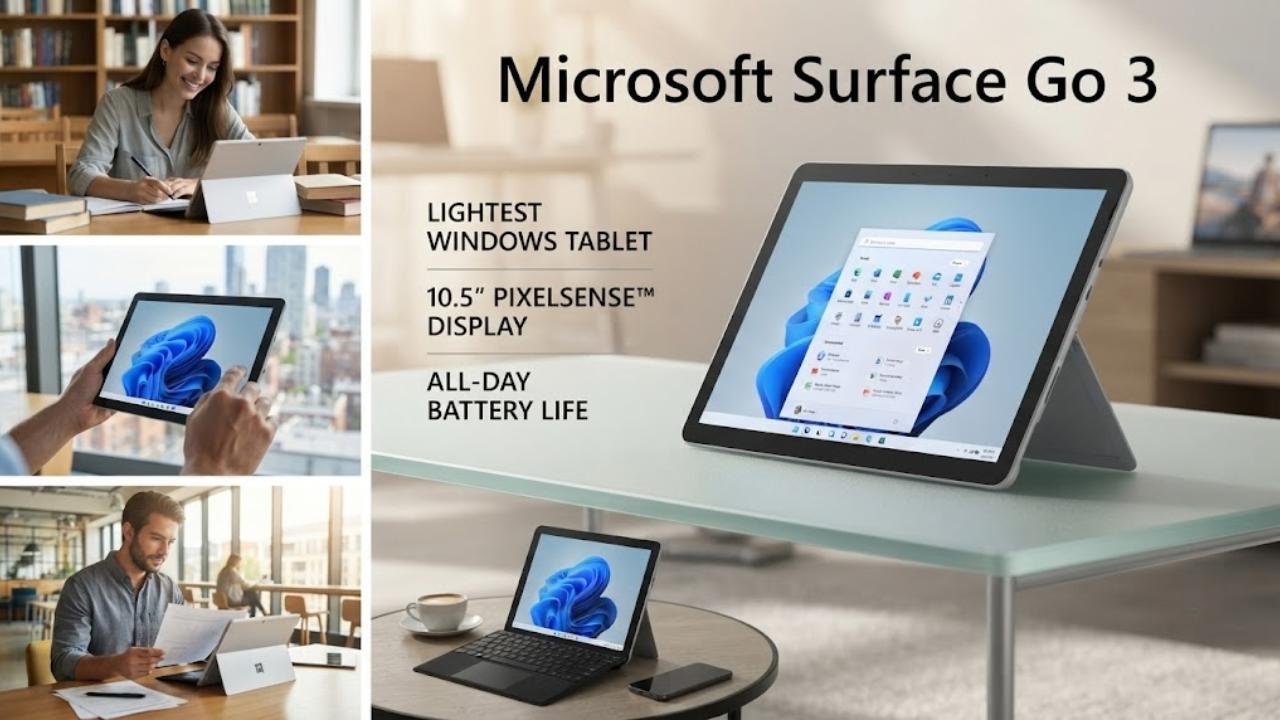
The Microsoft Surface Go 3 is the best Windows tablets pick for buyers who specifically prioritize portability and compact size above all else — starting at just 1.2 pounds, the Surface Go 3 is the lightest device in this best Windows tablets guide and the easiest to carry in a small bag, purse, or backpack without the weight commitment that 12-13 inch Surface Pro models demand.
The 10.5-inch PixelSense display at 1920×1280 with 220 PPI is the sharpest compact display in the best Windows tablets guide, and the 3:2 aspect ratio suits both portrait document reading and landscape productivity naturally. The Pentium Gold processor handles everyday Windows tasks — web browsing, email, Microsoft Teams video calls, streaming, and light document editing — adequately for the use cases the Surface Go 3 is designed for. The 11-hour battery life is solid for a Pentium-class Windows tablet, and fast charging reduces downtime. The MicroSDXC card reader enables storage expansion beyond the 128GB SSD.
Key Specifications
- Display: 10.5-inch PixelSense, 1920×1280, 220 PPI
- Processor: Intel Pentium Gold
- RAM: 8GB
- Storage: 128GB SSD
- OS: Windows 11
- Battery: Up to 11 hours with fast charging
- Ports: USB-C, headphone jack, MicroSDXC
- Weight: Starting at 1.2 pounds
Who It’s For
The Surface Go 3 is the best Windows tablets choice for students, parents, frequent travelers, and anyone who needs the most portable, lightest Windows tablet available for basic daily tasks without the size and weight commitment of larger Surface Pro models.
Pros:
- 1.2-pound starting weight is the lightest Windows tablet in this best Windows tablets guide
- 1920×1280 PixelSense display delivers the sharpest compact Windows tablet display available
- 11-hour battery life with fast charging provides comfortable all-day portable use
- USB-C, headphone jack, and MicroSDXC reader cover everyday connectivity needs
- Microsoft’s Surface ecosystem — Type Cover and Surface Pen compatible
- 3:2 aspect ratio naturally suits both portrait and landscape content consumption
Cons:
- Pentium Gold processor is inadequate for demanding creative, gaming, or intensive workflows
- Type Cover and Surface Pen sold separately — significantly raise total ownership cost
- 10.5-inch display is small for extended productivity sessions requiring multiple windows
- Intel Pentium Gold doesn’t meet Windows 11 Copilot+ AI feature requirements
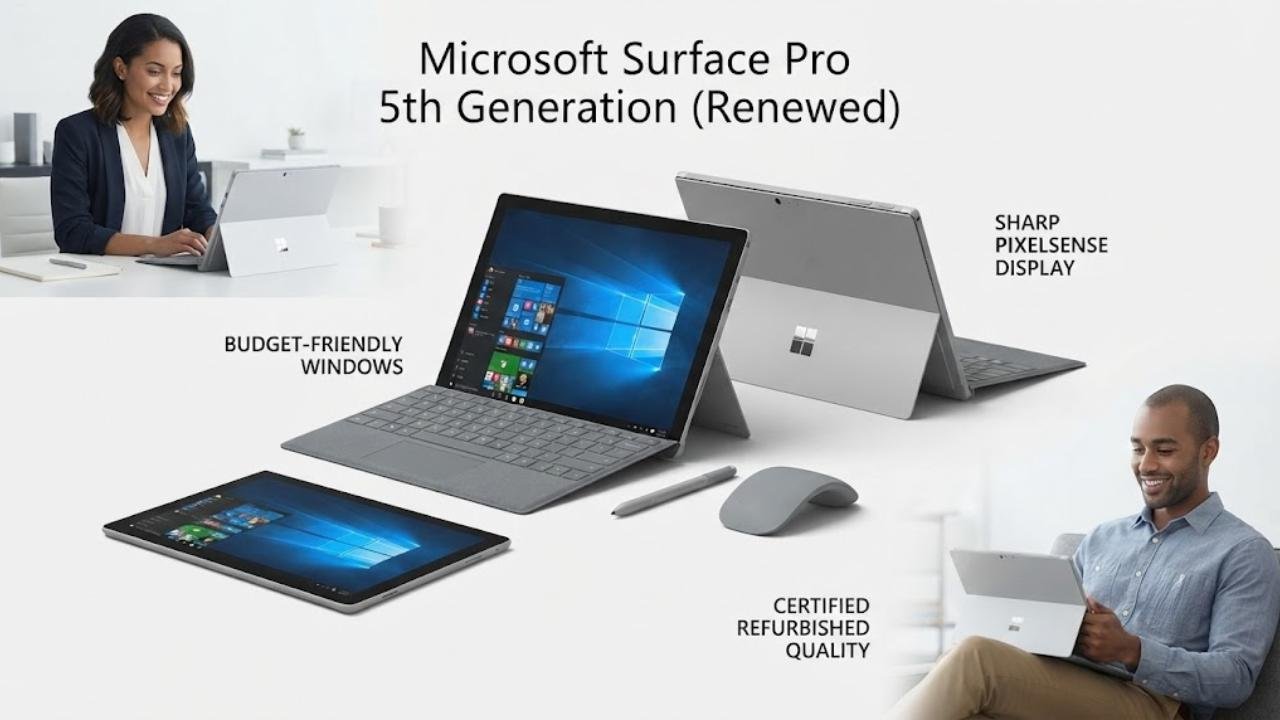
7. Microsoft Surface Pro 5th Generation (Renewed)
Best For: Legacy budget Windows tablet for basic tasks at the lowest Surface investment
Why We Picked It
The renewed Microsoft Surface Pro 5th Generation is the best Windows tablets pick for buyers who want to enter the Microsoft Surface ecosystem at the lowest possible investment — and who have realistic expectations about what an older-generation Surface can deliver. The 12.3-inch 2736×1824 PixelSense display remains genuinely impressive even on this older model — sharp, accurate, and comfortable for everyday document work.
The fanless Intel Core M-5Y10 cooling system reduces noise and thermal throttling concerns under light workloads, and the 13.5-hour claimed battery life is notable for this processor generation. The certified refurbishing process with minimum 90-day warranty provides baseline quality assurance. However, buyers must understand the limitations: the Intel Core M-5Y10 and 4GB RAM create real constraints under any demanding multitasking, and Windows 10 Pro as the base OS requires verification of Windows 11 upgrade eligibility for the specific unit.
Key Specifications
- Display: 12.3-inch PixelSense, 2736×1824, 10-point multi-touch
- Processor: Intel Core M-5Y10
- RAM: 4GB
- Storage: 128GB
- OS: Windows 10 Pro (Certified Refurbished)
- Battery: Up to 13.5 hours
- Certification: Amazon Certified Refurbished — minimum 90-day warranty
Who It’s For
The Surface Pro 5th Gen renewed is the best Windows tablets choice for budget-conscious buyers who want the iconic Surface Pro design and sharp PixelSense display for basic Windows tasks at the lowest possible investment in the best Windows tablets category.
Pros:
- Amazon Certified Refurbished with minimum 90-day warranty provides baseline quality assurance
- 12.3-inch 2736×1824 PixelSense display remains sharp and comfortable for everyday use
- Fanless cooling eliminates fan noise under light productivity workloads
- 13.5-hour claimed battery life is impressive for the Core M-5Y10 processor
- Entry-level price into the Microsoft Surface ecosystem
Cons:
- Intel Core M-5Y10 is severely limited under any demanding multitasking or creative workload
- 4GB RAM creates frustrating limitations for modern Windows 10/11 multitasking expectations
- Windows 11 upgrade eligibility should be verified for the specific renewed unit before purchasing
- Older generation Surface accessories may have compatibility limitations with current peripherals
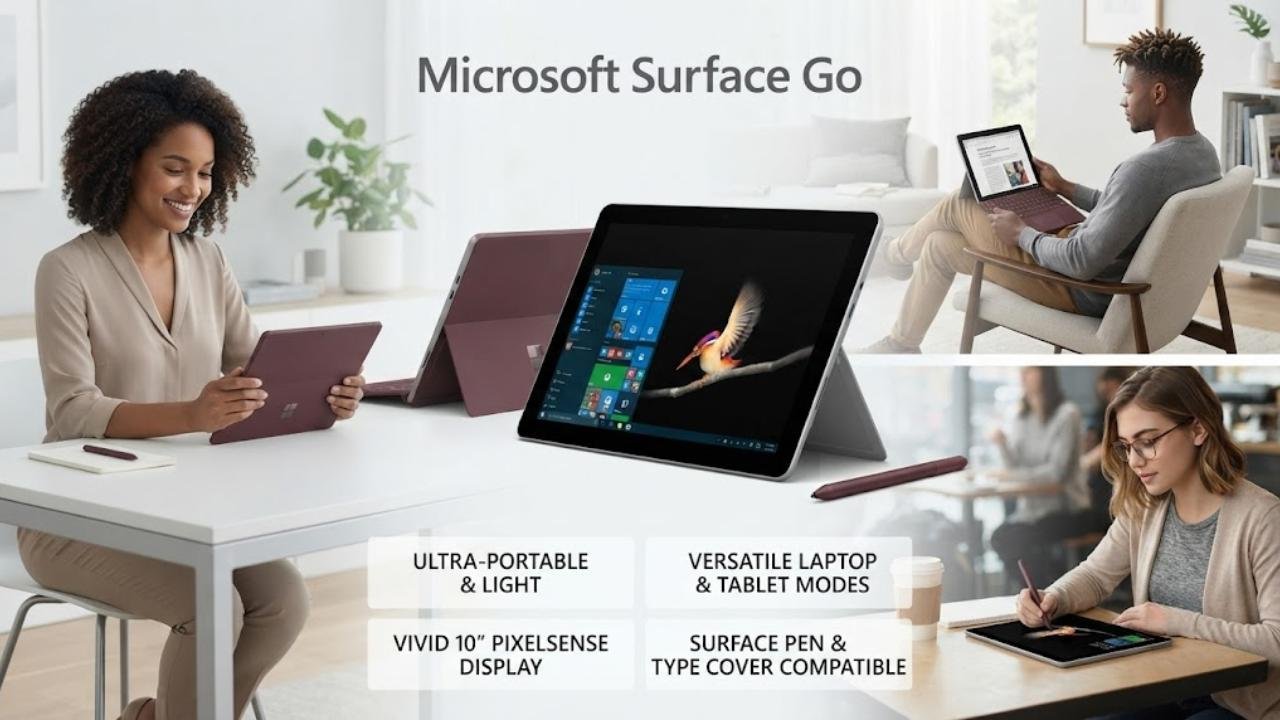
8. Microsoft Surface Go
Best For: Entry-level budget Windows tablet for basic casual use
Why We Picked It — With Important Context
The Microsoft Surface Go 1st Generation is the most affordable entry point in the best Windows tablets guide, and it delivers the basic Surface Go experience — a sharp 1800×1200 PixelSense 10-inch display, lightweight 1.15-pound chassis, USB-C, and the Surface ecosystem accessories compatibility — at a budget-accessible investment. The Intel Pentium Gold handles basic Windows tasks in S Mode adequately, and switching to full Windows 10 enables standard application compatibility.
However, buyers must approach the Surface Go 1st Generation with clear expectations: 4GB RAM and 64GB storage are severe constraints for modern Windows use, and Windows 10 S Mode restricts app installation to Microsoft Store applications by default. The base storage of 64GB leaves approximately 40GB of usable space after Windows installation — immediately requiring cloud storage dependency for most practical workflows.
Key Specifications
- Display: 10-inch PixelSense, 1800×1200
- Processor: Intel Pentium Gold
- RAM: 4GB
- Storage: 64GB
- OS: Windows 10 S Mode
- Battery: Up to 9 hours
- Ports: USB-C, Surface Connect, headphone jack
- Weight: Starting at 1.15 pounds
Who It’s For
The Surface Go 1st Gen is the best Windows tablets budget choice for buyers who need basic web browsing, streaming, email, and light document editing in the most affordable Microsoft Surface package — with clear awareness of its storage and RAM limitations.
Pros:
- 1.15-pound starting weight is the lightest Surface device in this best Windows tablets guide
- 1800×1200 PixelSense display is sharp and accurate for basic content consumption
- Surface ecosystem compatibility — Type Cover and Surface Pen accessories supported
- Established Microsoft brand reliability and service network
- Most affordable entry into the Surface Pro ecosystem
Cons:
- 4GB RAM is insufficient for comfortable modern Windows multitasking
- 64GB storage leaves very limited usable space after Windows installation
- Windows 10 S Mode restricts third-party app installation by default
- 9-hour battery trails newer Surface Go 3 by two hours
- Intel Pentium Gold provides no headroom for demanding application workloads
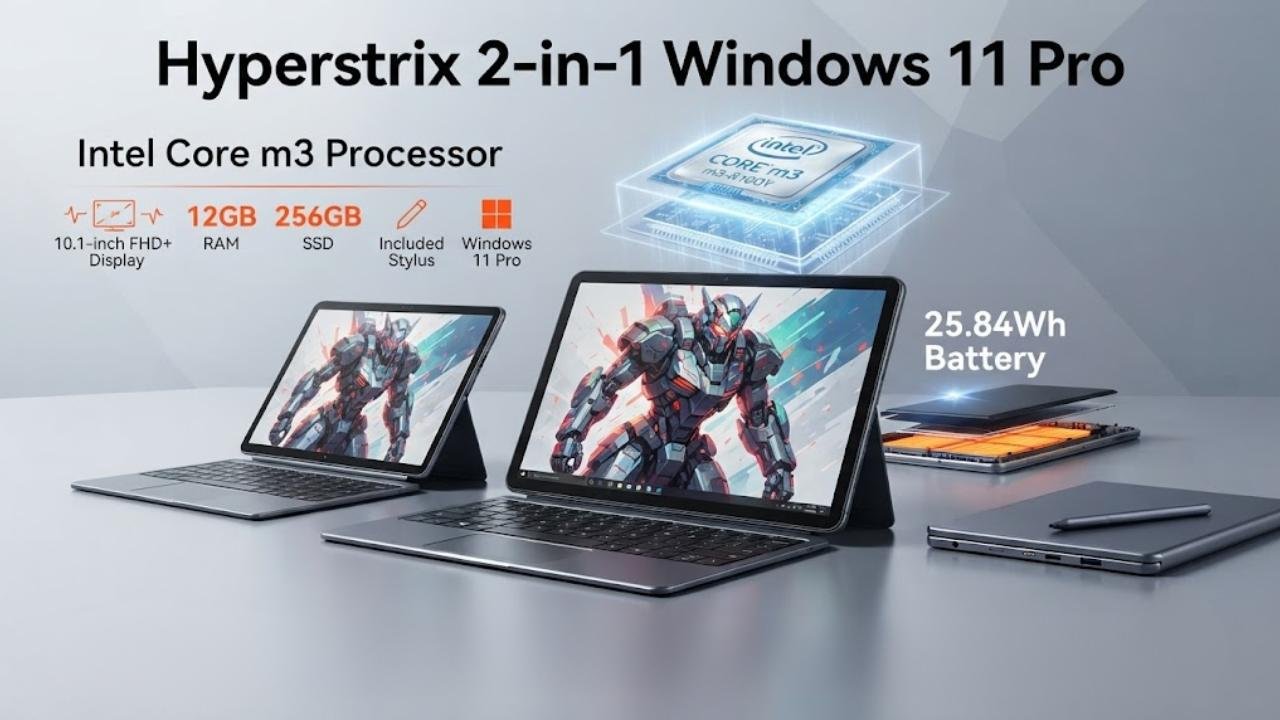
9. Hyperstrix 2-in-1 Windows 11 Pro
Best For: Compact Windows 11 Pro 2-in-1 with stylus included at a budget price
Why We Picked It
The Hyperstrix 2-in-1 Windows 11 Pro tablet is the best Windows tablets pick for budget-conscious buyers who need Windows 11 Pro — with its enterprise software compatibility and IT management capabilities — in a compact 10.1-inch 2-in-1 form factor with a stylus included in the box.
The Intel Core m3-8100Y processor at up to 3.4GHz handles document editing, web-based productivity, and light Windows workflows without the severe limitations of Pentium Gold alternatives, and Windows 11 Pro unlocks enterprise features including domain joining, BitLocker encryption, and remote desktop capabilities that Windows 11 Home cannot provide.
The 12GB DDR3 RAM handles Windows multitasking more comfortably than 4GB or 8GB configurations in competing budget tablets, and the 256GB SSD provides fast, practical storage for everyday Windows workflows. The included stylus adds annotation and handwriting capability without additional purchase.
Key Specifications
- Display: 10.1-inch touchscreen, 1280×800
- Processor: Intel Core m3-8100Y, up to 3.4GHz
- RAM: 12GB DDR3
- Storage: 256GB SSD
- OS: Windows 11 Pro
- Battery: Approximately 5 hours
- Ports: USB-C, Micro HDMI, USB 3.0
- Included: Stylus and case
Who It’s For
The Hyperstrix is the best Windows tablets choice for budget buyers who specifically need Windows 11 Pro with Core m3 processing in a compact 2-in-1 with stylus and case included, for light enterprise and productivity use.
Pros:
- Windows 11 Pro enables enterprise software, domain joining, and IT management features
- Core m3-8100Y provides better sustained performance than Pentium Gold alternatives
- 12GB RAM handles Windows multitasking more comfortably than competing budget tablets
- Stylus and case included — complete out-of-box value without additional purchases
- 256GB SSD provides fast, practical storage for everyday workflows
- Micro HDMI enables external display connection for expanded productivity
Cons:
- 5-hour battery life is the shortest endurance in the entire best Windows tablets guide
- 1280×800 display resolution is the lowest in this guide — noticeably less sharp than Surface alternatives
- Very limited user review history — only 9 ratings makes quality consistency difficult to verify
- DDR3 RAM is an older generation standard compared to DDR4 and DDR5 alternatives
- Hyperstrix brand has minimal market presence and uncertain long-term support infrastructure
Best Windows Tablets — Best For Categories
| Use Case | Best Pick |
|---|---|
| Best Overall | Microsoft Surface Pro 12″ (Snapdragon X Plus Copilot+) |
| Best Value | Fusion5 FWIN232 PRO N5 |
| Best Budget | Microsoft Surface Go 3 |
| Best Premium | Microsoft Surface Pro 8 (Core i7) |
| Best for Students | Microsoft Surface Go 3 |
| Best for Professionals | Microsoft Surface Pro 8 (Core i7) |
| Best Intel Core Performance | Microsoft Surface Pro 8 (Core i7) |
| Best Windows 11 Pro Budget | CHUWI Hi10 X2 |
| Best Compact | Microsoft Surface Go 3 |
| Best Legacy Budget | Microsoft Surface Pro 5th Gen (Renewed) |
Windows Tablets Buying Guide
Understanding ARM vs Intel in Windows Tablets
The best Windows tablets guide includes both Snapdragon ARM-based and Intel x86-based devices — and this distinction matters significantly for your purchase decision. ARM-based tablets like the Surface Pro 12-inch Snapdragon X Plus deliver exceptional battery life and thermal efficiency, but some legacy x86 Windows applications don’t run natively on ARM hardware. Intel-based tablets — Surface Pro 7, 8, and the third-party options in this guide — run every Windows application without compatibility concerns but typically deliver shorter battery life under intensive use. If your workflow relies on legacy enterprise software or older Windows applications, verify ARM compatibility before choosing a Snapdragon-based best Windows tablets option.
Windows 11 Home vs Pro: Which Do You Need?
Several best Windows tablets in this guide run Windows 11 Home, while others run Windows 11 Pro. For most individual buyers — students, families, and personal productivity users — Windows 11 Home provides everything needed. Windows 11 Pro becomes necessary for corporate IT-managed deployments requiring domain joining, BitLocker encryption, remote desktop hosting, or advanced group policy management. If your employer’s IT department manages devices, verify whether Windows 11 Pro is required before selecting among the best Windows tablets options.
Processor Tier Guide for Windows Tablets
The best Windows tablets guide spans four processor tiers with meaningfully different performance capabilities:
- Entry-level (Pentium Gold, N100): Web browsing, email, streaming, light document editing
- Mid-range (Core m3, Core M-5Y10): More confident everyday productivity, light Office work
- Performance (Core i5 10th Gen, Snapdragon X Plus): Sustained professional productivity, multitasking
- High-performance (Core i7 Evo): Demanding creative workflows, data analysis, sustained peak performance
Match your chipset tier to your actual daily workload requirements — not the highest available tier.
The True Cost of Windows Tablets
Most best Windows tablets require additional accessories to function as intended. The Surface Pro keyboard (Type Cover or equivalent) adds significantly to the total investment. Surface Pen or compatible stylus adds further cost. Docking stations, adapters, and cases increase the total outlay. When comparing best Windows tablets prices, always calculate the keyboard and essential accessories into the total ownership cost alongside the device price to avoid purchase shock after delivery.
Battery Life Expectations
Windows tablet battery life varies dramatically based on workload. The Snapdragon X Plus Surface Pro 12-inch claims 16 hours — achievable under light mixed use. Intel Core i7 tablets claim similar figures but typically deliver shorter practical endurance under sustained demanding workloads due to thermal management and power consumption differences between ARM and Intel architectures. Entry-level N100 and Pentium Gold tablets provide 8-11 hours of practical mixed use. Set realistic expectations based on your intended workload intensity when evaluating best Windows tablets battery claims.
Final Verdict
Best Value: Fusion5 FWIN232 PRO N5
For buyers who want a capable everyday Windows 11 tablet with a two-year full warranty including accidental damage coverage, the Fusion5 FWIN232 PRO N5 delivers Intel 13th Gen processing, 12GB RAM, 256GB SSD, and Full HD display at a mid-range price with the strongest buyer protection commitment in this best Windows tablets guide. It’s the practical choice for students and small business users who want reliability without flagship pricing.
Best Budget: Microsoft Surface Go 3
For buyers who want the lightest, most portable Windows tablet from the most trusted Windows hardware brand at the lowest practical price, the Surface Go 3 with Pentium Gold and 8GB RAM delivers 11 hours of battery, Microsoft’s PixelSense display quality, and Surface ecosystem accessory compatibility in a 1.2-pound package. It handles everyday tasks reliably within realistic expectations.
Best Premium: Microsoft Surface Pro 12-inch (Snapdragon X Plus Copilot+)
For buyers who want the best Windows tablets experience available — Copilot+ AI capabilities, 16-hour battery life, Snapdragon X Plus performance, and the slimmest, most modern Surface Pro design — the Surface Pro 12-inch Copilot+ is the definitive premium recommendation. It represents Windows at its most advanced and forward-looking, backed by Microsoft’s build quality and support network.
Conclusion
The best Windows tablets category rewards buyers who approach the decision with clarity about three fundamental questions: What applications do you need to run? How long do you need the battery to last? And how much are you willing to spend on the device plus essential accessories?
For most buyers, the Microsoft Surface Pro 12-inch Snapdragon X Plus Copilot+ delivers the most capable, most future-proof best Windows tablets experience available — with all-day battery, AI-powered Windows features, and Microsoft’s premium 2-in-1 build quality. For value-focused buyers, the Fusion5 FWIN232 PRO N5 two-year accidental damage warranty creates the strongest practical ownership confidence at a mid-range price. For buyers on the tightest budget who need something genuinely portable and manageable for basic daily tasks, the Surface Go 3 is the most credible compact Windows tablet from the most trusted name in Windows hardware.
Whatever your use case, calculate keyboard and accessory costs upfront, verify ARM vs Intel compatibility for critical applications, and choose the best Windows tablets option that matches your actual daily workload — not just the most impressive specification available at your budget ceiling.
