

Android 15 update pushed Android’s privacy and security capabilities further than any previous release. While Android 14 focused heavily on battery optimization and permission controls, Android 15 went deeper — protecting users from theft, giving them more control over sensitive apps, and refining the overall system experience.
This guide explains every major change clearly, covers which devices received the Android update, walks through the installation process, and helps you fix common problems that appeared after updating.
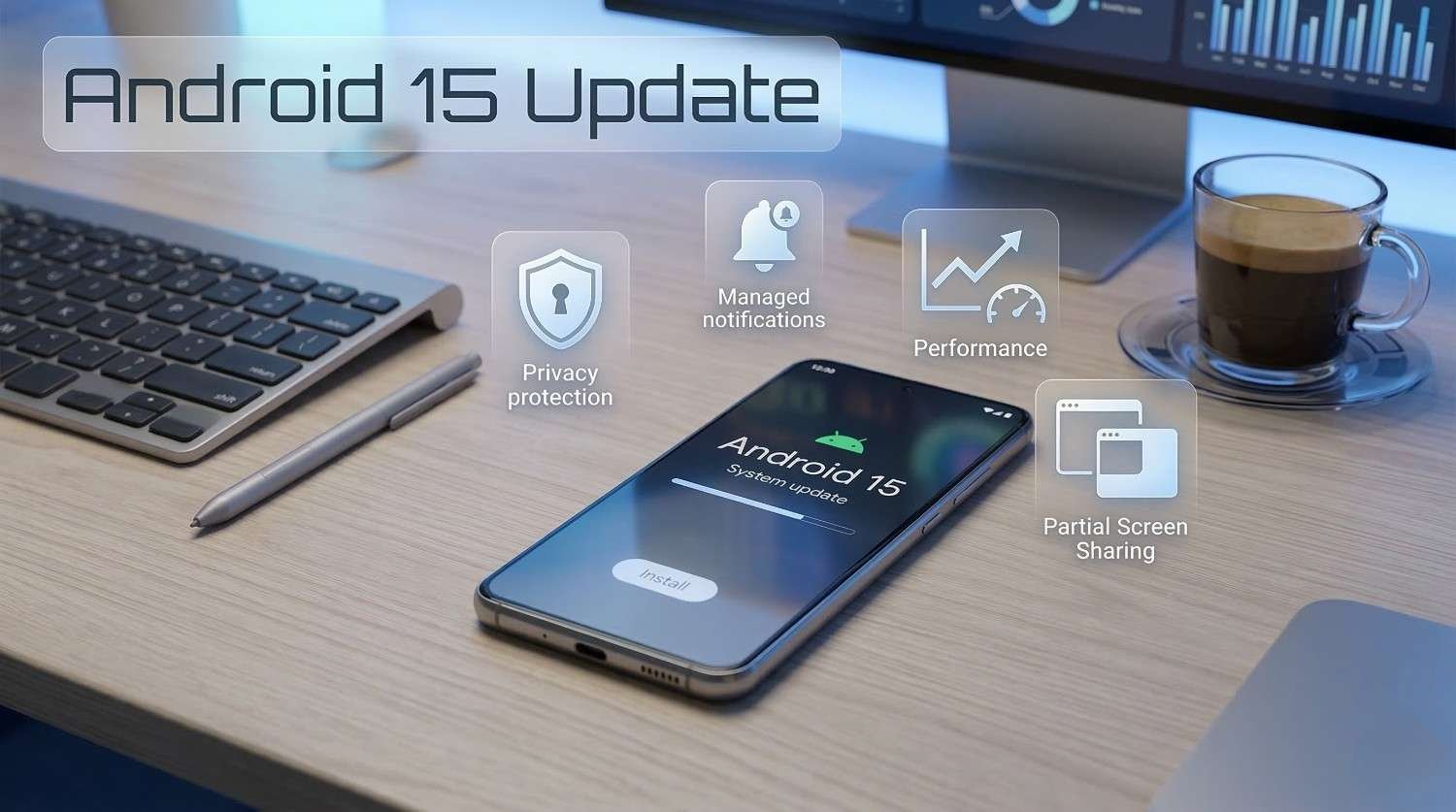
What Is the Android 15 Update?
The Android 15 update is a major system release from Google that prioritized user security, privacy architecture, and background app management.
It arrived as a stable public release after several months of developer previews and beta testing. The update did not introduce dramatic visual changes. Instead, it reinforced the foundations of how Android handles sensitive data, manages running apps, and protects devices from unauthorized access.
Google Pixel devices received the Android 15 update first. Samsung, OnePlus, Xiaomi, and Nothing followed with their own customized versions over the months that followed.
For most users, the Android 15 update felt like a smarter, more secure version of Android 14 rather than a completely different experience.
Key Features of the Android 15 Update
The Android 15 update introduced several features that matter in real everyday use.
| Feature | What It Does |
|---|---|
| Private Space | Hides selected apps behind a separate lock |
| Theft Protection | Locks the phone if sudden movement is detected |
| Partial Screen Sharing | Share only one app window during screen recording |
| Notification Cooldown | Reduces repeat alerts from the same app |
| App Sandboxing Improvements | Stronger isolation between apps |
| Satellite Messaging Support | Sends messages without mobile network coverage |
| Health Connect Expansion | More health data categories supported |
| Edge-to-Edge Display | Apps use the full screen area by default |
| Adaptive Refresh Rate Control | Better battery management on high refresh displays |
| Background App Limits | Stricter control over hidden background processes |
Each feature addresses a real problem that Android users face regularly.
Android 15 Privacy and Security Features
Private Space — Hide Sensitive Apps
The Android 15 update introduced Private Space, one of the most requested features from privacy-conscious Android users.
Private Space creates a hidden area on your device that works like a second user profile. You can move sensitive apps — banking tools, personal messengers, health apps — into this space. It stays locked behind a separate PIN or biometric and does not appear in your regular app drawer.
This is particularly useful if you share your phone with others or simply want to keep certain apps completely separate from your daily workflow.
Theft Protection — Automatic Device Lock
Android 15 brought Theft Protection, a security feature that uses motion sensors to detect if your phone has been snatched.
If the device detects sudden unexpected movement — like being grabbed and the person running — it can automatically lock the screen. This makes it significantly harder for a thief to access your data before you have a chance to remotely lock or wipe the device.
Theft Protection also introduced offline device lock, which activates if someone puts your phone into airplane mode or removes the SIM card to try to prevent remote tracking.
Stronger App Sandboxing
The Android 15 update tightened how apps are isolated from each other.
App sandboxing means one app cannot easily access data from another app without explicit permission. Android 15 reinforced these boundaries, reducing the risk of one compromised app affecting others on the same device.
Partial Screen Sharing
Android 15 introduced partial screen sharing for video calls and screen recordings.
Instead of sharing your entire screen — including notifications, other open apps, and personal information — you can now share just a single app window. The person on the other end sees only what you deliberately choose to show them.
This is a meaningful privacy improvement for anyone who regularly uses video conferencing apps.
Android 15 Battery and Performance Improvements
Notification Cooldown
One of the most practical additions in the Android 15 update is notification cooldown.
When an app sends multiple notifications in a short period, Android 15 automatically reduces the alert sound and vibration for subsequent messages from the same app. The notifications still arrive, but your phone stops interrupting you every few seconds for the same app.
This is especially useful for group chats and high-volume messaging apps.
Adaptive Refresh Rate Management
Android 15 improved how devices manage screen refresh rates based on what is happening on screen.
High refresh rate displays consume more battery when running at maximum speed. Android 15 made the system smarter about dropping the refresh rate during static content — like reading an article or viewing a photo — and raising it again when you start scrolling or interacting.
This improvement extends battery life on devices with 90Hz, 120Hz, and higher refresh rate displays without any visible drop in smoothness.
Background App Process Limits
The Android 15 update extended the background process restrictions that began with Android 14.
Apps that do not need to run continuously in the background are now paused more aggressively. This reduces battery drain from apps running hidden processes without your knowledge. Users generally notice improved standby time and overall battery performance after the update.
Android 15 Display and Usability Changes
Edge-to-Edge Display by Default
Android 15 made edge-to-edge display the standard behavior for apps.
Previously, many apps did not extend their content to the very edges of the screen. Android 15 pushed app developers to use the full screen area, which creates a more immersive and visually consistent experience across the system.
Some older apps required developer updates to display correctly under this new system. Most popular apps updated quickly.
Satellite Messaging Support
Android 15 added foundational support for satellite-based messaging.
This feature allows supported devices to send emergency messages even when there is no cellular network available. Coverage and device eligibility depend on the manufacturer and carrier, but the underlying system support now exists within Android 15.
Which Devices Received the Android 15 Update?
The Android 15 update reached a broad range of devices across multiple manufacturers.
Pixel Devices
| Pixel Device | Android 15 Support |
|---|---|
| Pixel 9 Series | ✅ Day one release |
| Pixel 8 Series | ✅ Full support |
| Pixel 7 Series | ✅ Full support |
| Pixel 6 Series | ✅ Full support |
| Pixel 5a | ✅ Received update |
| Pixel 5 and older | ❌ Not supported |
Samsung Galaxy Devices
Samsung delivered Android 15 through One UI 7 across its flagship and midrange lineup.
| Samsung Device | Android 15 Status |
|---|---|
| Galaxy S24 Series | ✅ Stable |
| Galaxy S23 Series | ✅ Stable |
| Galaxy S22 Series | ✅ Stable |
| Galaxy A55 | ✅ Stable |
| Galaxy Z Fold 6 | ✅ Stable |
OnePlus, Xiaomi, and Nothing
| Brand | Devices Updated |
|---|---|
| OnePlus | OnePlus 12, OnePlus 11, OnePlus Nord 3 |
| Xiaomi | Xiaomi 14 Series, Redmi Note 13 Series |
| Nothing | Nothing Phone (2), Nothing Phone (1) |
Rollout timelines varied by region and device model across all manufacturers.
How to Install the Android 15 Update
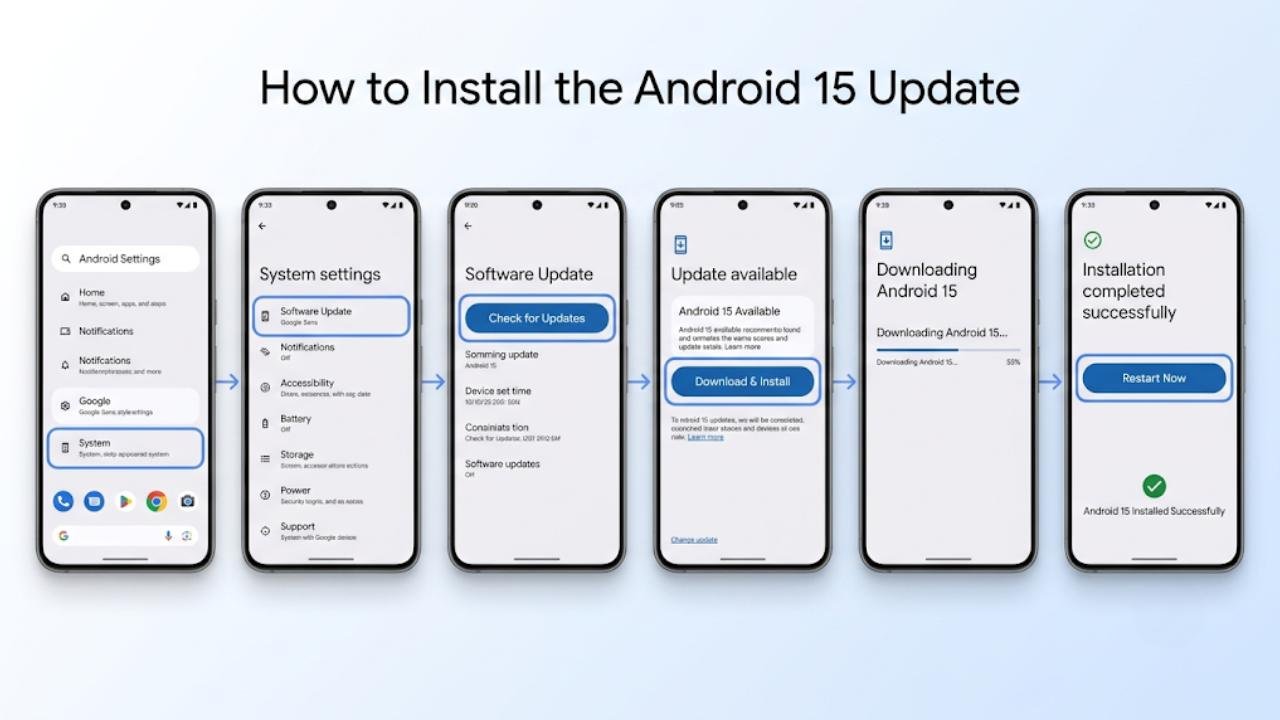
Installing the Android 15 update follows the same process on all Android devices.
Step-by-Step Installation Guide
- Open Settings on your Android device
- Scroll down and tap System
- Select Software Update or System Update
- Tap Check for Updates
- If Android 15 is available, tap Download and Install
- Wait for the download to complete
- Tap Restart Now when prompted
Installation typically takes between five and fifteen minutes depending on your device and internet speed.
Before You Update
| Preparation Step | Why It Matters |
|---|---|
| Charge battery above 50% | Prevents shutdown during installation |
| Connect to Wi-Fi | Avoids large mobile data usage |
| Back up your data | Protects files if something goes wrong |
| Free up at least 2GB storage | Ensures the update installs without errors |
Common Android 15 Problems and Fixes
Battery Drain in the First Few Days
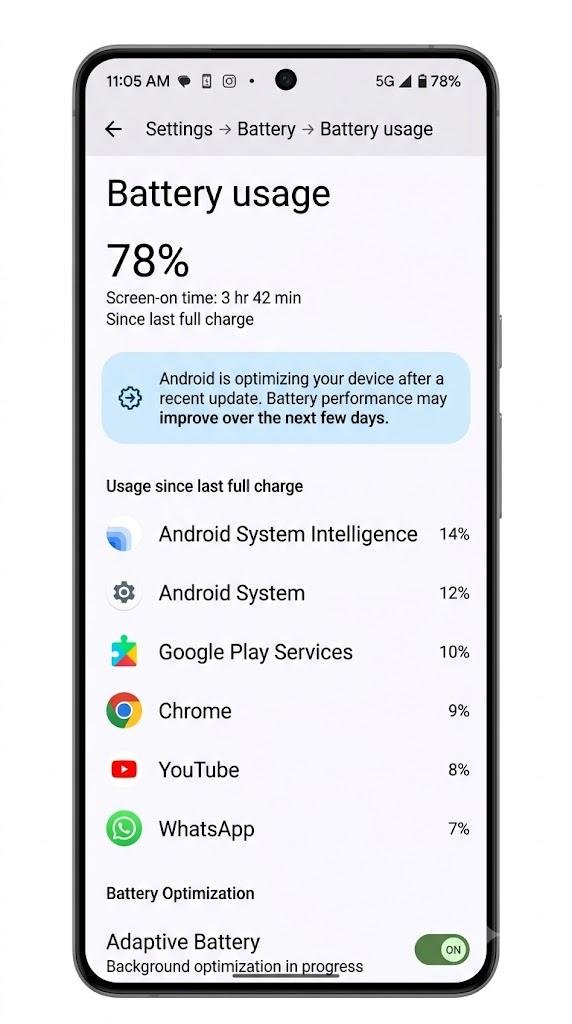
Many users reported higher battery usage immediately after installing the Android 15 update.
This is normal behavior. The system reindexes files and re-optimizes background processes after a major update. Battery performance typically stabilizes within three to seven days.
Fix: Allow the device to complete its optimization cycle. Avoid force-closing all apps repeatedly. Restart the device once after installation if the drain feels excessive.
App Crashes After Updating
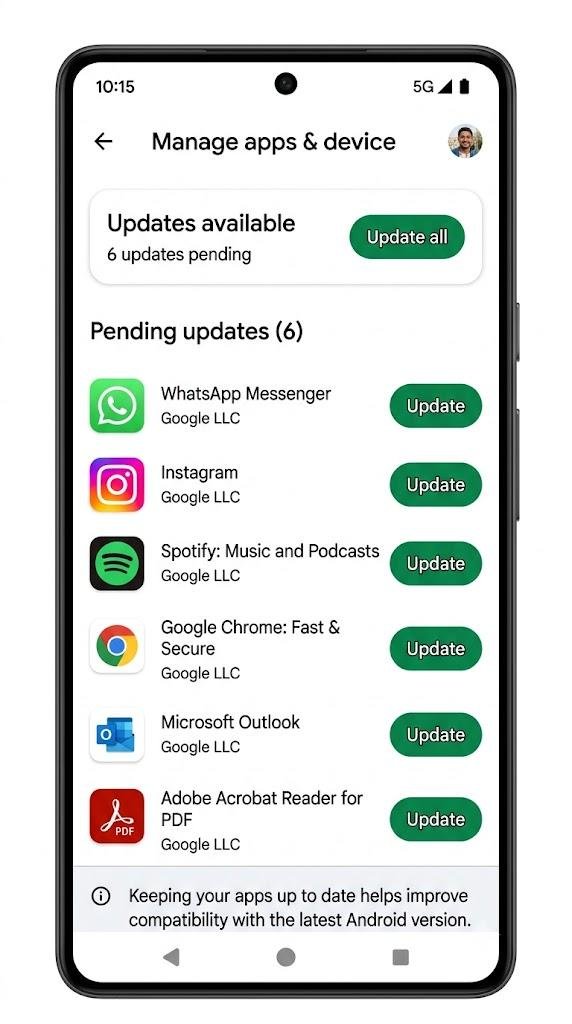
Some apps stopped functioning correctly after the Android 15 update due to API and sandboxing changes.
Fix: Open the Google Play Store and update all installed apps immediately. Developers release compatibility patches quickly after major Android releases.
Edge-to-Edge Display Breaking App Layouts
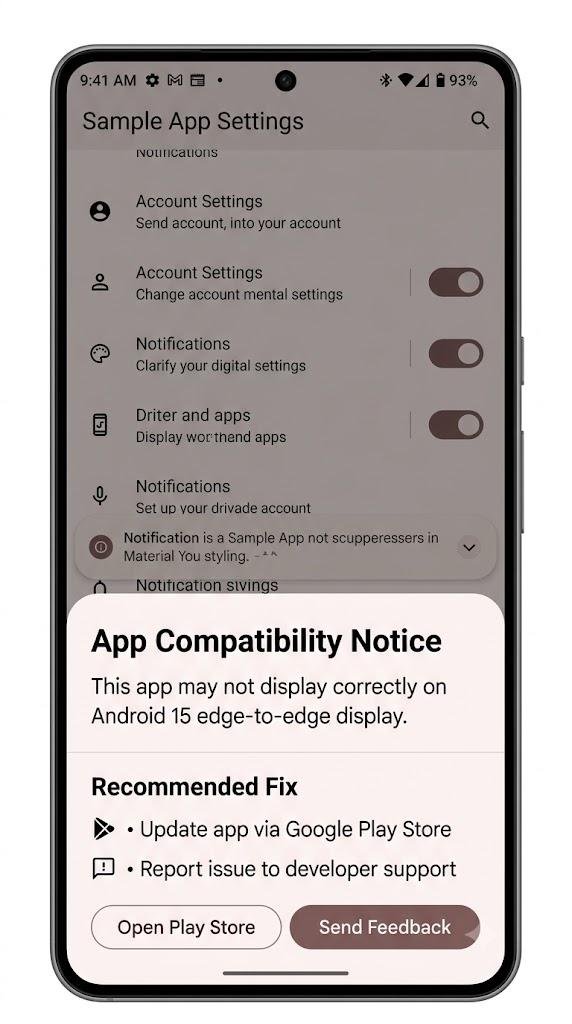
A small number of apps displayed content incorrectly after Android 15 enforced edge-to-edge display.
Fix: Update the affected app through the Play Store. If no update is available yet, report the issue through the app’s support channel. Developers are required to fix this for apps targeting Android 15.
Private Space Not Appearing
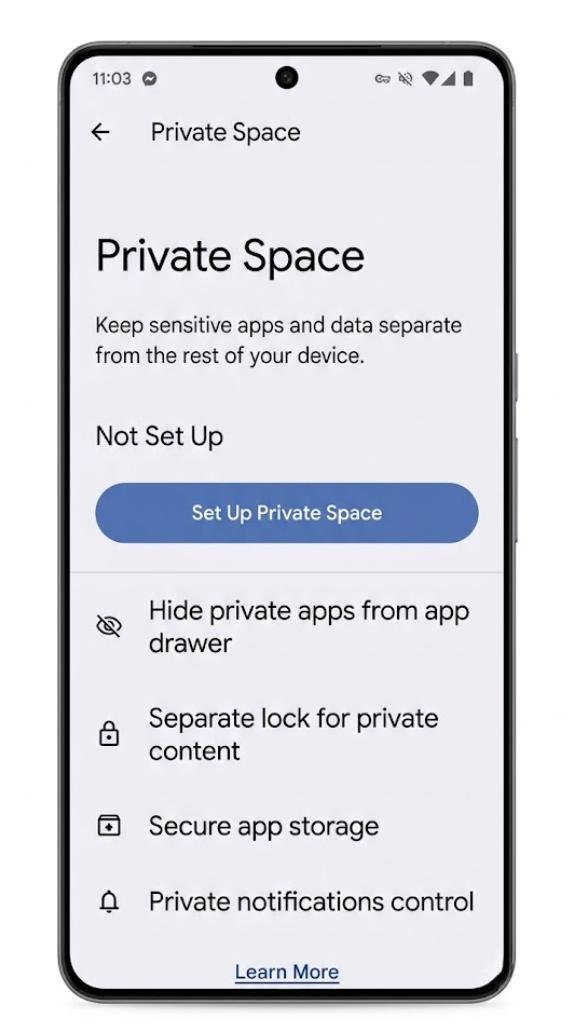
Some users could not find Private Space after installing the Android 15 update.
Fix: Go to Settings → Security → Private Space and set it up manually. On some manufacturer skins, the feature appears under a slightly different menu path.
FAQs
What is the Android 15 update?
The Android 15 update is a major system release from Google focused on privacy improvements, theft protection, smarter battery management, and stronger app isolation across Android devices.
What is Private Space in Android 15?
Private Space is a hidden area on your phone where you can store sensitive apps behind a separate lock. It keeps those apps invisible in your regular app drawer and inaccessible without a separate PIN or biometric.
Does Android 15 improve battery life?
Yes. The Android 15 update improved adaptive refresh rate management and tightened background app limits, which reduces battery drain during both active use and standby periods.
Which phones got the Android 15 update?
Pixel 6 and newer Pixel devices received it first. Samsung Galaxy S22 and newer, OnePlus 11 and newer, Xiaomi 14 series, and Nothing Phone (1) and (2) also received the Android 15 update.
Is Theft Protection available on all Android 15 devices?
Theft Protection is available on devices running Android 15 with compatible hardware sensors. Most modern Android smartphones support it, but availability may vary by manufacturer and region.
Final Thoughts
The Android 15 update delivered exactly what Android users needed at this stage of the platform’s development — stronger security, smarter privacy controls, and performance refinements that make a real difference in daily use.
Private Space and Theft Protection alone make this update genuinely valuable for anyone who cares about protecting their personal data. The battery improvements, notification cooldown, and partial screen sharing add further practical value on top of those security gains.
If your device supports the Android 15 update and you have not yet installed it, doing so is strongly recommended. The security improvements in particular make this one of the more important Android updates in recent years.
After updating, take a few minutes to set up Private Space, enable Theft Protection in your security settings, and review your app notification permissions. These three steps will help you get the most from everything Android 15 offers.
