

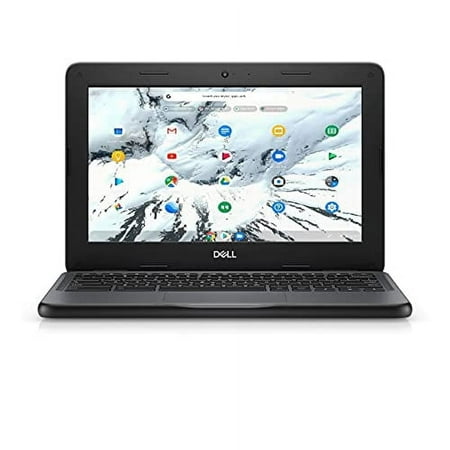
Dell 3100 11.6" ChromeBook N4020 4GB 16GB eMMC Chrome OS Black VKP06
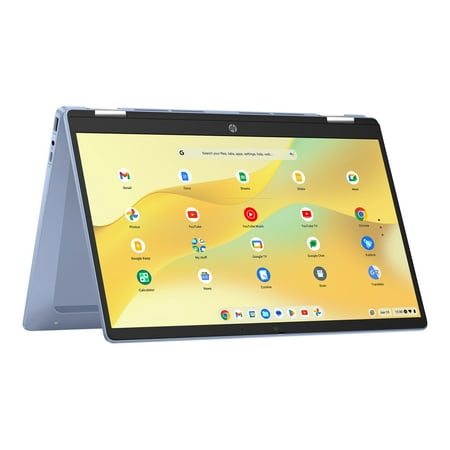
HP Chromebook x360 14 inch FHD IPS Touch 2-in-1 Laptop Intel Processor N100 4GB RAM 64GB eMMC - Sky Blue
The best Chrome OS tablet occupies a genuinely unique position in the tablet and laptop market — sitting between the full desktop app compatibility of Windows and the touch-optimized simplicity of Android and iPadOS. ChromeOS combines the security architecture and Google ecosystem depth of Android with the productivity focus and keyboard-first interface of a laptop operating system, delivering a device category that’s particularly well-suited to student, educators, light productivity users, and anyone who lives primarily in Google’s app ecosystem.
Whether you’re looking for a pure tablet experience, a convertible 2-in-1 that flips between laptop and tablet modes, or a Chromebook that supports stylus input and touch navigation for a more tablet-like experience, the best Chrome OS tablet category covers a broad range of form factors, sizes, and price points. ChromeOS’s primary advantages — near-instant boot times, automatic background security updates, eight-year software support from Google, and integration with Gmail, Google Drive, Docs, and the Play Store — make it one of the most practical operating systems for buyers who don’t need Windows-specific applications.
This buying guide evaluates ten ChromeOS devices across the full range — from dedicated ChromeOS tablets and convertible 2-in-1 Chromebooks with tablet modes to budget Chromebook laptops with touchscreen capability. Products were selected based on display quality, processing performance, battery endurance, ChromeOS software support timelines, build quality, portability, and overall value for the intended audience. If you want the best Chrome OS tablet or Chromebook 2-in-1 that genuinely matches your use case and budget, this guide delivers that recommendation.
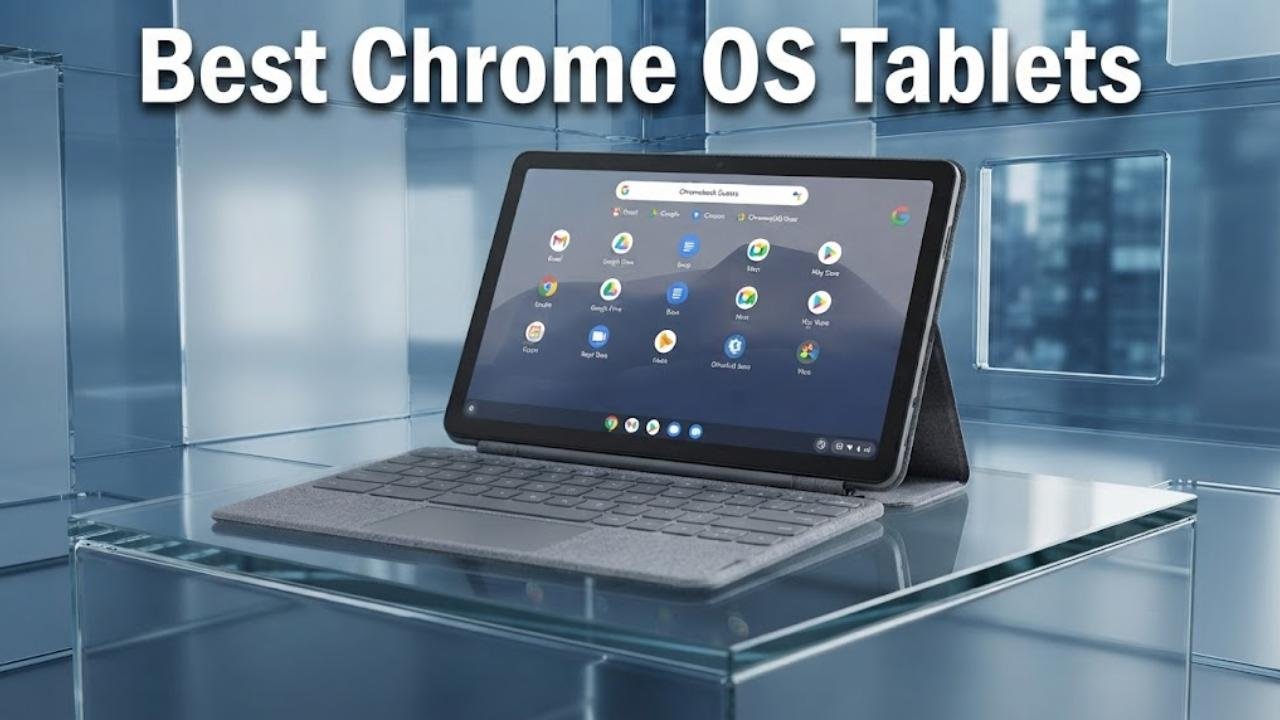
Best Chrome OS Tablets — Quick Picks at a Glance
- Lenovo Chromebook Duet — Best Chrome OS tablet overall for true tablet versatility with included keyboard
- Acer Chromebook Tab 311 — Best dedicated Chrome OS tablet for touch-first and stylus use
- ASUS Chromebook Flip CX1 — Best 2-in-1 Chrome OS tablet convertible for versatile everyday use
- Samsung Chromebook Plus V2 — Best Chrome OS tablet 2-in-1 with built-in pen and dual camera
- HP Chromebook x360 14 — Best Chrome OS tablet 2-in-1 for students and sustainability-focused buyers
- ASUS Chromebook CX15 — Best large-screen Chrome OS device for productivity and media
- Samsung Galaxy Chromebook Go — Best budget Chrome OS laptop for students with military-grade durability
- Acer Gateway Chromebook 314 — Best value Chrome OS laptop for everyday tasks and Google AI Pro
- Lenovo Chromebook 10e — Best compact dedicated Chrome OS tablet for school and light use
- Dell Chromebook 3100 (Refurbished) — Best budget refurbished Chrome OS device for basic classroom use
Our Top Picks: Best Chrome OS Tablets Reviewed
Dell 3100 11.6" ChromeBook N4020 4GB 16GB eMMC Chrome OS Black VKP06
HP Chromebook x360 14 inch FHD IPS Touch 2-in-1 Laptop Intel Processor N100 4GB RAM 64GB eMMC - Sky Blue
1. Lenovo Chromebook Duet
Best For: Best Chrome OS tablet overall for genuine tablet-first productivity

Why We Picked It
The Lenovo Chromebook Duet is the best Chrome OS tablet recommendation for buyers who want a pure tablet experience that can transform into a productive keyboard device without compromising either mode. The 10.95-inch WUXGA IPS touchscreen with narrow bezels provides a genuinely immersive viewing experience for a compact tablet, and the included folio keyboard stand means it arrives as a complete 2-in-1 package rather than requiring separate purchases.
The MediaTek Kompanio 838 processor delivers snappy ChromeOS performance including Fast Boot in under 10 seconds, seamless on-device AI processing for ChromeOS features, and smooth multitasking across multiple browser tabs and Android apps simultaneously. The full-metal chassis with Corning glass provides premium build quality that most competing Chromebook tablets at this price tier don’t offer, and two USB-C ports cover charging, external display, and file transfer needs simultaneously.
ChromeOS on the Duet shines for buyers who primarily use Google Workspace — Docs, Sheets, Slides, Gmail, and Meet — alongside Android apps for streaming, note-taking, and casual gaming. The folio stand provides flexible positioning for both typing and hands-free media viewing. As the best Chrome OS tablet in this guide that genuinely functions as both a tablet and a laptop without compromise, the Chromebook Duet earns its top recommendation.
Key Specifications
- Display: 10.95-inch WUXGA IPS touch, narrow bezels
- Processor: MediaTek Kompanio 838
- RAM: 4GB
- Storage: 64GB
- OS: ChromeOS with Google AI tools
- Ports: Dual USB-C
- Build: Full-metal chassis, Corning glass
- Included: Folio keyboard and stand
Who It’s For
The Chromebook Duet is the best Chrome OS tablet for students, commuters, and productivity-focused buyers who want a genuine all-in-one tablet-laptop experience in a compact, well-built package with Google Workspace and Android app support.
Pros:
- Folio keyboard and stand included — immediate 2-in-1 value without additional purchase
- Full-metal chassis with Corning glass is the best build quality in this price tier
- Kompanio 838 with Fast Boot delivers snappy, responsive ChromeOS performance
- Dual USB-C provides versatile connectivity for charging and display output simultaneously
- Narrow bezel 10.95-inch WUXGA display provides comfortable media and productivity viewing
- Physical camera shutter for privacy during video calls
Cons:
- 4GB RAM creates limitations under intensive multi-app multitasking workflows
- 64GB storage is modest — cloud storage dependency required for media-heavy users
- 10.95-inch display is smaller than the 14-inch alternatives in this guide for extended productivity
- Kompanio 838 trails Intel Core-based Chromebooks for sustained demanding workloads
2. Acer Chromebook Tab 311
Best For: Best dedicated Chrome OS tablet for touch-first and stylus note-taking

Why We Picked It
The Acer Chromebook Tab 311 is the best Chrome OS tablet pick for buyers who specifically want a pure tablet form factor — no attached keyboard base, no hinge, just a clean slate that functions like a tablet should. The 11-inch WUXGA display at 1920×1200 delivers sharp, accurate visuals for note-taking, reading, and media consumption, and the 8GB RAM is the highest physical memory in the best Chrome OS tablet guide for a pure tablet form factor — enabling more confident multi-app ChromeOS performance than the 4GB alternatives that dominate the category.
The MediaTek Octa-core processor handles video playback, web browsing, and Google Workspace apps smoothly, and ChromeOS stylus support enables direct handwriting input into any text field — a practical capability for students who prefer analog note-taking workflows in a digital format. The 10-hour battery life provides sustained school-day or workday endurance without mid-session charging.
The Chromebook Tab 311 targets students and educators who use tablets in classroom environments where a pure tablet form factor — lighter, easier to hold during reading and handwriting sessions — is more practical than a keyboard-attached device. ChromeOS’s built-in Google Lens integration, Google Classroom compatibility, and automatic security updates make it a natural fit for educational environments where device management matters.
Key Specifications
- Display: 11-inch WUXGA, 1920×1200
- Processor: MediaTek MT6366W/A Octa-core
- RAM: 8GB
- Storage: 64GB
- OS: ChromeOS with stylus handwriting input
- Battery: ~10 hours
- Form Factor: Pure tablet
Who It’s For
The Acer Chromebook Tab 311 is the best Chrome OS tablet choice for students, educators, and light productivity users who want a pure touchscreen tablet experience with stylus handwriting support, 8GB RAM, and ChromeOS’s classroom-ready security and manageability.
Pros:
- 8GB RAM is the highest physical memory in the best Chrome OS tablet pure tablet category
- 1920×1200 display delivers genuine sharpness for reading and handwriting note-taking
- Pure tablet form factor is lighter and more comfortable for extended handheld reading sessions
- ChromeOS stylus support enables handwriting directly into any text field
- Octa-core processor handles video playback and web browsing without frustration
- 10-hour battery sustains school-day use reliably
Cons:
- Pure tablet without keyboard — keyboard must be sourced and paired separately
- MediaTek MT6366W/A trails Intel N100 and Kompanio 838 in sustained performance
- 64GB storage requires cloud storage dependency for media-heavy users
- Limited review presence for this specific model — verify availability before purchasing
3. ASUS Chromebook Flip CX1 (14-inch 360°)
Best For: Best 2-in-1 Chrome OS tablet convertible for everyday versatility

Why We Picked It
The ASUS Chromebook Flip CX1 is the best Chrome OS tablet 2-in-1 pick for buyers who want the flexibility of four different use modes — traditional laptop, tent, stand, and tablet — in a 14-inch Full HD NanoEdge touchscreen chassis that meets military-grade MIL-STD 810H durability standards. The 360-degree hinge is the defining feature that earns the Flip CX1 its position in this best Chrome OS tablet guide: it enables genuine tablet use without requiring a detachable design, while the full keyboard remains available for when productivity demands it.
The Intel Celeron N4500 processor handles everyday ChromeOS workflows including Google Workspace, video streaming, web browsing, and Android app use without frustration, and the 8GB RAM ensures comfortable multi-tab Chrome browsing without the memory pressure that 4GB configurations create. Wi-Fi 6 and Bluetooth 5.2 provide current-generation wireless connectivity, and the 11-hour battery life sustains through a full school or work day.
The NanoEdge display bezels maximize screen area within the chassis footprint, and the 128GB eMMC storage provides ample space for offline documents, downloaded videos, and Android app installations. The three-month Google One AI Premium plan with 2TB cloud storage adds immediate practical value for buyers who use this best Chrome OS tablet as their primary Google Workspace device.
Key Specifications
- Display: 14-inch FHD 1920×1080, 360-degree flip, NanoEdge bezels
- Processor: Intel Celeron N4500
- RAM: 8GB
- Storage: 128GB eMMC
- OS: ChromeOS with Google One AI Premium 3-month trial
- Battery: Up to 11 hours
- Connectivity: Wi-Fi 6, Bluetooth 5.2
- Durability: MIL-STD 810H certified
Who It’s For
The ASUS Chromebook Flip CX1 is the best Chrome OS tablet choice for students, home office users, and versatile buyers who want a 14-inch 360-degree convertible that genuinely works as both a laptop and tablet without the constraints of a detachable design.
Pros:
- 360-degree hinge enables four distinct use modes including full tablet mode
- 14-inch NanoEdge FHD display provides comfortable workspace for extended productivity
- 8GB RAM handles Chrome browser tabs and Android apps more confidently than 4GB alternatives
- 128GB eMMC storage provides ample local capacity for offline-first workflows
- MIL-STD 810H certified durability for school and travel use
- Wi-Fi 6 delivers faster, more stable wireless connectivity
- Three-month Google One AI Premium trial adds immediate cloud storage value
Cons:
- Intel Celeron N4500 has limitations under sustained demanding creative or data-intensive workloads
- 360-degree hinge design adds weight compared to pure tablet alternatives in this guide
- No built-in stylus — USI stylus must be purchased separately for handwriting input
- Chromebook Flip CX1 is a laptop-first device — tablet mode is secondary to keyboard use
4. Samsung Chromebook Plus V2
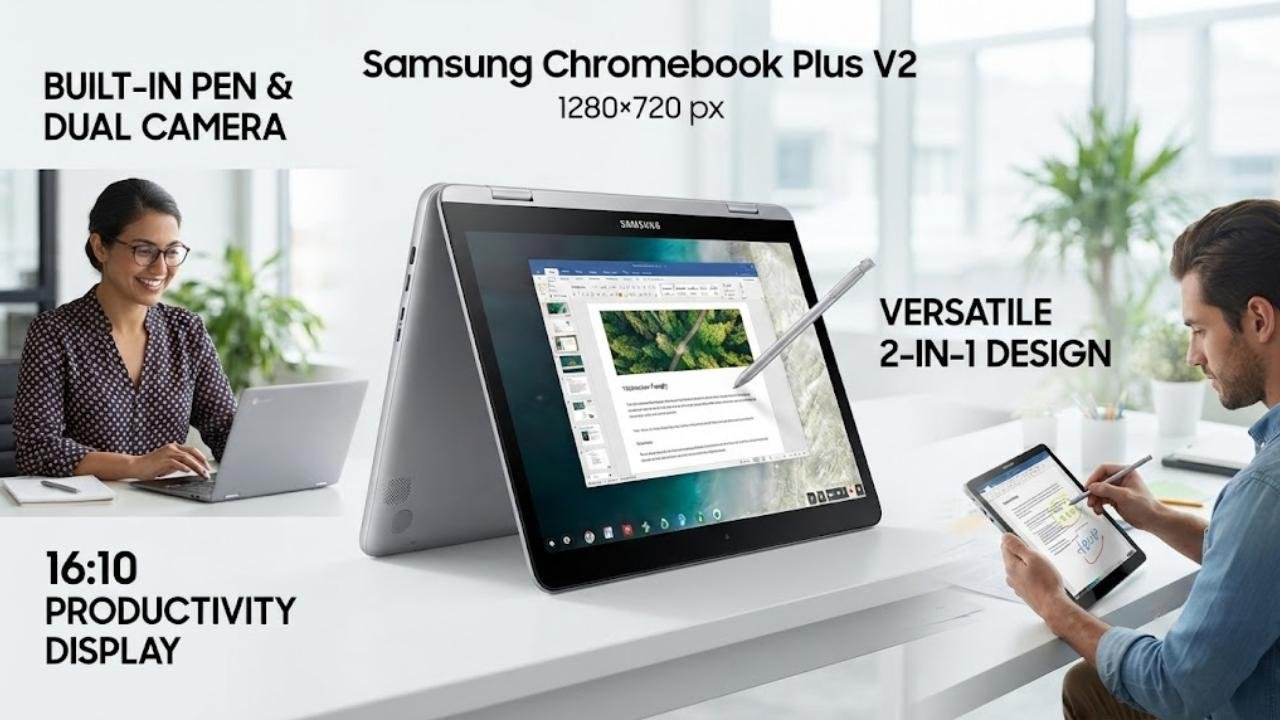
Best For: Best Chrome OS tablet 2-in-1 with built-in pen and dual camera
Why We Picked It
The Samsung Chromebook Plus V2 is the best Chrome OS tablet pick for buyers who want a premium 2-in-1 Chromebook with a built-in pen that never needs charging — always ready for handwriting, sketching, editing, and screenshot annotation without fumbling for a separately stored stylus. The 12.2-inch display with a 16:10 aspect ratio is wider than the standard 16:9 format, providing a more natural document-reading and web-browsing experience that suits the best Chrome OS tablet use case for productivity.
The 13MP world-facing camera is genuinely capable for a Chromebook — enabling quality document scanning, QR code reading, and photo capture in tablet mode that competing Chromebooks with basic cameras cannot match. The Intel Core M processor handles ChromeOS multitasking reliably, and the slim 2-in-1 design at just under 3 pounds is genuinely comfortable for extended tablet-mode use.
Key Specifications
- Display: 12.2-inch touchscreen, 16:10 aspect ratio
- Processor: Intel Core M
- RAM: 4GB
- Storage: 32GB eMMC
- OS: ChromeOS with Google Play Store
- Camera: 13MP world-facing, built-in pen
- Form Factor: 2-in-1 with built-in stylus
Who It’s For
The Samsung Chromebook Plus V2 is the best Chrome OS tablet choice for students, creative users, and note-takers who want a 2-in-1 Chromebook with a built-in ready-to-use pen, a quality world-facing camera, and a wider 16:10 display for document-friendly productivity.
Pros:
- Built-in pen never needs charging — always immediately available for handwriting and annotation
- 13MP world-facing camera is the most capable camera in this best Chrome OS tablet guide
- 16:10 aspect ratio provides a wider, more document-natural display for productivity
- Slim and lightweight at under 3 pounds for comfortable tablet-mode extended use
- Intel Core M provides reliable sustained ChromeOS performance
- Google Play Store access expands app availability beyond ChromeOS web apps
Cons:
- 4GB RAM creates limitations during intensive multi-app workflows
- 32GB storage is the lowest in this best Chrome OS tablet guide — cloud dependency required
- Intel Core M is an older generation chip approaching practical performance limits
- Samsung Chromebook Plus V2 ChromeOS update support should be verified before purchase
5. HP Chromebook x360 14
Best For: Best eco-conscious Chrome OS tablet 2-in-1 for students and sustainability-focused buyers

Why We Picked It
The HP Chromebook x360 14 is the best Chrome OS tablet pick for environmentally conscious buyers who want a capable, responsibly manufactured 2-in-1 Chromebook with a 14-inch FHD IPS touchscreen, Intel N100 processing, and HP’s x360 flexible hinge design. EPEAT Gold with Climate+ certification, ocean-bound plastic construction, post-consumer recycled plastics, and recycled aluminum make this the most sustainably manufactured device in the best Chrome OS tablet guide — backed by ENERGY STAR certification for energy efficiency.
The 14-inch FHD IPS touch display with dual stereo speakers provides a strong media consumption and productivity experience, and the Intel N100 handles everyday ChromeOS workflows confidently. The temporal noise reduction camera and dual array digital microphones ensure clear video call quality for remote learners and hybrid workers. Sky Blue is a distinctive color option that stands out from the silver and gray alternatives across the best Chrome OS tablet category.
Key Specifications
- Display: 14-inch FHD IPS touch
- Processor: Intel Processor N100
- RAM: 4GB
- Storage: 64GB eMMC
- OS: ChromeOS
- Camera: Temporal noise reduction + camera privacy shutter
- Color: Sky Blue
- Sustainability: EPEAT Gold Climate+, ocean-bound plastic, ENERGY STAR
Who It’s For
The HP Chromebook x360 14 is the best Chrome OS tablet choice for students, environmentally conscious buyers, and hybrid workers who want a responsibly manufactured x360 2-in-1 with Intel N100 performance and a quality camera for video calling.
Pros:
- EPEAT Gold with Climate+ is the strongest sustainability certification in this guide
- Camera privacy shutter provides physical privacy protection for video calls
- Temporal noise reduction and dual array microphones deliver clear video call audio
- x360 flexible design enables tablet, tent, stand, and laptop use modes
- Intel N100 provides reliable everyday ChromeOS performance
- Sky Blue color option is a distinctive aesthetic alternative to standard silver and gray
Cons:
- 4GB RAM creates limitations during heavy multi-tab browser and Android app multitasking
- 64GB eMMC is modest for users who prefer local storage over cloud-dependent workflows
- No built-in stylus — USI stylus required separately for handwriting input
- Sustainability certifications add value but don’t compensate for RAM limitations under heavy use
6. ASUS Chromebook CX15
Best For: Best large-screen Chrome OS device for productivity and media consumption
Why We Picked It
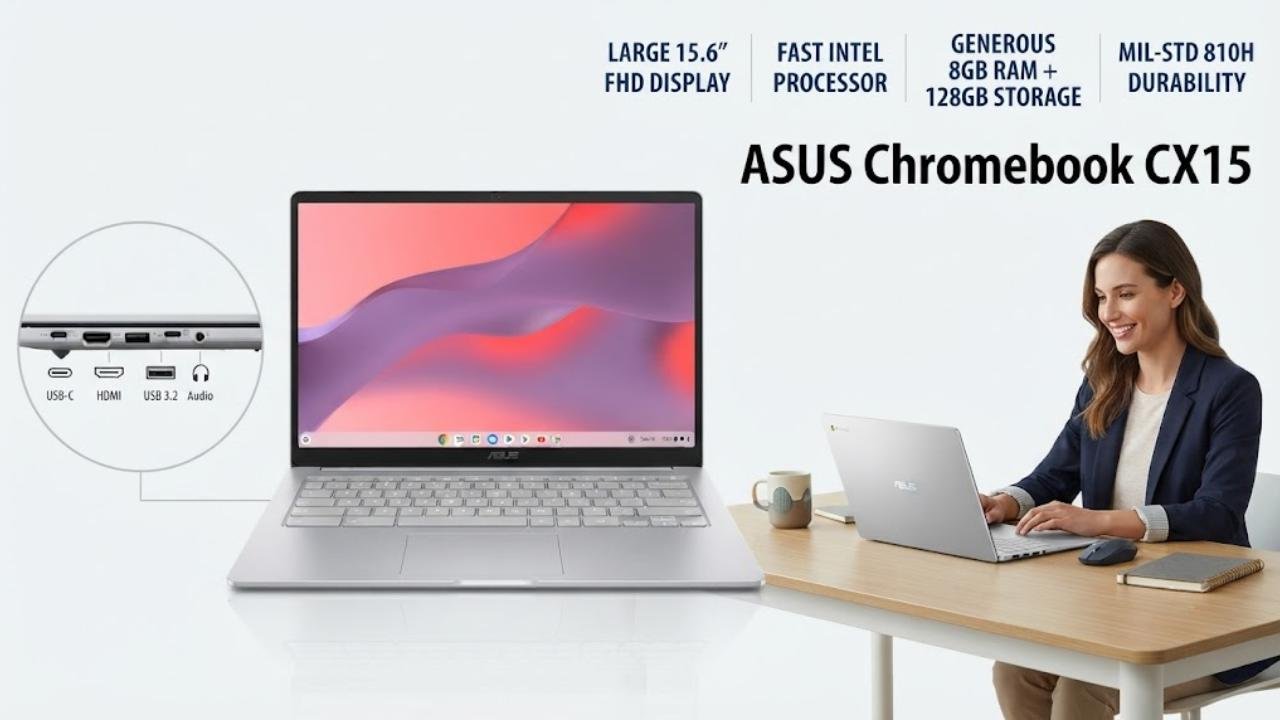
The ASUS Chromebook CX15 is the best Chrome OS tablet adjacent pick for buyers who prioritize screen real estate above portability — the 15.6-inch Full HD Anti-Glare display is the largest in this best Chrome OS tablet guide, providing an expansive workspace for side-by-side Chrome tabs, Google Workspace editing, and comfortable media streaming.
The Intel Processor N50 at up to 3.4GHz delivers strong everyday ChromeOS performance with Fast Boot capability, and the 8GB LPDDR5 RAM with 128GB storage represents the most generous memory and storage configuration in the best Chrome OS tablet guide — enabling confident multi-app ChromeOS use without the storage anxiety that 32GB and 64GB alternatives create.
MIL-STD 810H durability certification provides confidence for daily carry, and the Titan C2 security chip delivers hardware-level privacy protection that complements ChromeOS’s built-in virus-free security model. The three-month Google AI Pro trial with NotebookLM access adds productive value for students and professionals who use Google’s AI tools.
Key Specifications
- Display: 15.6-inch FHD Anti-Glare
- Processor: Intel N50, up to 3.4GHz
- RAM: 8GB LPDDR5
- Storage: 128GB
- OS: ChromeOS with Titan C2 security chip
- Battery: Up to 10 hours
- Durability: MIL-STD 810H
- Weight: 3.53 pounds
Who It’s For
The ASUS Chromebook CX15 is the best Chrome OS tablet-adjacent pick for home office users, content consumers, and productivity-focused buyers who need the largest display and most generous RAM and storage in this guide at a competitive mid-range price.
Pros:
- 15.6-inch FHD display is the largest screen in the best Chrome OS tablet guide
- 8GB LPDDR5 RAM is the most generous memory in the Chromebook laptop category of this guide
- 128GB storage is the highest local capacity in this best Chrome OS tablet roundup
- Intel N50 at 3.4GHz provides strong everyday ChromeOS performance
- Titan C2 security chip adds hardware-level privacy beyond ChromeOS software security
- MIL-STD 810H certified durability despite the large 15.6-inch chassis
Cons:
- 15.6-inch size makes it the least portable device in the best Chrome OS tablet guide
- No touchscreen — limits tablet-mode and touch interaction capabilities
- Not a true Chrome OS tablet or 2-in-1 — laptop-only form factor
- 3.53-pound weight is the heaviest in this best Chrome OS tablet guide
7. Samsung Galaxy Chromebook Go
Best For: Best budget Chrome OS laptop for students with military-grade durability
Why We Picked It
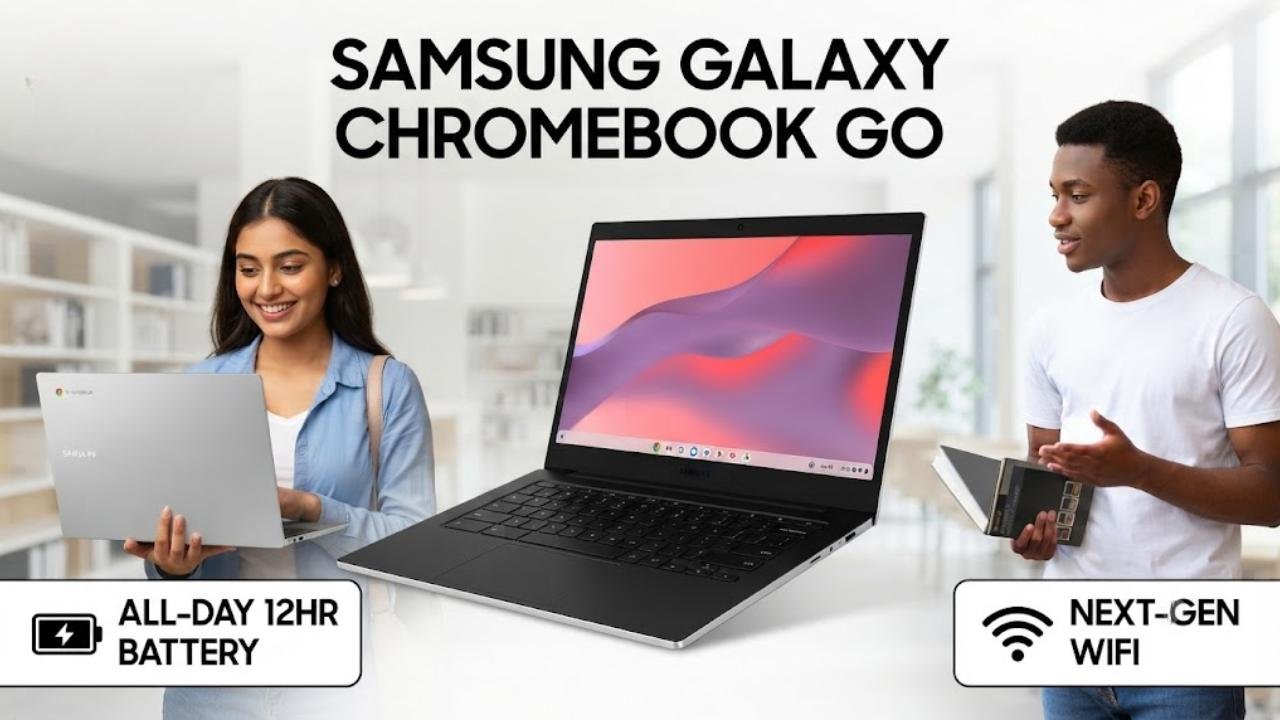
The Samsung Galaxy Chromebook Go is the best Chrome OS tablet laptop pick for students and families who need a durable, lightweight Chromebook from a trusted brand at a budget-accessible price with exceptional battery life. The 12-hour battery — longer than most competing Chromebooks in the best Chrome OS tablet guide — provides genuine all-day school-day power without mid-day charging.
Samsung’s phone-to-Chromebook connectivity features enable seamless file transfer and phone control directly from the Chromebook screen — a practical ecosystem benefit for Galaxy smartphone owners. The military-grade durability certification handles the occasional drop and knock that student daily carry inevitably produces.
Wi-Fi that’s three times faster than previous generation WiFi standards improves classroom and campus wireless performance meaningfully. The three-month Google AI Pro trial with 5TB cloud storage adds significant practical value for students who work with large file libraries and need AI-powered study assistance.
Key Specifications
- Display: 14-inch FHD
- Processor: Intel Celeron N4500
- RAM: 4GB
- Storage: 64GB
- OS: ChromeOS with Samsung ecosystem integration
- Battery: Up to 12 hours
- Durability: Military-grade certified
- Connectivity: Next-generation WiFi
Who It’s For
The Samsung Galaxy Chromebook Go is the best Chrome OS tablet-adjacent choice for students and budget-conscious families who want a durable, long-battery Samsung Chromebook with Galaxy smartphone integration at an entry-level price point.
Pros:
- 12-hour battery life leads most competing Chromebooks in this best Chrome OS tablet guide
- Military-grade durability certification handles student daily carry reliably
- Samsung phone-to-Chromebook connectivity benefits Galaxy smartphone users meaningfully
- Three-month Google AI Pro with 5TB cloud storage adds immediate academic value
- Next-generation WiFi delivers faster campus and classroom wireless connectivity
- Lightweight slim design is comfortable for daily student bag carry
Cons:
- 4GB RAM creates limitations during intensive multi-tab browsing and Android app use
- No touchscreen — laptop-only form factor without tablet mode capability
- 64GB storage requires cloud storage dependency for large media and project files
- Intel Celeron N4500 shows strain under any demanding workload beyond everyday ChromeOS tasks
8. Acer Gateway Chromebook 314
Best For: Best value Chrome OS laptop for everyday tasks and Google AI Pro access

Why We Picked It
The Acer Gateway Chromebook 314 is the best Chrome OS tablet laptop pick for buyers who want a straightforward, reliable everyday Chromebook from a reputable brand at a value-competitive price. The 14-inch Full HD 1920×1080 display provides comfortable everyday productivity and media consumption, and the Intel Celeron N4500 handles ChromeOS web browsing, Google Workspace, streaming, and casual Android apps without frustration.
The three-month Google AI Pro with 5TB cloud storage is included — giving buyers access to Google most capable AI tools including Gemini Advanced, Veo, and NotebookLM — adding practical value that exceeds what the device’s hardware specifications alone suggest. The Titan C2 security chip provides hardware-level security assurance, and the instant sub-10-second boot time is a characteristic ChromeOS advantage that Windows alternatives can’t match consistently. Popular app compatibility including Microsoft 365, Minecraft, and Adobe Express via Google Play Store broadens the Chromebook’s practical app range.
Key Specifications
- Display: 14-inch FHD 1920×1080
- Processor: Intel Celeron N4500
- RAM: 4GB LPDDR4X
- Storage: 64GB eMMC
- OS: ChromeOS with Titan C2 security chip
- Connectivity: Wi-Fi 5, Bluetooth
- Special: Memory card slot for expandable storage
Who It’s For
The Acer Gateway Chromebook 314 is the best Chrome OS tablet-adjacent value pick for everyday users, students, and budget-conscious buyers who want a reliable 14-inch Chromebook with Google AI Pro access, Titan C2 security, and Acer’s established brand reliability at the lowest practical investment in the 14-inch segment.
Pros:
- Three-month Google AI Pro with 5TB storage adds significant productivity value
- Titan C2 security chip provides hardware-level privacy protection
- Memory card slot enables practical local storage expansion beyond 64GB
- Intel Celeron N4500 handles everyday ChromeOS workflows reliably
- Sub-10-second boot time is a consistent ChromeOS advantage over Windows alternatives
- Acer Gateway brand reliability with established service network
Cons:
- 4GB RAM is limiting for heavy multi-tab Chrome browsing and Android app multitasking
- Wi-Fi 5 trails Wi-Fi 6 alternatives in congested network environments
- No touchscreen or 360-degree hinge — laptop-only form factor
- 64GB eMMC requires cloud storage dependency for large file workflows
9. Lenovo Chromebook 10e Tablet
Best For: Best compact dedicated Chrome OS tablet for classroom and light daily use
Why We Picked It
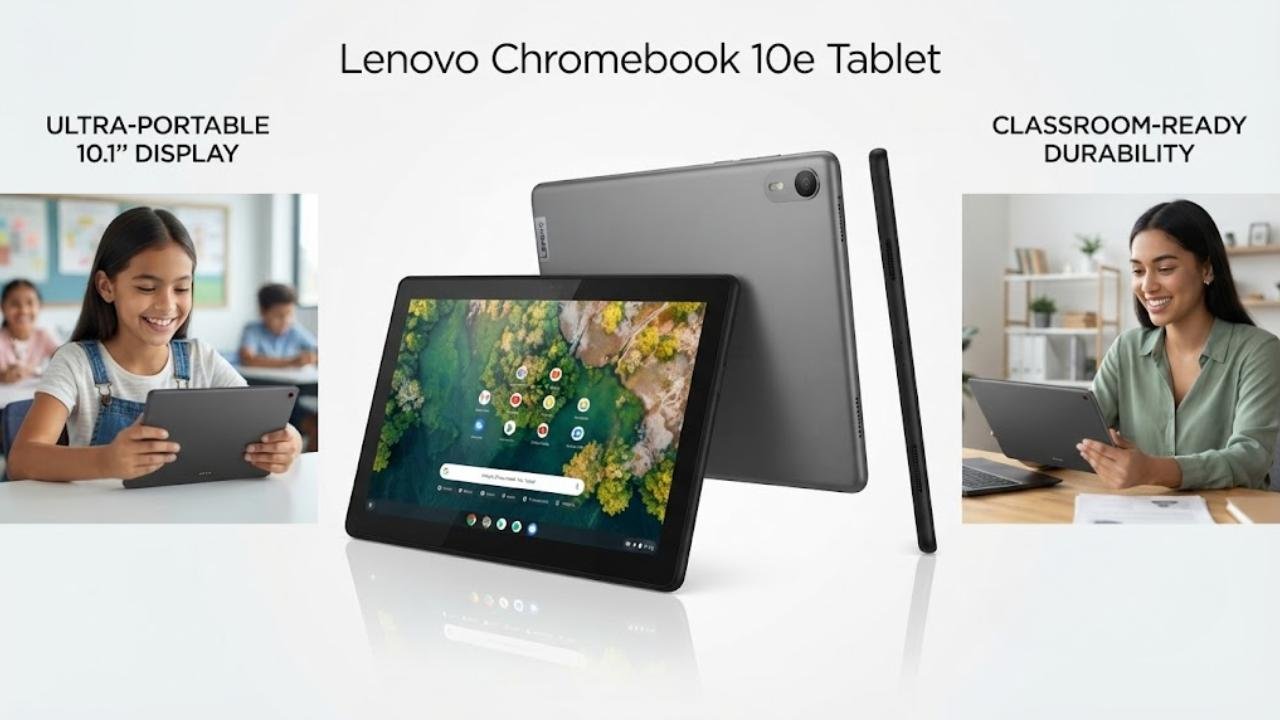
The Lenovo Chromebook 10e is the best Chrome OS tablet pick for buyers who specifically need a compact, pure tablet form factor running ChromeOS for classroom use, shared household entertainment, and light productivity. The 10.1-inch WUXGA display at 1920×1200 provides sharp, accurate imagery for web browsing, reading, and video consumption, and the 5MP rear camera with 2MP front camera combination serves basic document scanning and video calling needs.
MediaTek MT8183 handles everyday ChromeOS tasks and Android app use adequately for the light use cases this tablet targets. The compact 10.1-inch size is genuinely portable — easy to carry in a small bag or backpack and comfortable for extended single-hand reading sessions. For school environments where teachers circulate tablets among students for specific classroom activities, the Lenovo 10e provides a practical, manageable ChromeOS tablet without the added complexity of a keyboard attachment.
Key Specifications
- Display: 10.1-inch WUXGA, 1920×1200
- Processor: MediaTek MT8183
- RAM: 4GB
- Storage: 32GB
- OS: ChromeOS
- Cameras: 5MP rear, 2MP front
- Form Factor: Pure tablet
Who It’s For
The Lenovo Chromebook 10e is the best Chrome OS tablet choice for schools, classroom technology programs, and compact casual use buyers who want a pure ChromeOS tablet form factor with an above-average rear camera for document scanning and photo capture.
Pros:
- 1920×1200 WUXGA display is sharper than the standard 1280×800 budget tablet alternatives
- Pure tablet form factor is lightweight and comfortable for classroom single-hand use
- 5MP rear camera enables practical document scanning and quality photo capture
- Lenovo brand reliability and school-focused design sensibility
- 10.1-inch compact size is the most portable pure ChromeOS tablet in this guide
Cons:
- 4GB RAM creates limitations under any demanding multitasking workload
- 32GB storage is the second-lowest in this best Chrome OS tablet guide — immediate cloud dependency required
- MediaTek MT8183 trails Intel and Kompanio 838 alternatives in sustained performance
- No built-in keyboard — requires separate keyboard for text-heavy workflows
10. Dell Chromebook 3100 (Refurbished)
Best For: Best budget refurbished Chrome OS device for basic classroom and casual use
Why We Picked It — With Important Context
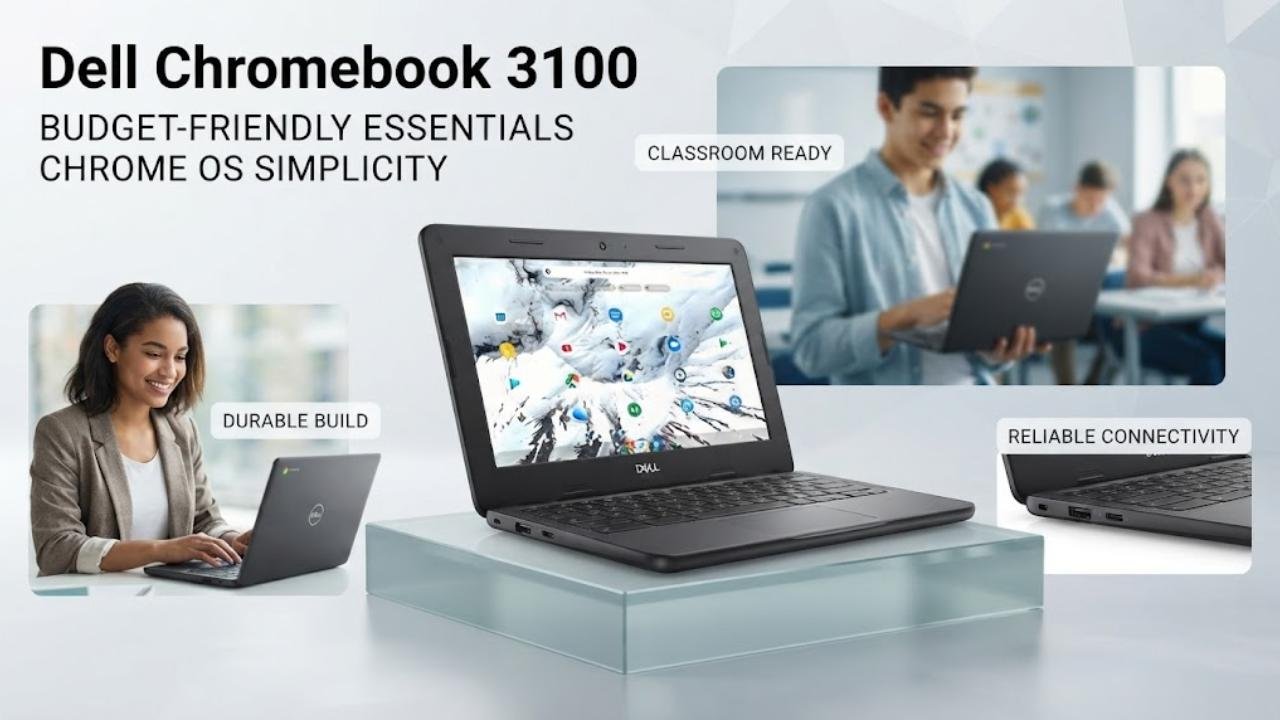
The Dell Chromebook 3100 refurbished is included in the best Chrome OS tablet guide as the most budget-accessible entry point into the ChromeOS ecosystem — and it serves a specific audience honestly. Refurbished and restored to working order, the Dell 3100 provides a functional 11.6-inch HD anti-glare display, Intel Celeron N4020 processing, and Intel Dual Band Wireless AC 9560 for classroom web browsing, Google Workspace document, and basic streaming tasks.
Dell’s Chromebook 3100 was designed for educational deployment with durability built in for school environments.However, buyers must understand the significant limitations of this refurbished device: 16GB eMMC storage leaves very little practical local space after ChromeOS installation, 4GB RAM is adequate only for basic single-app or light tab use, and the 1366×768 HD display is noticeably less sharp than every other device in this best Chrome OS tablet guide.
For a buyer who needs the absolute lowest possible cost entry into ChromeOS for basic classroom use — verified refurbishment from a reputable Dell-focused seller — the Chromebook 3100 is functional. For any buyer planning daily productive use, upgrade to a device with more storage and RAM.
Key Specifications
- Display: 11.6-inch HD Anti-Glare, 1366×768
- Processor: Intel Celeron N4020
- RAM: 4GB LPDDR4
- Storage: 16GB eMMC
- OS: ChromeOS
- Connectivity: Intel AC 9560 (802.11ac), Bluetooth 5.0
- Condition: Refurbished
Who It’s For
The Dell Chromebook 3100 refurbished is the best Chrome OS tablet-adjacent budget entry point for classroom IT procurement, tight-budget buyers, and casual users who need basic web browsing and Google Workspace access at the absolute lowest investment in the best Chrome OS tablet guide.
Pros:
- Most affordable entry point in the best Chrome OS tablet guide
- Dell’s Chromebook 3100 was designed for educational durability
- Intel Dual Band Wireless AC 9560 provides solid wireless connectivity
- ChromeOS provides built-in security and automatic updates regardless of hardware age
- Refurbished provides budget access to established Dell hardware quality
Cons:
- 16GB storage leaves extremely limited usable local space after ChromeOS system requirements
- 1366×768 resolution is the lowest display quality in the best Chrome OS tablet guide
- Not a touchscreen or tablet-capable device — laptop-only form factor
- Refurbished condition — verify seller quality and warranty terms carefully before purchase
- Intel Celeron N4020 is a modest chip — limited to the most basic everyday ChromeOS tasks
Best Chrome OS Tablets — Best For Categories
| Use Case | Best Pick |
|---|---|
| Best Overall Chrome OS Tablet | Lenovo Chromebook Duet |
| Best Pure Tablet | Acer Chromebook Tab 311 |
| Best 2-in-1 Convertible | ASUS Chromebook Flip CX1 |
| Best with Built-in Pen | Samsung Chromebook Plus V2 |
| Best for Students | Samsung Galaxy Chromebook Go |
| Best Large Screen | ASUS Chromebook CX15 |
| Best Value | Acer Gateway Chromebook 314 |
| Best Budget | Dell Chromebook 3100 (Refurb) |
| Best Eco-Conscious | HP Chromebook x360 14 |
| Best Compact Tablet | Lenovo Chromebook 10e |
Final Verdict
Best Value: Lenovo Chromebook Duet
The Lenovo Chromebook Duet delivers the most complete Chrome OS tablet experience in this guide — full-metal chassis with Corning glass, Kompanio 838 processing, a folio keyboard and stand included, dual USB-C, and a WUXGA IPS touch display — in a genuine tablet form factor that works equally well as a keyboard laptop. For buyers who want one device that genuinely does both without compromise or additional accessory cost, the Chromebook Duet is the best Chrome OS tablet recommendation.
Best Budget: Samsung Galaxy Chromebook Go
For buyers who want the longest battery life, military-grade durability, and Samsung’s established brand reliability at a budget-accessible price, the Galaxy Chromebook Go delivers 12-hour endurance, faster WiFi, and Google AI Pro access in a slim, lightweight 14-inch package. It’s the most practical school-day Chromebook for student buyers who prioritize battery and durability over touchscreen capability.
Best Premium: ASUS Chromebook Flip CX1
For buyers who want the best combination of display size, RAM, storage, convertible versatility, and current-generation connectivity in the best Chrome OS tablet guide, the ASUS Chromebook Flip CX1 delivers 8GB RAM, 128GB eMMC, Wi-Fi 6, MIL-STD 810H durability, and a 14-inch 360-degree FHD touchscreen in a mature 2-in-1 package. It’s the best Chrome OS tablet 2-in-1 for buyers who demand more than entry-level Chromebook specifications.
Conclusion
The best Chrome OS tablet category rewards buyers who align their device choice with how they actually spend time on a screen every day. ChromeOS’s core strengths — eight-year software support, instant boot times, built-in security, and Google Workspace integration — make it an outstanding platform for students, educators, and productivity-focused users who live in Google’s ecosystem and don’t require Windows desktop applications.
For most buyers, the Lenovo Chromebook Duet is the best Chrome OS tablet that delivers genuine tablet-laptop versatility in a premium package. For pure touchscreen tablet use in classroom environments, the Acer Chromebook Tab 311 8GB RAM and stylus handwriting support make it the most capable dedicated ChromeOS tablet. For buyers who want the widest range of use modes in a durable, well-specified package, the ASUS Chromebook Flip CX1 360-degree convertible design with 8GB RAM and Wi-Fi 6 is the premium recommendation worth the additional investment.
Whichever best Chrome OS tablet you choose, verify the Auto Update Expiration date, calculate your actual storage needs honestly, and match the form factor to how you realistically use a tablet or laptop during your daily routine. ChromeOS will reward that careful decision with years of fast, secure, and reliably updated performance.
