

Smartphones have become essential in our daily lives, yet their delicate glass displays are prone to invisible damage. Micro-fractures in smartphone displays are tiny cracks or stress points that may not be immediately visible but can compromise the integrity, durability, and performance of your device.
Understanding these micro-fractures, their causes, risks, and preventive measures is essential for anyone looking to maintain a smartphone’s longevity. This guide explores everything you need to know about micro-fractures, from their formation to practical steps to protect your device.
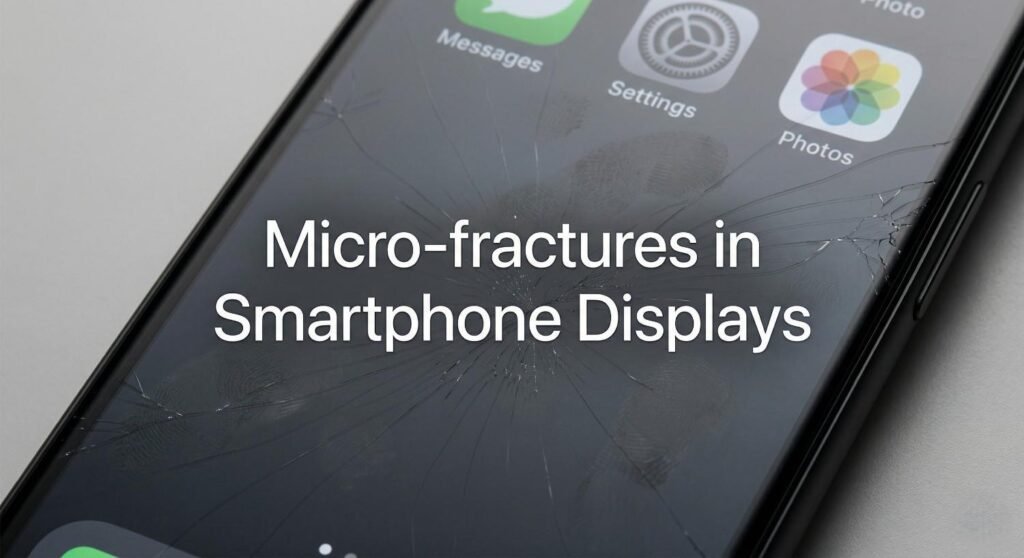
What Are Micro-fractures in Smartphone Displays?
Micro-fractures are tiny, hairline cracks or stress points in the glass surface of a smartphone display. Unlike visible cracks or chips, these fractures are often microscopic and can go unnoticed.
Despite their small size, micro-fractures can weaken the glass structure, making it more susceptible to breakage from minor impacts or pressure. They can also affect touchscreen responsiveness, display clarity, and even the performance of underlying electronic components.
Difference Between Micro-fractures and Regular Cracks
| Feature | Micro-fractures | Regular Cracks |
|---|---|---|
| Visibility | Often invisible to the naked eye | Visible and noticeable |
| Cause | Stress, bending, pressure, thermal changes | Impact, drops, scratches |
| Progression | Can grow over time | Immediate damage |
| Risk | Gradual weakening, potential for display failure | Immediate breakage and functional loss |
Causes of Micro-fractures in Smartphone Displays
Several factors can contribute to the formation of micro-fractures in smartphone screens.
1. Physical Stress and Pressure
Applying excessive pressure, sitting on a phone, or placing it in tight pockets can create stress points in the glass, leading to micro-fractures.
2. Temperature Fluctuations
Rapid heating or cooling, such as leaving a phone in direct sunlight or transferring it from cold to hot environments, can cause thermal stress on the glass, resulting in micro-cracks.
3. Dropping or Minor Impacts
Even minor impacts, such as a phone falling from a table, can cause invisible fractures that worsen over time.
4. Manufacturing Defects
Occasionally, internal stresses from manufacturing or uneven glass composition can make certain areas more prone to micro-fractures.
5. Over-tight Cases or Screen Protectors
Improperly fitting accessories can exert uneven pressure, slowly forming microscopic cracks in the display.
Signs That Your Smartphone Display Has Micro-fractures
Although micro-fractures are hard to see, they can manifest subtly.
- Reduced touchscreen sensitivity: Certain areas of the screen respond poorly to touch.
- Color or brightness irregularities: Tiny fractures can distort the light transmission of the display.
- Visible cracks over time: Micro-fractures may expand into visible cracks after minor impacts.
- Chipping at the edges: Stress points often propagate toward corners and edges.
Risks and Consequences of Micro-fractures
Micro-fractures are not just cosmetic concerns—they can have practical and financial implications.
1. Increased Fragility
The display becomes more susceptible to future drops or pressure, even if they are minor.
2. Display Malfunction
Growing fractures can damage touchscreen layers or OLED/LED components, resulting in unresponsive areas or dead pixels.
3. Reduced Device Longevity
Phones with micro-fractures may require screen replacements sooner than devices without hidden damage.
4. Compromised Waterproofing
Micro-fractures can allow moisture or dust to penetrate the device, weakening internal components.
How to Prevent Micro-fractures in Smartphone Displays
Preventive care is essential to minimize the risk of micro-fractures.
1. Use a High-Quality Screen Protector
Tempered glass or advanced polymer protectors can absorb shocks and prevent stress from minor pressure.
2. Avoid Excessive Pressure
Do not sit on your phone, carry it in tight pockets, or stack heavy objects on top of it.
3. Protect from Thermal Stress
Keep your phone out of extreme heat or cold. Avoid placing it near heaters, direct sunlight, or freezing conditions.
4. Choose Proper Cases
Select cases that provide uniform protection without bending or squeezing the phone display.
5. Handle With Care
Use gentle cleaning methods and avoid dropping or tapping the screen with hard objects.
Repairing Micro-fractures: Is It Possible?
Once micro-fractures occur, repair options are limited:
- Screen Replacement: The most reliable solution, especially for large or spreading fractures.
- Glass Resin Fillers: Some micro-cracks can be temporarily filled using resin-based solutions, but this is a short-term fix.
- Professional Assessment: Devices with growing micro-fractures should be evaluated by certified technicians to prevent total display failure.
Micro-fractures vs. Dead Pixels: Understanding the Difference
This YouTube video below explains dead and stuck pixels on screens, highlighting common causes and practical ways to fix them. It also shows methods to identify pixel issues and potentially restore screen performance. 🖥️✨
Micro-fractures are structural damage, while dead pixels are individual malfunctioning pixels on the display. Both can affect screen usability, but the solutions differ:
- Micro-fractures: Require screen protection, careful handling, or replacement.
- Dead pixels: May be fixed with pixel-repair software or, in severe cases, display replacement.
Semantic Variations to Include
- Smartphone screen cracks
- Hairline fractures in mobile displays
- Device screen durability
- Impact-resistant smartphone glass
- Display repair tips
- Touchscreen sensitivity issues
FAQ: Micro-fractures in Smartphone Displays
Can micro-fractures form without dropping the phone?
Yes. Micro-fractures often occur from internal stress, pressure, or temperature changes, even without any obvious impact.
Are micro-fractures covered by warranty?
Most standard warranties do not cover micro-fractures unless caused by manufacturing defects. Extended protection plans may offer coverage.
How long does it take for a micro-fracture to become visible?
It varies. Minor micro-fractures may take months to propagate into visible cracks, depending on stress, usage, and environmental conditions.
Can I continue using my phone with micro-fractures?
Yes, but with caution. Avoid heavy impacts and protect the screen to prevent further damage.
Is chemically strengthened glass less prone to micro-fractures?
Yes. Chemically strengthened or Gorilla Glass displays are more resistant, but no glass is completely immune to micro-fractures.
Conclusion
Micro-fractures in smartphone displays are an often-overlooked form of damage that can compromise device durability and performance. While invisible at first, they pose significant risks over time, including reduced touchscreen sensitivity, increased fragility, and potential device failure.
Preventive care—such as using high-quality screen protectors, avoiding pressure, and handling your device carefully—remains the best defense. For devices showing signs of micro-fractures, early assessment and professional repair can save both money and functionality.
Investing in awareness and protective measures ensures your smartphone stays reliable, safe, and responsive, helping you avoid costly screen replacements and frustrating usability issues.
