

Android 17 update is shaping up to be the most ambitious Android release in recent memory. While Android 16 brought AI into the core of the operating system, Android 17 takes that foundation and builds something genuinely new on top of it — a system that does not just respond to what you do, but anticipates what you need before you ask.
This guide covers everything currently known about the Android 17 update based on developer previews and early build analysis. You will learn what features are expected, which devices are likely to receive it, how Android 17 compares to its predecessors, and what the update means for everyday Android users.
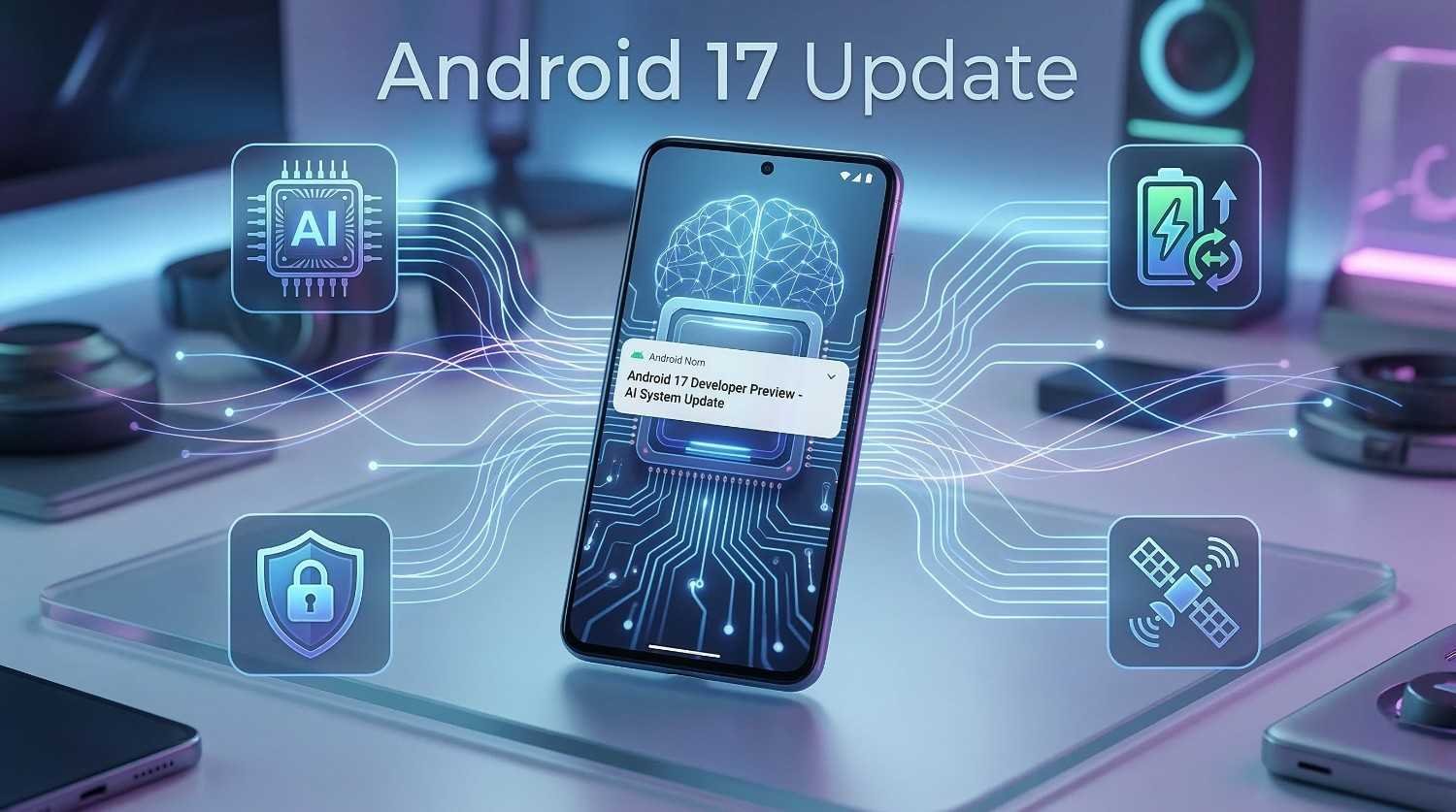
What Is the Android 17 Update?
The Android 17 update is the next major version of the Android operating system, currently under active development by Google.
It sits in the developer preview stage, which means Google has released early builds for app developers to test and provide feedback on. These builds are not final products. Features can change, get added, or be removed before the stable public release arrives.
What developer previews reveal, however, gives a clear picture of where Android is heading. The Android 17 update continues the AI-first direction established by Android 16, but with a more ambitious scope — deeper system automation, stronger adaptive intelligence, and expanded connectivity options that go well beyond what current Android versions support.
The stable public release is expected to follow Google’s standard development cycle, with the final build arriving after several beta stages and a platform stability period.
How Android 17 Differs From Android 16
Before diving into individual features, it helps to understand what separates the Android 17 update from what came before.
| Feature Area | Android 16 | Android 17 |
|---|---|---|
| AI Integration | System-wide on-device AI | Adaptive AI automation layer |
| Battery Management | AI-driven learning | Predictive power allocation |
| App Behavior | Context-aware suggestions | Proactive app automation |
| Connectivity | Satellite messaging support | Expanded satellite and mesh networking |
| Privacy | On-device AI processing | Per-session app isolation |
| Performance | AI-optimized task scheduling | Real-time adaptive performance tuning |
| Accessibility | Improved font and display scaling | AI-driven accessibility personalization |
| Security | Theft protection and sandboxing | Advanced behavioral anomaly detection |
Android 16 made the phone smarter. The Android 17 update aims to make it genuinely proactive — working for you rather than simply responding to you.
Expected Features of the Android 17 Update
Adaptive AI System Layer
The most significant expected feature of the Android 17 update is what Google internally describes as an adaptive AI system layer.
This is not a single feature. It is a framework that runs beneath the surface of Android and continuously adjusts system behavior based on real-time context. It considers your location, time of day, current activity, battery level, network conditions, and usage history simultaneously.
The result is a phone that behaves differently in different situations — not because you changed settings, but because the system understood the context and adapted automatically.
For example, the system might reduce background activity when it detects you are in a meeting, increase performance when it recognizes you are gaming, and switch to power-saving behavior when it predicts you will not reach a charger for several hours.
Proactive App Automation
Android 16 introduced context-aware app suggestions. The Android 17 update is expected to go further with proactive app automation.
Rather than simply suggesting which app to open, Android 17 can trigger app actions on your behalf based on learned patterns. If you always set a morning alarm after checking your calendar, Android 17 may handle that step automatically after learning the pattern over time.
These automations are fully transparent and controllable. The system shows you what it did and why, and you can disable any automation you did not want. The goal is to reduce repetitive tasks without removing user control.
Predictive Battery Management
The Android 17 update is expected to introduce predictive battery management that works differently from anything in previous Android versions.
Instead of reacting to current battery levels, the system predicts your power needs based on your schedule and usage history. If it knows you have a long commute in the evening and your battery is at forty percent in the afternoon, it will begin conserving power intelligently earlier in the day to ensure you arrive home with enough charge.
This predictive approach means fewer situations where your phone dies unexpectedly, without requiring you to manually enable battery saver mode.
Per-Session App Isolation
Privacy in the Android 17 update takes a significant step forward with per-session app isolation.
This feature creates a temporary isolated environment for sensitive apps each time you open them. When you close a banking app or a health app, the session data is cleared and the isolation ends. The next time you open the app, it starts fresh without retaining session-specific information between uses.
This goes beyond the app sandboxing improvements in Android 15 and 16. It treats each use of a sensitive app as a completely separate event, reducing the risk of data leakage between sessions.
Behavioral Anomaly Detection
The Android 17 update is expected to include behavioral anomaly detection as an advancement of the Theft Protection feature introduced in Android 15.
The system builds a baseline understanding of how you normally use your phone — your typing patterns, the apps you use in sequence, the times you typically unlock your device. If the phone detects behavior that significantly deviates from your established patterns, it can trigger additional authentication requirements or alert you.
This means even if someone bypasses your lock screen, the system recognizes that the behavior does not match the owner’s profile and responds accordingly.
Expanded Satellite and Mesh Connectivity
Android 16 added foundational satellite messaging support. The Android 17 update is expected to expand this significantly.
Early developer preview builds suggest support for mesh networking capabilities that allow Android devices to communicate with each other directly without requiring a cellular network or Wi-Fi access point. In areas with poor connectivity, nearby Android devices could form a local network to pass messages and emergency information between them.
Satellite connectivity is also expected to expand beyond emergency messaging to support broader communication use cases on supported hardware.
AI-Driven Accessibility Personalization
Accessibility improvements in the Android 17 update are expected to move from manual settings to AI-driven personalization.
Rather than requiring users to configure font sizes, contrast levels, and display settings manually, the system will observe how you interact with your phone and suggest or apply accessibility adjustments automatically. If you consistently increase the font size in certain apps, the system will offer to make that the default. If you frequently use the magnification gesture, it will make that feature easier to access.
This approach makes accessibility features more discoverable and more useful for users who may not know they exist.
Android 17 Update — Developer Preview Findings
The Android 17 developer preview builds released so far have confirmed several technical changes that support the expected features.
New API Additions
Developer preview builds include new APIs for:
- Real-time context sharing between system components
- Per-session data isolation for designated app categories
- Predictive resource allocation requests from apps
- Mesh networking device discovery
These APIs tell app developers what they need to build for Android 17, and they confirm the direction of the update at a technical level.
Performance Architecture Changes
Android 17 developer previews show changes to how the system distributes processing tasks across hardware components.
The update introduces more granular control over which processor cores handle which types of tasks. AI workloads are directed toward dedicated AI processing units. User interface tasks are handled by efficiency cores. Intensive background processing uses performance cores only when necessary.
This architecture reduces power consumption during typical use while maintaining the ability to deliver full performance when needed.
Which Devices Are Expected to Receive Android 17?
Final device compatibility lists will not be confirmed until closer to the stable release. Based on current developer preview availability and manufacturer support commitments, the following devices are expected to receive the Android 17 update.
Pixel Devices
| Pixel Device | Android 17 Expectation |
|---|---|
| Pixel 9 Series | ✅ Full support expected |
| Pixel 8 Series | ✅ Full support expected |
| Pixel 7 Series | 🔄 Possible support |
| Pixel 6 Series | ⚠️ Unlikely |
| Pixel 5 and older | ❌ Not supported |
Samsung Galaxy Devices
| Samsung Device | Android 17 Expectation |
|---|---|
| Galaxy S25 Series | ✅ Expected |
| Galaxy S24 Series | ✅ Expected |
| Galaxy S23 Series | 🔄 Likely |
| Galaxy S22 Series | ⚠️ Possible |
| Galaxy Z Fold 6 / Flip 6 | ✅ Expected |
OnePlus, Xiaomi, and Nothing
| Brand | Expected Devices |
|---|---|
| OnePlus | OnePlus 13, OnePlus 12 |
| Xiaomi | Xiaomi 15 Series, Xiaomi 14 Series |
| Nothing | Nothing Phone (3), Nothing Phone (2) |
All rollout timelines depend on manufacturer testing and regional carrier approvals.
How to Prepare for the Android 17 Update
The stable Android 17 release has not yet arrived. However, there are practical steps you can take now to prepare.
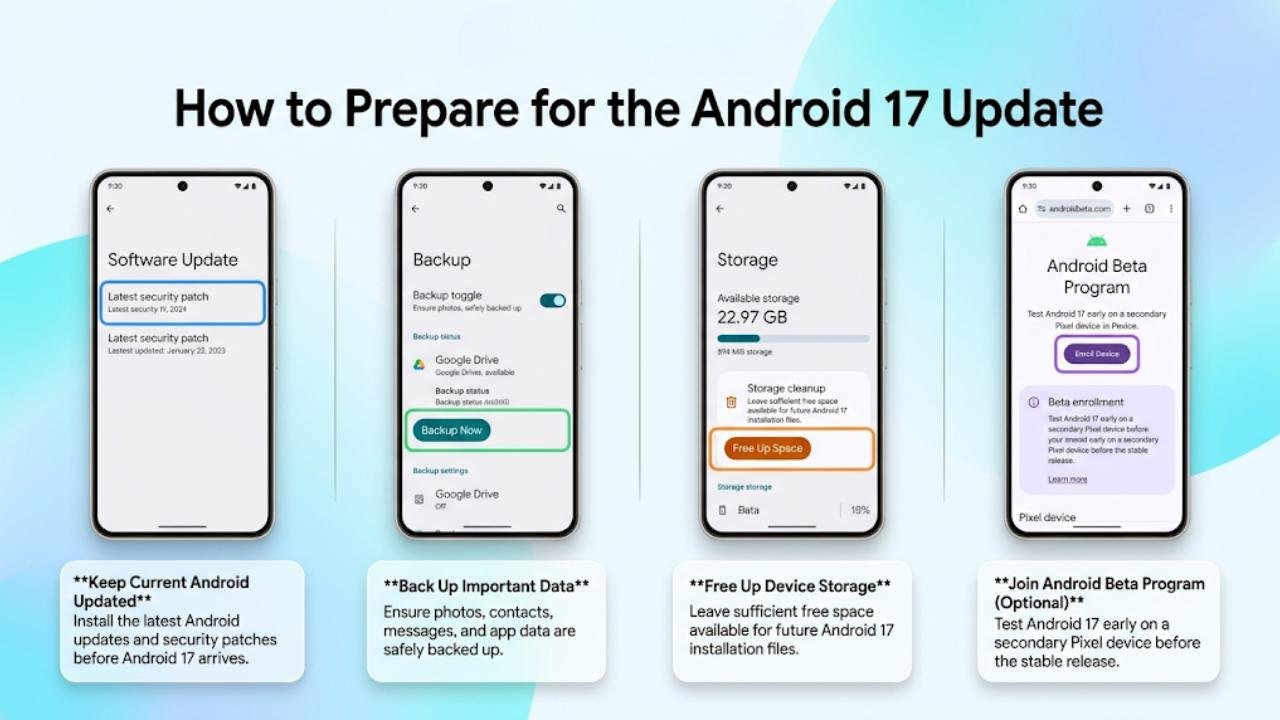
Keep Your Current Android Version Updated
The Android 17 update will build on improvements made in Android 15 and Android 16. Staying current with your existing Android version ensures your device is prepared for the transition.
Go to Settings → System → Software Update and check for any available updates or security patches.
Back Up Your Device Regularly
Major Android updates carry a small but real risk of data loss if something goes wrong during installation.
Set up automatic backups through Settings → System → Backup. Ensure your photos, contacts, and app data are backed up to Google Drive or your preferred backup service.
Join the Android Beta Program (Optional)
If you want early access to Android 17 before the stable release, Google offers an official beta program for Pixel devices.
Only enroll if you have a secondary device. Beta builds are not finished products and may cause instability on a device you rely on daily.
Visit the Android Beta Program page through your Google account settings to enroll eligible Pixel devices.
FAQs
What is the Android 17 update?
The Android 17 update is the next major Android release from Google. It focuses on adaptive AI automation, predictive battery management, per-session privacy isolation, and expanded satellite connectivity. It is currently in the developer preview stage.
When will Android 17 be released?
Android 17 follows Google’s standard development cycle. Developer previews run early in the year, beta builds follow, and the stable public release typically arrives in late summer or early autumn. Exact timing has not been confirmed.
Which phones will get the Android 17 update?
Pixel 8 and Pixel 9 series devices are expected to receive full support. Samsung Galaxy S23 and newer, OnePlus 12 and newer, Xiaomi 14 series, and Nothing Phone (2) and (3) are also expected to receive the Android 17 update based on current manufacturer commitments.
Is Android 17 better than Android 16?
Both updates serve different stages of Android’s evolution. Android 16 built the AI foundation. The Android 17 update takes that further with proactive automation, predictive battery management, and stronger per-session privacy controls.
Should I join the Android 17 beta program?
Only join the beta if you have a secondary device available. Beta builds contain unfinished features and potential stability issues. Never install beta software on your primary daily-use phone.
Final Thoughts
The Android 17 update represents a clear vision for where Android is heading. A system that does not just follow instructions but understands context, predicts needs, and adapts automatically is a meaningful step forward for everyday smartphone users.
The adaptive AI layer, proactive automation, predictive battery management, and per-session privacy isolation are not features built for technology enthusiasts alone. They address real frustrations that ordinary Android users face every day — battery anxiety, repetitive tasks, privacy concerns, and connectivity gaps.
As developer previews continue and beta builds arrive, more details will become clear. What is already visible in early builds confirms that the Android 17 update is building on the strongest Android foundation in years.
Keep your current Android version updated, back up your device regularly, and stay informed as the Android 17 rollout approaches. When the stable release arrives for your device, it will be worth installing.
