

The moment you unbox a new device, exploring apps and camera features usually takes priority—but ignoring smartphone security settings can leave your data exposed within minutes. Whether you’re using Android or iOS, modern smartphones come equipped with powerful anti-theft and privacy tools that many users never activate.
In today’s environment—where phone theft, SIM swapping, and digital fraud are rising globally—these smartphone security settings are no longer optional. They form the first line of defense against unauthorized access, financial fraud, and identity theft.
Here’s a closer look at the most critical protections you should enable immediately—and why they matter more than ever.
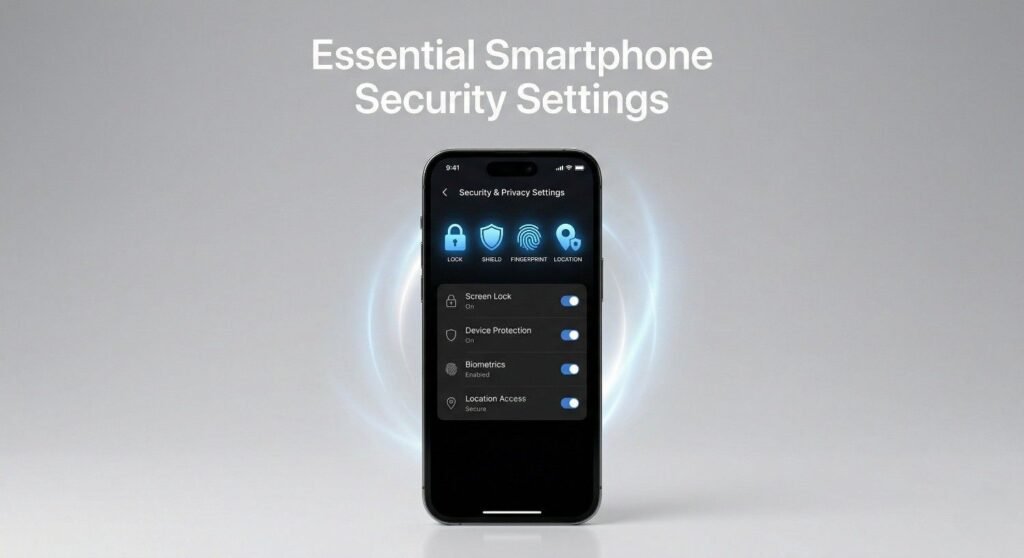
Why Smartphone Security Settings Matter More Than Ever
Smartphones have evolved into digital wallets, identity vaults, and communication hubs. From banking apps to OTP messages and private media, nearly every aspect of personal data lives inside your phone.
This is exactly why attackers target smartphones. The risks include:
- SIM swap fraud gaining access to banking OTPs
- Unauthorized access via lock screen notifications
- Device theft leading to data breaches
- Tracking being disabled before recovery
Activating the right smartphone security settings ensures that even if your phone falls into the wrong hands, your data remains protected.
Enable Tracking and Remote Control Immediately
One of the most essential smartphone security settings is device tracking. Both Android and iOS offer robust built-in solutions that allow you to locate, lock, or erase your device remotely.
On Android, Find My Device provides real-time location tracking, remote locking, and data wiping. On iPhones, Find My offers similar capabilities with additional ecosystem integration.
What many users overlook is offline tracking. Even if your device is switched off or disconnected from the internet, modern tracking systems can still detect its last known or network-assisted location.
This layer of smartphone security settings becomes crucial when a thief attempts to disable connectivity to avoid detection.
Turn On Theft Protection Features
Another critical category of smartphone security settings involves theft detection and device protection.
Android devices now include Theft Detection Lock, which can automatically lock the phone if suspicious motion—like sudden snatching—is detected. Meanwhile, Apple has introduced Stolen Device Protection, which adds biometric authentication delays for sensitive actions.
These features are designed to counter real-world theft scenarios, especially in crowded public spaces.
What makes them important is their proactive nature. Instead of reacting after theft, these smartphone security settings actively prevent unauthorized access during the incident itself.
Protect Your Lock Screen From Data Leaks
Lock screens are often overlooked, but they can expose sensitive information such as OTPs, banking alerts, and personal messages.
By default, many smartphones display full notification previews even when locked. This creates a major vulnerability—anyone holding your phone can read incoming messages without unlocking it.
Adjusting notification visibility is one of the simplest yet most effective smartphone security settings you can enable.
Disabling lock screen previews ensures that:
- OTPs remain private
- Banking alerts are hidden
- Personal messages are protected
This small change significantly reduces the risk of data exposure.
Require Authentication for Power Off
A lesser-known but highly effective smartphone security settings option is requiring authentication to power off the device.
Some Android manufacturers and newer iOS versions now allow users to lock the power menu behind a PIN, password, or biometric verification.
This feature prevents thieves from simply switching off the device to disable tracking. As long as the phone remains powered on, location tracking and remote control features continue to function.
In real-world theft scenarios, this setting can make the difference between recovering your phone and losing it permanently.
Activate SIM Lock to Prevent Fraud
SIM swapping has become one of the fastest-growing forms of cybercrime. Attackers remove your SIM card, insert it into another device, and gain access to calls, messages, and OTP-based authentication.
Enabling SIM PIN protection is one of the most powerful smartphone security settings to counter this threat.
When activated:
- The SIM cannot be used in another device without a PIN
- Unauthorized SIM access is blocked
- Banking and authentication messages remain secure
This is especially important for users who rely on SMS-based verification for financial transactions.
Offline Finding Networks Add an Extra Layer
Modern smartphones now support offline finding networks, which extend tracking capabilities beyond internet connectivity.
For example, Android’s Find My Device network and Apple Find My network use nearby devices to anonymously relay location signals.
This means your phone can still be located even when:
- It has no internet connection
- The SIM card has been removed
- It is powered off (in supported models)
These advanced smartphone security settings significantly improve recovery chances.
The Bigger Picture: Security as a Habit
Enabling smartphone security settings is not just a one-time task—it’s part of a broader digital hygiene practice.
Users should also:
- Keep software updated
- Use strong passwords or biometrics
- Avoid installing untrusted apps
- Regularly review privacy settings
Smartphone security is evolving rapidly, and staying proactive is the best defense.
Final Thoughts
Most users spend hundreds—or even thousands—on a new smartphone but overlook the built-in protections that come with it. Activating these essential smartphone security settings takes only a few minutes but can prevent serious consequences later.
In an era where digital threats are becoming more sophisticated, securing your device from day one is no longer optional—it’s essential.
