

Meta AI assistant is one of the most widely distributed artificial intelligence tools available on Android today — and most people are already using the apps it lives inside without realising it is there. Built by Meta, the company behind WhatsApp, Instagram, Facebook, and Messenger, this assistant is embedded directly into platforms that billions of people open every single day.
Unlike ChatGPT or Google Gemini, which require you to visit a separate app or website, the Meta AI assistant sits inside conversations you are already having. It answers questions, generates images, helps with writing, and holds natural back-and-forth dialogue — all without switching apps or creating a new account.
The Meta AI assistant runs on Llama, Meta’s own large language model. Understanding how it works, where it appears, and what it is genuinely capable of helps you decide when to use it and when to look elsewhere.
How the Meta AI Assistant Works Across Meta Apps
This is not limited to a single platform. Meta has integrated it across its entire app ecosystem, making it one of the few AI tools that follows you across multiple surfaces within the same family of applications.
Meta AI Assistant on WhatsApp
On WhatsApp, the appears as a dedicated chat at the top of your conversations list — styled like any other contact. Open it and you can ask questions, request help with writing, generate images, or work through a problem in plain conversational language.
Inside group chats, the becomes a shared resource. Type the @ symbol, select Meta AI, and it joins the thread to respond to a specific question. Every member of the group sees its response, making it useful for collective decision-making without anyone leaving the app to search separately.
Meta AI Assistant on Instagram
Instagram places the Meta AI assistant inside the search bar and within direct messages. Tapping the search bar surfaces the assistant as an immediate option. Inside DMs, it works as a chat you can open independently or call into a group conversation using the same @ mention system as WhatsApp.
Meta AI Assistant on Facebook and Messenger
On Facebook, this is accessible through the main search bar at the top of the feed. Messenger integrates it directly into the conversation interface. The functionality across both platforms is consistent — question answering, image generation, writing help, and general task assistance are all available in the same place.

What the Meta AI Assistant Can Actually Do
Knowing the specific capabilities of the Meta AI assistant helps set accurate expectations. It covers a meaningful range of everyday tasks, though it works best when used for the right type of request.
Real-Time Web Search and Question Answering
The Meta AI assistant combines its trained knowledge with live web search. This means it can answer questions about current events, recent news, and up-to-date information rather than being limited to a fixed knowledge cutoff. When you ask a factual question, it pulls from both sources to give a more complete response.
Image Generation Through Imagine
This includes a built-in image generation tool called Imagine. Describe what you want in plain text and the assistant produces an AI-generated image directly inside your chat within seconds. This works across WhatsApp, Instagram, and Messenger without any additional app or tool required.
Writing and Content Assistance
The Meta AI assistant handles drafting, rewriting, summarising, and tone adjustment across written content. Caption ideas for Instagram, message drafts for WhatsApp, post copy for Facebook — these are practical tasks it manages reliably. Giving it specific instructions about tone, length, and format produces noticeably better results than open-ended requests.
Planning and Problem Solving
The Meta AI assistant works through planning tasks across a range of everyday scenarios — trip itineraries, meal planning, study schedules, budgeting frameworks, and general problem-solving. It functions best when given context and clear parameters rather than vague starting points.
Meta AI Assistant vs Other AI Tools: Direct Comparison
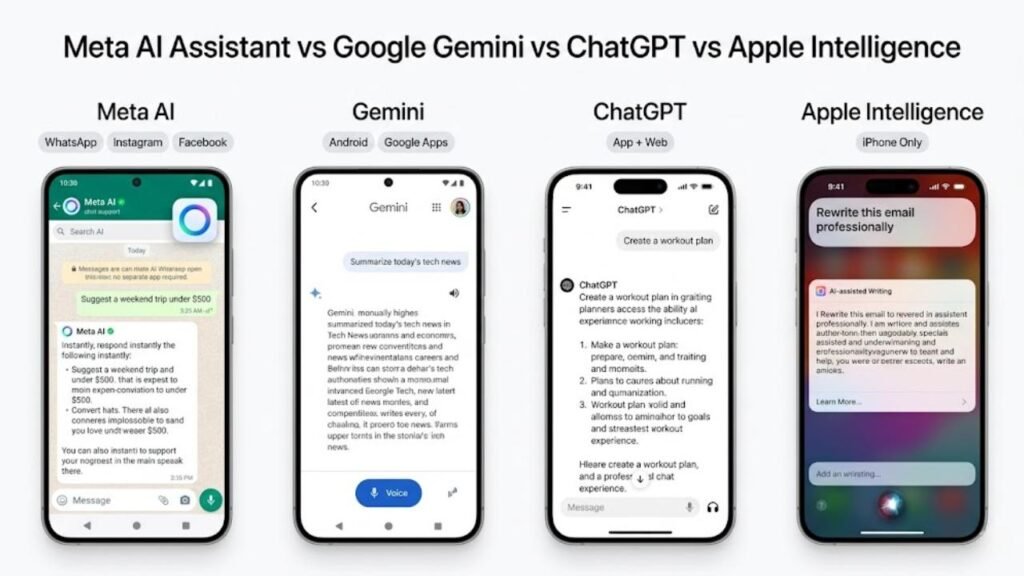
| Feature | Meta AI Assistant | Google Gemini | ChatGPT | Apple Intelligence |
|---|---|---|---|---|
| Where It Lives | WhatsApp, Instagram, Facebook, Messenger | Android, Google apps, web | Standalone app and web | Apple apps only |
| Real-Time Search | ✅ Yes | ✅ Yes | ✅ Yes (paid tier) | ✅ Yes |
| Image Generation | ✅ Yes (Imagine) | ✅ Yes | ✅ Yes (DALL-E) | ✅ Yes |
| Requires New Account | ❌ No | ❌ No | ✅ Yes | ❌ No |
| Android Support | ✅ Full | ✅ Full | ✅ Full | ❌ None |
| In-App Integration | ✅ Deep across Meta apps | ✅ Google apps | ⚠️ Limited | ✅ Apple apps |
| Voice Interaction | ⚠️ Limited | ✅ Full | ✅ Full | ✅ Full |
| Free Access | ✅ Fully free | ✅ Free tier | ✅ Limited free | ✅ Free |
| Underlying Model | Llama (Meta) | Gemini (Google) | GPT-4 (OpenAI) | Apple Foundation Models |
| Privacy Approach | Meta data policies | Google data policies | OpenAI data policies | On-device processing |
The Meta AI assistant’s clearest advantage over every competitor in this table is distribution. It requires no new account, no app download, and no behaviour change — it simply appears inside apps billions of people already use. That frictionless access is something no standalone AI product currently matches.
Privacy and Data: What the Meta AI Assistant Accesses
This is a question that deserves a direct answer rather than a vague reassurance.
1. What the Meta AI Assistant Can See
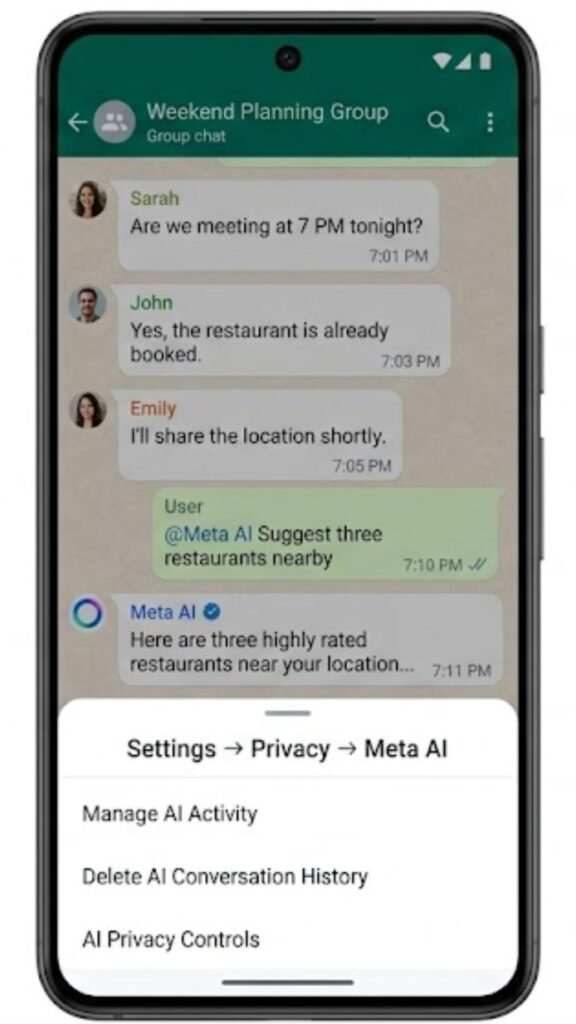
The Meta AI assistant only processes messages you send directly to it. Private conversations between people on WhatsApp remain end-to-end encrypted and are not accessible to the assistant. When you use the Meta AI assistant in a group chat, only the messages explicitly directed at it — using the @ mention — are processed.
2. How Meta Uses Your Conversations
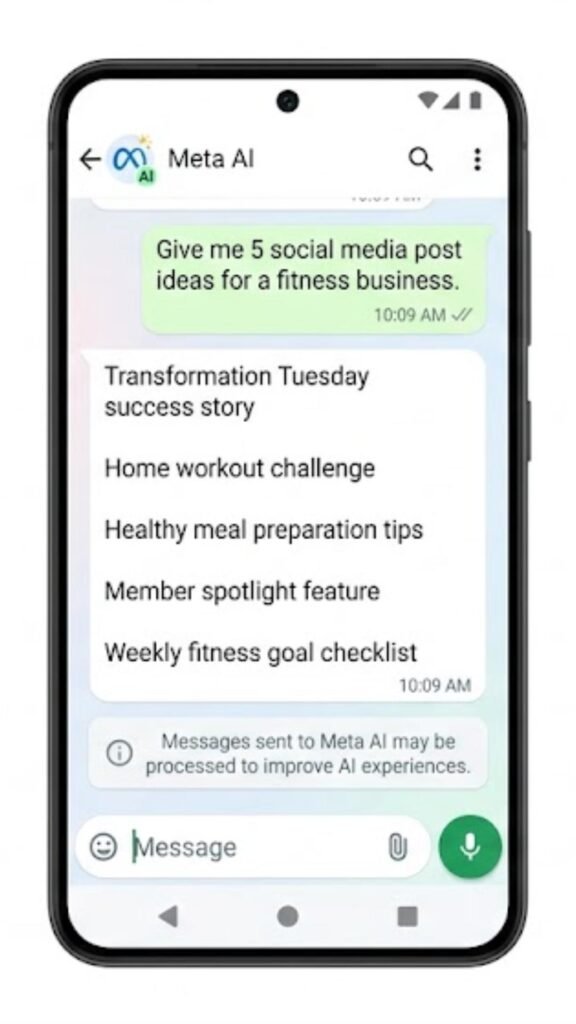
Conversations with the Meta AI assistant are subject to Meta’s standard data policy. This means the content of your interactions may be used to improve Meta’s AI systems, consistent with how most large AI providers handle user data. Meta does not claim your conversations remain entirely private from its own systems.
3. Managing and Deleting Your History
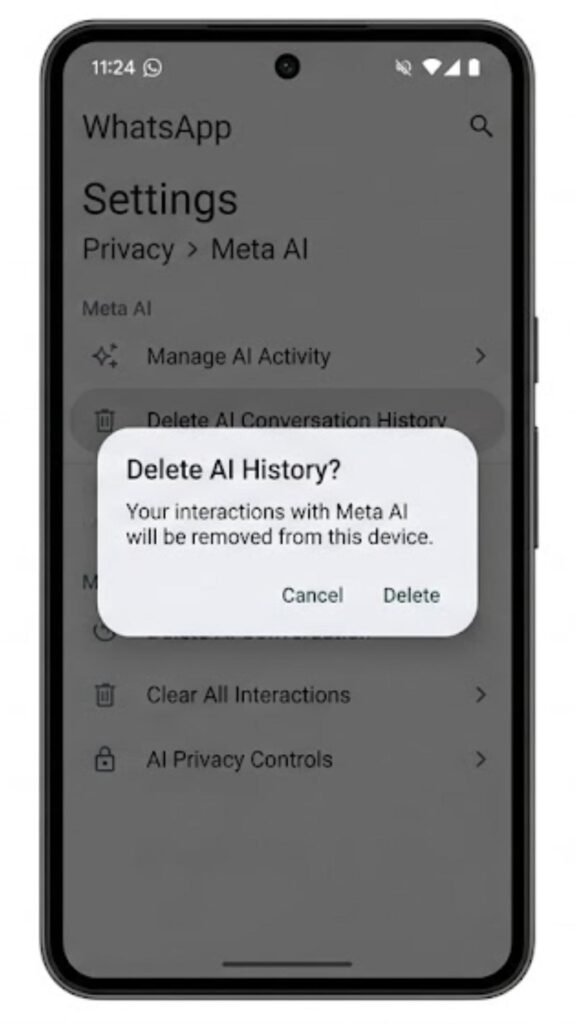
The Meta AI assistant conversation history can be deleted from within each app. On WhatsApp, navigate to Settings, then Privacy, then Meta AI. Similar controls exist within the privacy settings sections of Instagram and Facebook. Clearing this history regularly is straightforward and takes under two minutes.

Common Mistakes People Make With the Meta AI Assistant
Sending sensitive personal information without thinking.
The Meta AI assistant is a cloud-based service. Anything you type into it is processed on Meta’s servers. Avoid sharing financial details, passwords, private addresses, or sensitive personal data — treat it with the same caution you would any online service.
Accepting its answers without checking.
The Meta AI assistant, like all current AI tools, can produce incorrect information presented confidently. For medical questions, legal matters, financial decisions, or any topic where accuracy is critical, verify responses through authoritative sources before acting on them.
Writing vague prompts and expecting precise results.
The quality of what the Meta AI assistant produces is directly tied to the quality of what you ask it. “Write me a caption” returns generic output. “Write three Instagram captions for a photo of a hiking trail at sunrise, using an adventurous and motivational tone, under 80 characters each” returns something usable.
Assuming it works identically across all regions.
The Meta AI assistant has not rolled out with identical functionality in every country. Some features — including image generation and certain real-time search capabilities — may be unavailable or limited depending on your location. If a feature isn’t appearing, a regional restriction may be the reason.
Ignoring it entirely based on privacy concerns that aren’t fully understood.
Some users dismiss the Meta AI assistant without investigating what it actually accesses. Knowing that it cannot read your private human-to-human conversations, and that conversation history can be deleted, provides a clearer basis for deciding how and whether to use it.
Practical Tips to Use the Meta AI Assistant More Effectively
Give format instructions in every prompt.
Adding phrases like “in three bullet points,” “as a short paragraph,” or “in a casual tone” shapes the Meta AI assistant’s output significantly. It responds well to structural guidance and produces tighter, more useful responses when format is specified.
Use it for group chat decisions.
When a WhatsApp or Messenger group is stuck on a decision — where to eat, what to watch, how to plan an event — calling in the Meta AI assistant with a specific question gets a useful neutral input without anyone needing to switch apps.
Try Imagine for quick visual concepts.
The image generation feature inside the Meta AI assistant is genuinely fast and capable enough for social media brainstorming, mood boards, and low-stakes visual content. It won’t replace design software, but for quick creative direction it’s a practical tool.
Clear your conversation history monthly.
If data privacy is a concern, build a habit of clearing your Meta AI assistant chat history at the start of each month. It takes under two minutes and ensures you’re not accumulating a long record of interactions by default.
Use it as a starting point, not a final source.
The Meta AI assistant works well for getting an overview of an unfamiliar topic, generating a first draft, or brainstorming options. For anything requiring precision or expertise, use it to get started and then verify through authoritative sources before finalising.
Frequently Asked Questions
What is the Meta AI assistant?
It is an AI assistant built by Meta that works inside WhatsApp, Instagram, Facebook, and Messenger to answer questions, generate images, and help with everyday writing and planning tasks.
Is the Meta AI assistant free to use?
Yes. The Meta AI assistant is completely free and requires no subscription or separate account. It is available to all existing users of Meta’s apps.
Does the Meta AI assistant read my private WhatsApp chats?
No. Private conversations between people are end-to-end encrypted and inaccessible to the Meta AI assistant. It only processes messages sent directly to it.
What model does the Meta AI assistant run on?
It runs on Llama, Meta’s own large language model, which powers its conversational, reasoning, and creative capabilities.
Can I delete my Meta AI assistant conversation history?
Yes. Each Meta app includes privacy settings where you can review and delete your stored interaction history with the assistant.
How is the Meta AI assistant different from Google Gemini?
The key difference is where it lives. The Meta AI assistant is embedded inside messaging and social apps billions of people already use. Gemini requires Google’s own app ecosystem or a separate visit. Both are capable AI tools — the distinction is primarily one of access and integration.
Conclusion
The Meta AI assistant represents a different approach to AI distribution than anything else currently on the market. Rather than building a destination people need to visit, Meta embedded its assistant into the conversations people are already having — reducing the adoption barrier to effectively zero for existing app users.
For Android users, this matters because the Meta AI assistant is already sitting inside apps that are opened dozens of times daily. Whether you use it for a quick question on WhatsApp, an image idea on Instagram, or a writing task on Messenger, the capability is there without any setup required.
The important things to carry forward are straightforward. Understand what the assistant can and cannot access. Write specific prompts to get specific results. Verify anything factually important from reliable sources. And clear your conversation history if privacy is a priority for you.
The Meta AI assistant is not the right tool for every task. But knowing exactly what it does well — and where its limits are — puts you in the best position to use it on your own terms.
