

Gemini Personal Intelligence Photos is the latest step in Google’s push to make Gemini feel less like a generic chatbot and more like a true personal assistant. With this new capability, Gemini can connect to your Google Photos library to produce more customized answers and creative outputs—potentially including AI-generated images that reflect your real-life context.
It is also exactly the kind of AI feature that triggers instant privacy questions, because your photo library isn’t “just images.” It’s a timeline of your life: family moments, travel history, screenshots, documents, pets, places you visit, and faces you care about. Google says the feature is opt-in and can be disconnected at any time, but the shift is significant. Gemini Personal Intelligence Photos is not about smarter facts; it’s about smarter personalization based on your personal data.
Here’s what the feature does, what it doesn’t do, how to turn it on (or keep it off), and what Android users should consider before linking Photos to an AI assistant.
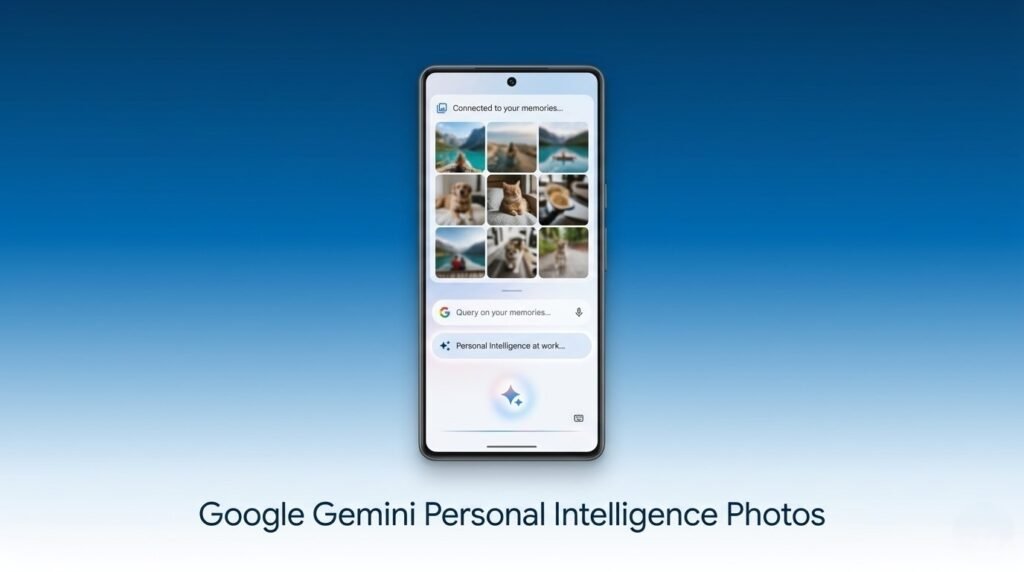
What is Gemini Personal Intelligence Photos?
At a high level, Gemini Personal Intelligence Photos is part of a broader “personal intelligence” approach: Gemini can connect to your Google services and use that context to generate more relevant results. Instead of relying solely on what you type in a prompt, Gemini can—if you allow it—reference your own data.
Google Photos is the most attention-grabbing connection because of how sensitive and rich that data is. A Photos library can reveal:
- who you spend time with
- where you travel
- what events you attended
- what you buy (receipts, product photos)
- what you work on (screenshots, whiteboards, documents)
That’s why Gemini Personal Intelligence Photos is both powerful and controversial. It’s “AI that knows you,” not “AI that knows the internet.”
What Gemini can do when Gemini Personal Intelligence Photos is enabled
The reported capabilities of Gemini Personal Intelligence Photos revolve around contextual understanding and personalized generation. Once the connection is enabled, Gemini may be able to:
- reference your photos for more personalized AI responses
- recognize personal context (people, places, events)
- generate creative outputs that feel tailored to you
- create images that resemble your life context (depending on how Google implements the feature)
Google’s long-term goal is clear: make Gemini proactive and personal. If Gemini can understand what you’ve photographed, it can answer questions like “show me pictures from that beach trip” or help you craft content that matches your own moments.
However, it’s important not to over-assume. Gemini Personal Intelligence Photos doesn’t necessarily mean Gemini has unrestricted access to everything in your library at all times, and it doesn’t mean your photos are suddenly public or searchable by others. The most crucial part is how Google implements permissions, scopes, and user controls.
The most important detail: Gemini Personal Intelligence Photos is opt-in
Google is positioning Gemini Personal Intelligence Photos as a feature you must explicitly enable. That matters. “Opt-in” is the difference between:
- a tool you choose for personalization, and
- a background change that quietly alters your privacy baseline.
According to the details shared so far, Gemini Personal Intelligence Photos includes three core safeguards:
- It is not enabled automatically
- You must explicitly grant access
- You can disconnect access at any time
That’s the right design direction, but for many users the real question is not whether it’s opt-in—it’s whether the permission prompt is clear enough for non-technical people to understand the trade-offs.
Gemini Personal Intelligence Photos and the big question: is this training AI models?
This is where AI features often get murky for users, because “use your data” can mean multiple things:
- Use your data to answer you (personalization)
- Use your data to improve the feature for you (on-device or account-level learning)
- Use your data to train general models (broad training)
Google’s messaging around Gemini Personal Intelligence Photos appears aimed at reassurance: your connected app data is used to improve your experience, not necessarily to train the core model in a broad public way. But users should still read the fine print, because policies can be complex and often differ between:
- consumer vs enterprise accounts
- regions with different privacy laws
- features labeled “experimental”
- settings related to activity logging
If you care about privacy, the practical stance is: treat any connected-data AI feature as sensitive until you’ve confirmed your settings and data controls.
How to enable (or disable) Gemini Personal Intelligence Photos
If the feature is available in your Gemini build, you can typically find it in Gemini’s settings under personal intelligence or connected android apps.
A general path is:
- Open Gemini
- Go to Settings
- Find Personal Intelligence (or Connected apps)
- Look for Google Photos
- Toggle it on or off
- Review what permissions are granted and whether activity logging is enabled
If you enable Gemini Personal Intelligence Photos, set a reminder to review it later. AI feature rollouts evolve fast, and you want to know if Google adds new scopes or new capabilities.
Who should use Gemini Personal Intelligence Photos (and who should avoid it)
This feature will not feel equally “worth it” for everyone.
Gemini Personal Intelligence Photos makes sense if you:
- want a more personal assistant experience
- use Google Photos heavily and keep it well organized
- are comfortable trading some privacy for convenience
- value creative tools that work with your personal context
You should keep Gemini Personal Intelligence Photos off if you:
- store sensitive documents in Photos (IDs, passports, medical records)
- share a Photos library with family members and want strict boundaries
- are uncomfortable with AI interpreting faces and events
- prefer “assistant” tools that don’t touch personal media
A balanced approach is to separate: keep Photos for memories, but move sensitive screenshots and documents into encrypted storage or a secure folder.
The bigger shift: from general AI to personal AI
Whether you love or hate it, Gemini Personal Intelligence Photos represents where AI assistants are going. The competitive battlefield is no longer “who has the smartest model.” It’s “who can integrate into your life most deeply.”
Google has advantages here:
- billions of users already use Google Photos
- Android is the world’s largest smartphone platform
- Google can connect Gemini to a wide set of services (Photos, Gmail, Calendar, Maps)
This is also why privacy concerns are legitimate. A personal AI isn’t just powerful—it’s intimate. The assistant becomes a layer between you and your own data, and that requires trust.
Bottom line
Gemini Personal Intelligence Photos could make Gemini dramatically more useful by letting it understand your personal context through Google Photos. Done right, it’s the kind of feature that turns an AI chatbot into a true assistant. Done poorly, it’s the kind of feature that makes users feel like their most personal data has been placed on a new kind of conveyor belt.
Google’s opt-in approach and disconnect controls are the right starting point. But if you enable Gemini Personal Intelligence Photos, treat it like a new privacy decision, not just a cool trick. Check what’s connected, review your activity settings, and be intentional about what you store in Photos.
