

Gemini App Redesign is shaping up to be one of the most important visual and usability updates for Google’s AI assistant on Android. This has surfaced through an APK teardown, giving us an early look at how Google plans to modernize the interface, simplify navigation, and make its AI experience feel more polished and engaging.
While these changes are not officially released yet, the suggests a clear shift toward a cleaner, more vibrant design language that aligns with Google’s broader AI ambitions. More importantly, it shows how the company is refining Gemini to compete more aggressively in the rapidly evolving AI assistant space.
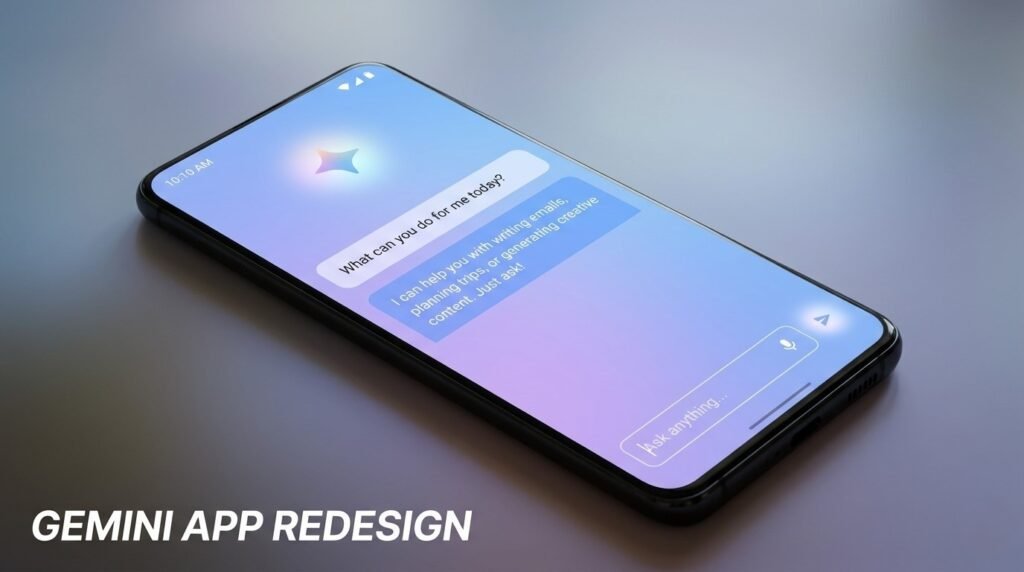
Gemini App Redesign Brings a Brighter and Modern UI
One of the most noticeable aspects of the Gemini App Redesign is its visual overhaul. Google appears to be moving away from flat, minimal backgrounds toward a more dynamic and visually appealing interface.
Key UI changes expected:
- Introduction of gradient backgrounds in light mode
- Refined dark mode with less harsh contrast
- More vibrant color tones across the interface
- Cleaner and simplified iconography
These changes may seem cosmetic at first glance, but they play a significant role in improving usability. A brighter and more cohesive design helps users focus on conversations and AI responses without distraction.
This also signals Google’s intention to make its AI assistant feel less like a utility and more like an interactive, modern experience.
Gemini App Redesign Focuses on Better Layout and Navigation
Beyond visual updates, the Gemini App introduces structural changes aimed at improving how users interact with the app.
- Expands to full-screen instead of partial width
- Moves account switcher to a more accessible location
- Improves access to chat history and settings
This change addresses a common usability issue where navigation felt slightly cramped. With the Gemini App Redesign, users will likely find it easier to switch between conversations and manage their accounts.
Streamlined controls
Google is also testing:
- Updated “New Chat” button placement
- Simplified sharing options
- Cleaner layout for temporary chats
These updates make the Gemini App Redesign more intuitive, especially for users who rely on the assistant frequently.
Gemini App Redesign Enhances Gemini Live Experience
Another major highlight of the Gemini App Redesign is how it improves the Gemini Live feature, which focuses on real-time voice interactions.
What’s changing in Gemini Live:
- New animated control button replacing waveform design
- Different background styles for light and dark modes
- More immersive voice interaction visuals
The updated animation appears to be inspired by modern AI interfaces, making interactions feel more responsive and engaging. This is a subtle but important shift in the Gemini App Redesign, as voice-based AI becomes a bigger part of everyday smartphone usage.
Gemini App Redesign Introduces Subtle AI Interaction Improvements
While the focus is largely on UI, the Gemini App Redesign also hints at improvements in how users interact with AI.
Expected enhancements:
- Faster response rendering
- Improved readability of AI-generated content
- Better separation between user input and AI replies
These refinements ensure that the Gemini App Redesign is not just about looks—it also enhances the overall experience of using AI on Android.
What the Gemini App Redesign Means for Android Users
The Gemini App Redesign reflects a broader trend in Android where AI is becoming central to the user experience. Instead of being a background feature, AI assistants like Gemini are now front and center.
For users, this means:
- A more visually engaging interface
- Easier navigation across AI features
- Improved interaction with voice and text-based AI
- A more consistent experience across devices
As competition intensifies with other AI platforms, the positions Google to stay relevant and competitive.
Important Note: Gemini App Redesign Is Still in Development
It’s important to understand that the Gemini App Redesign is based on an APK teardown, which means these features are still under development.
What this implies:
- Some features may change before release
- Certain UI elements could be removed
- Final design may differ from current leaks
Google often tests multiple design directions internally, so the final version of the Gemini App Redesign could evolve further.
Why the Gemini App Redesign Matters Now
The timing of the Gemini App Redesign is significant. As AI becomes a key battleground for tech companies, user experience plays a crucial role in adoption.
This redesign shows that Google is:
- Investing heavily in AI usability
- Aligning design with modern UI trends
- Preparing Gemini for wider adoption across Android
This is not just a visual update—it’s part of a larger strategy to make AI more accessible and appealing to everyday users.
Bottom Line
This is shaping up to be a meaningful upgrade that goes beyond simple cosmetic changes. With a brighter interface, improved navigation, and enhanced AI interactions, it aims to deliver a more refined and user-friendly experience.
Although still in development, this clearly indicates where Google is heading with its AI ecosystem. For Android users, this means a smarter, cleaner, and more engaging assistant that feels better integrated into daily life.
