

If you’ve been searching for the perfect tablet and keep running into the same question — android vs windows tablets, which one should I buy? — you’re not alone. This is one of the most searched tablet-related questions online, and for good reason. Both platforms offer genuinely useful experiences, but they serve very different types of users.
This buying guide is for students, remote workers, parents, casual users, and anyone trying to decide whether an android vs windows tablet better fits their lifestyle. We’ve carefully analyzed both platforms, tested real-world use cases, and selected the five best Android tablets and five best Windows tablets currently available across a range of budgets.
Our selection criteria include performance, display quality, battery life, software experience, value for money, and real-world usability. Whether you’re choosing between android vs windows tablets for work, school, media, or general browsing, this guide will help you make the right call with confidence.

Quick Picks: Android vs Windows Tablets at a Glance
✅ Best Android Tablets
| Product | Best For | Price Range |
|---|---|---|
| Samsung Galaxy Tab A11+ | Best Overall Android Tablet | Mid-Range |
| TECLAST T65 | Best Large-Screen Budget Android | Budget |
| Lenovo Tab One | Best Compact Android for Families | Budget |
| URAO X109 | Best Value Android Under $100 | Budget |
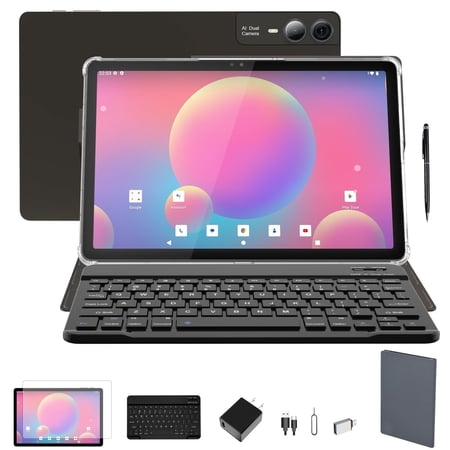
| MSLSTM 11-inch Android 14 | Best Budget Android with 2K Display | Budget |
✅ Best Windows Tablets
| Product | Best For | Price Range |
|---|---|---|
| Microsoft Surface Pro 12″ (2025) | Best Premium Windows Tablet | Premium |
| Fusion5 FWIN232 PRO N5 | Best Windows Tablet for Everyday Use | Mid-Range |
| CHUWI Hi10 X2 | Best Budget Windows Tablet with i3 | Budget |
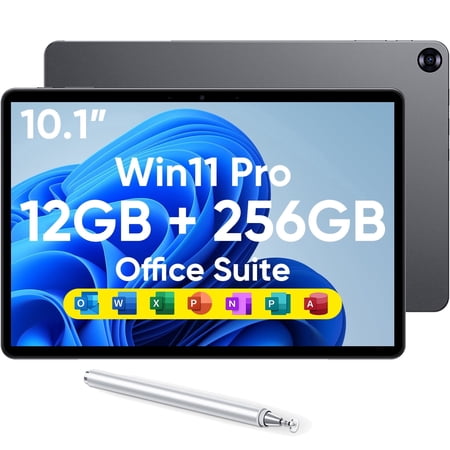
| HYPERSTRIX 10.1″ Windows 11 Pro | Best Budget 2-in-1 Windows Tablet | Budget |
| Microsoft Surface Pro 5th Gen (Renewed) | Best Affordable Refurbished Windows Tablet | Budget |
Our Top Android Tablet Picks
1. Samsung Galaxy Tab A11+
Best For: Families and everyday Android users who want a reliable, feature-rich tablet

Why We Picked It
The Samsung Galaxy Tab A11+ is the strongest mid-range Android tablet in this comparison. When weighing android vs windows tablets, Samsung’s Galaxy line consistently delivers the best balance of software polish, display quality, and ecosystem integration. The Tab A11+ runs Android 16 out of the box, backed by Samsung’s years of Android optimization experience.
The inclusion of Google Gemini AI assistance and Circle to Search puts this tablet in a category above most competitors at this price point. These AI tools genuinely improve everyday productivity — something that feels immediately useful rather than gimmicky.
The 11-inch display with 90Hz refresh rate delivers smooth, natural scrolling, and the quad speakers with Dolby Atmos produce genuinely impressive sound for a tablet this thin and light. Whether streaming Netflix, joining a video call, or helping kids with homework, the Tab A11+ handles all of it without hesitation.
Key Specifications
| Feature | Details |
|---|---|
| Display | 11 inches, 90Hz refresh rate |
| RAM / Storage | 6GB RAM / 128GB (up to 8GB / 256GB) |
| Operating System | Android 16 |
| Cameras | 5MP front |
| Audio | Quad speakers, Dolby Atmos |
| Battery | Long-lasting with fast charging |
| Warranty | 2 years |
| Colors | Gray, Red, Royal Blue, Silver |
Who It’s For
The Samsung Galaxy Tab A11+ is ideal for families who want a shared device that works well for streaming, casual gaming, video calls, and light productivity. It’s also a strong pick for anyone upgrading from an older Samsung tablet.
Pros:
- Android 16 with active software support
- Dolby Atmos quad speakers deliver excellent audio
- AI features like Gemini and Circle to Search add real value
- Slim, lightweight design comfortable for long use sessions
- 2-year warranty provides extra peace of mind
- Expandable storage available
- 90Hz display delivers fluid scrolling
Cons:
- Front camera is limited at 5MP
- No mention of stylus support in base configuration
- Mid-range chipset may struggle with demanding 3D games
2. TECLAST T65 13.4-inch Android Tablet
Best For: Users who want a large-screen Android tablet with 4G LTE support on a budget

Why We Picked It
The TECLAST T65 makes a compelling case in the android vs windows tablets debate for users who prioritize screen real estate and mobile connectivity at an affordable price. The 13.4-inch display is genuinely large — comparable to many entry-level laptops — and the 120Hz refresh rate puts it ahead of many similarly priced Android tablets that cap out at 90Hz.
What truly sets the T65 apart is its 4G LTE support, meaning you can stay connected even without Wi-Fi. Combined with dual-band Wi-Fi and GPS navigation, this is one of the most connectivity-capable budget tablets in this guide. If you travel frequently or work from locations without reliable Wi-Fi, the T65 makes a strong argument for Android over Windows at this price.
The TDDI touchscreen technology improves light transmittance, resulting in brighter colors and faster touch response than standard IPS panels. The pre-installed tempered glass screen protector is a thoughtful inclusion that saves buyers money immediately.
Key Specifications
| Feature | Details |
|---|---|
| Display | 13.4 inches, 1920×1200 IPS, 120Hz |
| RAM / Storage | 20GB / 128GB (256GB option available) |
| Processor | Octa-Core A75, 2.2GHz |
| Connectivity | 4G LTE, GPS, Dual-Band Wi-Fi, OTG |
| Battery | 8000mAh, up to 10 hours |
| Operating System | Android 16 |
| Weight / Thickness | 720g / 8.5mm |
| Warranty | 1 year with 24/7 support |
Who It’s For
The TECLAST T65 is best for budget-conscious users who want a large tablet for streaming, reading, light productivity, and occasional travel. The 4G LTE support makes it particularly useful for commuters and frequent travelers.
Pros:
- Massive 13.4-inch screen at a budget price
- 120Hz display is smoother than most competitors in this range
- 4G LTE and GPS add genuine real-world utility
- Android 16 is current and well-supported
- Tempered glass screen protector pre-installed — saves money
- Lightweight and thin for its size
Cons:
- Octa-Core A75 chip is decent but not flagship-grade
- 1-year warranty is shorter than Samsung’s offering
- Camera quality not specified for photography use
3. Lenovo Tab One 8.7-inch
Best For: Parents, kids, and casual users who want a compact, affordable tablet with a case included

Why We Picked It
The Lenovo Tab One earns its place in this android vs windows tablets comparison as the go-to choice for users who want something simple, light, and dependable. At just under 8.7 inches and weighing less than a pound, this is the most portable Android tablet in our roundup — and it comes with a folio case included, which is a meaningful value-add that many budget tablets skip entirely.
The 12.5 hours of YouTube streaming battery life is genuinely impressive at this price point. For parents who want to hand a tablet to a child on a road trip, or users who need an e-reader-sized device for commuting, the Tab One delivers where it counts.
Google Kids Space integration makes this particularly appealing for families. The curated content system recommends teacher-approved educational videos and books, giving parents confidence in what their children are consuming.
The MediaTek Helio G85 processor handles everyday tasks comfortably — browsing, streaming, and light gaming all work smoothly. The 60Hz display and 480-nit brightness are perfectly adequate for indoor and moderate outdoor use.
Key Specifications
| Feature | Details |
|---|---|
| Display | 8.7 inches HD, 480 nits, 60Hz |
| RAM / Storage | 4GB / 64GB |
| Processor | MediaTek Helio G85 |
| Audio | Dual Dolby Atmos speakers |
| Battery | Up to 12.5 hours streaming, 15W fast charge |
| Operating System | Android 14, 2 years security patches |
| Included Accessories | Folio case included |
| Dimensions | 211 x 124.8 x 8.5mm |
Who It’s For
The Lenovo Tab One is ideal for children, students, and casual users who want a small, affordable tablet primarily for media consumption, browsing, and educational content.
Pros:
- Extremely lightweight and compact — genuinely pocketable
- 12.5 hours of streaming battery life is exceptional
- Folio case included adds protection and value out of the box
- Google Kids Space is excellent for family use
- 15W fast charging is faster than many budget tablets
- Dual Dolby Atmos speakers provide better-than-expected audio
Cons:
- 4GB RAM may feel limited for heavy multitasking
- 60Hz refresh rate is basic compared to higher-refresh competitors
- 64GB storage may require microSD expansion for heavy users
- Android 14 rather than Android 16 like some competitors
4. URAO X109 10.1-inch Android 16 Tablet
Best For: Budget buyers who want Android 16, Wi-Fi 6, and fast Bluetooth 5.4 in a basic 10-inch package

Why We Picked It
The URAO X109 makes the strongest case for Android when budget is the primary concern. Priced under $100, it punches well above its weight in connectivity terms — Wi-Fi 6 and Bluetooth 5.4 are genuinely modern specs that many tablets at this price skip entirely. Wi-Fi 6 delivers measurably faster and more stable wireless connections, which matters for streaming and video calls.
The 30GB effective RAM (6GB physical + 24GB virtual expansion) and 128GB storage give this tablet more headroom than many entry-level competitors. For users who want to run several apps simultaneously without constant slowdowns, this RAM configuration helps.
Running Android 16 is a significant advantage. Improved privacy controls, enhanced app permissions, and a more refined interface make the URAO feel more modern than its price suggests. The 1280×800 IPS display with low blue light technology is thoughtful for users who spend extended hours reading or browsing.
Key Specifications
| Feature | Details |
|---|---|
| Display | 10.1 inches, 1280×800 IPS, Low Blue Light |
| RAM / Storage | 30GB (6+24GB extended) / 128GB, up to 1TB expandable |
| Processor | 1.8GHz Octa-Core |
| Cameras | 5MP front / 8MP rear |
| Connectivity | Wi-Fi 6, Bluetooth 5.4 |
| Battery | Up to 8 hours, USB Type-C fast charge |
| Operating System | Android 16 |
| No GPS | Confirmed |
Who It’s For
The URAO X109 is best for budget users who want a dependable everyday tablet for browsing, streaming, video calls, and basic productivity without spending more than $100.
Pros:
- Wi-Fi 6 and Bluetooth 5.4 are impressive specs at this price
- Android 16 provides modern security and privacy features
- 1TB expandable storage support future-proofs the device
- USB Type-C fast charging is convenient
- Low blue light display is easy on the eyes during extended use
- Comes with Google Play Store pre-installed
Cons:
- No GPS — not suitable for navigation use
- 1280×800 resolution is basic compared to Full HD competitors
- Physical 6GB RAM, with virtual extension having limitations
- No confirmed software update timeline beyond Android 16
5. MSLSTM 11-inch Android 14 Tablet
Best For: Budget buyers who want a 2K display and triple-camera setup at the lowest possible price

Why We Picked It
The MSLSTM 11-inch Android 14 Tablet stands out in the android vs windows tablets conversation as a budget Android option with specs that embarrass tablets twice its price — at least on paper. The 2K display at 2000×1200 resolution delivers noticeably sharper images than the standard 1280×800 or 1920×1200 panels found on competitors. Text looks crisper, video looks richer, and overall visual quality impresses at the asking price.
The triple camera setup — 13MP main, 5MP secondary, and 5MP front — is unusually comprehensive for a budget tablet, making it suitable for scanning documents, casual photography, and video calls. The 9000mAh battery is one of the largest in this roundup, though real-world battery life may vary.
The Unisoc T616 chipset is entry-level but handles everyday tasks adequately. Users should not expect this to replace a productivity powerhouse, but for streaming, browsing, reading, and casual gaming, it performs reliably.
Key Specifications
| Feature | Details |
|---|---|
| Display | 11 inches, 2K (2000×1200) In-cell display |
| RAM / Storage | 18GB (6GB + 12GB extended) / 128GB, up to 1TB |
| Processor | Unisoc T616 Octa-Core, 2.0GHz |
| Cameras | 13MP main + 5MP secondary + 5MP front |
| Audio | Quad stereo speakers |
| Connectivity | Dual-band Wi-Fi (2.4G + 5G), Bluetooth 5.0, GPS |
| Battery | 9000mAh |
| Operating System | Android 14 |
Who It’s For
The MSLSTM is best for visual media consumers and value hunters who prioritize display quality and camera versatility over raw processing power. GPS support makes it useful for navigation as well.
Pros:
- 2K display is exceptional value at this price
- Triple camera setup is rare at this budget
- Quad stereo speakers deliver fuller audio than typical budget tablets
- GPS included — useful for navigation
- 9000mAh battery is among the largest in this price range
- Expandable storage up to 1TB
Cons:
- Slow charging reported by users
- Battery life may not match the large capacity in practice
- Unisoc T616 is entry-level and shows under heavy workloads
- Android 14 rather than the latest Android 16
Our Top Windows Tablet Picks
1. Microsoft Surface Pro 12-inch (2025) — Copilot+ PC
Best For: Professionals and power users who want the best Windows tablet experience available

Why We Picked It
When comparing android vs windows tablets at the premium tier, the Microsoft Surface Pro 12-inch (2025) is simply in a different league. Powered by the Snapdragon X Plus processor — an AI-focused chip delivering up to 45 trillion operations per second — this is Microsoft’s most powerful consumer tablet ever. The designation of Copilot+ PC means built-in AI tools for writing assistance, summarization, and intelligent multitasking that Android tablets simply cannot match.
The 2196×1464 PixelSense display at 12 inches delivers extraordinary sharpness and color accuracy. Whether you’re editing documents, consuming content, or presenting in a meeting, this display is genuinely premium. The 16-hour battery life is one of the longest we’ve seen on any Windows tablet, rivaling the best Android options.
The Surface Pro’s 2-in-1 flexibility is its most compelling feature. Attach a keyboard (sold separately) and it becomes a capable laptop. Remove the keyboard and it’s a sleek, responsive tablet. For anyone who genuinely needs Windows — for full desktop applications, specific enterprise software, or coding environments — the Surface Pro 12 justifies its premium price completely.
Key Specifications
| Feature | Details |
|---|---|
| Display | 12 inches, 2196×1464 PixelSense Touchscreen |
| RAM / Storage | 16GB / 512GB |
| Processor | Snapdragon X Plus (8-Core) |
| Battery | Up to 16 hours |
| Operating System | Windows 11, Copilot+ PC |
| AI Performance | Up to 45 TOPS (AI operations) |
| Form Factor | 2-in-1 tablet + laptop |
| Kickstand | Built-in adjustable kickstand |
Who It’s For
The Surface Pro 12 (2025) is for professionals, creators, and power users who need the full Windows desktop experience in a highly portable, premium form factor.
Pros:
- Most powerful Windows tablet in this guide
- Snapdragon X Plus delivers exceptional performance and efficiency
- AI Copilot+ features genuinely improve productivity workflows
- 16-hour battery life eliminates charger anxiety
- Premium PixelSense display is stunning
- Built-in kickstand enables versatile usage angles
- Receives longest Microsoft software support lifecycle
Cons:
- Premium price point — highest cost in this guide
- Keyboard and Surface Pen sold separately add significant cost
- Snapdragon X Plus optimized apps still expanding
- May be overkill for casual users and families
2. Fusion5 FWIN232 PRO N5 10.1-inch Windows 11 Tablet
Best For: Everyday Windows users who want a reliable, mid-range tablet with full Windows 11 functionality

Why We Picked It
The Fusion5 FWIN232 PRO N5 delivers an impressive package for mid-range Windows tablet buyers. The Intel 13th Gen Alder Lake N100 processor (turbo up to 3.4GHz) provides meaningful real-world performance for office productivity, web browsing, streaming, and light creative work. When comparing android vs windows tablets in the mid-range segment, Fusion5 makes a compelling argument for Windows by offering full desktop application support at an accessible price.
The 2-year warranty including accidental damage coverage is genuinely remarkable for this price tier. Most budget tablet manufacturers offer 1-year limited warranties. The accidental damage protection adds real peace of mind for families and students who are prone to dropping devices.
Assembled in Florida, USA, Fusion5 emphasizes quality control and faster domestic logistics. The 12GB RAM and 256GB SSD combination handles multitasking efficiently, and the Full HD 1920×1080 IPS display at 500 nits is bright enough for most indoor and outdoor conditions.
Key Specifications
| Feature | Details |
|---|---|
| Display | 10.1 inches, Full HD 1920×1080 IPS, 500 nits |
| RAM / Storage | 12GB RAM / 256GB SSD |
| Processor | Intel 13th Gen N100, up to 3.4GHz |
| Battery | 6000mAh with 36W fast charging |
| Operating System | Windows 11 Home |
| Connectivity | Dual-Band Wi-Fi, Bluetooth 5.0 |
| Ports | USB-C, USB-A, Micro HDMI, headphone jack |
| Warranty | 2 years + accidental damage cover |
Who It’s For
The Fusion5 is ideal for students, home users, and professionals who need the full Windows experience — Microsoft Office, desktop browsers, legacy software — in a portable and affordable package.
Pros:
- Full Windows 11 Home with Intel 13th Gen performance
- 2-year warranty with accidental damage protection is exceptional
- 12GB RAM handles multitasking comfortably
- Full HD display is sharp and bright
- Multiple connectivity ports (USB-C, USB-A, HDMI)
- 36W fast charging keeps downtime short
- Assembled in USA — quality controlled domestically
Cons:
- N100 processor is entry-level Intel — not suited for video editing or gaming
- 6000mAh battery may not last a full workday under heavy use
- Keyboard sold separately for laptop mode
- 10.1 inches may feel small for extended productivity sessions
3. CHUWI Hi10 X2 10.1-inch Windows 11 Pro Tablet
Best For: Users who need Windows 11 Pro with a genuine Intel Core i3 processor for professional use

Why We Picked It
The CHUWI Hi10 X2 fills an important niche in the android vs windows tablets debate — it’s the most capable budget Windows tablet in terms of raw CPU performance. The Intel Core i3 processor (up to 3.9GHz) significantly outpaces the N100 found in the Fusion5 and the entry-level chips found in CHUWI’s own earlier models. This chip handles spreadsheets, document editing, video conferencing, and even light photo editing without frustrating slowdowns.
Windows 11 Pro with Microsoft Office 2024 pre-installed means this tablet is genuinely work-ready from day one. No additional software purchases required. The 4K Micro HDMI output enables connection to external monitors for a dual-display productivity setup — something no Android tablet in this guide can match natively.
Wi-Fi 6 and Bluetooth 5.3 are current-generation connectivity standards. The USB 3.2 port enables fast file transfers. The full-metal chassis, though thin at 0.4 inches, provides durability that plastic tablets simply cannot offer. An included protective case with stand sweetens the deal.
Key Specifications
| Feature | Details |
|---|---|
| Display | 10.1 inches HD Touchscreen, In-Cell 10-point touch |
| RAM / Storage | 8GB RAM / 256GB SSD |
| Processor | Intel Core i3, up to 3.9GHz |
| Cameras | 5MP rear AF / 2MP front |
| Connectivity | Wi-Fi 6, Bluetooth 5.3, USB 3.2 |
| Ports | USB-C (4K/PD), Micro HDMI (4K), USB 3.2 |
| Operating System | Windows 11 Pro |
| Pre-installed Software | Microsoft Office 2024 |
| Weight | 1.34 lbs |
Who It’s For
The CHUWI Hi10 X2 is perfect for professionals, students, and remote workers who need real Windows 11 Pro power — including full Office compatibility, external display support, and business-grade software — without paying Surface Pro prices.
Pros:
- Intel Core i3 at up to 3.9GHz is genuinely capable for productivity
- Windows 11 Pro + Office 2024 pre-installed = immediate work-readiness
- 4K output via both USB-C and Micro HDMI
- Wi-Fi 6 and Bluetooth 5.3 are modern connectivity standards
- Full-metal chassis is premium and durable
- Protective case included
- 256GB SSD is ample storage for most users
Cons:
- Display resolution not Full HD — a step below the Fusion5
- Front camera at 2MP is basic for video calls
- Core i3 is older architecture vs. newer efficiency chips
- Battery life not specified in detail
4. HYPERSTRIX 10.1-inch Windows 11 Pro 2-in-1 Tablet
Best For: Budget buyers who want a Windows 11 Pro 2-in-1 with stylus and a Core m3 processor

Why We Picked It
The HYPERSTRIX 10.1-inch Windows 11 Pro tablet rounds out the budget Windows options with its 2-in-1 design, stylus inclusion, and Intel Core m3-8100Y processor — a chip that, while aging, delivers adequate performance for document editing, web browsing, and basic office work.
For students and light business users comparing android vs windows tablets on a tight budget, the HYPERSTRIX’s stylus inclusion is notable. Digital note-taking, annotation, and sketching are immediately accessible without additional purchases. The 256GB SSD is solid for this price tier, and Windows 11 Pro provides professional-grade security and features.
The USB-C and Micro HDMI ports maintain connectivity flexibility. At just 0.39 inches thin, this is one of the slimmest Windows tablets in the comparison. The included case adds protection without additional cost.
Key Specifications
| Feature | Details |
|---|---|
| Display | 10.1 inches, 1280×800 HD Touchscreen |
| RAM / Storage | 12GB DDR3 / 256GB SSD |
| Processor | Intel Core m3-8100Y, up to 3.4GHz |
| Battery | Approximately 5 hours |
| Operating System | Windows 11 Pro |
| Included Accessories | Stylus and Case |
| Ports | USB-C, Micro HDMI |
| Wireless | Wi-Fi (802.11ac/ax/g/n) |
Who It’s For
The HYPERSTRIX is for students and budget-focused professionals who want Windows 11 Pro capabilities, a stylus for note-taking, and basic productivity features without a significant investment.
Pros:
- Stylus included — excellent for students and note-takers
- Windows 11 Pro provides full professional feature set
- 256GB SSD is generous at this price
- Ultra-thin design at 0.39 inches
- Case included adds immediate value
Cons:
- Battery life of approximately 5 hours is the shortest in this guide
- Core m3-8100Y is an aging processor architecture
- 1280×800 resolution is the lowest in the Windows category
- DDR3 RAM is slower than modern DDR4 or DDR5
5. Microsoft Surface Pro 5th Gen (Renewed)
Best For: Budget shoppers who want a genuine Microsoft Surface experience at a fraction of the original price

Why We Picked It
Not everyone needs the latest Surface Pro. The Microsoft Surface Pro 5th Gen (Renewed) proves that when comparing android vs windows tablets on a strict budget, a refurbished Surface can deliver the iconic Surface experience — great display, great build quality, recognizable design — at a genuinely accessible price.
The 12.3-inch PixelSense display remains one of the best tablet screens ever produced, with excellent color accuracy and sharp resolution. The renewed certification ensures the device has been tested, cleaned, and confirmed functional, with a minimum 90-day warranty. For users who trust the Amazon Renewed program, this represents outstanding value.
Running Windows 10 Pro (upgradeable to Windows 11 on compatible hardware), this Surface Pro handles Office applications, web browsing, video streaming, and basic productivity with ease. The Intel Core M processor is older but performs adequately for everyday tasks.
Key Specifications
| Feature | Details |
|---|---|
| Display | 12.3 inches PixelSense Touchscreen |
| RAM / Storage | 4GB RAM / 128GB |
| Processor | Intel Core M-5Y10 |
| Operating System | Windows 10 Pro (2017 Model) |
| Battery | Up to 13.5 hours (rated) |
| Condition | Amazon Certified Renewed |
| Warranty | Minimum 90 days |
Who It’s For
The renewed Surface Pro 5 is for value-conscious buyers who want a premium Surface design and display at a budget price, and who are comfortable with refurbished hardware.
Pros:
- Iconic Surface Pro design at a fraction of the new price
- 12.3-inch PixelSense display is exceptional for reading and productivity
- Amazon Renewed certification provides quality assurance
- 13.5-hour rated battery is excellent
- Slim, premium metal build quality
Cons:
- Older Intel Core M processor shows age with demanding tasks
- Only 4GB RAM limits multitasking
- 2017 model — older software and hardware architecture
- 90-day minimum warranty is shorter than new tablet warranties
- No USB-C on this generation
Best For Categories
| Category | Best Pick |
|---|---|
| Best Overall Android Tablet | Samsung Galaxy Tab A11+ |
| Best Budget Android Tablet | Lenovo Tab One |
| Best Large-Screen Android | TECLAST T65 13.4″ |
| Best Android for Media | MSLSTM 11″ (2K Display) |
| Best Android Connectivity | URAO X109 (Wi-Fi 6 + BT 5.4) |
| Best Overall Windows Tablet | Microsoft Surface Pro 12″ (2025) |
| Best Mid-Range Windows Tablet | Fusion5 FWIN232 PRO N5 |
| Best Budget Windows Productivity | CHUWI Hi10 X2 |
| Best Windows for Note-Taking | HYPERSTRIX (Stylus Included) |
| Best Affordable Refurbished Windows | Surface Pro 5th Gen (Renewed) |
Buying Guide: Android vs Windows Tablets — What You Need to Know
The android vs windows tablets decision ultimately comes down to how you plan to use your device. Here’s what matters most:

Software Ecosystem
Android tablets run Google’s mobile operating system. You get access to the Google Play Store, millions of apps, seamless Google services integration, and a simple, intuitive interface. Android excels for media consumption, casual gaming, social media, and light productivity.
Windows tablets run the full Windows desktop OS. You can install any Windows-compatible software — including professional tools like Adobe Suite, full Microsoft Office, development environments, and specialized business applications. If your work requires a specific Windows program, an Android tablet simply cannot replace it.
Winner for casual use: Android
Winner for professional productivity: Windows
Performance
Android tablets in this guide use mobile chipsets (MediaTek, Unisoc, Samsung’s chipsets). They perform excellently for app-based tasks but are optimized for mobile workloads. Windows tablets use Intel or Qualcomm Snapdragon processors designed for desktop computing, handling more complex, sustained workloads more effectively.
Winner for everyday tasks: Android (more efficient, longer battery)
Winner for demanding workloads: Windows
Battery Life
Android consistently wins the battery life comparison. The mobile OS and efficient chipsets mean 8-12+ hours of real-world use is common. Windows tablets, particularly those running Intel processors, typically manage 5-8 hours under mixed use — the Surface Pro 12 being a notable exception with 16 hours.
Winner: Android (generally)
Portability
Both platforms offer thin and light designs, but Android tablets tend to be lighter and more varied in size options — from the compact 8.7-inch Lenovo Tab One to the large 13.4-inch TECLAST T65. Windows tablets cluster around the 10-12 inch size range.
Winner: Android (more size variety)
Value for Money
At the budget end (under $150), Android tablets deliver significantly more value than Windows tablets — better displays, longer battery, and more current software. At the mid-range and premium tier, Windows tablets justify their price through full desktop capability and professional software support.
Winner at budget: Android
Winner at premium: Windows
Who Should Buy Android?
- Students who primarily need browsing, streaming, and note apps
- Families looking for a shared entertainment device
- Travelers who want a lightweight, long-battery companion
- Casual users who mainly use apps available on Google Play
- Anyone on a tight budget who wants maximum hardware for money
Who Should Buy Windows?
- Remote workers who need full desktop software
- Professionals using specialized Windows applications
- Users who need Microsoft Office at its most complete
- Business users requiring enterprise security features (Windows Pro)
- Creative professionals needing full desktop application support
FAQ: Android vs Windows Tablets
Q: Is an Android tablet better than a Windows tablet for streaming?
Android tablets generally offer better streaming experiences at lower price points, with longer battery life and apps optimized for mobile viewing. For casual streaming, Android wins easily.
Q: Can a Windows tablet replace a laptop?
A Windows tablet with a keyboard attachment can replace a laptop for most productivity tasks. The Microsoft Surface Pro 12 comes closest to true laptop replacement, especially with its Copilot+ AI features.
Q: Are Android tablets good for work?
Android tablets handle email, video calls, document editing (Google Docs, Microsoft Office mobile), and project management apps well. However, if your work requires specific Windows-only software, you need a Windows tablet.
Q: What is better for students — Android or Windows tablets?
It depends on the student. For K-12 students focused on content consumption and basic productivity, Android is excellent and more affordable. For college students needing full Microsoft Office, coding tools, or research software, Windows is more capable.
Q: Do Windows tablets have better app selection?
Android tablets have more mobile-optimized apps through the Google Play Store. Windows tablets have access to more professional desktop software. For everyday consumer apps, Android wins. For professional desktop tools, Windows wins.
Q: Which lasts longer — Android or Windows tablets?
Android tablets typically receive 2-4 years of OS updates (Samsung often extends this). Windows tablets receive Microsoft support for Windows 11 through at least 2031. Both platforms offer multi-year lifespans.
Q: Can I use Microsoft Office on an Android tablet?
Yes. Microsoft Office apps (Word, Excel, PowerPoint) are available on Android through the Play Store. However, the mobile versions are not as feature-complete as the full Windows desktop versions.
Q: Which is better for gaming — Android or Windows?
Android tablets offer a larger selection of mobile games optimized for touch. Windows tablets can run full PC games through platforms like Steam, but require more powerful hardware like the Surface Pro for adequate gaming performance.
Final Verdict: Android vs Windows Tablets
After thoroughly analyzing both platforms and all ten tablets in this guide, here is our final recommendation for each type of buyer:
Best Overall Value
Samsung Galaxy Tab A11+ (Android)
The best all-around tablet in this entire comparison. Android 16, Dolby Atmos audio, 90Hz display, Samsung’s AI features, and a 2-year warranty combine to deliver the most complete Android tablet experience across any budget tier.
Best Budget Pick
Lenovo Tab One (Android)
For under $110 with a case included and 12.5 hours of streaming battery life, the Lenovo Tab One is an incredible value. Perfect for families, kids, and casual users who want a compact, reliable tablet without overspending.
Best Windows Tablet Overall
Microsoft Surface Pro 12-inch (2025) (Windows)
If you need the full Windows experience and want a device that genuinely competes with the best laptops, the Surface Pro 12 (2025) is in a class of its own. The Snapdragon X Plus, 16-hour battery, and Copilot+ AI integration justify every penny of the premium price for serious users.
Best Mid-Range Windows Pick
Fusion5 FWIN232 PRO N5 (Windows)
The most sensible Windows tablet for everyday users who want genuine Windows 11 Home capability, solid Intel 13th Gen performance, and exceptional 2-year accidental damage warranty without stretching to Surface Pro prices.
Best for Students
CHUWI Hi10 X2 (Windows)
Pre-loaded with Windows 11 Pro and Microsoft Office 2024, the CHUWI Hi10 X2 is the most immediately work-ready tablet in this guide. College students needing full desktop software will find it compelling at its price point.
The android vs windows tablets debate doesn’t have a single universal answer — and that’s actually good news for buyers. Android tablets dominate the budget and mid-range segments with superior battery life, app optimization, and value. Windows tablets own the productivity and professional space, enabling workflows that no Android device can currently replicate.
Choose based on what you actually need, not on platform loyalty. Both offer excellent options across every price range.
