



If you use a tablet for work, school, or daily productivity, you already know the frustration of typing long documents on a glass screen. The best tablet keyboards solve this problem immediately — transforming your tablet into a capable laptop replacement without the bulk or cost of buying a separate computer.
This buying guide is written for students, remote workers, professionals, travelers, and everyday users who want to find the best tablet keyboards for their specific device and workflow. Whether you use a Samsung Galaxy Tab, an Apple iPad, a Microsoft Surface, or a general Android tablet, the right keyboard can dramatically improve your productivity and typing comfort.
We selected the best tablet keyboards in this guide based on compatibility, typing experience, build quality, connectivity method, battery life, portability, and overall value. Our ten picks span every price tier — from complete 2-in-1 tablet bundles under $60 to premium iPad keyboard cases over $149 — so there’s a genuinely great option for every type of user and budget.
If you’re comparing best tablet keyboards for the first time or upgrading from a basic Bluetooth keyboard, this guide gives you everything you need to make a confident, well-informed decision. Let’s get started.
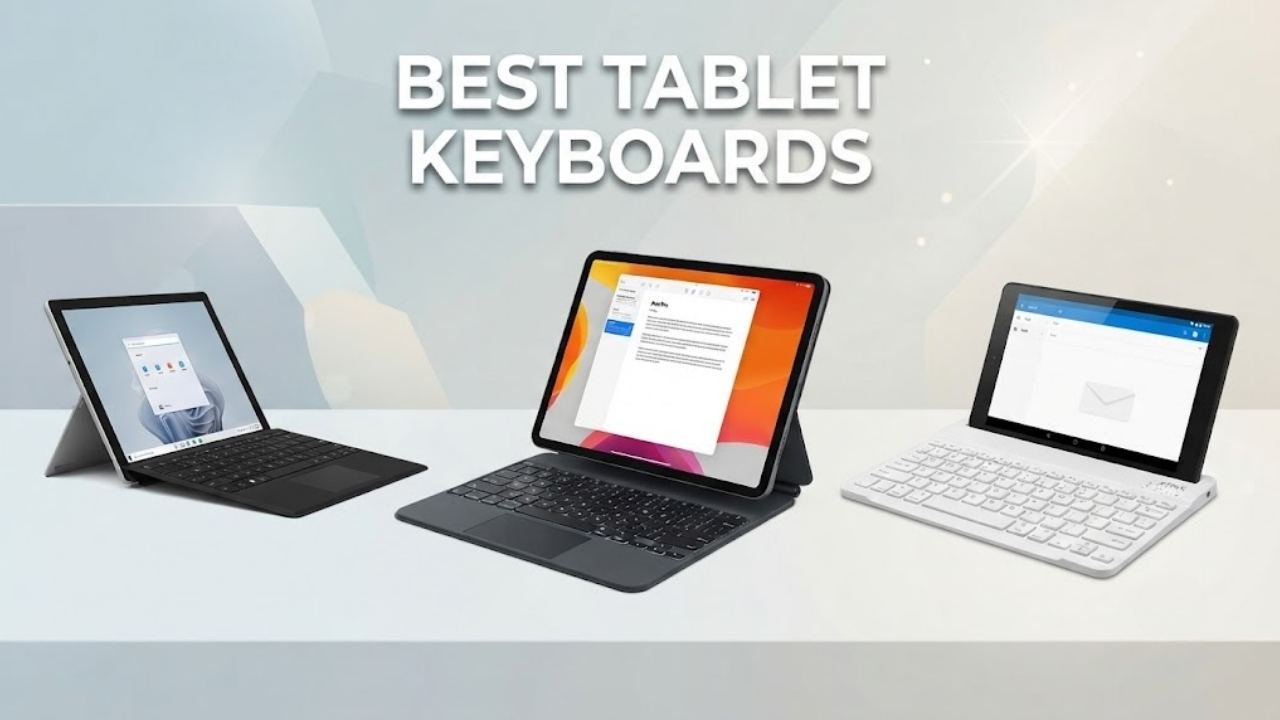
Quick Picks: Best Tablet Keyboards at a Glance
| Product | Best For | Compatibility | Price Tier |
|---|---|---|---|
| Arteck Surface Go Type Cover | Best for Microsoft Surface Go | Surface Go 2/3/4 | Budget-Mid |
| Belkin Pro Keyboard Case | Best Premium iPad Keyboard Case | iPad Pro 11″ M4/M5 | Premium |
| Arteck Multi-Device Bluetooth Keyboard | Best Universal 3-Device Keyboard | Windows, iOS, Android | Budget |
| OMOTON Ultra-Slim iPad Keyboard | Best Budget iPad Keyboard | iPad, iPhone (iOS) | Budget |
| WirelessFinest Surface Pro Type Cover | Best for Microsoft Surface Pro | Surface Pro 3/4/5/6/7 | Budget-Mid |
| FINTIE 10-inch Slim Bluetooth Keyboard | Best Slim Universal Travel Keyboard | iOS and Android tablets | Budget |
| TUNKARMOR Samsung Galaxy Tab Keyboard Case | Best for Samsung Galaxy Tab A9+/A11+ | Samsung Galaxy Tab 11″ | Budget-Mid |
| ZZB 2-in-1 Android Tablet with Keyboard Bundle | Best Complete Budget Tablet Package | Android 15 tablets | Budget |
| COOPERS 2-in-1 Android Tablet with Keyboard | Best Value Android Tablet + Keyboard Bundle | Android 15 tablets | Budget |
| Fusion5 Windows 11 Tablet | Best Windows Tablet with Keyboard Support | Windows 11 compatible | Mid-Range |
Our Top Picks: Best Tablet Keyboards
1. Arteck Microsoft Surface Go Type Cover
Best For: Microsoft Surface Go owners who want an affordable, magnetically attached Bluetooth keyboard with touchpad that transforms their tablet into a laptop
Why We Picked It
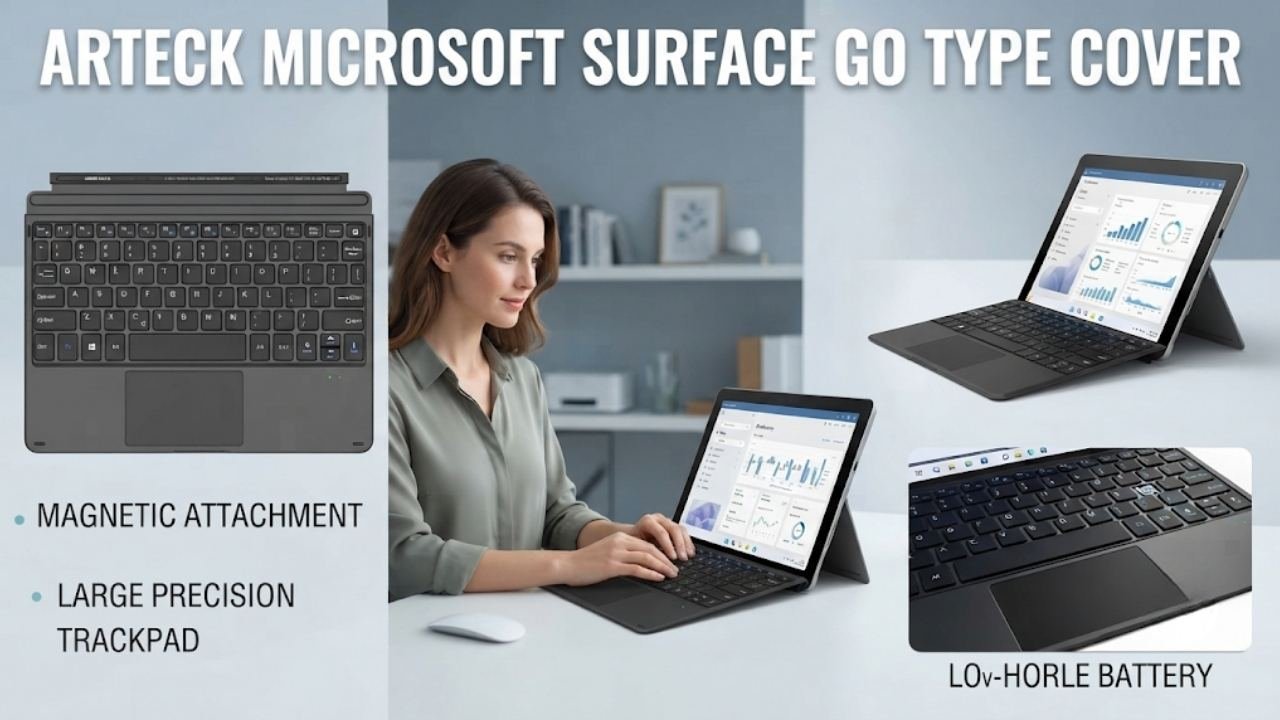
When searching for the best tablet keyboards for Microsoft Surface Go users, the Arteck Surface Go Type Cover stands out as the most practical and cost-effective solution available. This keyboard attaches magnetically to the Surface Go — just like Microsoft’s official Type Cover — but at a significantly lower price, making it one of the most sensible recommendations in this entire best tablet keyboards guide.
The magnetic physical connection combined with Bluetooth connectivity creates a genuinely laptop-like experience. The keyboard stays firmly attached during use and detaches easily when you want tablet mode back. The extra-large trackpad enables comfortable cursor navigation, scroll gestures, and multi-touch controls without reaching for a separate mouse.
The 50-hour battery life from a 1-hour charge is excellent for everyday use. Whether you’re working through a school week or using the Surface Go for business travel, one charge sustains several days of typical typing sessions. The 24-month warranty from Arteck — a well-established accessory brand — adds buyer confidence that many cheaper alternatives cannot offer.
For anyone who bought a Surface Go and feels limited by touch-only input, this is the most direct and effective upgrade. It’s among the best tablet keyboards specifically because it solves the Surface Go’s most practical limitation without complexity or excessive cost.
Key Specifications
| Feature | Details |
|---|---|
| Compatibility | Surface Go 4, Surface Go 3 (2021), Surface Go 2 (2020), Surface Go |
| Connectivity | Bluetooth + Magnetic Physical Attachment |
| Trackpad | Extra-large, included |
| Battery Life | 50 hours |
| Charging Time | 1 hour |
| Style | Classic Black |
| Warranty | 24 months |
| Included | USB charging cable, user manual |
| Material | Plastic |
Who It’s For
The Arteck Surface Go Type Cover is ideal for Surface Go users — students, business travelers, and remote workers — who want a reliable, magnetically attached keyboard with touchpad that functions like a native Microsoft Type Cover at a budget-friendly price.
Pros:
- Magnetic attachment mimics the official Surface Go Type Cover experience
- 50 hours of battery life from a single 1-hour charge
- Extra-large trackpad enables full laptop-style navigation
- Functional media hot keys for quick system controls
- 24-month warranty — among the longest in this guide
- Slim and compact design maintains portability
- Bluetooth connection is stable and reliable for daily use
Cons:
- Compatible only with Surface Go 2/3/4 — not Surface Pro series
- Plastic construction feels less premium than Microsoft’s official cover
- No backlit keys — not ideal for low-light environments
- Bluetooth only (no USB wired option for backup)
2. Belkin Pro Keyboard Case with Magnetic Stand for iPad Pro 11-inch (M4/M5)
Best For: iPad Pro 11-inch M4/M5 users who want a premium backlit keyboard case with trackpad, Apple Pencil storage, and Mac-like multi-gesture controls
Why We Picked It
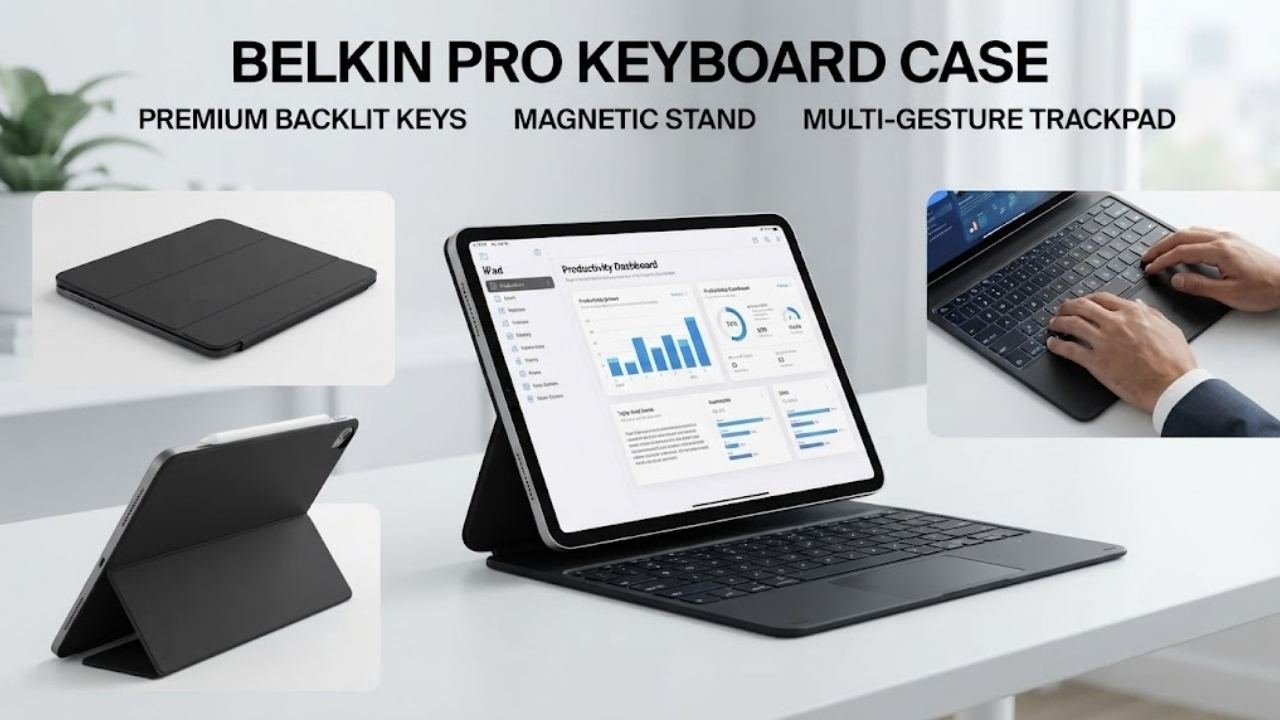
In the best tablet keyboards category for iPad users, the Belkin Pro Keyboard Case represents the most complete and premium solution for iPad Pro 11-inch M4/M5 owners. Belkin is one of Apple’s most trusted third-party accessory partners — a brand that appears in Apple Stores worldwide — which gives this keyboard case a level of design and quality assurance that many competing brands cannot match.
The backlit keyboard with auto-wake functionality is the standout feature. The moment you open the folio, the iPad wakes and the keyboard is ready — no button presses, no delays. In low-light environments like conference rooms, study halls, or evening work sessions, backlit keys make an enormous practical difference. This feature alone distinguishes the Belkin Pro from the majority of best tablet keyboards in this price range.
The multi-gesture touchpad controls are designed to replicate the Mac trackpad experience as closely as possible — scrolling, pinching, swiping between apps, and precise cursor control all work naturally. The large, click-anywhere trackpad ensures you don’t need pinpoint accuracy to click reliably — a small detail that significantly improves everyday usability.
Apple Pencil magnetic storage compatibility is a thoughtful inclusion. The keyboard case does not block the iPad’s built-in magnetic Apple Pencil storage position, meaning your Apple Pencil stays accessible and charged during work sessions. Multimedia shortcut keys provide direct access to volume, brightness, media playback, and system controls without entering the control center.
Key Specifications
| Feature | Details |
|---|---|
| Compatible Devices | iPad Pro 11-inch M4/M5 |
| Connectivity | Bluetooth |
| Backlit Keys | Yes — single color |
| Trackpad | Large, click-anywhere, multi-gesture |
| Auto Wake | Yes |
| Special Features | Apple Pencil storage compatibility, multimedia keys |
| Style | Magnetic Stand |
| Color | Black |
| Warranty | Belkin manufacturer warranty |
Who It’s For
The Belkin Pro Keyboard Case is ideal for iPad Pro 11-inch M4/M5 users who want a premium, professionally designed keyboard case that closely mirrors the Apple Magic Keyboard experience without the full Apple accessory price premium.
Pros:
- Backlit keys enable comfortable typing in all lighting conditions
- Auto-wake functionality eliminates startup friction
- Large click-anywhere trackpad is ergonomically comfortable
- Multi-gesture controls replicate Mac trackpad behavior
- Apple Pencil storage compatibility maintains accessory convenience
- Multimedia shortcut keys for quick system access
- Trusted Belkin brand with Apple Store presence
- Professional, premium aesthetic appropriate for business settings
Cons:
- Premium price — the most expensive keyboard in this guide
- Compatible only with iPad Pro 11-inch M4/M5 — limited device support
- No cellular or additional connectivity beyond Bluetooth
- Keyboard and trackpad cannot detach for tablet-only mode
- May feel heavy combined with iPad Pro for casual reading
3. Arteck Multi-Device Wireless Bluetooth Keyboard
Best For: Users who need a single keyboard that connects to three devices simultaneously across Windows, iOS, Android, and Mac
Why We Picked It
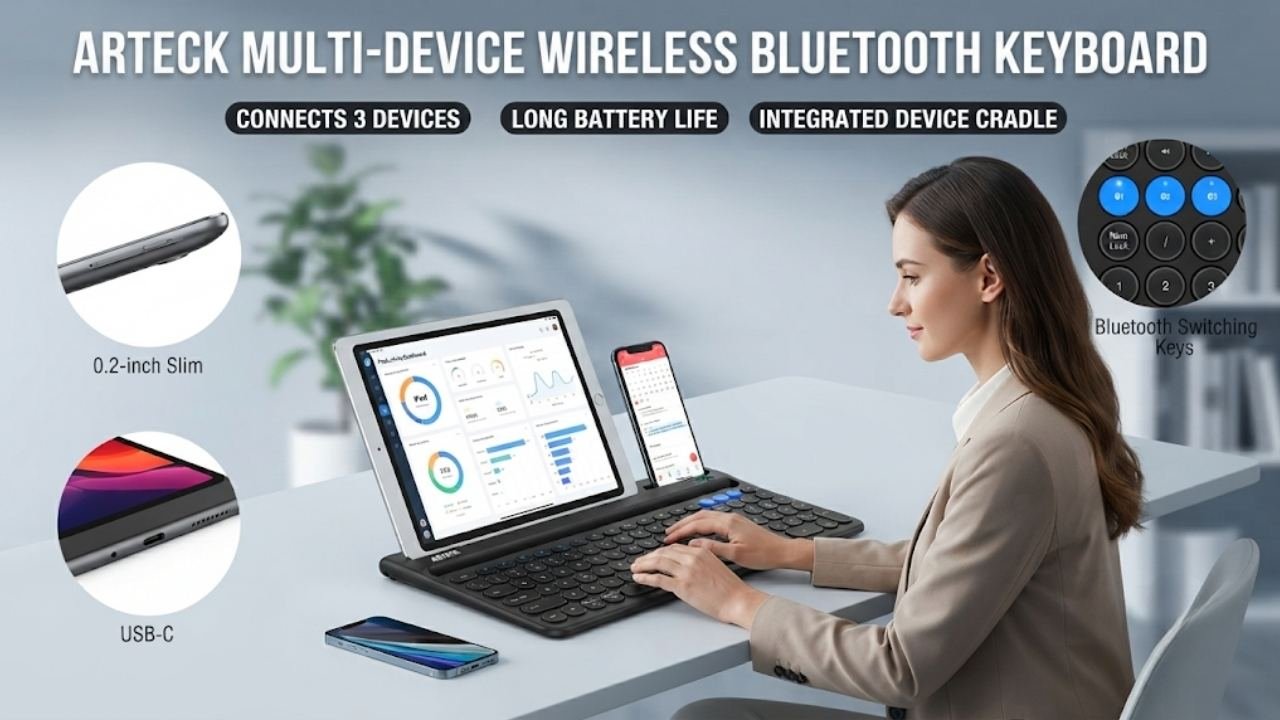
For anyone managing multiple devices — a tablet, a laptop, and a smartphone — the Arteck Multi-Device Wireless Bluetooth Keyboard is one of the most practical best tablet keyboards options in this guide. The 3-device simultaneous connection with single-key switching eliminates the frustration of re-pairing when moving between devices. One keypress moves you from your Samsung Galaxy Tab to your Windows laptop to your iPhone instantly.
The built-in cradle is a genuinely thoughtful design feature. You can prop your tablet or smartphone in the cradle while typing, creating a natural viewing angle without a separate stand. The cradle is sturdy enough to hold tablets securely even during active typing sessions — something many budget keyboard cradle designs fail to deliver.
The 6-month battery life from a single charge (based on 2 hours of daily use) is the longest battery life of any keyboard in this guide. For users who find themselves constantly charging accessories, the Arteck multi-device keyboard removes that concern almost entirely. USB-C wired connection provides a backup option when Bluetooth isn’t ideal.
Compatibility is genuinely comprehensive — iOS, Android, Mac OS, and Windows are all supported. Samsung Galaxy, iPad, iPhone, Surface, and any Bluetooth-enabled device all work. The contemporary, compact design at 14.6 x 6.9 x 0.2 inches is both desk-friendly and travel-portable.
Key Specifications
| Feature | Details |
|---|---|
| Connectivity | Bluetooth (3 devices) + USB-C Wired |
| Device Switching | Single-key switching between 3 devices |
| Built-in Cradle | Yes — for tablets and smartphones |
| Battery Life | 6 months (based on 2 hours/day) |
| Compatible Systems | iOS, Android, Mac OS, Windows |
| Dimensions | 14.6″L x 6.9″W x 0.2″H |
| Material | Plastic |
| Warranty | 24 months |
| Style | Contemporary |
Who It’s For
The Arteck Multi-Device Bluetooth Keyboard is perfect for multi-device users, remote workers, students, and professionals who switch regularly between a tablet, laptop, and smartphone and want a single versatile keyboard that handles all three.
Pros:
- Connects to 3 devices simultaneously — single-key switching
- 6-month battery life from one charge is exceptional
- Built-in cradle provides tablet stand functionality without extras
- Works across all four major operating systems
- USB-C wired backup connection adds flexibility
- 24-month warranty — consistent with Arteck’s reliability standard
- Ultra-slim 0.2-inch profile is highly portable
- Broad device compatibility covers virtually every tablet and phone
Cons:
- No backlit keys — limited in dark environments
- No trackpad — requires separate mouse or touchscreen navigation
- Plastic build quality is functional but not premium
- Cradle accommodates phones and smaller tablets better than large tablets
4. OMOTON Ultra-Slim Bluetooth Keyboard for iPad
Best For: iPad and iPhone users who want the most affordable, iOS-optimized slim Bluetooth keyboard with multimedia shortcuts
Why We Picked It
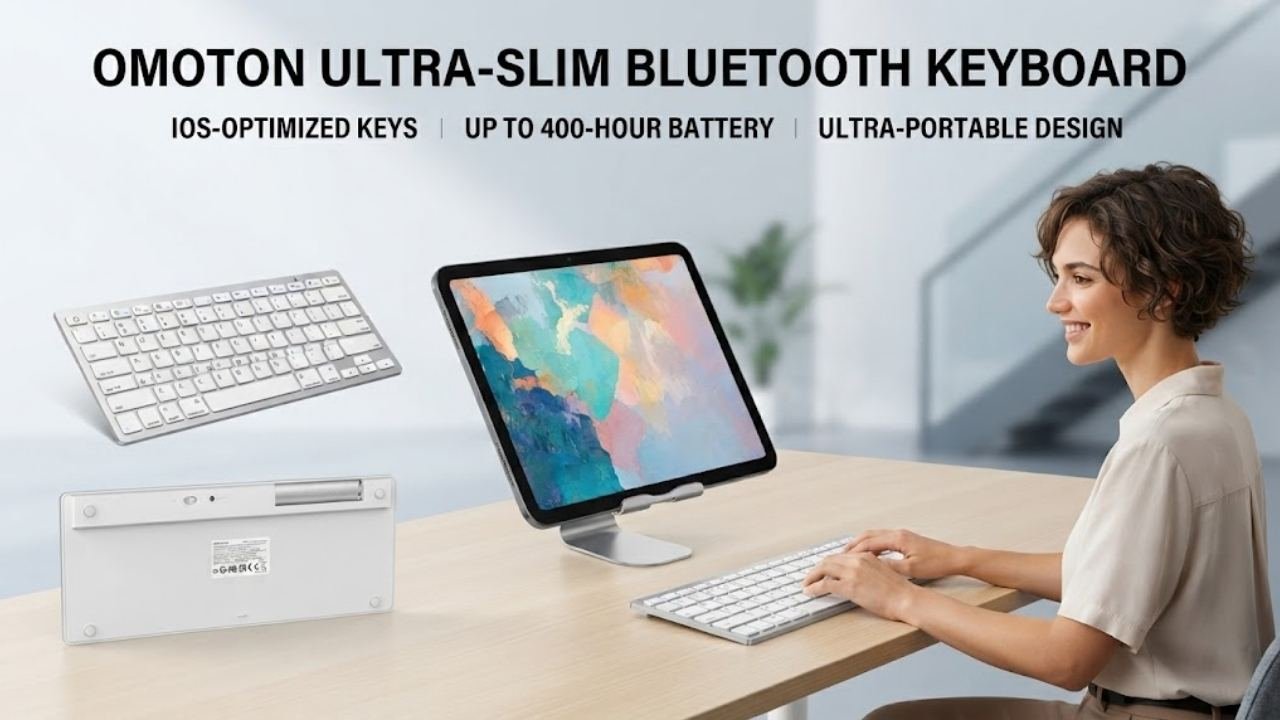
OMOTON Ultra-Slim Bluetooth Keyboard is the most reviewed and purchased keyboard in this entire best tablet keyboards guide — a clear signal of widespread real-world satisfaction. At its price point, it represents arguably the best value proposition for iPad users who want reliable Bluetooth typing without spending on premium case keyboards.
The 78-key QWERTY layout with 12 dedicated multimedia hotkeys provides a complete typing experience optimized for iPadOS. Volume, brightness, music playback, screen lock, and more are directly accessible with single keystrokes — no need to swipe into the control center. These iOS-optimized shortcuts genuinely improve daily iPad productivity in ways that generic keyboards cannot replicate.
The 0.2-inch ultra-thin profile and compact dimensions (11.2 x 4.7 inches) make this the most portable dedicated keyboard in this guide. It slips into a bag alongside a tablet without adding meaningful bulk or weight. The ABS construction with sensitive keys is designed for daily typing durability.
Battery life of up to 400 hours using 2 AAA batteries (not included) is extraordinarily long — replacing batteries every 100 days at 4 hours of daily use. For users who prefer disposable batteries over rechargeable for guaranteed readiness, this is a practical advantage. The auto-sleep mode after 10 minutes of inactivity preserves battery intelligently.
Available in 12 color options — including white, black, deep blue, rose gold, pink, purple, and more — the OMOTON is also the most visually customizable keyboard in this roundup.
Key Specifications
| Feature | Details |
|---|---|
| Compatibility | iPad (all generations), iPad Pro, iPad Air, iPad Mini, iPhone 13–17 |
| Connectivity | Bluetooth |
| Key Count | 78 keys |
| Multimedia Keys | 12 dedicated iOS shortcut keys |
| Battery | 2 x AAA (not included), up to 400 hours |
| Auto Sleep | 10 minutes inactivity |
| Dimensions | 11.2″L x 4.7″W |
| Thickness | 0.2 inches |
| Colors | 12 options |
| Material | ABS |
Who It’s For
The OMOTON Ultra-Slim Keyboard is ideal for iPad and iPhone users who want a simple, affordable, iOS-optimized Bluetooth keyboard that is genuinely portable and provides reliable everyday typing performance without requiring frequent charging.
Pros:
- 12 iOS-optimized multimedia shortcut keys
- Up to 400 hours on 2 AAA batteries — longest effective battery life
- Ultra-slim 0.2-inch design is the most portable in this roundup
- 12 color options — widest color variety available
- No charging required — batteries eliminate power anxiety
- Compact dimensions fit any bag alongside a tablet
Cons:
- No trackpad — requires separate navigation input
- Not compatible with Android, Mac OS, or Windows function keys
- AAA batteries not included in the package
- No backlit keys
- No built-in tablet stand or cradle
5. WirelessFinest Surface Pro Type Cover with 7-Color Backlit
Best For: Microsoft Surface Pro users who want a magnetic Type Cover replacement with full 7-color LED backlit keys and responsive trackpad
Why We Picked It
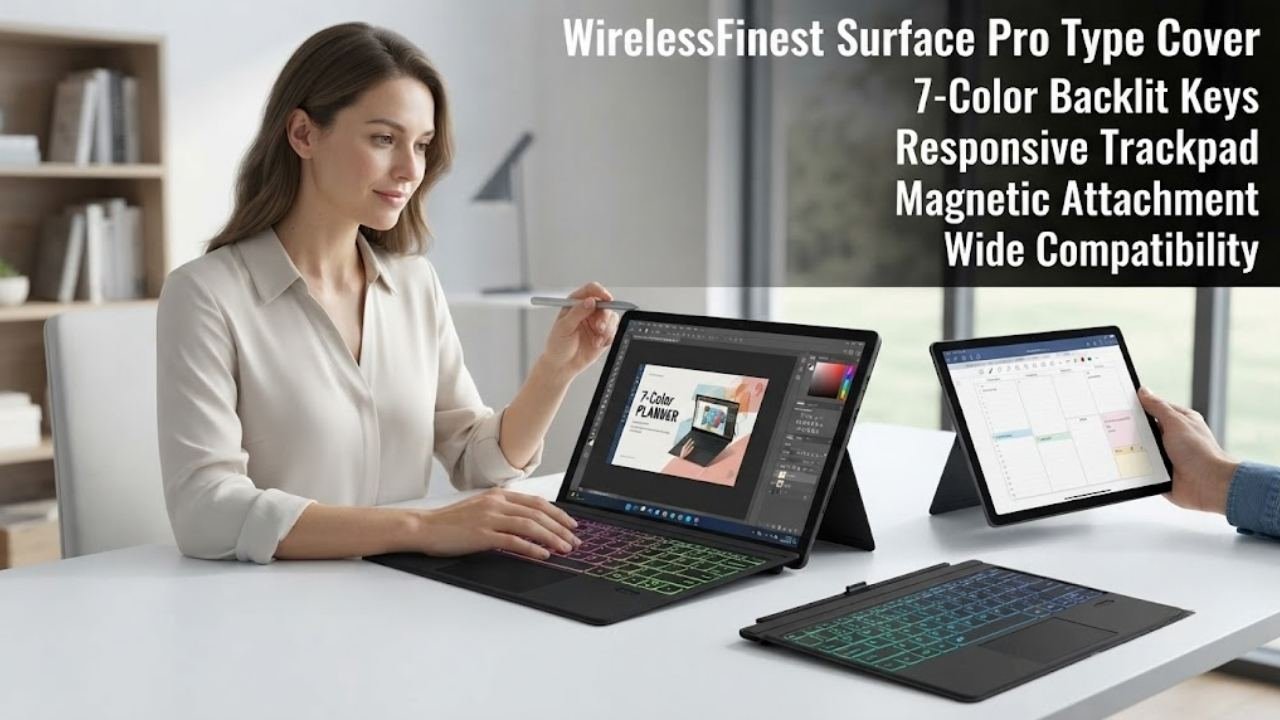
For Microsoft Surface Pro owners, the WirelessFinest Surface Pro Type Cover is the strongest budget alternative to Microsoft’s official Type Cover in this best tablet keyboards comparison. The 7-color LED backlit keys are the headline feature — providing elegant, customizable low-light typing that makes the keyboard visually distinctive as well as practically useful in dim environments.
The magnetic attach and detach mechanism replicates the Surface Pro’s native keyboard experience. The keyboard locks firmly in place with enhanced magnetic stability, enabling lap use on flights or working without a desk. Detaching for tablet-only mode takes a single pull — the transition is genuinely smooth. The responsive multi-touch trackpad enables scroll gestures and cursor navigation without a separate mouse.
Compatible with Surface Pro 3, 4, 5th Gen, 6, 7, and 7 Plus — a wide range that covers several years of Surface Pro ownership. If you’re using an older Surface Pro and need a fresh keyboard, this provides both a hardware refresh and the backlit experience that some older official covers didn’t include.
The slim, lightweight construction using vinyl/silicone/TPU materials provides flexibility and comfort. Auto-sleep preserves battery between sessions, and the included USB charging cable makes power management straightforward.
Key Specifications
| Feature | Details |
|---|---|
| Compatible Devices | Surface Pro 3, 4, 5th Gen, 6, 7, 7 Plus |
| Connectivity | Bluetooth + Magnetic Attachment |
| Backlit Keys | 7-color LED backlit |
| Trackpad | Built-in, multi-touch gesture support |
| Attachment | Magnetic removable |
| Charging | USB cable (not via magnet) |
| Auto Sleep | Yes |
| Material | Vinyl / Silicone / TPU |
| Color | Black |
Who It’s For
The WirelessFinest Surface Pro Type Cover is ideal for Surface Pro 3 through 7 Plus owners who want a backlit keyboard with a trackpad that magnetically attaches like the original Type Cover at a more accessible price — particularly useful for users whose original cover has worn out.
Pros:
- 7-color LED backlit keys add both function and style
- Magnetic attachment and detachment is smooth and reliable
- Responsive multi-touch trackpad reduces need for separate mouse
- Covers Surface Pro 3 through 7 Plus — wide compatibility
- Auto-sleep for intelligent power management
- Slim and lightweight despite full keyboard layout
- Enhanced magnetic stability for lap use
Cons:
- Not compatible with Surface Pro 2, 8, or 9 — check your version
- Charging requires USB cable — magnetic attachment does NOT charge
- 7-color backlight, while attractive, cannot be individually customized
- Bluetooth setup required separately from magnetic connection
6. FINTIE 10-inch Ultrathin Wireless Bluetooth Keyboard
Best For: Travelers and commuters who want a slim, rechargeable universal keyboard compatible with both iOS and Android tablets
Why We Picked It
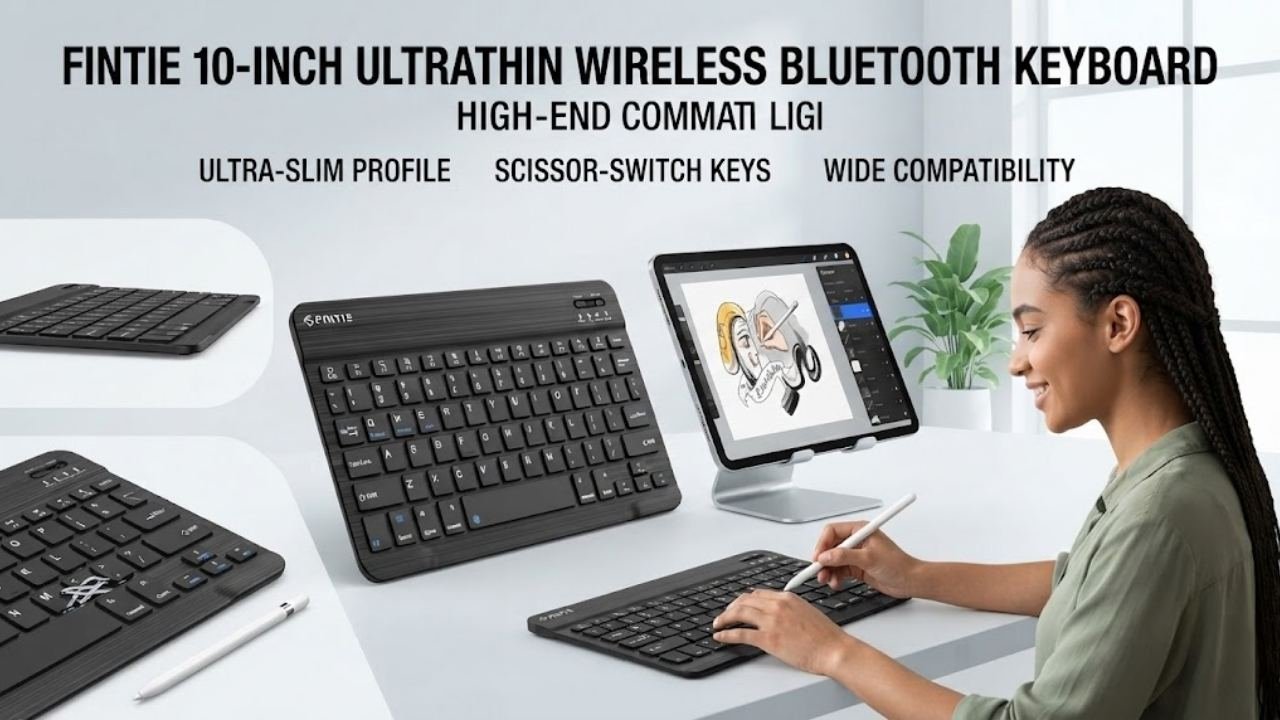
The FINTIE 10-inch Ultrathin Bluetooth Keyboard earns its place among the best tablet keyboards for users who prioritize portability and versatility above all else. At just 7mm thick and lighter than a standard magazine by FINTIE’s own description, this is one of the slimmest rechargeable keyboards available at this price point — and it’s genuinely practical to carry everywhere.
The scissor-key mechanism provides a tactile rebound that feels more satisfying and less fatiguing than typical membrane keyboards. This typing quality difference becomes noticeable during extended writing sessions — essays, reports, emails, and meeting notes all feel more natural on scissor keys than on flat rubber membranes.
The USB-C fast charging fully powers the keyboard in 2 hours, and the 10-minute auto-sleep mode with energy-saving standby ensures that charge lasts through multiple work sessions. Compatible across both iOS and Android — covering iPad, iPhone, Samsung Galaxy Tab A11+, A9+, A8, Tab S9/S8/S7, S6 Lite, and more — this is one of the broadest compatibility profiles in this best tablet keyboards roundup.
The 10-meter Bluetooth range gives you flexibility in how you position your tablet relative to your keyboard, and the magnetically detachable design means it stores compactly when not in use. FINTIE is an established tablet accessories brand with a strong track record for affordable, dependable products.
Key Specifications
| Feature | Details |
|---|---|
| Compatibility | iOS (iPad, iPhone) and Android (Samsung Galaxy Tab, others) |
| Connectivity | Bluetooth |
| Thickness | 7mm ultra-slim |
| Key Type | Scissor mechanical keys |
| Charging | USB-C, 2 hours full charge |
| Auto Sleep | 10 minutes inactivity |
| Bluetooth Range | 10 meters |
| Dimensions | 9.74″L x 5.91″W x 0.26″H |
| Color | Black |
| Minimum Android OS | Android 13.0 |
Who It’s For
The FINTIE 10-inch Bluetooth Keyboard is perfect for frequent travelers, commuters, students, and business professionals who need a genuinely slim, universally compatible rechargeable keyboard that works equally well with iPad and Samsung Galaxy Tab devices.
Pros:
- 7mm ultra-slim profile is one of the thinnest in this guide
- Scissor keys provide more satisfying typing feel than flat membranes
- USB-C fast charging — modern, convenient connector
- Wide iOS and Android compatibility across many tablet models
- 10-meter Bluetooth range for flexible workspace setup
- Lightweight — lighter than a magazine, genuinely portable
- Auto-sleep preserves battery between sessions
Cons:
- No trackpad — requires separate navigation input
- No backlit keys
- No built-in tablet stand
- Android 13.0 minimum OS requirement
7. TUNKARMOR Keyboard Case for Samsung Galaxy Tab A9+/A11+ Plus 11-inch
Best For: Samsung Galaxy Tab A9+ and A11+ Plus owners who want a protective keyboard case with S Pen holder, adjustable viewing angles, and auto sleep/wake

Why We Picked It
Among the best tablet keyboards specifically designed for Samsung Galaxy Tab users, the TUNKARMOR Keyboard Case delivers the most complete protective package for Galaxy Tab A9+ and A11+ Plus 11-inch models. This is not just a keyboard — it’s a complete ecosystem solution that combines protection, S Pen storage, adjustable viewing angles, and keyboard connectivity in a single purchase.
The magnetically detachable keyboard attaches firmly to the case and transforms the tablet into a laptop-like device in under a second. The keyboard’s ultra-thin, lightweight construction maintains portability while the magnetic connection ensures it doesn’t wobble during typing. Moving or repositioning the keyboard is quick and intuitive.
The 3 adjustable viewing angles with anti-slip slots provide flexibility for different working environments — upright for active typing, angled for video calls, tilted for reading. The built-in S Pen holder keeps the stylus attached to the case without a separate clip or pouch — a practical daily convenience that users of Samsung tablets genuinely appreciate.
The auto sleep/wake function mirrors Samsung’s native behavior — open the cover and the tablet wakes, close it and it sleeps. The honeycomb grid inner layer provides cushioning while simultaneously improving ventilation to prevent overheating — a thoughtful engineering detail that extends the tablet’s lifespan. Full 360° edge coverage protects against drops, bumps, and scratches from every direction.
Key Specifications
| Feature | Details |
|---|---|
| Compatible Devices | Samsung Galaxy Tab A9+ 11″ (SM-X210/X215/X216B), Tab A11+ 11″ (SM-X230/X236B/X315) |
| Connectivity | Bluetooth |
| Keyboard Type | Magnetically detachable |
| Viewing Angles | 3 adjustable positions |
| S Pen Holder | Built-in (S Pen not included) |
| Auto Sleep/Wake | Yes |
| Protection | 360° full edge coverage |
| Inner Layer | Honeycomb grid pattern |
| Colors | Black, Pink, Purple |
| Minimum OS | Android 12.0 |
Who It’s For
The TUNKARMOR Keyboard Case is ideal for Samsung Galaxy Tab A9+ and A11+ Plus users who want a single purchase that provides protective case functionality, Bluetooth keyboard productivity, S Pen storage, and smart auto sleep/wake — all in a slim, portable package.
Pros:
- Complete all-in-one solution — case + keyboard + S Pen holder
- Magnetic detachable keyboard transforms tablet into laptop instantly
- 3 adjustable viewing angles for different use scenarios
- Auto sleep/wake saves battery automatically
- Honeycomb cushioning prevents overheating and absorbs impact
- 360° edge protection for comprehensive daily use durability
- Available in three color options including Pink and Purple
- Precise model compatibility ensures perfect fit
Cons:
- Compatible ONLY with Tab A9+ 11″ and Tab A11+ 11″ — no other models
- S Pen not included — must be purchased separately
- Bluetooth keyboard requires separate pairing from case
- Adds bulk compared to standalone keyboards
8. ZZB 10-inch Android 15 Tablet 2-in-1 with Keyboard, Mouse, Case, and Stylus
Best For: Budget buyers who want a complete Android tablet package — tablet, keyboard, mouse, case, and stylus — in a single purchase under $60
Why We Picked It
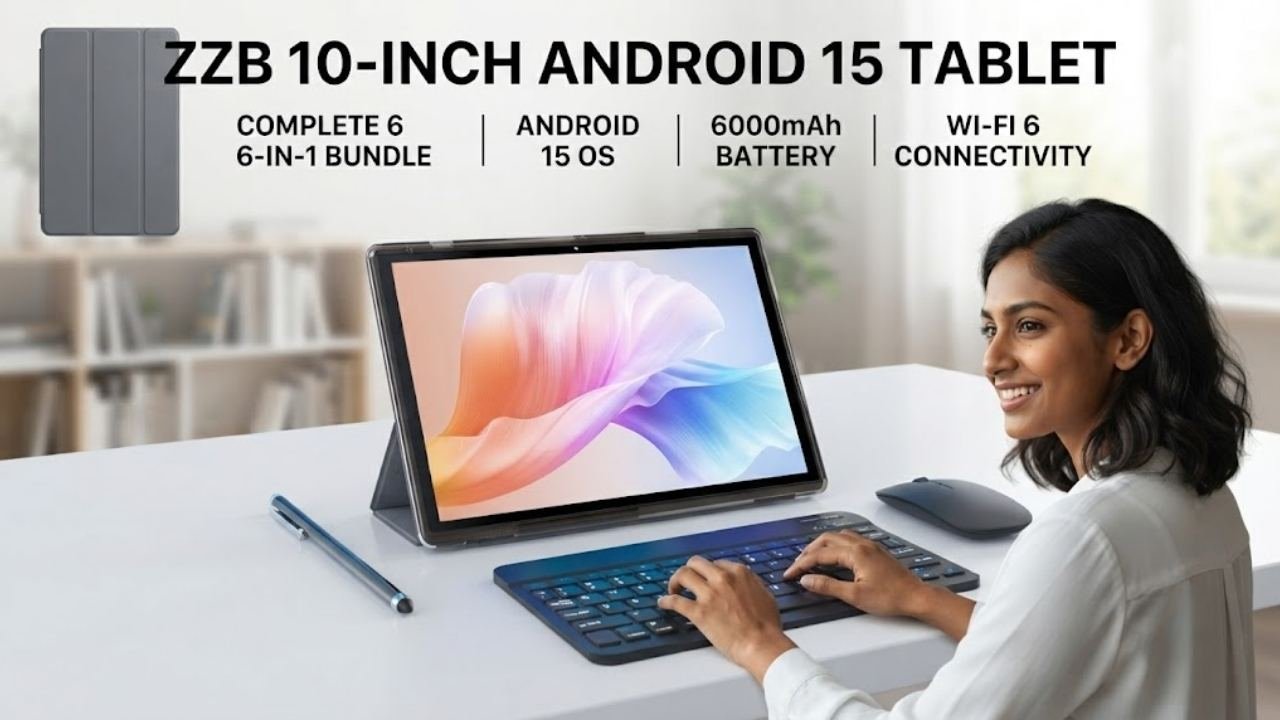
The ZZB 2-in-1 Android Tablet Bundle is unique in this best tablet keyboards guide because it’s not just a keyboard — it’s a complete entry-level tablet ecosystem. For users who don’t yet own a tablet and want to start with everything included, this package eliminates the need to research and purchase each accessory separately.
The bundle includes a 10-inch Android 15 tablet with 8GB RAM and 32GB ROM (expandable to 1TB), plus a wireless keyboard, wireless mouse, protective vertical case, flexible stylus, and USB-C cable — all in one box. Running Android 15, the newest Android version, ensures compatibility with current apps and a modern user interface.
The 1280×800 IPS display with eye protection mode provides comfortable viewing for extended sessions. The 6000mAh battery delivers 10+ hours of mixed use — genuinely practical for a full school day or travel day. The 8MP rear camera with autofocus and 2MP front camera handle everyday photography and video calls adequately.
For a parent looking for a first tablet for a child, a student needing basic productivity hardware, or an elderly user wanting a simple complete setup, the ZZB bundle removes the complexity of accessory selection entirely. It’s the most accessible all-in-one option in this best tablet keyboards roundup.
Key Specifications
| Feature | Details |
|---|---|
| Tablet OS | Android 15 |
| RAM / Storage | 8GB (5GB extended) / 32GB, up to 1TB expandable |
| Display | 10.1-inch IPS, 1280×800, eye protection mode |
| Processor | Quad-core |
| Battery | 6000mAh, 10+ hours |
| Cameras | 8MP rear (autofocus) + 2MP front |
| Connectivity | Wi-Fi 6, Bluetooth |
| Included | Tablet + keyboard + mouse + case + stylus + USB-C cable |
| Colors | Gray, Blue, Navy, Pink |
Who It’s For
The ZZB 2-in-1 Android Tablet Bundle is ideal for first-time tablet buyers, parents shopping for children, students on tight budgets, and elderly users who want a complete, ready-to-use Android tablet setup without the complexity of sourcing multiple accessories separately.
Pros:
- Complete bundle — tablet, keyboard, mouse, case, stylus in one purchase
- Android 15 — current and well-supported operating system
- 6000mAh battery provides 10+ hours of real-world use
- Wi-Fi 6 connectivity for faster, more reliable wireless
- Eye protection mode reduces fatigue during extended viewing
- 1TB expandable storage support future-proofs content storage
- Multiple color options available
Cons:
- Entry-level quad-core processor — not suitable for demanding games or creative apps
- 32GB base storage is limited — microSD expansion needed for heavy users
- 1280×800 resolution is basic vs. Full HD alternatives
- 8GB RAM includes 5GB virtual extended memory — physical RAM is 3GB
- No 4G LTE — Wi-Fi only connectivity
9. COOPERS 10-inch Android 15 Tablet 2-in-1 with Keyboard, Mouse, Case, and Stylus
Best For: Budget buyers who want a complete Android tablet bundle with Widevine L1 certification for full HD streaming and 5G Wi-Fi 6 connectivity

Why We Picked It
The COOPERS 2-in-1 Android Tablet Bundle closely competes with the ZZB package above, but with two meaningful upgrades that justify its position as a separate recommendation among the best tablet keyboards bundles: Widevine L1 certification and dual-band 5G Wi-Fi 6 connectivity.
Widevine L1 is the highest streaming certification level, enabling Full HD content playback on platforms like Netflix, Amazon Prime Video, Disney+, and YouTube. The ZZB tablet lacks this certification, limiting streaming to standard definition on protected content. For users who primarily use their tablet for media consumption, Widevine L1 is a non-negotiable feature.
The 12GB RAM (4GB physical + 8GB virtual) and 64GB ROM (expandable to 1TB) provide more storage headroom than the ZZB’s 32GB base. Google GMS certification (full Google Mobile Services) ensures proper Google Play Store access and compatibility with a wider app library including apps that specifically require GMS certification to install.
Running Android 15 with 1.8GHz quad-core processor, the COOPERS handles streaming, browsing, social media, video calls, and light productivity reliably. The package includes the same complete bundle — keyboard, mouse, protective case, stylus, and USB-C cable — making it genuinely ready to use immediately out of the box. Available in Pink, Black, and Blue.
Key Specifications
| Feature | Details |
|---|---|
| Tablet OS | Android 15 (Google GMS Certified) |
| RAM / Storage | 12GB (4GB + 8GB virtual) / 64GB, up to 1TB expandable |
| Processor | 1.8GHz Quad-core |
| Wi-Fi | 5G Wi-Fi 6, dual-band |
| Widevine | L1 (Full HD streaming) |
| Battery | 6000mAh, 8-10 hours |
| Cameras | 8MP rear + 2MP front, dual stereo speakers |
| Connectivity | Bluetooth, FM, Wi-Fi |
| Included | Tablet + keyboard + mouse + case + stylus + USB-C cable |
| Colors | Pink, Black, Blue |
Who It’s For
The COOPERS 2-in-1 Android Tablet Bundle is ideal for media-focused users, students, and families who want a complete tablet setup with proper Full HD streaming support and 5G Wi-Fi 6 connectivity in an affordable all-in-one package.
Pros:
- Widevine L1 enables Full HD streaming on Netflix, Prime Video, Disney+
- Google GMS certified — full Play Store compatibility
- 5G Wi-Fi 6 dual-band for faster, more stable wireless
- More storage than ZZB at 64GB base
- Complete bundle with all accessories included
- Android 15 is the most current Android version
- Dual stereo speakers for better audio vs. mono alternatives
- Available in attractive Pink colorway — good gift option
Cons:
- Entry-level 1.8GHz quad-core shows limitations under heavy use
- Physical RAM is 4GB — 8GB virtual has performance limitations
- 2MP front camera is basic for video calls
- No 4G LTE — Wi-Fi only
- Battery life of 8-10 hours is slightly lower than ZZB’s estimate
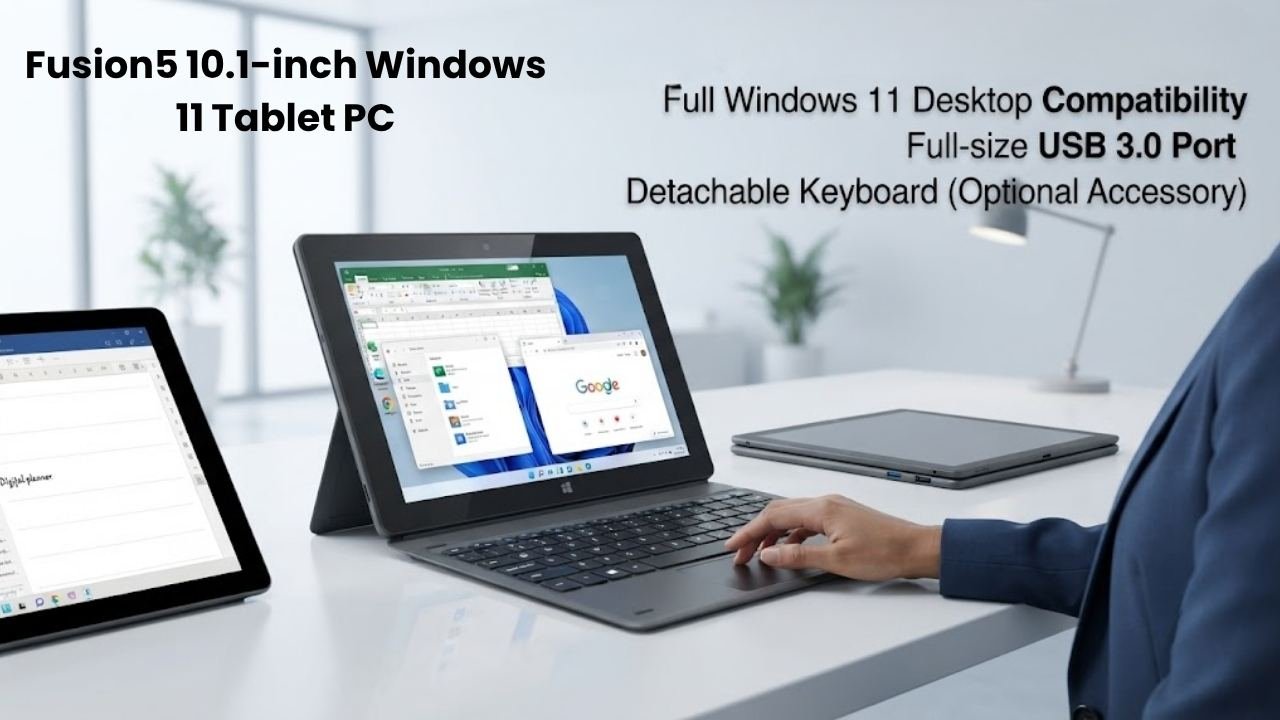
10. Fusion5 10.1-inch Windows 11 Tablet PC (FWIN232 Plus)
Best For: Users who need a complete Windows 11 tablet PC with full keyboard support, USB 3.0, and desktop application compatibility
Why We Picked It
The Fusion5 FWIN232 Plus Windows 11 Tablet closes out this best tablet keyboards guide as the most powerful standalone device in the roundup. While the other nine entries are keyboards or keyboard bundles, the Fusion5 represents the ultimate answer for users who want Windows 11 tablet keyboard productivity without compromise.
Running Windows 11 on an Intel N5100 Quad-Core processor (up to 2.8GHz), this tablet handles full desktop applications — Microsoft Office, full Chrome browser, professional tools, file management — that Android-based tablets in this guide simply cannot run. The Full HD 10-inch display delivers sharp, clear visuals for work and entertainment.
5G Wi-Fi connectivity ensures fast wireless performance. The USB 3.0 full-size port enables connection to external storage, keyboards, mice, and other peripherals without adapters — a practical advantage over tablets that require USB-C dongle adapters. Micro HDMI output extends the display to external monitors for desktop-style productivity.
Bluetooth 4.4 enables connection to any of the Bluetooth keyboards reviewed above — the Arteck, OMOTON, FINTIE, or WirelessFinest keyboards all pair seamlessly with Windows 11. The 12-month USA warranty with US service center provides domestic support that most budget tablet brands cannot match.
Key Specifications
| Feature | Details |
|---|---|
| Operating System | Windows 11 |
| Processor | Intel N5100 Quad-Core |
| Storage | 64GB (128GB option available) |
| Display | 10.1-inch Full HD |
| Wi-Fi | 5G Wi-Fi |
| USB | Full-size USB 3.0 |
| Video Output | Micro HDMI |
| Bluetooth | 4.4 |
| Cameras | Dual cameras |
| Warranty | 12 months USA |
Who It’s For
The Fusion5 Windows 11 Tablet is ideal for professionals, students, and productivity users who specifically need Windows desktop application support, USB 3.0 connectivity, and HDMI output in a portable tablet form factor — and plan to pair it with one of the Bluetooth keyboards in this guide.
Pros:
- Full Windows 11 — runs any Windows-compatible software
- Intel N5100 quad-core handles office productivity and web browsing comfortably
- Full-size USB 3.0 port for direct peripheral connection
- Micro HDMI for external display connectivity
- 5G Wi-Fi for fast wireless performance
- 12-month USA warranty with domestic service center
- Full HD display delivers sharp content
- Pairs with any Bluetooth keyboard in this guide
Cons:
- Entry-level N5100 processor — not suitable for video editing or gaming
- 64GB base storage fills quickly with Windows 11 and apps
- Battery life typically shorter than Android tablets under Windows
- Keyboard sold separately (pairs with any Bluetooth keyboard above)
- Heavier and thicker than Android tablet alternatives
Best For Categories
| Category | Best Tablet Keyboard Pick |
|---|---|
| Best for Microsoft Surface Go | Arteck Surface Go Type Cover |
| Best for iPad Pro 11″ M4/M5 | Belkin Pro Keyboard Case |
| Best Multi-Device Universal Keyboard | Arteck Multi-Device Bluetooth Keyboard |
| Best Budget iPad Keyboard | OMOTON Ultra-Slim Bluetooth Keyboard |
| Best for Microsoft Surface Pro | WirelessFinest Surface Pro Type Cover |
| Best for Travel and Portability | FINTIE 10-inch Ultra-Slim Keyboard |
| Best for Samsung Galaxy Tab A9+/A11+ | TUNKARMOR Keyboard Case |
| Best Budget Complete Android Bundle | ZZB 2-in-1 Android Tablet Bundle |
| Best Streaming-Ready Android Bundle | COOPERS 2-in-1 Android Tablet Bundle |
| Best Windows Productivity Tablet | Fusion5 Windows 11 Tablet PC |
| Best Backlit Tablet Keyboard | WirelessFinest (7-color) or Belkin Pro |
| Best for Students | OMOTON iPad or TUNKARMOR Samsung |
Buying Guide: How to Choose the Best Tablet Keyboards
Choosing from the best tablet keyboards requires matching the keyboard type to your specific device, use case, and lifestyle. Here’s what to consider:
Keyboard Type
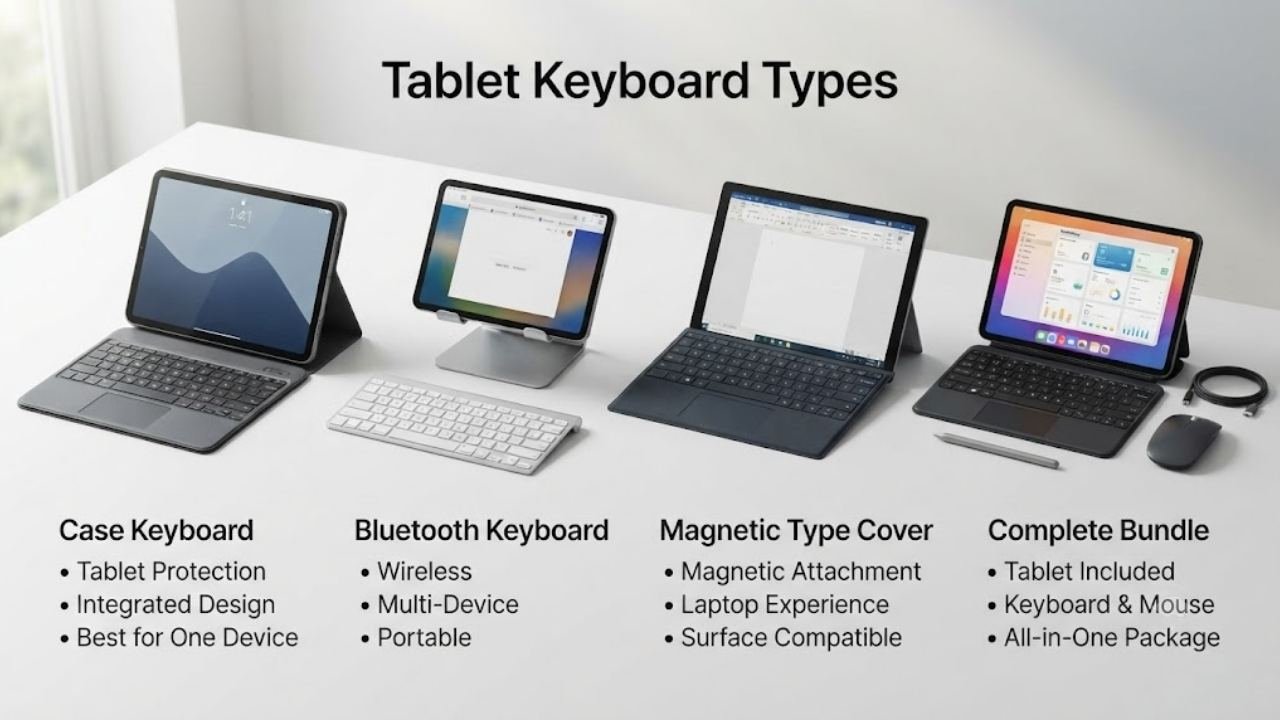
Dedicated case keyboards (Belkin, TUNKARMOR) attach directly to your tablet, providing protection and keyboard in one. They’re less portable for cross-device use but provide the most integrated experience for a single tablet.
Standalone Bluetooth keyboards (Arteck, OMOTON, FINTIE) connect wirelessly to any compatible device. They’re more versatile and portable, but you’ll need a separate stand for your tablet.
Magnetic Type Covers (Arteck Surface Go, WirelessFinest Surface Pro) attach magnetically to specific Microsoft Surface devices, replicating the native Surface keyboard experience at a lower cost.
Complete tablet bundles (ZZB, COOPERS) include the tablet plus keyboard, mouse, case, and stylus — ideal for buyers who don’t yet own a tablet and want everything in one purchase.
Compatibility Is Critical
Before purchasing any tablet keyboard, verify your exact tablet model is supported. The best tablet keyboards will specify exact compatible device model numbers. Keyboards designed for Samsung Galaxy Tab A9+ will not fit A8 or S9 models. Surface Go keyboards do not fit Surface Pro models. Always check before buying.
Backlit vs. Non-Backlit Keys
If you regularly type in dim environments — bedrooms, offices with low lighting, evening travel — backlit keys are a meaningful practical upgrade. The Belkin Pro (iPad) and WirelessFinest (Surface Pro) both offer backlit options. Most budget keyboards in this guide are non-backlit.
Trackpad vs. No Trackpad
For users who want a complete laptop replacement experience, a built-in trackpad is essential. The Arteck Surface Go, Belkin Pro, and WirelessFinest all include trackpads. Universal keyboards like OMOTON and FINTIE rely on the tablet’s touchscreen for navigation.
Battery Type: Rechargeable vs. Replaceable
Rechargeable keyboards (FINTIE, Arteck multi-device, WirelessFinest) use built-in batteries charged via USB-C. They’re convenient but require periodic charging. The OMOTON uses AAA batteries — no charging required, but batteries need occasional replacement. For users who forget to charge accessories, battery-powered keyboards eliminate that concern.
OS Compatibility
- iOS/iPadOS only: OMOTON Ultra-Slim
- Android only: TUNKARMOR (Samsung specific)
- iOS + Android: FINTIE, Arteck multi-device
- iOS + Android + Mac + Windows: Arteck multi-device
- Surface Go specific: Arteck Surface Go Type Cover
- Surface Pro specific: WirelessFinest Type Cover
- Windows 11: Fusion5 tablet (pairs with any Bluetooth keyboard)
FAQ: Best Tablet Keyboards
Q: What is the best tablet keyboard for Samsung Galaxy Tab?
For Samsung Galaxy Tab A9+ and A11+ Plus 11-inch models, the TUNKARMOR Keyboard Case is the best dedicated option — it includes S Pen storage, auto sleep/wake, and 3 adjustable viewing angles. For broader Samsung Galaxy Tab compatibility, the FINTIE or Arteck multi-device keyboard work across multiple Galaxy Tab models.
Q: What is the best tablet keyboard for iPad?
For iPad Pro 11-inch M4/M5, the Belkin Pro Keyboard Case offers the most premium experience. For budget iPad users, the OMOTON Ultra-Slim is the most popular and affordable iOS-optimized option with 27,000+ proven reviews.
Q: What is the best tablet keyboard for Microsoft Surface?
For Surface Go 2/3/4, the Arteck Surface Go Type Cover is the best option. For Surface Pro 3/4/5/6/7, the WirelessFinest Surface Pro Type Cover with 7-color backlit provides the most complete experience.
Q: What is the best budget tablet keyboard?
The OMOTON Ultra-Slim Bluetooth Keyboard is the best value for iPad users — proven by 27,000+ reviews at a very affordable price. For Android tablet users, the FINTIE 10-inch Slim Keyboard offers excellent value with scissor keys and USB-C charging.
Q: Can I use one keyboard with multiple tablets?
Yes — the Arteck Multi-Device Bluetooth Keyboard connects to 3 devices simultaneously and switches between them with a single key press. It supports iOS, Android, Mac OS, and Windows simultaneously.
Final Verdict: Best Tablet Keyboards
After reviewing all ten best tablet keyboards in this guide, here are our definitive recommendations for every type of buyer:
Best Overall Tablet Keyboard
Belkin Pro Keyboard Case for iPad Pro 11″ (M4/M5)
For iPad Pro users who want the most complete, professional keyboard experience, the Belkin Pro delivers backlit keys, auto-wake, multi-gesture trackpad, Apple Pencil storage, and Belkin’s brand reliability in one premium package. It’s the most feature-complete keyboard in this entire roundup.
Best Budget Tablet Keyboard
OMOTON Ultra-Slim Bluetooth Keyboard for iPad
With 27,047 Amazon reviews, 400-hour battery life, iOS-optimized shortcuts, and 12 color options at the lowest price in this guide, the OMOTON is the most proven value purchase in this best tablet keyboards roundup. Ideal for every iPad user who wants reliable, simple Bluetooth typing.
Best Universal Tablet Keyboard
Arteck Multi-Device Wireless Bluetooth Keyboard
Three-device simultaneous connectivity, 6-month battery life, built-in tablet cradle, and universal iOS/Android/Mac/Windows compatibility make the Arteck multi-device keyboard the most versatile best tablet keyboard for users who switch between multiple devices daily.
Best Complete Tablet + Keyboard Bundle
COOPERS Android 15 2-in-1 Tablet with Keyboard
Widevine L1 streaming certification, Google GMS certification, 5G Wi-Fi 6, and a complete accessory bundle make the COOPERS the superior all-in-one Android tablet purchase for media-focused buyers who want everything ready out of the box.
Best for Microsoft Surface Users
WirelessFinest Surface Pro Type Cover with 7-Color Backlit
The 7-color LED backlit keys, responsive multi-touch trackpad, and magnetic attachment covering Surface Pro 3 through 7 Plus make this the most complete Surface keyboard in this guide — a genuine upgrade over worn official Type Covers at a competitive price.
The best tablet keyboards transform how you use your tablet every day. Whether you’re writing essays, sending emails, coding, or managing spreadsheets, a quality keyboard removes the friction of touchscreen typing and unlocks your tablet’s full productivity potential. Choose the right one from this guide, and your tablet becomes a genuinely capable workstation — wherever you are.
