

Introduction
Android phone lagging suddenly is a frustrating issue that can disrupt your daily usage, making apps slow to open, animations choppy, and overall performance unresponsive. A device that once ran smoothly may suddenly struggle due to hidden system inefficiencies or resource overload.
This issue can occur on both new and older devices and is often linked to background apps, storage limitations, or software glitches. While sudden lag may seem like a serious hardware problem, it is usually caused by manageable software factors.
In this comprehensive guide, you will learn the root causes, step-by-step solutions, and expert tips to fix Android phone lagging suddenly and restore optimal performance.
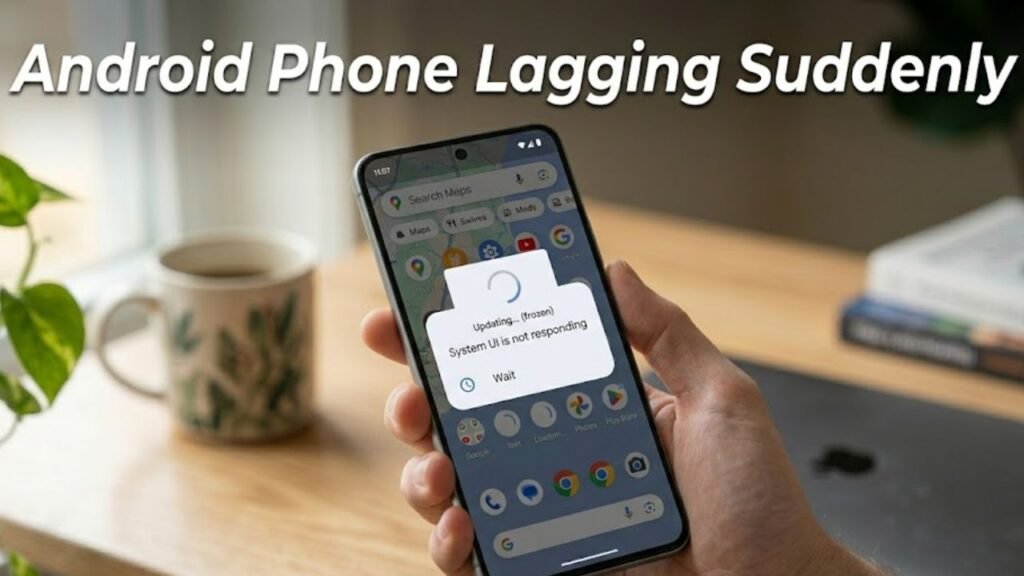
What Does Android Phone Lagging Suddenly Mean?
When an Android phone lags suddenly, it means the device experiences noticeable delays in responding to user input.
Common symptoms include:
- Slow app launches
- Delayed touch response
- Freezing or stuttering animations
- Apps crashing or not responding
This indicates that the phone is struggling to manage system resources efficiently.
Common Causes of Android Phone Lagging Suddenly
1. Background Apps Consuming Resources
- Multiple apps running simultaneously
- High RAM usage
2. Insufficient Storage Space
- Storage nearing full capacity
- Limited space for system operations
3. Software Bugs or Glitches
- Issues after system updates
- Temporary system errors
4. Outdated Software
- Missing performance optimizations
- Compatibility issues
5. Overheating
- High temperature affecting CPU performance
- Thermal throttling
6. Heavy Apps and Games
- Resource-intensive applications
- Poorly optimized apps
Quick Diagnosis Table
| Issue Type | Difficulty | Risk Level | Recommended Fix |
|---|---|---|---|
| Background apps | Easy | Low | Close apps |
| Storage issue | Easy | Low | Free space |
| Software glitch | Easy | Low | Restart device |
| System bug | Medium | Medium | Update system |
| Hardware limitation | Advanced | High | Upgrade device |
12 Proven Fixes for Android Phone Lagging Suddenly
1. Restart Your Device
A restart clears temporary processes.
Steps:
- Press and hold Power button
- Tap Restart
2. Close Background Apps
Too many apps slow down performance.
Steps:
- Open Recent Apps
- Close unused apps
3. Free Up Storage Space
Low storage directly impacts speed.
Steps:
- Go to Settings → Storage
- Delete unnecessary files and apps
4. Clear Cache Data
Cache buildup can slow down the system.
Steps:
- Go to Settings → Apps
- Select apps → Clear Cache
5. Update Android System
Updates improve performance and fix bugs.
Steps:
- Go to Settings → Software Update
- Install latest version
6. Disable Animations
Reducing animations improves responsiveness.
Steps:
- Enable Developer Options
- Reduce animation scale
7. Uninstall Unused Apps
Unused apps consume resources.
- Remove apps you don’t use
- Keep only essential applications
8. Check for Malware
Malicious apps can slow down your device.
- Install trusted antivirus app
- Scan and remove threats
9. Reduce Widgets and Live Wallpapers
Widgets consume memory and CPU.
- Remove unnecessary widgets
- Use static wallpapers
10. Enable Lite Versions of Apps
Lite apps use fewer resources.
- Use apps like Facebook Lite
- Replace heavy apps
11. Factory Reset (Last Resort)
If Android phone lagging suddenly persists, reset the device.
Steps:
- Backup your data
- Go to Settings → System → Reset
- Select Factory Reset
12. Check Hardware Performance
If lag continues, hardware limitations may be the cause.
- Aging processor
- Insufficient RAM
Detailed Comparison of Fixes
| Solution | Data Loss | Effectiveness | Best For |
|---|---|---|---|
| Restart Device | No | Medium | Temporary lag |
| Clear Cache | No | High | Performance boost |
| Free Storage | No | High | Storage-related lag |
| Update System | No | High | Software issues |
| Factory Reset | Yes | Very High | Severe lag |
Practical Tips to Prevent Android Phone Lagging Suddenly
Best Practices:
- Keep your device updated
- Maintain at least 20–30% free storage
- Limit background processes
- Avoid installing untrusted apps
- Restart your device regularly
Signs of Serious Performance Issues
Watch for:
- Persistent lag after reset
- Frequent app crashes
- Device overheating constantly
- Delayed response across all apps
These signs may indicate hardware limitations.
Advanced Performance Optimization Tips
Use Performance Mode
Some devices offer performance boost settings.
Optimize RAM Usage
Close unnecessary apps and services.
Install Custom ROM (Advanced)
Advanced users can improve performance with optimized firmware.
FAQs About Android Phone Lagging Suddenly
Why is my Android phone lagging suddenly?
It is usually caused by background apps, low storage, or software glitches.
Can I fix lag without resetting my phone?
Yes, clearing cache, freeing storage, and updating software often resolve the issue.
Does low storage cause lag?
Yes, insufficient storage affects system performance significantly.
How often should I restart my phone?
Restarting once a week helps maintain performance.
Is lag a sign of hardware damage?
Not always, but persistent lag may indicate aging hardware.
Conclusion
Android phone lagging suddenly is a common issue that can significantly affect user experience, but it is usually fixable with the right approach. Most cases are caused by manageable factors such as background apps, storage limitations, or software inefficiencies.
By following the structured solutions outlined in this guide—from basic fixes like restarting your device to advanced methods like factory reset—you can restore smooth and responsive performance.
Preventive measures such as maintaining storage, managing apps, and keeping your device updated are essential for long-term efficiency.
If the issue persists despite all troubleshooting efforts, it may be time to consider hardware upgrades or professional evaluation. With proper optimization, your Android device can continue to perform reliably and efficiently.
