

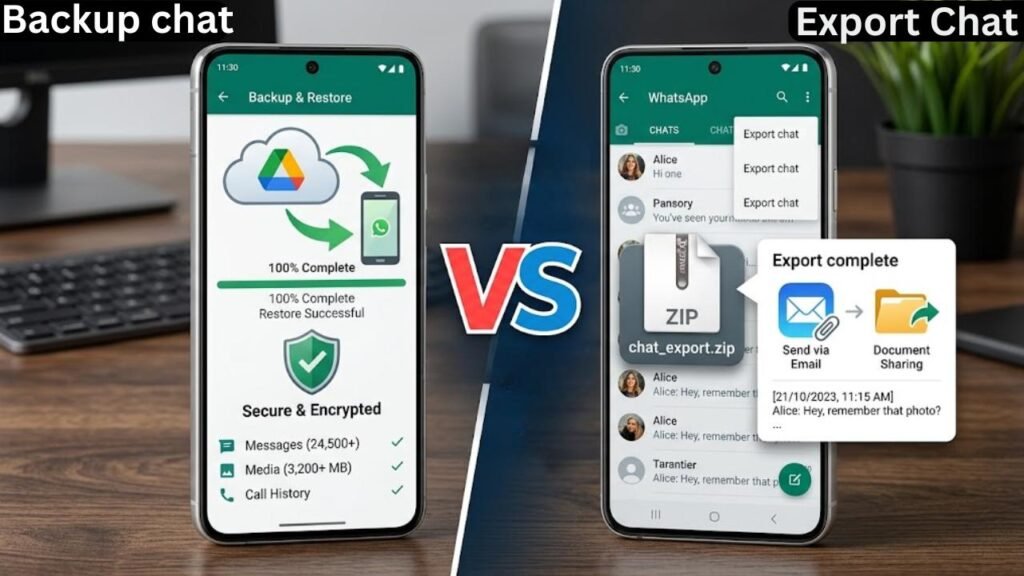
WhatsApp backup vs export chat is a comparison that confuses a significant number of Android users — and understandably so. Both features involve saving your WhatsApp conversation data. Both sound like they accomplish the same goal. But they work in completely different ways, serve entirely different purposes, and are not interchangeable under any circumstances.
WhatsApp backup vs export chat comes down to this core distinction: backup is a system-level restoration tool, and export is a human-readable archive format. One is designed to recreate your WhatsApp environment on a device. The other is designed to produce a readable copy of a conversation that you can store, read, or share outside of WhatsApp entirely.
Understanding WhatsApp backup vs export chat properly means understanding what each feature actually does technically — not just what the names suggest. This guide breaks down both features completely, covers when each one is the right choice, and explains the limitations that neither option clearly communicates inside the app itself.
What WhatsApp Backup Does
WhatsApp backup creates a complete encrypted copy of your entire WhatsApp installation — all conversations, all media files, all call logs, all group chats — in a format that WhatsApp can read and use to fully restore your account on a device.
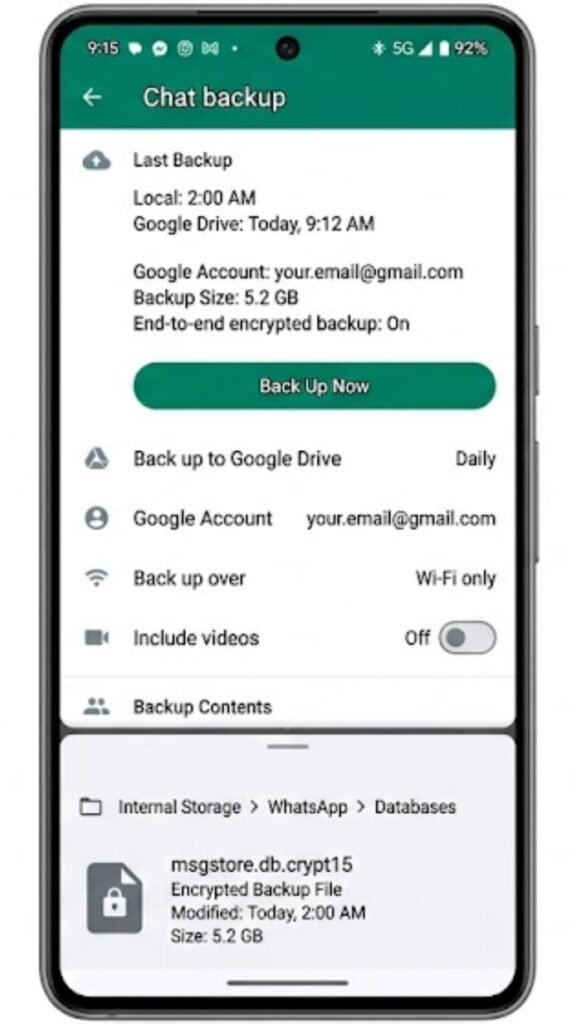
The backup file is not a document you can open and read. It is a structured database file in an encrypted format (.crypt15 on current WhatsApp versions) that exists specifically for WhatsApp to process during a restore. A human reading this file directly would see encrypted, unreadable data. The file has no value outside of the WhatsApp restoration process itself.
WhatsApp backup stores on Google Drive, on your device’s local storage, or both simultaneously depending on your settings. The Google Drive backup is accessible across devices as long as the same Google account is used. The local backup lives in Internal Storage → WhatsApp → Databases and stays on your physical device.
What WhatsApp Backup Captures
WhatsApp backup captures everything in your account: every conversation from every contact and group, every photo and video shared in those conversations, every voice message, every document, every call log entry, and your complete chat history without any message limit or conversation restriction.
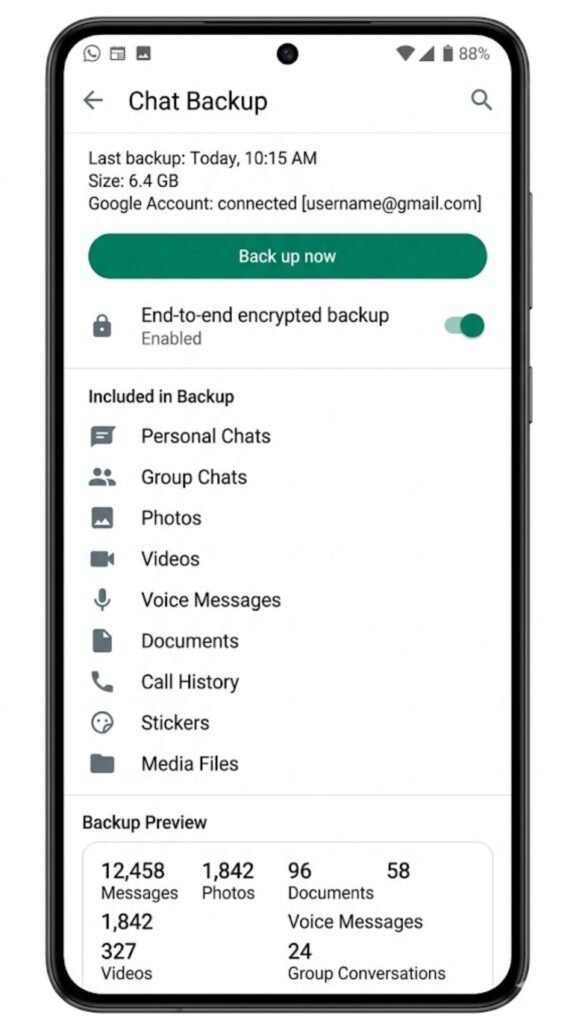
The backup reflects the complete state of your WhatsApp account at the moment the backup was created. When you restore from this backup on a new or reset device, WhatsApp recreates your entire message history, group memberships, and media library exactly as it existed when the backup was made.
How WhatsApp Backup Schedule Works
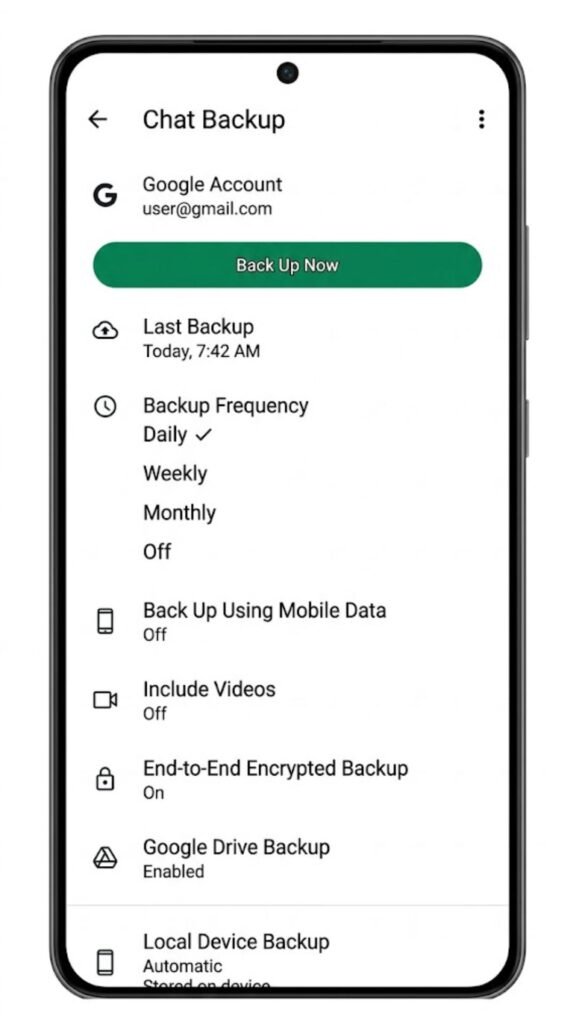
WhatsApp backup can be configured to run automatically on a daily, weekly, or monthly schedule — or manually triggered at any time. Configure this under WhatsApp Settings, then Chats, then Chat Backup. You control whether it backs up to Google Drive, keeps a local copy, and whether media is included in the cloud portion of the backup.
What WhatsApp Export Chat Does
WhatsApp export chat produces a plain text file containing the messages from one specific conversation. It is not a backup in any technical sense. It cannot be used to restore WhatsApp. It is a readable transcript of a single chat that you can open in any text editor, email to yourself, print, or store anywhere you choose.

The exported file contains timestamps, sender names, and message content in a straightforward text format. If you include media, WhatsApp packages the text file and all associated media into a zip archive. If you export without media, you receive only the .txt file.
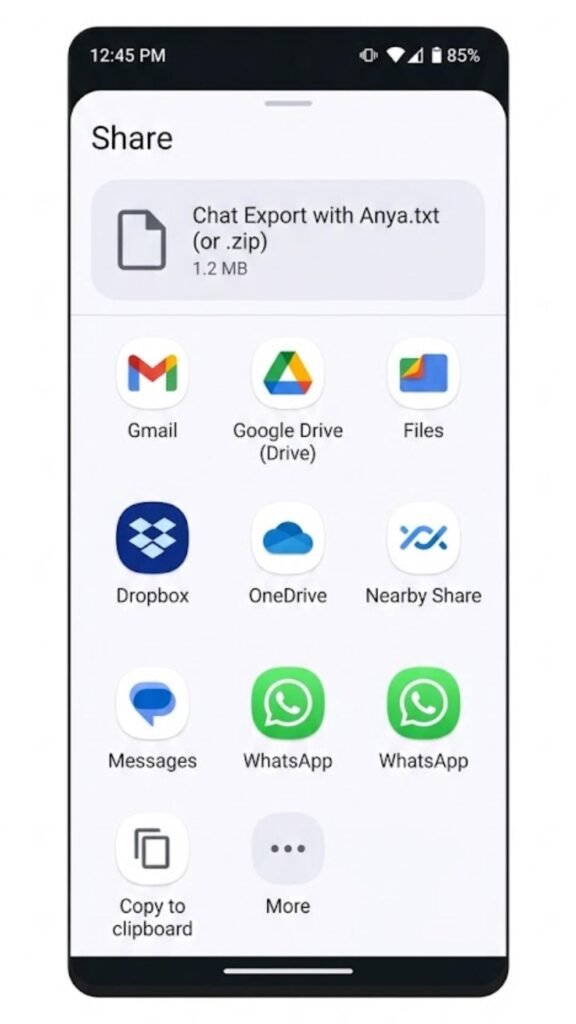
WhatsApp export chat is a per-conversation feature. You access it by opening a specific chat, tapping the contact name or group name at the top, scrolling down to find Export Chat, and selecting your export destination through the standard Android share sheet. There is no way to export all conversations simultaneously — each chat must be exported individually.
What WhatsApp Export Chat Captures
WhatsApp export chat captures only the conversation you specifically select. It includes all messages visible in that chat up to the point of export, along with timestamps and sender identification for group chats. Media files are included only if you select the With Media option during the export process.
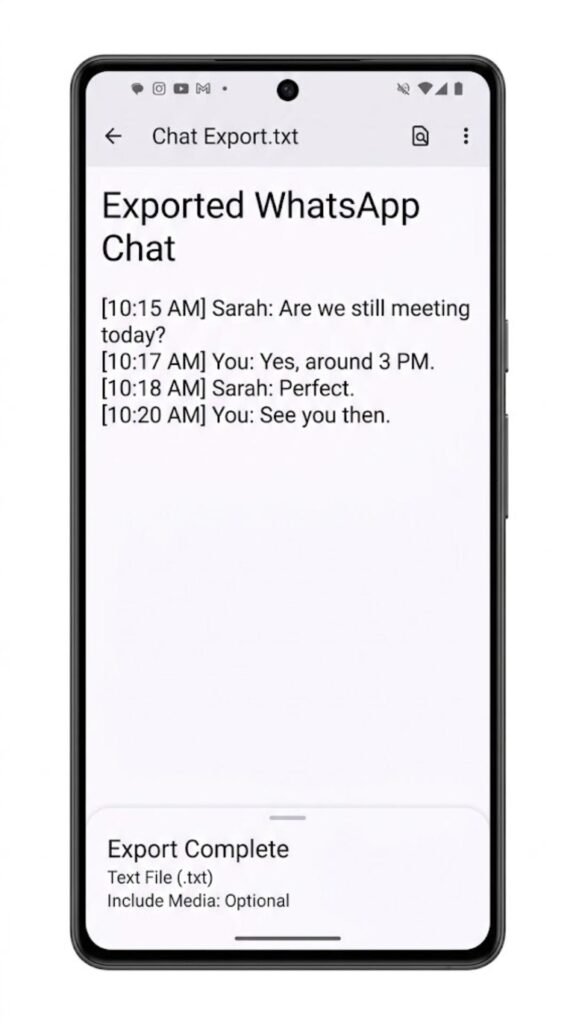
Export chat does not capture call logs, status updates, payment records, or any information from other conversations. It is a single-conversation snapshot presented as human-readable text — nothing more and nothing less.
Where Exported Chat Files Go
After triggering the export, the Android share sheet opens. You can send the file or archive to any destination your phone supports — email, Google Drive, Dropbox, OneDrive, your file manager, or any installed app that accepts file sharing. The file saves wherever you direct it and has no dependency on WhatsApp or Google after that point.
WhatsApp Backup vs Export Chat: Technical Comparison
| Feature | WhatsApp Backup | Export Chat |
|---|---|---|
| Covers All Conversations | ✅ Yes | ❌ No — one chat only |
| File Format | Encrypted .crypt15 database | Plain .txt or .zip |
| Human Readable | ❌ No | ✅ Yes |
| Can Restore WhatsApp | ✅ Yes | ❌ No |
| Includes All Media | ✅ Yes (if enabled) | ⚠️ Optional per export |
| Includes Call Logs | ✅ Yes | ❌ No |
| Storage Location | Google Drive / Local device | Any destination you choose |
| Works Without Internet | ✅ Local backup yes | ✅ Yes |
| Exportable to Non-WhatsApp Devices | ❌ No | ✅ Yes |
| Requires WhatsApp to Read | ✅ Yes | ❌ No |
| Per-Conversation Selection | ❌ No — captures everything | ✅ Yes |
| Automated Scheduling | ✅ Yes | ❌ Manual only |
This table captures the fundamental difference at the heart of WhatsApp backup vs export chat. Backup is a restoration system. Export is an archiving and sharing format. They solve different problems and cannot substitute for each other.
When to Use WhatsApp Backup
WhatsApp backup is the right choice whenever the goal involves continuity of your WhatsApp account across devices or situations.
Switching to a New Phone
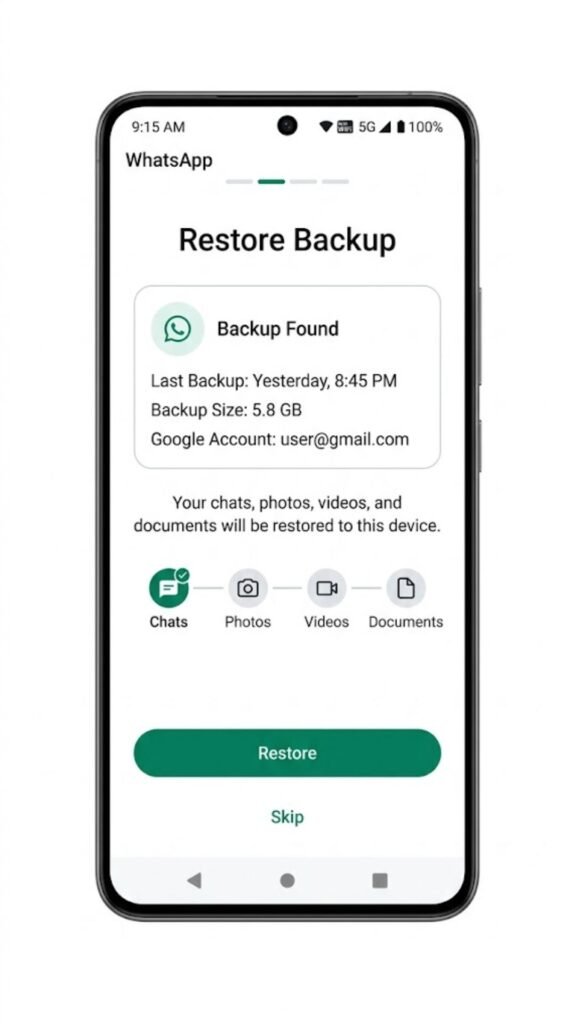
When moving from one Android phone to another, WhatsApp backup is what allows your complete message history to transfer. Without a backup, reinstalling WhatsApp on the new device starts completely fresh with no previous conversations. The backup captures everything and the restore process during setup recreates it on the new device.
Before a Factory Reset
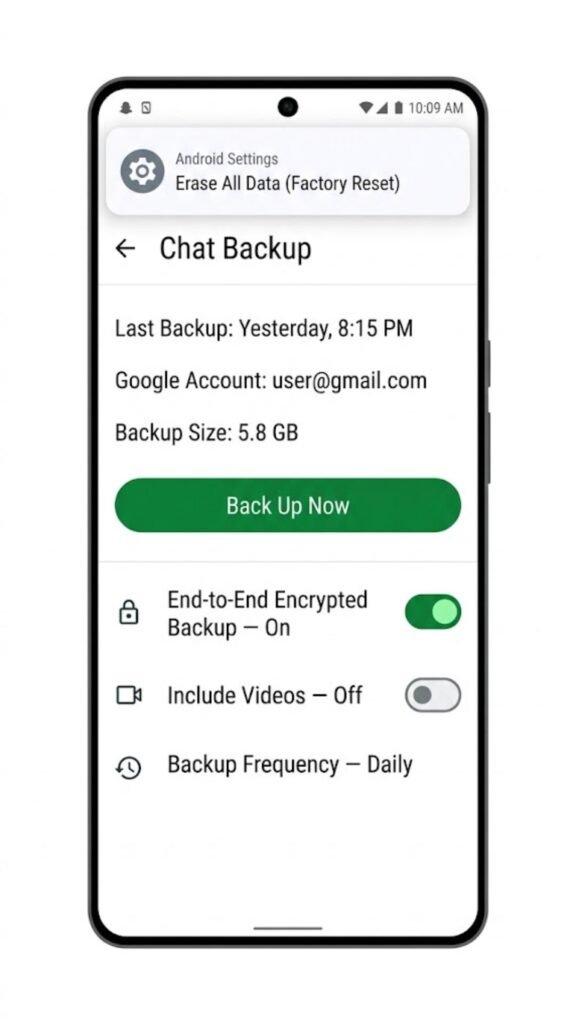
Before performing a factory reset on your current device, running a fresh WhatsApp backup ensures your message history is not lost when the device wipes. This is one of the most important uses of WhatsApp backup — it is the only protection against data loss during deliberate or accidental device resets.
Ongoing Protection Against Data Loss
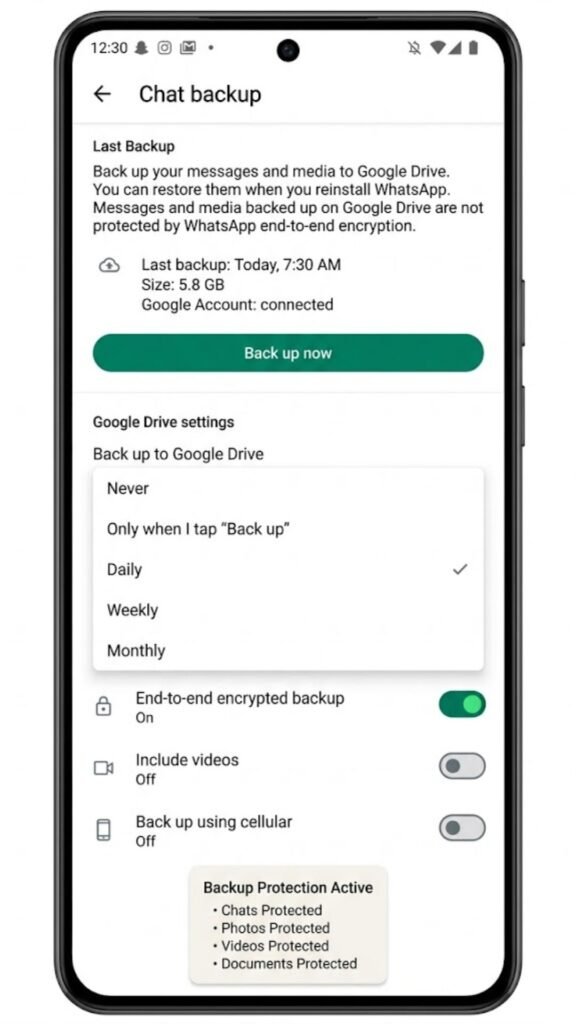
Automated WhatsApp backup running on a daily or weekly schedule provides continuous protection against data loss from device failure, theft, or accidental deletion. This is the primary reason the feature exists — not one-time convenience but ongoing data protection.
When to Use WhatsApp Export Chat
WhatsApp export chat serves purposes that backup cannot address — situations where a readable, portable copy of a specific conversation is the actual requirement.
Legal and Documentation Purposes
When a WhatsApp conversation contains information relevant to a legal matter, a contractual agreement, or a workplace dispute, an exported text file provides a readable, shareable record that does not require WhatsApp to open or verify. The timestamp and sender information within the export makes it useful as a documented record.
Archiving Specific Conversations Permanently
WhatsApp backup files are periodically overwritten as new backups are created. Very old conversations may not survive indefinitely in backup format if old backup files are deleted or if storage limits are reached. Exporting a specific conversation as a text file creates a permanent, device-independent archive that exists outside of WhatsApp’s backup cycle entirely.
Sharing Conversation Content With Someone Else
If you need to share the content of a conversation with a third party — a family member, a colleague, a support team — the exported text file is the appropriate format. A backup file cannot be read by anyone and contains all of your private conversations, not just the one you want to share.
Freeing Storage While Preserving Records
Some users delete old WhatsApp conversations to free up storage space but want to keep a readable record before deletion. Exporting the chat first creates an accessible archive of the conversation content, after which the chat can be deleted from WhatsApp without losing the record permanently.
Can You Use Export Chat as a Backup Alternative?
This question sits at the core of WhatsApp backup vs export chat confusion. The answer is a definitive no — export chat cannot function as a backup alternative under any circumstances.
An exported chat file cannot be imported back into WhatsApp. There is no feature within WhatsApp that reads a .txt export file and recreates those messages in the app. The export is a one-way, read-only format. If you delete all your WhatsApp conversations and only have export files, those conversations cannot be restored into WhatsApp from those files.
WhatsApp backup vs export chat is not a choice between two equivalent methods. They exist for different purposes. Using export chat instead of backup to “save” your messages before a phone change will result in complete loss of your chat history within WhatsApp — the exported files will still exist as readable text, but your WhatsApp account will start fresh.
Frequently Asked Questions
What is the main difference between WhatsApp backup and export chat?
WhatsApp backup creates an encrypted database of all your chats that can restore your account on a device. Export chat creates a readable text file of one specific conversation that cannot restore WhatsApp but can be opened anywhere.
Can I restore WhatsApp from an exported chat file?
No. Exported chat files are plain text and cannot be imported back into WhatsApp. Only backup files in the .crypt format can restore WhatsApp conversations during device setup.
Does WhatsApp backup vs export chat affect media files differently?
Yes. WhatsApp backup automatically includes all media when configured to do so. Export chat requires you to manually select whether to include media for each individual export, and large media collections may not export completely due to file size.
Which is better for legal documentation — backup or export chat?
Export chat is the appropriate choice for legal documentation. It produces a readable, shareable text file with timestamps and sender names. A backup file is encrypted and unreadable without WhatsApp — it has no value as a human-readable record.
How often should I run WhatsApp backup?
Daily backup is the safest approach for active WhatsApp users. Configure automated daily backup under WhatsApp Settings, then Chats, then Chat Backup to ensure your most recent conversations are always protected.
Can I export all WhatsApp chats at once?
No. WhatsApp export chat works one conversation at a time. There is no built-in feature to batch export all conversations simultaneously. Each chat must be exported individually through the chat’s settings menu.
Conclusion
WhatsApp backup vs export chat is not a comparison between two ways to do the same thing — it is a comparison between two tools designed for fundamentally different purposes that happen to involve the same underlying data.
Backup protects your WhatsApp account and enables restoration across devices and situations. Export chat creates a portable, readable record of specific conversations that exists independently of WhatsApp and can never be used to restore the app. Using export chat as a substitute for backup before a device change is one of the most consequential mistakes a WhatsApp user can make — the conversations survive as text files but the WhatsApp account history is gone.
The practical approach is to use both features for what they are actually designed for. Run automated daily backup for ongoing data protection. Use export chat when you need a readable record of a specific conversation for documentation, sharing, or permanent archiving. These tools complement each other — they do not replace each other.
Understanding WhatsApp backup vs export chat at this level means you can make confident decisions about your data without discovering the difference between them at the worst possible moment.
