

Introduction
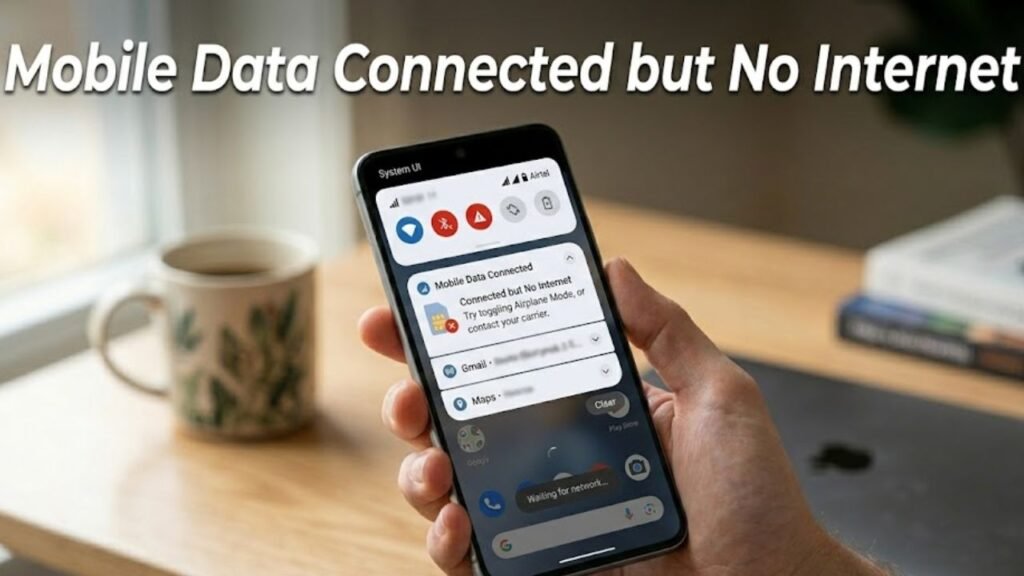
Mobile data connected but no internet is a common issue that can leave you unable to browse, stream, or use apps despite having an active data connection. You may see full signal bars or a 4G/5G icon, yet websites fail to load and apps cannot connect to servers.
This problem often stems from network configuration errors, carrier issues, or software glitches rather than a complete loss of connectivity. While it may appear confusing, most cases can be resolved quickly with structured troubleshooting.
In this comprehensive guide, you will learn the causes, step-by-step fixes, and preventive strategies to resolve the mobile data connected but no internet issue effectively.
What Does Mobile Data Connected but No Internet Mean?
When your phone shows a mobile data connection but no internet access, it means your device is connected to the cellular network but cannot transmit or receive data properly.
Common signs include:
- Apps not loading content
- Web pages failing to open
- “No internet connection” messages
- Slow or stalled downloads
This indicates a disruption between your device and your carrier’s data services.
Common Causes of Mobile Data Connected but No Internet
1. Incorrect APN Settings
- Misconfigured Access Point Name
- Prevents proper data routing
2. Network Congestion
- High traffic on nearby towers
- Reduced data performance
3. Data Limit Reached
- Carrier-imposed data caps
- Speed throttling or suspension
4. Software Glitches
- Temporary system bugs
- Network stack errors
5. SIM Card Issues
- Improper SIM configuration
- Network registration problems
6. Carrier Outages
- Maintenance or technical failures
- Regional network disruptions
Quick Diagnosis Table
| Issue Type | Difficulty | Risk Level | Recommended Fix |
|---|---|---|---|
| APN misconfiguration | Easy | Low | Update APN settings |
| Network glitch | Easy | Low | Restart device |
| Data limit reached | Easy | Low | Check plan |
| SIM issue | Medium | Low | Reinsert SIM |
| Carrier outage | Medium | Medium | Contact provider |
12 Proven Fixes for Mobile Data Connected but No Internet
1. Restart Your Device
A restart refreshes network connections.
Steps:
- Press and hold Power button
- Tap Restart
2. Toggle Airplane Mode
This resets network signals.
Steps:
- Enable Airplane Mode
- Wait 30 seconds
- Disable it
3. Check Mobile Data is Enabled
Ensure data is turned on.
Steps:
- Go to Settings → Network
- Enable Mobile Data
4. Verify APN Settings
Incorrect APN settings are a major cause.
Steps:
- Go to Settings → Mobile Network → APN
- Compare with carrier settings
- Reset or update APN
5. Switch Network Mode
Changing network type can resolve connectivity issues.
Steps:
- Go to Settings → Mobile Network
- Select LTE/3G/2G Auto
6. Reinsert SIM Card
SIM issues can disrupt data access.
Steps:
- Turn off phone
- Remove and reinsert SIM
7. Check Data Usage Limits
Ensure your plan is active.
- Verify data balance
- Remove data limits if enabled
8. Reset Network Settings
This clears incorrect configurations.
Steps:
- Go to Settings → System → Reset
- Tap Reset Network Settings
9. Update Software
Software updates fix network bugs.
Steps:
- Go to Settings → Software Update
- Install updates
10. Test SIM in Another Device
Check if the issue is device-specific.
- Insert SIM into another phone
- Verify internet access
11. Disable VPN or Proxy
VPNs can block internet access.
Steps:
- Turn off VPN apps
- Remove proxy settings
12. Contact Your Carrier
If the problem persists, contact your provider.
Possible reasons:
- Account suspension
- Network outage
- SIM deactivation
Detailed Comparison of Fixes
| Solution | Data Loss | Effectiveness | Best For |
|---|---|---|---|
| Restart Device | No | Medium | Temporary glitches |
| APN Update | No | Very High | Data configuration issues |
| SIM Reinsertion | No | High | SIM problems |
| Network Reset | Yes | Very High | Persistent issues |
| Carrier Support | No | High | External issues |
Practical Tips to Prevent Mobile Data Issues
Best Practices:
- Keep your device updated
- Regularly check data balance
- Avoid using unstable VPNs
- Use correct APN settings
- Monitor network signal strength
Signs of Serious Connectivity Problems
Watch for:
- No internet across multiple apps
- Persistent issue after reset
- SIM not working in other devices
- Frequent disconnections
These may indicate carrier or hardware issues.
Advanced Troubleshooting Methods
Update Carrier Settings
Ensure your phone has the latest network configurations.
Check IMEI Status
Invalid IMEI can block data services.
Factory Reset
Use as a last resort for unresolved issues.
FAQs About Mobile Data Connected but No Internet
Why is my mobile data connected but no internet?
It is usually caused by incorrect APN settings, network issues, or software glitches.
How do I fix mobile data without internet?
Restart your device, update APN settings, and reset network settings.
Can a SIM card cause no internet issue?
Yes, a faulty or improperly configured SIM can block data access.
Does VPN affect mobile data?
Yes, VPNs can interfere with internet connectivity.
Should I reset network settings?
Yes, it is one of the most effective solutions for persistent issues.
Conclusion
Mobile data connected but no internet is a frustrating yet solvable issue that can disrupt your online experience. While your device may appear connected to the network, underlying problems such as incorrect settings, SIM issues, or carrier disruptions often prevent actual data transmission.
By following the structured troubleshooting steps outlined in this guide—from basic fixes like restarting your device to advanced solutions like resetting network settings—you can restore internet access quickly and efficiently.
Preventive measures such as maintaining correct APN settings, monitoring data usage, and keeping your device updated will help ensure stable connectivity in the long term.
If the issue persists despite all efforts, contacting your carrier or seeking professional assistance is the best course of action. With the right approach, you can maintain reliable and uninterrupted mobile internet access at all times.
