

Google Photos touch-up tools are now rolling out to Android users, adding a new set of quick-edit options focused on subtle face retouching. Instead of jumping into a third-party editor for basic cleanup, you can now tap into effects like blemish removal, smoothing, and eye brightening directly inside Google Photos—then fine-tune intensity so the results don’t look overprocessed.
Google says the new tools are designed for fast, lightweight enhancements. In practice, it’s a clear attempt to keep more editing workflows inside Photos, where Google can deliver a consistent experience across devices and reduce reliance on separate beauty apps.
The rollout is gradual and comes with device requirements: Google Photos touch-up tools are available on Android phones running Android 9 and up, and Google says you’ll need at least 4GB of RAM.
Here’s what’s new, where to find it, how it compares to the current editor, and what you should know before you start using “one-tap” retouching on every selfie.
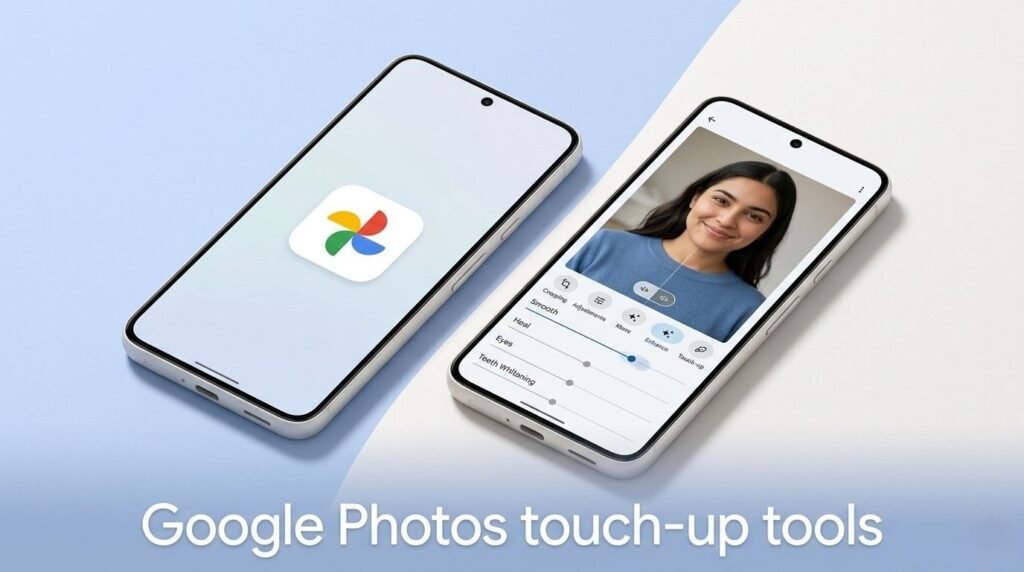
What exactly are Google Photos touch-up tools?
Google Photos already includes solid editing basics—light, color, crop, filters, and some AI-assisted effects depending on your device. The new addition is a dedicated set of Google Photos touch-up tools aimed at face-specific corrections.
Google’s list includes tools that can:
- remove small blemishes
- refine skin texture
- brighten the eyes
- whiten teeth
- and make targeted adjustments to facial features
These tools are not the same as a full beauty-suite app with presets and dramatic reshaping. They’re positioned as quick, controlled edits that still let the photo look like you.
Google Photos touch-up tools: every option you can use right now
As the update rolls out, users will see a toolbox that includes:
- Heal (spot fixes such as blemishes)
- Smooth (skin texture refinement)
- Under eyes (reduce tired-looking shadows)
- Irises (eye brightening/detail emphasis)
- Teeth (whitening effect)
- Eyebrows (subtle definition)
- Lips (enhancement, likely color/contrast)
A key detail: after choosing a tool, you can adjust intensity, which is where these features become more useful than typical one-tap filters. If you keep intensity low, edits can look natural. If you push it high, you’ll get a more stylized look.
How to use Google Photos touch-up tools on Android (step-by-step)
Google’s implementation is designed to be discoverable if you already edit in Photos, but it’s also easy to miss if you only use basic crop and brightness.
To find Google Photos touch-up tools:
- Open Google Photos
- Select a photo that includes a clear face
- Tap Edit
- Tap on the face (or choose the section that appears when Photos detects a face)
- Pick a tool: Heal, Smooth, Under eyes, Irises, Teeth, Eyebrows, or Lips
- Use the slider to adjust intensity
- Save a copy (recommended) or overwrite, depending on your workflow
Tip: if the tools don’t appear, try a different photo with better lighting and a larger face in frame. Face-detection-driven tools often require a clean detection box.
Who gets the update (and why the requirements matter)
Google says Google Photos touch-up tools are rolling out on:
- Android 9.0 and above
- Devices with at least 4GB RAM
That RAM requirement is important because even “quick” edits can involve on-device processing, face detection, and rendering previews. Google Photos also has to perform reliably across a wide range of midrange phones, and setting a baseline reduces lag and crashes.
If you don’t see the tools yet, it likely means:
- the feature hasn’t reached your account/server rollout, or
- your app isn’t updated, or
- your phone doesn’t meet the requirements
To improve your odds:
- update Google Photos in the Play Store
- force close and reopen the app
- wait a few days (Google typically rolls features out in waves)
Why Google is adding touch-up tools now
Google Photos has become the default photo hub for millions of Android users, but editing is still a competitive battlefield. Many people share photos through Instagram, Snapchat, or third-party editors because they offer faster retouching and “beauty” controls.
By adding Google Photos touch-up tools, Google is doing three things at once:
- Reducing app switching: fewer users leave Photos to fix a portrait quickly.
- Modernizing the editor: Photos stays competitive with social editing expectations.
- Keeping edits inside Google’s ecosystem: which supports retention and feature discovery.
It also fits a broader trend: the photo library app is no longer just storage. It’s the editing pipeline.
How this compares to older Google Photos editing options
Previously, if you wanted face-focused enhancements in Google Photos, you often had to rely on:
- general light/color tools
- filters that apply to the whole image
- occasional AI-driven features (vary by device and subscription tiers)
The new Google Photos touch-up tools are more granular. Instead of affecting the entire photo, they target specific face attributes.
For many users, that’s the difference between:
- “this photo is brighter,” and
- “I look less tired and the blemish is gone.”
That’s also why this feature will likely be popular—especially for quick social posting.
The important caution: retouching can affect how people feel
Any time a mainstream app adds face retouching, it raises an obvious concern: overuse can distort self-perception. Studies and mental health experts have long warned that constant retouching can contribute to negative body image—especially among younger users who already experience heavy social pressure.
Google isn’t the first company to ship these tools, and it won’t be the last. But it’s worth treating Google Photos touch-up tools like any other enhancement: use them intentionally, not automatically.
A practical approach:
- use low intensity
- correct distractions (blemishes, lighting) rather than changing your features
- avoid making every photo “perfect” by default
Bottom line
Google Photos touch-up tools bring fast, face-specific edits to Android users who want quick improvements without leaving the Photos app. With tools like Heal, Smooth, Under eyes, and Teeth whitening—plus intensity controls—this update makes it easier to get a polished look in seconds, especially for selfies and portraits.
If you meet the requirements (Android 9+, 4GB RAM) and keep your app updated, you should see the tools soon as the rollout expands globally. And if you’ve been bouncing between Google Photos and third-party editors for basic retouching, this update could finally keep your entire photo workflow in one place.
