

Introduction
Android Adaptive Battery System is one of the most impactful innovations in modern Android devices, designed to intelligently extend battery life without compromising performance. As smartphones become more powerful and app usage increases, managing battery consumption efficiently has become a critical challenge.
The Android Adaptive Battery System uses machine learning to understand how you use your device and prioritizes power allocation accordingly. Instead of treating all apps equally, it limits background activity for less-used apps while ensuring frequently used apps remain responsive.
In this comprehensive guide, we will explore how the Android Adaptive Battery System works, its benefits, underlying technologies, and practical strategies to maximize its effectiveness.
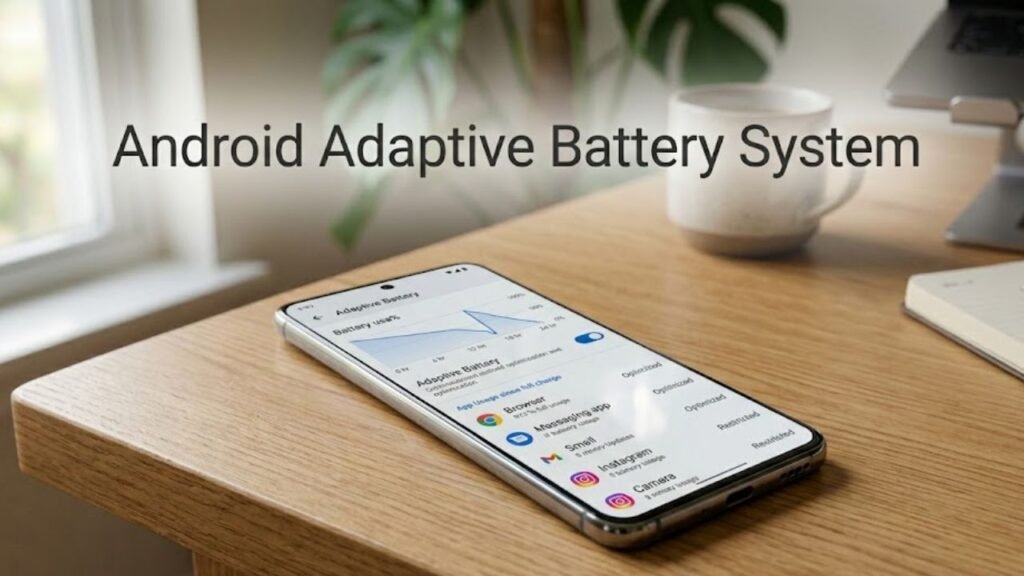
What Is Android Adaptive Battery System?
The Android Adaptive Battery System is an AI-driven feature that optimizes battery usage based on user behavior and app activity patterns.
It analyzes which apps you use most frequently and restricts power consumption for apps you rarely use.
Core Objectives
- Extend battery life
- Reduce unnecessary background activity
- Improve system efficiency
- Enhance user experience
This intelligent system ensures optimal resource allocation at all times.
Why Android Adaptive Battery System Matters
Understanding Android Adaptive Battery System is essential for improving device performance and longevity.
Key Benefits
- Longer battery life
- Reduced background processes
- Better app performance
- Lower energy consumption
It helps users get more out of their devices without manual intervention.
How Android Adaptive Battery System Works
The Android Adaptive Battery System operates using machine learning algorithms.
Step-by-Step Process
- Monitors app usage patterns
- Categorizes apps based on frequency
- Limits background activity for unused apps
- Allocates resources dynamically
- Continuously learns and adapts
This process ensures efficient energy management.
App Standby Buckets Explained
A key component of Android Adaptive Battery System is app standby buckets.
Bucket Categories
- Active
- Working Set
- Frequent
- Rare
- Restricted
Apps in lower-priority buckets receive fewer resources.
Impact on Apps
- Reduced background execution
- Limited network access
- Delayed updates
Adaptive Battery vs Traditional Battery Management
Understanding this comparison clarifies Android Adaptive Battery System.
Comparison Table
| Feature | Adaptive Battery | Traditional Battery |
|---|---|---|
| Optimization | AI-based | Static rules |
| Efficiency | High | Moderate |
| Learning Capability | Yes | No |
| Background Control | Advanced | Limited |
| User Experience | Personalized | Generic |
Adaptive Battery offers smarter and more efficient power management.
Key Technologies Behind Adaptive Battery
Android Adaptive Battery System relies on advanced technologies.
1. Machine Learning
Predicts app usage patterns.
2. Usage Statistics API
Tracks how often apps are used.
3. System Resource Management
Allocates CPU, memory, and network resources.
How Adaptive Battery Improves Performance
Battery optimization directly impacts device performance.
Performance Benefits
- Faster app launches
- Reduced lag
- Better multitasking
- Improved system responsiveness
By limiting unnecessary processes, the system runs more efficiently.
Common Issues with Adaptive Battery
While effective, it can sometimes cause issues.
Typical Problems
- Delayed notifications
- Background apps not updating
- Sync issues
Solutions
- Exclude important apps from optimization
- Adjust battery settings
- Keep apps updated
How to Enable Android Adaptive Battery
Most Android devices have this feature enabled by default.
Steps to Enable
- Open Settings
- Go to Battery
- Tap Adaptive Battery
- Turn it on
Best Practices for Users
To maximize benefits from Android Adaptive Battery System, follow these tips.
1. Identify High Usage Apps
Monitor battery consumption regularly.
2. Allow Critical Apps
Exclude essential apps from restrictions.
3. Keep System Updated
Updates improve optimization algorithms.
4. Reduce Background Activity
Limit apps running unnecessarily.
Best Practices for Developers
Developers must design apps with Adaptive Battery in mind.
Key Recommendations
- Optimize background tasks
- Use WorkManager for scheduling
- Avoid excessive wake locks
- Minimize network usage
Advanced Features Enhancing Adaptive Battery
Modern Android versions include additional features.
1. Restricted Apps Mode
Limits apps consuming excessive resources.
2. Smart App Predictions
Preloads frequently used apps.
3. Battery Usage Insights
Provides detailed analytics.
Use Cases of Adaptive Battery
Understanding real-world applications helps explain Android Adaptive Battery System.
Examples
- Messaging apps prioritized for notifications
- Social media apps limited in background
- Rarely used apps restricted
Impact on Battery Life
Android Adaptive Battery System significantly improves battery performance.
Key Outcomes
- Reduced idle drain
- Longer screen-on time
- Efficient power usage
Actionable Checklist
Use this checklist to optimize battery performance:
- Enable Adaptive Battery
- Review battery usage weekly
- Restrict unused apps
- Update apps regularly
- Avoid heavy background apps
FAQs: Android Adaptive Battery System
What is Android Adaptive Battery System?
It is an AI-based feature that optimizes battery usage based on app activity.
Does Adaptive Battery improve battery life?
Yes, it significantly extends battery life.
Can I disable Adaptive Battery?
Yes, but it is not recommended.
Why are my notifications delayed?
Background restrictions may limit app activity.
Is Adaptive Battery safe?
Yes, it is a core Android feature designed for efficiency.
Does it affect app performance?
It improves overall performance but may limit background tasks.
Conclusion
Understanding the Android Adaptive Battery System is essential for anyone looking to maximize their device’s battery life and performance. By leveraging machine learning and intelligent resource allocation, Android has created a system that adapts to user behavior and optimizes energy consumption dynamically.
This feature not only reduces battery drain but also enhances overall system responsiveness, making devices more efficient and reliable. While it may occasionally affect background processes, its benefits far outweigh the drawbacks.
By following best practices and understanding how Adaptive Battery works, users can achieve a perfect balance between performance and battery efficiency—ensuring a smarter, longer-lasting mobile experience.
