

Introduction
Android Background App Limits play a crucial role in optimizing smartphone performance, conserving battery life, and enhancing overall system efficiency. As mobile applications grow more complex, many continue running in the background, consuming system resources even when not actively in use.
To address this issue, Android introduced background execution limits that restrict how apps behave when they are not in the foreground. These limits are designed to reduce unnecessary CPU usage, minimize battery drain, and prevent apps from misusing system resources.
In this comprehensive guide, we will explore Android Background App Limits in detail, including how they work, their evolution, benefits, limitations, and practical strategies for both users and developers.
What Are Android Background App Limits?
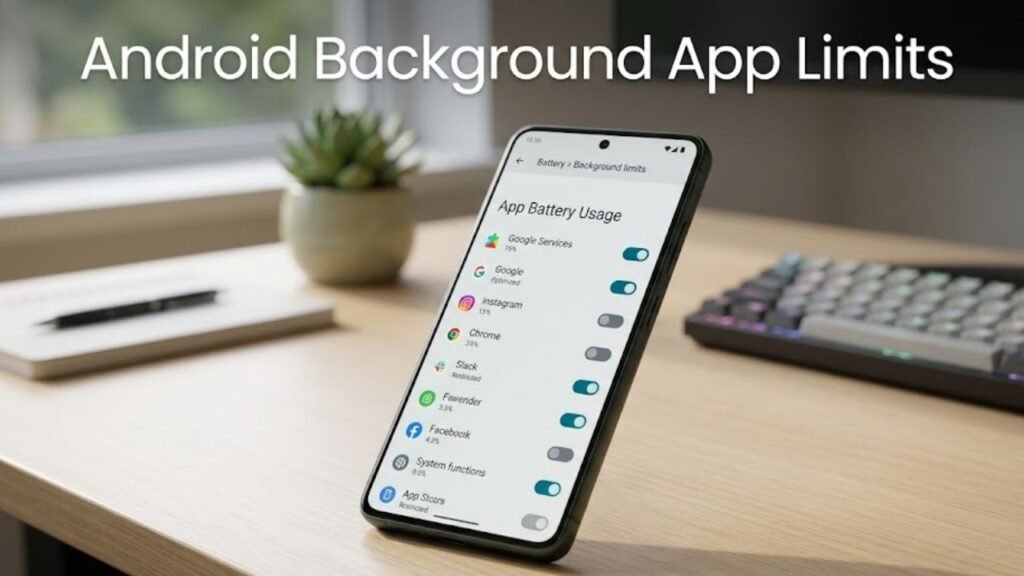
Android Background App Limits are system-level restrictions that control how apps operate when they are not actively being used.
These limits prevent apps from running unrestricted processes, accessing system resources excessively, or performing background activities without user awareness.
Core Objectives
- Reduce battery consumption
- Improve device performance
- Prevent resource abuse
- Enhance system stability
By limiting background activity, Android ensures a smoother and more efficient user experience.
Why Android Background App Limits Matter
Understanding Android Background App Limits helps users appreciate their importance in daily device usage.
Key Benefits
- Extended battery life
- Faster device performance
- Reduced overheating
- Better resource allocation
Without these limits, apps could continuously run processes, draining battery and slowing down the system.
Evolution of Background Limits in Android
Android Background App Limits have evolved significantly over time.
Android 6.0 (Marshmallow)
- Introduced Doze mode
- Reduced background activity during idle periods
Android 7.0 (Nougat)
- Improved Doze functionality
- Added app standby features
Android 8.0 (Oreo)
- Introduced strict background execution limits
- Restricted background services
Android 10 and Beyond
- Enhanced app standby buckets
- Improved adaptive battery features
This evolution reflects Android’s focus on performance and efficiency.
How Android Background App Limits Work
Android Background App Limits operate through multiple mechanisms.
Key Mechanisms
- Background service restrictions
- Broadcast limitations
- Job scheduling controls
- App standby buckets
These mechanisms collectively control how apps behave when not in use.
App Standby Buckets Explained
App standby buckets categorize apps based on usage.
Bucket Categories
- Active
- Working Set
- Frequent
- Rare
- Restricted
Apps in lower-priority buckets receive fewer system resources.
Impact
- Reduced background activity
- Delayed updates
- Limited network access
Doze Mode and Its Role
Doze mode is a major component of Android Background App Limits.
How Doze Works
- Activates when device is idle
- Restricts network and CPU usage
- Allows periodic maintenance windows
Benefits
- Significant battery savings
- Reduced background processing
Background Services vs Foreground Services
Understanding this distinction is key in Android Background App Limits.
Comparison Table
| Feature | Background Services | Foreground Services |
|---|---|---|
| Visibility | Hidden | Visible (notification) |
| Resource Access | Limited | High |
| Battery Impact | Controlled | Higher |
| Use Case | Sync tasks | Music, navigation |
Foreground services require user awareness, ensuring transparency.
Restrictions on Broadcast Receivers
Android limits background broadcast receivers to reduce unnecessary wake-ups.
Key Changes
- Implicit broadcasts restricted
- Apps must use explicit broadcasts
- Improved system efficiency
Impact on App Performance
Android Background App Limits significantly influence app behavior.
Positive Effects
- Improved responsiveness
- Better multitasking
- Reduced lag
Challenges
- Delayed notifications
- Limited background updates
Common Issues Caused by Background Limits
While beneficial, these limits can create challenges.
Typical Problems
- Missed notifications
- Delayed sync
- App refresh issues
Solutions
- Disable battery optimization for critical apps
- Allow background activity manually
- Use foreground services when needed
Best Practices for Users
To maximize benefits from Android Background App Limits, follow these tips.
1. Manage Battery Settings
Adjust app battery usage preferences.
2. Allow Important Apps
Whitelist essential apps like messaging or email.
3. Remove Unused Apps
Reduce background load.
4. Monitor App Activity
Check which apps consume the most resources.
Best Practices for Developers
Developers must adapt to Android Background App Limits.
Key Recommendations
- Use JobScheduler or WorkManager
- Avoid unnecessary background services
- Optimize network calls
- Respect system limitations
Advanced Features Enhancing Background Limits
Modern Android versions include additional optimizations.
1. Adaptive Battery
Uses AI to predict app usage patterns.
2. Restricted Apps Mode
Limits apps that consume excessive resources.
3. Smart Resource Allocation
Prioritizes frequently used apps.
Use Cases of Background App Limits
Understanding real-world scenarios helps clarify Android Background App Limits.
Examples
- Messaging apps maintaining real-time notifications
- Fitness apps tracking activity efficiently
- Streaming apps running foreground services
Actionable Checklist
Use this checklist to optimize performance:
- Review battery usage regularly
- Restrict unnecessary apps
- Enable adaptive battery
- Update apps frequently
- Use system optimization tools
FAQs: Android Background App Limits
What are Android Background App Limits?
They are restrictions that control how apps run in the background.
Do background limits save battery?
Yes, they significantly reduce battery consumption.
Why are my notifications delayed?
Background restrictions may limit app activity.
Can I disable background limits?
You can adjust settings for specific apps.
What is Doze mode?
A feature that reduces background activity when the device is idle.
Are background limits necessary?
Yes, they improve performance and efficiency.
Conclusion
Understanding Android Background App Limits is essential for optimizing your device’s performance and battery life. As apps become more resource-intensive, controlling background activity is critical to maintaining a smooth and efficient user experience.
Android’s approach—through Doze mode, app standby buckets, and execution limits—ensures that system resources are used wisely while minimizing unnecessary processes. Although these limits may occasionally affect app behavior, their benefits far outweigh the drawbacks.
By applying best practices and understanding how these limits work, users can achieve a perfect balance between performance, battery efficiency, and functionality.
