

Introduction
Android Work Profile Explained is essential for anyone who wants to securely separate personal and professional data on a single device. As remote work and mobile productivity grow, smartphones are increasingly used for both personal and business tasks. This dual usage creates privacy risks, data management challenges, and potential security concerns.
Android Work Profile solves this problem by creating a dedicated, secure space for work apps and data. It allows users to maintain clear boundaries between personal and professional environments without needing two separate devices.
In this comprehensive guide, we will explore how Android Work Profile works, its benefits, features, limitations, and best practices for maximizing productivity and security.
What Is Android Work Profile?
Android Work Profile is a feature that creates a separate, encrypted container on your device for work-related apps and data.
This profile operates independently from your personal profile, ensuring that work data remains secure and isolated.
Core Concept
- Two profiles on one device
- Separate apps and data
- Independent storage environments
- Controlled access managed by IT administrators
This separation ensures that sensitive business information is protected without interfering with personal use.
Why Android Work Profile Matters
Understanding Android Work Profile Explained highlights its importance in modern mobile usage.
Key Benefits
- Clear separation of work and personal data
- Enhanced security for corporate information
- Improved productivity
- Simplified device management
It eliminates the need to carry multiple devices while maintaining strict data boundaries.
How Android Work Profile Works
Android Work Profile operates using Android’s enterprise mobility framework.
Step-by-Step Process
- Work profile is set up via IT admin or app
- Separate workspace is created
- Work apps are installed within the profile
- Data remains isolated from personal apps
- Policies control access and usage
This ensures a secure and controlled environment for professional tasks.
Key Features of Android Work Profile
To fully understand Android Work Profile Explained, explore its core features.
1. App Separation
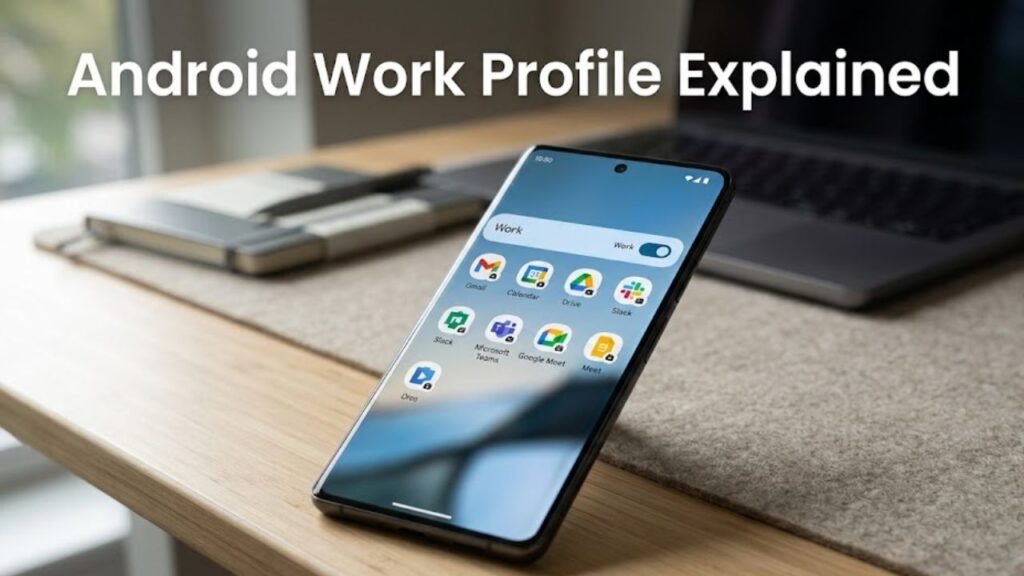
Work apps are marked with a briefcase icon and operate independently.
2. Data Isolation
No direct sharing between work and personal profiles unless allowed.
3. Profile Toggle
Users can turn the work profile on or off anytime.
4. Managed Permissions
IT administrators control app permissions and policies.
5. Secure Storage
Work data is encrypted and protected.
Android Work Profile vs Personal Profile
This comparison clarifies Android Work Profile Explained.
Comparison Table
| Feature | Work Profile | Personal Profile |
|---|---|---|
| Data Access | Restricted | Full access |
| App Control | Managed by IT | User-controlled |
| Security Level | High | Standard |
| Notifications | Work-specific | Personal |
| Storage | Isolated | Shared device storage |
This separation ensures both privacy and efficiency.
Who Should Use Android Work Profile?
Android Work Profile is useful for a wide range of users.
Ideal Users
- Remote employees
- Corporate professionals
- Freelancers managing multiple clients
- Students using educational apps
Anyone who wants a clear boundary between work and personal life can benefit.
How to Set Up Android Work Profile
Setting up Android Work Profile is straightforward.
Setup Methods
- Through company IT system
- Using enterprise apps like Google Workspace
- Via QR code or enrollment link
Basic Steps
- Install required management app
- Follow setup instructions
- Create work profile
- Install work apps
Security Benefits of Android Work Profile
Android Work Profile Explained is incomplete without understanding its security advantages.
Key Security Features
- Data encryption
- Remote wipe capability
- Controlled data sharing
- Policy enforcement
Even if a device is lost, work data can be protected or erased remotely.
Common Use Cases
Understanding real-world scenarios helps clarify Android Work Profile Explained.
Examples
- Accessing corporate email securely
- Using business apps without mixing personal data
- Managing client communications
- Handling confidential documents
These use cases highlight its practical value.
Limitations of Android Work Profile
While powerful, it has some limitations.
Common Drawbacks
- Limited interaction between profiles
- Some apps may not support work profile
- Requires IT setup for full functionality
Understanding these helps set realistic expectations.
Best Practices for Using Work Profile
To maximize benefits from Android Work Profile Explained, follow these tips.
1. Keep Profiles Separate
Avoid mixing personal and work data.
2. Use Strong Security Settings
Enable screen lock and encryption.
3. Regularly Update Apps
Ensure security patches are applied.
4. Turn Off Work Profile When Not Needed
Helps save battery and maintain privacy.
Advanced Features of Android Work Profile
Modern Android versions offer enhanced capabilities.
1. Cross-Profile Notifications
Controlled sharing of notifications.
2. Work Profile Scheduling
Automatically enable/disable profile based on time.
3. Secure App Sharing
Limited sharing between profiles with permissions.
Impact on Productivity
Android Work Profile significantly improves productivity.
Productivity Benefits
- Organized app environment
- Reduced distractions
- Better task management
- Faster access to work tools
It creates a focused workspace within your device.
Actionable Checklist
Use this checklist to optimize your experience:
- Set up work profile correctly
- Install only essential work apps
- Enable security features
- Review permissions regularly
- Turn off profile after work hours
FAQs: Android Work Profile Explained
What is Android Work Profile?
It is a feature that separates work and personal data on a single device.
Is work profile secure?
Yes, it uses encryption and strict isolation.
Can I remove work profile?
Yes, you can delete it from settings.
Does it affect personal apps?
No, personal apps remain unaffected.
Can work apps access personal data?
No, unless explicitly allowed.
Who controls the work profile?
Usually an IT administrator or the user, depending on setup.
Conclusion
Understanding Android Work Profile Explained is crucial in today’s mobile-first work environment. As devices increasingly serve both personal and professional purposes, maintaining a clear boundary between the two is essential.
Android Work Profile provides a secure, efficient, and flexible solution by isolating work data, enforcing policies, and enhancing productivity. It empowers users to manage their digital lives more effectively without compromising security or convenience.
Whether you are an employee, freelancer, or business owner, leveraging Android Work Profile can transform how you work—making your smartphone a powerful, secure productivity tool.
