

Pixel battery drain issue reports are piling up after Google’s latest monthly update, with many owners claiming their phones are losing charge much faster than before—even when the device is sitting idle. Complaints are spreading across Google’s own Issue Tracker, Reddit threads, and Pixel community forums, and the pattern sounds consistent: excessive overnight drain, unusually warm devices, and background activity that keeps the phone awake when it should be sleeping.
What makes the Pixel battery drain issue particularly concerning is that several users say it happens with minimal screen time and, in some cases, even while airplane mode is enabled. That points toward a system-level bug or runaway service rather than a simple “one app used too much battery” scenario. Google has acknowledged the problem and is collecting logs, but there isn’t a confirmed root cause yet—meaning affected users are stuck in troubleshooting mode until a patch arrives.
If your Pixel suddenly isn’t lasting through the day, you’re not imagining it. Here’s what’s being reported, what might be triggering the drain, and what you can do right now to reduce the impact.
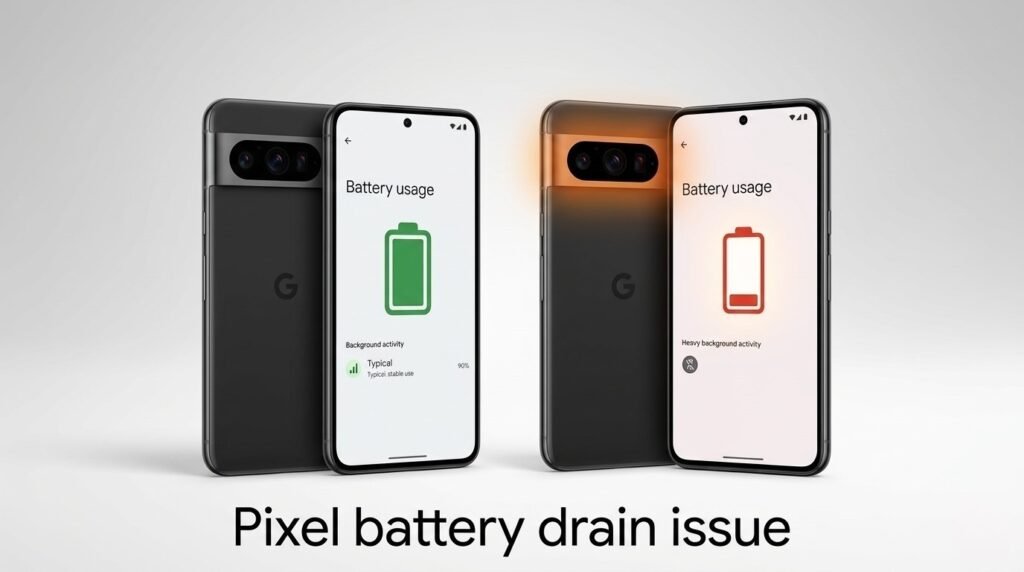
What users are reporting in the Pixel battery drain issue threads
The current wave of reports doesn’t sound like normal battery aging. Many posts describe a sharp change immediately after installing the update. Common symptoms include:
- battery percentage dropping quickly with very little use
- heavy drain overnight while the phone is untouched
- “phone won’t deep sleep” behavior (frequent wakeups)
- the device getting warmer than usual in a pocket or on a desk
- drain continuing even after toggling airplane mode
Some users have shared real-world examples like losing a large chunk of battery within a few hours off the charger despite light usage. Others say their all-day phones have become “half-day” devices overnight.
That kind of sudden behavior change is exactly why the Pixel battery drain issue is getting so much attention: it’s not a niche complaint, and it affects the core promise of Pixel phones—smooth software, predictable updates, and reliable daily performance.
Possible causes: why a Pixel battery drain issue can spike after an update
Google hasn’t confirmed the culprit, but based on how Android updates work, there are a few plausible drivers behind the Pixel battery drain issue.
1) Post-update indexing and background optimization
After a major update or even some monthly patches, Android may re-run background tasks like:
- app optimization
- media indexing
- system database cleanup
- Play services sync
These can temporarily increase power draw for a day. The difference is that many users say the drain persists, suggesting something is stuck.
2) CPU wake locks or a runaway system service
Several reports mention constant “CPU wakeups,” which usually means something is repeatedly waking the device and preventing deep sleep. That can be caused by:
- system services
- Google Play services bugs
- connectivity modules (Bluetooth, Wi‑Fi, mobile radio)
- location services
- a misbehaving app with excessive background activity
When deep sleep fails, idle drain explodes—even if you aren’t touching the phone.
3) App compatibility issues (social apps are often suspects)
Some users suspect apps like Facebook or Instagram might be amplifying the problem. That’s believable because large social apps can:
- poll for notifications aggressively
- keep background services running
- trigger frequent network activity
But it’s also possible these apps are simply the most visible offenders while the underlying issue is the OS update itself.
4) Connectivity bugs (Wi‑Fi/Bluetooth/cellular scanning)
Battery drain after an update is sometimes caused by the phone repeatedly scanning or reconnecting. Even if you don’t notice, the modem and radios can burn power fast if they are stuck in a loop.
That’s why some users report drain even in airplane mode: the behavior could still be tied to system tasks, not just the cellular modem.
Google has acknowledged the Pixel battery drain issue — what that means
Google has responded on its Issue Tracker and appears to be actively collecting bug reports. That’s important because it confirms Google is aware the Pixel battery drain issue is not isolated.
However, acknowledgment does not equal a quick fix. Battery bugs can be tricky because the visible symptom (fast drain) can result from many different subsystems. Google typically needs:
- bug reports and logs from multiple devices
- consistent reproduction steps
- confirmation of which models and builds are affected
The upside is timing: monthly patches arrive regularly, so if Google identifies the cause quickly, a fix could land in the next update cycle or even via a server-side Play services adjustment.
How to reduce the Pixel battery drain issue right now (best fixes)
If you’re affected, these are the most reliable steps to try. None are guaranteed, but they often help isolate what’s draining power.
1) Reboot and wait 24 hours
It sounds basic, but a reboot can stop runaway processes. Waiting a day also allows post-update optimization tasks to complete.
2) Check Battery usage and look for a clear offender
Go to:
- Settings → Battery → Battery usage
Look for apps with unusually high background usage. If one app is clearly spiking:
- force stop it
- disable background activity (if appropriate)
- uninstall/reinstall
- check for updates in Play Store
3) Update Google Play services and key apps
Open Play Store → Manage apps and device → Update all.
Also update:
- Google app
- Android System Intelligence
- Carrier Services (if present)
Sometimes the “fix” arrives through app updates rather than a full OTA.
4) Reset network settings (if connectivity is looping)
If you suspect Wi‑Fi/Bluetooth/cellular weirdness:
- Settings → System → Reset options → Reset Wi‑Fi, mobile & Bluetooth
You’ll need to reconnect to Wi‑Fi and re-pair devices afterward.
5) Turn off “Always on” features temporarily
To test whether a background feature is contributing, temporarily disable:
- Always-on display
- location accuracy features you don’t need
- Bluetooth scanning / Wi‑Fi scanning (in location services)
If battery improves dramatically, re-enable features one by one to find the trigger.
6) Boot into Safe Mode to test third-party apps
Safe Mode disables downloaded apps. If drain improves in Safe Mode, a third-party app is likely involved.
7) Last resort: factory reset (only if severe)
If the Pixel battery drain issue is extreme and nothing helps, back up and reset. It’s not fun, but it can clear corrupted system states after updates.
Bottom line
The Pixel battery drain issue after the latest update appears real, widespread, and disruptive—especially because many reports point to heavy idle drain and frequent wakeups that prevent deep sleep. Google has acknowledged the reports and is gathering data, but until an official fix lands, users should focus on isolating background offenders, updating Play services, and testing connectivity and Safe Mode.
If your Pixel suddenly feels like it’s bleeding battery, you’re not alone—and you’re not doing anything “wrong.” The best move right now is to apply the quick mitigations above, submit feedback logs to Google if possible, and watch for the next patch that could finally stabilize battery life again.
