

Android NFC malware NGate is back with a new twist, and it targets one of the most sensitive features on your phone: tap-to-pay. Security researchers are warning that a fresh NGate variant can steal payment card data by abusing the NFC chip on Android devices, hiding inside a trojanized version of HandyPay—a legitimate app built for NFC-based data transmission.
Unlike generic adware or annoying pop-ups, Android NFC malware NGate is built for real-world fraud. In the worst-case scenario, attackers can use stolen NFC card data to create virtual cards and attempt unauthorized purchases, including cash withdrawals at NFC-capable ATMs. The campaign has been linked to social engineering tactics that trick users into installing malicious APKs and then handing over the exact information criminals need: a card PIN and a tap of the payment card to the phone.
The most important takeaway is also the simplest: this is not a “your phone might be slow” threat. It’s a “your payment credentials could be abused” threat—so it’s worth understanding how it spreads and how to shut down the risk quickly.
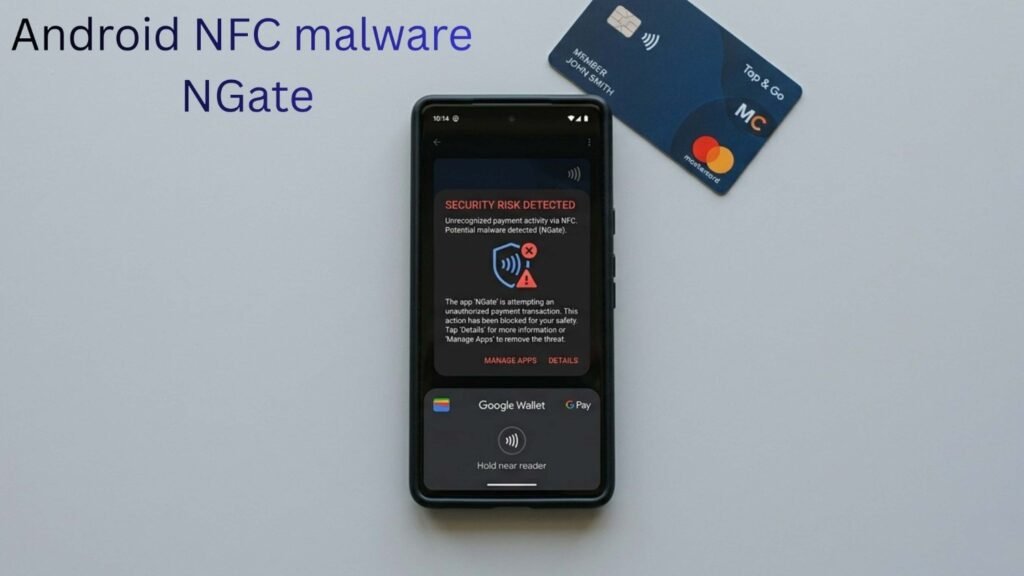
What is Android NFC malware NGate?
NGate is a family of Android malware that focuses on NFC payment data theft. Earlier versions were documented using a toolset designed to capture and relay NFC communications. Now, researchers say the newest variant shifts its technique by using a modified version of HandyPay as the NFC component.
Why does that matter? Because HandyPay is a real NFC tool. By piggybacking on a legitimate app’s behavior, the malware can look less suspicious to users—and potentially avoid some of the obvious permission red flags people have learned to watch for.
In other words, Android NFC malware NGate is evolving toward stealth and lower-cost operations, not just brute-force theft.
How the NGate HandyPay attack works (step-by-step)
This campaign relies on a classic pattern: trick the user into installing an app, then persuade them to grant the app a privileged role in Android’s payment workflow.
Here’s the typical infection chain described by researchers:
- User is lured via a fake promotion, “security” tool, or prize offer.
- The victim downloads a malicious APK—either from a fake store page or a link shared through messaging.
- After installation, the app pushes the user to set it as the default NFC payment app.
- The app requests the user’s card PIN (social engineering, not a normal need for most apps).
- The user is instructed to tap their payment card on the phone so the app can read data via NFC.
- The stolen information is exfiltrated to the attacker (researchers noted hardcoded delivery methods, including email endpoints in samples).
Once criminals have what they need, they can attempt to emulate the card digitally, create virtual payment tokens, and run fraudulent transactions.
The key detail: the theft depends heavily on the victim cooperating during setup. That’s why the lures are framed around protection, prizes, or urgency.
Why criminals switched to HandyPay (cost, stealth, and fewer permission warnings)
Researchers believe the move from older NFC-relay tooling to HandyPay-style abuse may come down to a blend of economics and evasion.
Some specialized NFC relaying tools marketed in criminal circles are expensive and can also be “noisy” on a device—meaning they may trigger alerts, strange behavior, or suspicious permission prompts. HandyPay, by contrast, is described as cheaper and more subtle because:
- it can operate without requesting a long list of scary permissions
- the main thing it needs is to be set as the default tap-to-pay app
- the flow looks like “normal setup” to non-technical users
That makes Android NFC malware NGate more dangerous, because it can hide behind legitimate-looking prompts and familiar tap-to-pay language.
Who is most at risk from Android NFC malware NGate?
Researchers tracking this campaign have tied the most active targeting to Brazil, with activity dating back to late 2025. That said, this kind of malware is rarely region-locked forever. If it proves profitable, it tends to spread.
You may be at higher risk if you:
- install APKs from outside Google Play
- click prize or promo links from social media and WhatsApp messages
- use tap-to-pay frequently and keep NFC enabled all the time
- are comfortable granting apps special access without checking settings
The biggest risk group is not “Android users” broadly. It’s users who sideload apps from untrusted sources and then follow setup prompts without skepticism.
Red flags: how to spot this attack before it steals anything
Watch for these warning signs:
- An app claiming it can “protect your card” but asking for your card PIN
- An unknown app asking to become the default NFC payment app
- Instructions telling you to tap your physical card “for verification”
- APK downloads coming from WhatsApp chats, fake store pages, or “won a prize” flows
- A newly installed app that immediately pushes you into payment setup screens
Legitimate payment apps do not behave like lottery winnings. If it feels like a hustle, it probably is.
How to protect yourself right now (fast checklist)
If you’re worried about Android NFC malware NGate, these steps reduce exposure quickly:
1) Disable NFC when you don’t need it
- Settings → Connected devices (or Connections) → NFC → Off
This alone can cut off the attack surface when you’re not actively using tap-to-pay.
2) Check your default tap-to-pay app
- Settings → Apps → Default apps → Tap & pay (wording varies)
Make sure it’s set to a trusted wallet (Google Wallet, your bank’s official app, or a known OEM wallet).
3) Don’t install APKs from links
If you installed anything recently from a message link or a “promo,” uninstall it and scan the device.
4) Run Google Play Protect
- Play Store → Play Protect → Scan
Play Protect is not perfect, but researchers note it can detect and block this NGate variant in current definitions.
5) Review recently installed apps and special access
- Settings → Apps → See all apps → sort by recent
- Also check “Special app access” for anything unusual
6) If you entered your card PIN into an app, treat it as compromised
Contact your bank/card provider, monitor transactions, and consider replacing the card. If you believe your phone is compromised, back up essential data and consider a factory reset.
Bottom line
Android NFC malware NGate is a serious reminder that tap-to-pay security is not just about encryption—it’s also about user behavior and social engineering. This campaign doesn’t need an exotic exploit chain. It needs you to install a trojan, set it as the default NFC payment app, and hand over a PIN and card tap.
If you want the simplest protection: avoid installing APKs from untrusted sources, keep NFC off unless you use it, and verify your default payment app today. The moment an app asks for your card PIN outside a trusted bank or wallet flow, assume you’re looking at fraud.
