

Introduction
Android Permission Auto Reset is a powerful privacy feature designed to protect users from unnecessary data access by unused apps. As smartphones accumulate apps over time, many remain installed but unused, often retaining sensitive permissions such as camera, location, microphone, and storage access.
This creates a hidden privacy risk, as dormant apps may still have the ability to access personal data. Android addresses this issue with Permission Auto Reset, a system that automatically revokes permissions from apps that haven’t been used for an extended period.
In this comprehensive guide, we will explore Android Permission Auto Reset in detail, including how it works, its benefits, limitations, and best practices for both users and developers.
What Is Android Permission Auto Reset?
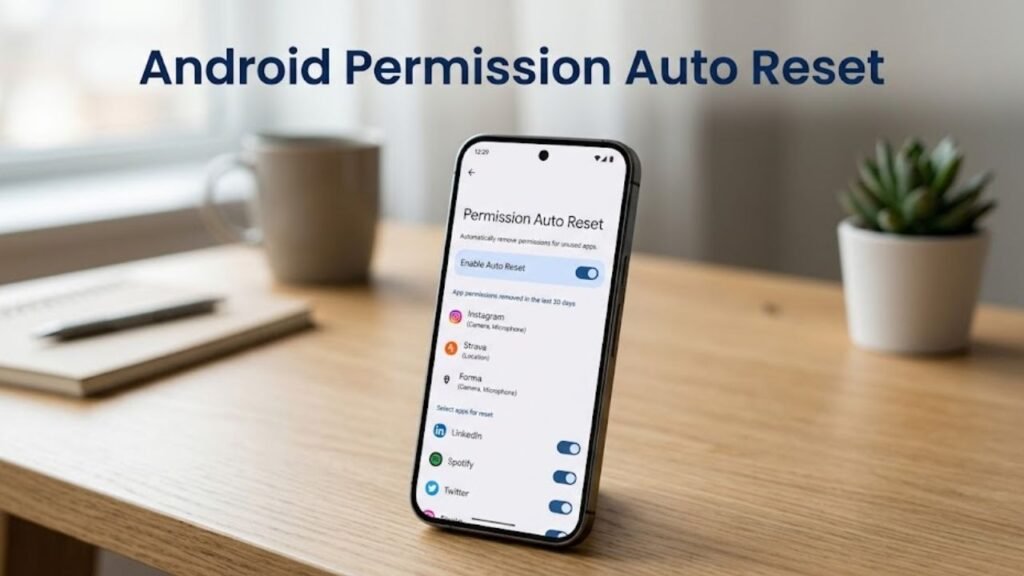
Android Permission Auto Reset is a feature that automatically removes granted permissions from apps that are not actively used.
When an app remains unused for a certain period, Android revokes its access to sensitive data and system resources.
Core Objectives
- Enhance user privacy
- Reduce unnecessary data access
- Protect against dormant app risks
- Maintain system security
This ensures that only actively used apps retain access to sensitive permissions.
Why Android Permission Auto Reset Matters
Understanding Android Permission Auto Reset highlights its importance in modern mobile security.
Key Benefits
- Prevents unauthorized data access
- Reduces privacy risks
- Improves user control
- Enhances overall device security
Unused apps often go unnoticed, making this feature critical for maintaining privacy.
How Android Permission Auto Reset Works
Android Permission Auto Reset operates automatically in the background.
Step-by-Step Process
- System tracks app usage over time
- Identifies apps that are not used
- Revokes sensitive permissions
- Notifies user about the reset
- Restores permissions when app is reopened
This ensures a balance between security and usability.
Types of Permissions Affected
Not all permissions are treated equally.
Sensitive Permissions Reset
- Camera
- Microphone
- Location
- Contacts
- Storage
Unaffected Permissions
- Basic system permissions
- Non-sensitive operations
This selective approach ensures minimal disruption.
Permission Auto Reset vs Manual Permission Control
This comparison clarifies Android Permission Auto Reset.
Comparison Table
| Feature | Permission Auto Reset | Manual Control |
|---|---|---|
| Operation | Automatic | User-driven |
| Convenience | High | Moderate |
| Security Level | High | Depends on user |
| Maintenance | Low | Requires effort |
| Coverage | System-wide | App-specific |
Auto Reset provides proactive protection without user intervention.
When Does Permission Auto Reset Trigger?
Android determines inactivity based on usage patterns.
Trigger Conditions
- App not opened for several months
- No active interaction
- Minimal background usage
Once triggered, permissions are revoked automatically.
How to Check Permission Auto Reset Status
Users can review which apps have been affected.
Steps
- Open Settings
- Go to Privacy
- Tap Permission Manager
- Check unused apps
How to Disable Permission Auto Reset for Specific Apps
Some apps may need continuous access.
Steps
- Open app settings
- Select the app
- Disable “Remove permissions if unused”
- Save changes
Impact on App Functionality
Android Permission Auto Reset may affect app behavior.
Possible Effects
- App may request permissions again
- Features may not work immediately
- Notifications may be delayed
User Experience
Permissions are restored once the app is used again.
Security Advantages of Permission Auto Reset
Android Permission Auto Reset significantly strengthens security.
Key Security Benefits
- Reduces attack surface
- Prevents data misuse
- Limits exposure of sensitive information
Dormant apps can no longer access critical data.
Common Issues and Solutions
While beneficial, users may encounter minor issues.
Common Problems
- Apps asking for permissions repeatedly
- Temporary feature disruptions
Solutions
- Regrant permissions when needed
- Disable auto reset for essential apps
Best Practices for Users
To maximize benefits from Android Permission Auto Reset, follow these tips.
1. Keep Feature Enabled
Ensure continuous privacy protection.
2. Review App Permissions Regularly
Monitor which apps have access.
3. Remove Unused Apps
Reduce clutter and risk.
4. Allow Trusted Apps
Disable auto reset for critical apps.
Best Practices for Developers
Developers must design apps with auto reset in mind.
Key Recommendations
- Handle permission requests gracefully
- Educate users about permission needs
- Avoid unnecessary permission requests
- Ensure app functionality without constant access
Advanced Features Related to Permission Auto Reset
Modern Android versions enhance this feature.
1. Integration with App Hibernation
Unused apps are both restricted and have permissions revoked.
2. Privacy Dashboard
Provides visibility into permission usage.
3. Granular Permission Controls
Users can allow limited access.
Use Cases of Permission Auto Reset
Understanding real-world scenarios helps explain Android Permission Auto Reset.
Examples
- Old apps no longer used
- Seasonal apps
- One-time utility apps
These apps benefit most from automatic permission revocation.
Actionable Checklist
Use this checklist to enhance privacy:
- Enable permission auto reset
- Review unused apps monthly
- Remove unnecessary apps
- Monitor permission usage
- Update system regularly
FAQs: Android Permission Auto Reset
What is Android Permission Auto Reset?
It is a feature that removes permissions from unused apps automatically.
Does it delete app data?
No, it only revokes permissions.
Can I disable it?
Yes, for individual apps.
Why do apps ask for permissions again?
Permissions are reset due to inactivity.
Is it safe to use?
Yes, it improves privacy and security.
Does it affect all apps?
Only apps that are unused for a long time.
Conclusion
Understanding Android Permission Auto Reset is essential for maintaining privacy in today’s app-heavy digital environment. By automatically revoking permissions from unused apps, Android ensures that sensitive data remains protected without requiring constant user intervention.
This feature represents a significant step forward in proactive privacy management, reducing risks associated with dormant applications. While it may occasionally require users to regrant permissions, its benefits in safeguarding personal information are substantial.
By keeping this feature enabled and following best practices, users can enjoy a more secure, efficient, and privacy-focused Android experience.
