

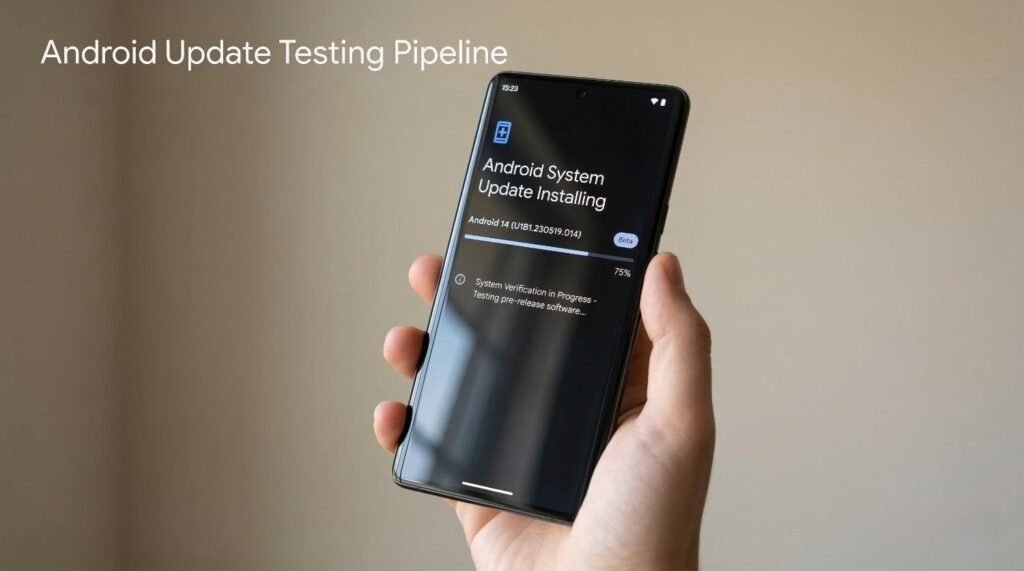
The Android update testing pipeline explains how a new Android version moves from early development to the final stable release installed on millions of Android smartphones. Android updates never appear instantly. Each update travels through a structured testing system designed to ensure stability, security, and compatibility.
Every year Google releases a new Android version. However, before that version reaches the public, it passes through multiple development and testing phases. These stages allow developers to test new features, identify system bugs, and optimize Android apps.
The Android update testing pipeline begins with internal engineering builds and developer previews. Later stages include beta testing, platform stability, manufacturer integration, and staged OTA rollout.
Modern Android smartphones from manufacturers like Samsung, OnePlus, Xiaomi, and Nothing follow this update pipeline before receiving official Android updates.
Understanding the Android update testing pipeline helps users see why Android updates require months of testing before reaching stable release.
Why Android Uses a Testing Pipeline
Complexity of the Android Ecosystem
This YouTube video below from edureka! explains the Android ecosystem and how different components connect together. It highlights the role of devices, apps, developers, and services. The video serves as a quick reference for understanding how the Android platform operates.

Android runs on thousands of smartphone models across multiple hardware platforms. Each device includes different processors, cameras, displays, and network components.
Because of this diversity, Android updates require extensive testing before release.
The Android update testing pipeline ensures that updates work correctly across many devices without introducing system failures.
Risk Reduction in Software Deployment
Operating system updates can affect critical device functions such as:
- system stability
- battery optimization
- wireless connectivity
- security systems
Testing reduces the risk of bugs that could affect millions of Android users.
Stage 1: Internal Development Builds
Early Engineering Development
The first phase of the Android update testing pipeline begins inside Google’s engineering teams.
Developers create internal development builds that include experimental Android features.
These builds are not released publicly.
Engineers use them to test:
- system architecture changes
- new APIs
- performance optimizations
These early builds form the foundation of each new Android version.
Internal Testing Environment
Google engineers test development builds on internal devices and emulators.
Testing tools such as Android Studio help engineers simulate different hardware environments.
Internal testing ensures the operating system functions correctly before public testing begins.
Stage 2: Developer Preview
Purpose of Developer Preview Releases
The developer preview represents the first public stage of the Android update testing pipeline.
Google releases early builds so developers can test their Android apps against upcoming system changes.
Developer preview versions often contain incomplete features and system bugs.
What Developers Test
Developers use preview builds to:
- test app compatibility
- evaluate new Android APIs
- identify performance issues
App developers must ensure their apps continue working with the upcoming Android version.
This step protects the Android app ecosystem.
Stage 3: Android Beta Program
Public Beta Testing
After developer previews, Android enters the public beta stage.
The beta program allows developers and enthusiasts to test upcoming Android versions.
The Android update testing pipeline expands significantly during this phase because thousands of users begin testing the software.
Devices in the Beta Program
Google’s Google Pixel devices typically receive beta versions first.
Pixel devices act as the primary testing platform for Android development.
Beta users help identify real-world issues that internal testing may miss.
Stage 4: Platform Stability
Finalizing Android APIs
Platform stability represents a critical milestone in the Android update testing pipeline.
At this stage:
- Android APIs stop changing
- system behavior becomes predictable
- developers finalize app updates
This stability allows app developers to prepare final versions of their apps.
Preparing the App Ecosystem
Developers update Android apps to ensure compatibility with the new Android version.
Apps published through the Google Play Store must function correctly with the updated operating system.
App compatibility testing prevents widespread crashes when the stable Android release launches.
Stage 5: Stable Android Release
Official Android Launch
After extensive testing, Google releases the final Android version.
This stage marks the completion of the Android update testing pipeline within Google’s development cycle.
However, the update still needs manufacturer integration before reaching most devices.
Pixel Devices Receive Updates First
Pixel smartphones receive Android updates immediately after the official release.
Google controls both the hardware and software for Pixel devices.
This allows Pixel phones to act as reference devices for the Android ecosystem.
Stage 6: OEM Firmware Integration
Manufacturer Customization
After Google releases the stable Android version, device manufacturers begin integrating the update into their firmware.
Manufacturers customize Android by adding proprietary user interfaces.
Examples include:
- One UI
- OxygenOS
- HyperOS
This stage can take several months.
Hardware Compatibility Testing
Manufacturers must ensure the update works with specific device hardware.
Testing includes:
- camera functionality
- modem compatibility
- battery optimization
- sensor integration
This stage extends the Android update testing pipeline for non-Pixel devices.
Stage 7: Carrier Certification Testing
Network Compatibility Validation
Carrier-branded devices require additional testing.
Mobile carriers verify that firmware updates function correctly on their networks.
Testing includes:
- VoLTE functionality
- 5G connectivity
- emergency services compatibility
Carrier certification often delays Android updates.
Stage 8: Staged OTA Rollout
Gradual Update Deployment
The final stage of the Android update testing pipeline involves staged OTA rollout.
Manufacturers release updates to a small percentage of devices first.
If no serious problems appear, the rollout gradually expands.
Benefits of Staged Updates
Staged deployment offers several advantages.
These include:
- early detection of bugs
- system performance monitoring
- reduced risk of widespread device issues
Staged rollout protects millions of Android users from unstable software.
Android Update Pipeline Timeline
Below is a simplified timeline showing how Android updates move through the testing pipeline.
| Stage | Timeline |
|---|---|
| Internal development | Early year |
| Developer preview | February–March |
| Beta program | April–July |
| Platform stability | July |
| Stable Android release | August–October |
| OEM integration | October onward |
| OTA rollout | After OEM testing |
The full Android update testing pipeline can take several months.
Impact on Android Security
Faster Security Improvements
The Android update pipeline ensures security features undergo extensive validation before deployment.
Updates often include:
- security patches
- privacy improvements
- encryption enhancements
These improvements strengthen Android’s security architecture.
Role of Google Play System Updates
Some security components now update independently through modular systems like Google Play system updates.
This system allows certain security patches to reach devices faster.
Common Android Update Delays
This YouTube video below from TECHtalk explains why Android updates often arrive late on many devices. It highlights factors like manufacturer customization, carrier testing, and hardware compatibility. The video serves as a quick reference for understanding Android update delays.

Several factors may delay Android updates.
Common reasons include:
- hardware compatibility testing
- manufacturer firmware development
- carrier certification requirements
Older devices may also receive updates later because manufacturers prioritize newer models.
FAQ
What is the Android update testing pipeline?
The Android update testing pipeline is the structured development process that moves Android updates from early development to stable release.
Why do Android updates take months to release?
Updates require extensive testing across different devices, manufacturers, and mobile networks.
Which devices receive Android updates first?
Pixel smartphones usually receive Android updates first because Google controls both the hardware and software.
What is platform stability in Android development?
Platform stability is the stage where Android APIs stop changing, allowing developers to finalize app updates.
What is staged OTA rollout?
Staged OTA rollout gradually distributes updates to small groups of users before expanding to larger audiences.
Final Thoughts
The Android update testing pipeline ensures that each Android version reaches users safely and reliably. By moving through developer previews, beta testing, platform stabilization, manufacturer integration, and staged rollout phases, Android updates maintain system stability across millions of devices.
This structured pipeline helps deliver secure, optimized, and reliable Android operating system updates to the global Android ecosystem.
