

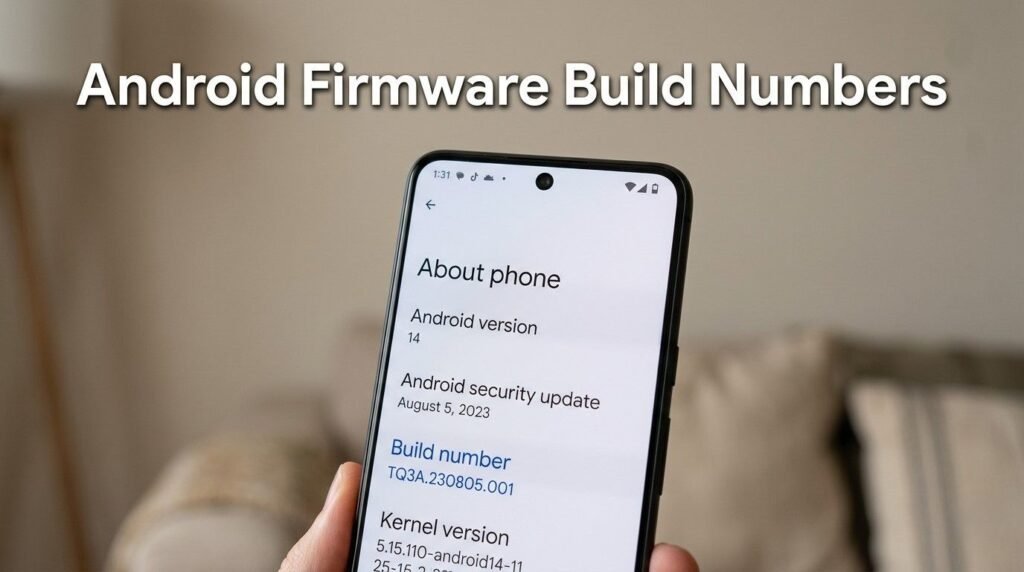
Android Firmware Build Numbers appear in every Android smartphone, yet most users never understand what they mean. These numbers identify the exact firmware version installed on a device.
Manufacturers use Android Firmware Build Numbers to track software development, updates, testing stages, and device compatibility.
Each build number contains hidden information about the Android OS version, security patch level, device model, and software release stage.
Understanding Android Firmware Build Numbers helps users verify updates, troubleshoot Android issues, and identify firmware versions used by manufacturers.
Anyone managing Android devices, installing firmware updates, or testing Android apps should know how to decode these numbers.
What Are Android Firmware Build Numbers?
This YouTube video below from How-To Authority explains how to find the Android version and build number on a device. It shows the simple steps inside system settings to locate this information. The video serves as a quick reference for checking Android system details.

Android Firmware Build Numbers are unique identifiers assigned to every Android software build released by Google or smartphone manufacturers.
These numbers help engineers track the exact version of firmware running on a device.
Every time developers compile the Android operating system, the system generates a new build identifier.
Key purposes of Android Firmware Build Numbers
- Identify firmware versions
- Track Android OS builds
- Verify update installations
- Debug Android system issues
- Maintain compatibility between apps and system software
Developers and support teams rely on Android Firmware Build Numbers when diagnosing device problems.
Where to Find Android Firmware Build Numbers
Users can easily check the build number inside the Android system settings.
Steps to locate the build number
- Open Android Settings
- Scroll to About Phone
- Tap Software Information
- Look for Build Number
Many devices also show the build number under Android Version information.
Why users should check build numbers
Checking Android Firmware Build Numbers helps confirm whether a device has received the latest update.
It also helps developers verify compatibility with specific Android builds.
Structure of Android Firmware Build Numbers
Most Android Firmware Build Numbers follow a structured pattern created by Google.
These identifiers contain several components.
| Section | Meaning | Example |
|---|---|---|
| Android Version Code | Identifies Android version | TQ3A |
| Build Date Code | Shows compilation date | 230805 |
| Device Identifier | Identifies device model | Pixel |
| Revision Number | Indicates update iteration | .001 |
Each section helps engineers identify the exact firmware version.
Example of Android Firmware Build Numbers
A typical Pixel firmware build may look like this:
TQ3A.230805.001
This example reveals several details.
| Segment | Explanation |
|---|---|
| TQ3A | Android version and branch |
| 230805 | Build compilation date |
| 001 | Revision number |
Manufacturers modify this structure slightly depending on their firmware development process.
Why Android Firmware Build Numbers Matter
Understanding Android Firmware Build Numbers helps users, developers, and technicians identify software changes.
Update Verification
Build numbers confirm whether a new update installed successfully.
Device Compatibility
Android apps often require specific firmware builds to work correctly.
Troubleshooting Android Issues
Support teams frequently ask users for their Android Firmware Build Numbers when diagnosing problems.
Security Tracking
Build numbers help verify whether a device includes the latest Android security patch updates.
Android Build Numbers vs Android Version Numbers
Many users confuse build numbers with Android version numbers.
These identifiers serve different purposes.
| Identifier | Purpose | Example |
|---|---|---|
| Android Version | Major OS release | Android 14 |
| Build Number | Specific firmware release | UP1A.231005.007 |
| Security Patch | Security update date | October 2024 |
A single Android version can have many firmware builds.
Manufacturers release new builds to fix bugs, improve performance, or add features.
Manufacturer-Specific Firmware Build Numbers
Different smartphone brands customize Android Firmware Build Numbers to match their development systems.
Samsung Firmware Build Numbers
Samsung firmware identifiers include device and region codes.
Example:
TP1A.220624.014.G991BXXU5EVH5
This build contains:
- Android base version
- device model
- region identifier
- firmware revision
Xiaomi Firmware Build Numbers
Xiaomi includes MIUI version identifiers inside firmware builds.
Example:
V14.0.5.0.TLDMIXM
This number includes:
- MIUI version
- Android base
- region code
- build revision
OnePlus Firmware Build Numbers
OnePlus firmware builds typically combine OxygenOS and Android identifiers.
Example:
CPH2451_13.1.0.580(EX01)
This identifier contains:
- device model
- OxygenOS version
- firmware revision
How Android Firmware Builds Are Created
Developers generate Android Firmware Build Numbers during the firmware compilation process.
The process usually follows several stages.
Development Stage
Engineers create experimental Android builds for internal testing.
Beta Testing
Manufacturers release beta builds to selected users.
These builds may contain bugs.
Stable Release
The final firmware build becomes the official update released through OTA updates.
Every stage produces a unique Android Firmware Build Number.
Android OTA Updates and Build Numbers
OTA updates often change the firmware build number.
For example:
| Before Update | After Update |
|---|---|
| UP1A.231005.005 | UP1A.231005.007 |
This change confirms that the system installed a new firmware version.
OTA updates may include:
- bug fixes
- performance optimization
- security improvements
- feature enhancements
Build Numbers and Android Security Updates
Google releases monthly Android security patches.
Manufacturers integrate these patches into new firmware builds.
Each security update creates a new Android Firmware Build Number.
This system helps security researchers track which devices contain specific patches.
How Developers Use Android Firmware Build Numbers
Android developers rely on build identifiers for testing apps.
App Compatibility Testing
Developers test apps on different firmware builds.
This ensures apps run correctly across Android devices.
Debugging Android Apps
When an app crashes, developers check the device’s firmware build.
The build number helps identify system-level issues.
Android Bug Reporting
Bug reports often include Android Firmware Build Numbers.
These identifiers help developers reproduce problems.
Tips for Understanding Firmware Build Numbers
Learning how to read Android Firmware Build Numbers becomes easier with practice.
Simple ways to analyze build numbers
- Look for the Android version code
- Check the build date
- Identify the device model code
- Compare firmware revisions
Understanding these details helps users verify firmware authenticity.
Common Problems Related to Build Numbers
Some Android issues relate directly to firmware builds.
Update not showing
Possible causes include:
- staged rollout
- region restrictions
- carrier approval delays
App compatibility issues
Certain Android apps require newer firmware builds.
Updating the device usually resolves the issue.
Performance problems
Older builds may contain bugs affecting:
- battery performance
- app stability
- system responsiveness
Installing the latest firmware often improves device performance.
Future of Android Firmware Build Systems
Android development continues evolving with modular updates.
Technologies like Project Mainline now update Android components independently.
This system allows Google to improve security and performance without requiring full firmware updates.
Even with modular updates, Android Firmware Build Numbers will remain essential for tracking device software.
Frequently Asked Questions
What are Android Firmware Build Numbers?
Android Firmware Build Numbers are unique identifiers that represent the exact firmware version installed on an Android device.
How do I check my Android build number?
Open Settings → About Phone → Software Information to view the build number.
Do build numbers change after updates?
Yes. Installing an OTA update usually changes the firmware build number.
Are build numbers the same as Android versions?
No. Android versions identify the OS release, while build numbers identify specific firmware builds.
Why do developers ask for build numbers?
Developers use Android Firmware Build Numbers to troubleshoot issues and test app compatibility.
Conclusion
Android Firmware Build Numbers play a crucial role in the Android ecosystem. These identifiers track software versions, confirm updates, assist developers, and help users troubleshoot device problems.
Understanding how build numbers work makes it easier to manage Android updates, verify firmware installations, and ensure devices run the latest software.
Mastering this knowledge unlocks a deeper understanding of Android smartphones and reveals how software updates shape the mobile experience.
