

Introduction
Android Device Admin APIs are a foundational component of Android’s enterprise and security framework, enabling apps to manage device-level policies and enforce administrative controls. As mobile devices increasingly handle sensitive business data, organizations require robust tools to secure and manage them effectively.
Android Device Admin APIs provide a structured way for apps—especially enterprise mobility management (EMM) solutions—to enforce security policies such as password requirements, remote locking, and data wiping. These APIs empower administrators to maintain control over devices while ensuring user data remains protected.
In this comprehensive guide, we will explore Android Device Admin APIs in detail, including how they work, their capabilities, use cases, limitations, and best practices.
What Are Android Device Admin APIs?
Android Device Admin APIs are a set of system-level interfaces that allow applications to perform administrative tasks on an Android device.
These APIs grant elevated privileges to authorized apps, enabling them to enforce security policies and manage device behavior.
Core Objectives
- Enforce device security policies
- Protect sensitive data
- Enable remote device management
- Support enterprise mobility solutions
This framework is essential for managing both corporate and personal devices securely.
Why Android Device Admin APIs Matter
Understanding Android Device Admin APIs highlights their importance in modern mobile security.
Key Benefits
- Strengthens device security
- Enables centralized management
- Protects corporate data
- Supports compliance requirements
Organizations rely on these APIs to maintain control over distributed devices.
How Android Device Admin APIs Work
Android Device Admin APIs operate through a permission-based system.
Step-by-Step Process
- App requests device admin privileges
- User grants administrative access
- App becomes a device administrator
- Policies are enforced by the system
- Admin can manage device settings
This ensures transparency and user consent.
Key Features of Device Admin APIs
To fully understand Android Device Admin APIs, explore their core capabilities.
1. Password Enforcement
Set rules for password complexity and expiration.
2. Remote Lock and Wipe
Lock or erase device data remotely.
3. Screen Lock Policies
Control lock screen behavior.
4. Data Encryption Enforcement
Ensure device storage is encrypted.
5. Failed Login Monitoring
Track unsuccessful login attempts.
Common Use Cases
Android Device Admin APIs are widely used in enterprise environments.
Examples
- Corporate device management
- BYOD (Bring Your Own Device) setups
- School and educational device control
- Security apps enforcing policies
Device Admin vs Device Owner vs Profile Owner
Understanding this comparison clarifies Android Device Admin APIs.
Comparison Table
| Feature | Device Admin | Device Owner | Profile Owner |
|---|---|---|---|
| Control Level | Moderate | Full | Work profile only |
| Use Case | Basic security | Enterprise control | Work profile |
| Permissions | Limited | Extensive | Scoped |
| Management Scope | Device-wide | Entire device | Partial |
Device Admin APIs are less powerful than newer management models.
Limitations of Device Admin APIs
While useful, Android Device Admin APIs have limitations.
Common Limitations
- Limited control compared to modern APIs
- Deprecated for some enterprise use cases
- Restricted functionality in newer Android versions
Google now recommends newer frameworks like Android Enterprise.
Security Implications
Android Device Admin APIs significantly impact device security.
Key Security Benefits
- Prevent unauthorized access
- Enable remote data protection
- Enforce strong authentication
Potential Risks
- Malicious apps abusing admin privileges
- Difficulty removing admin apps
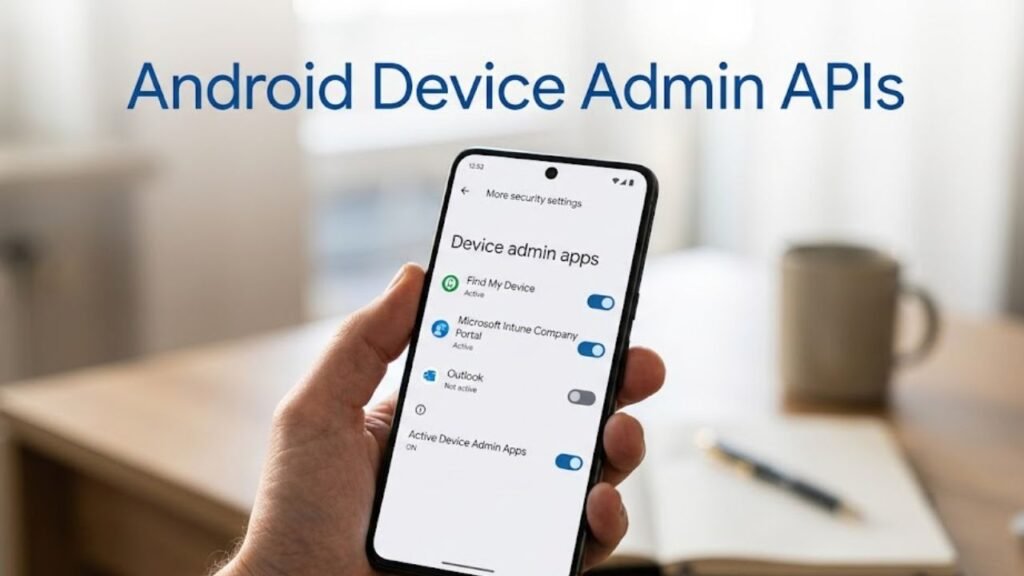
How to Enable Device Admin Apps
Users must grant permission explicitly.
Steps
- Open Settings
- Go to Security
- Tap Device Admin Apps
- Select the app
- Enable admin access
How to Disable Device Admin Apps
Removing admin access is important for security.
Steps
- Go to Device Admin Apps
- Select the app
- Disable admin privileges
- Uninstall the app if needed
Best Practices for Users
To maximize benefits from Android Device Admin APIs, follow these tips.
1. Grant Access Carefully
Only allow trusted apps.
2. Review Admin Apps Regularly
Check which apps have admin privileges.
3. Remove Unnecessary Admin Apps
Reduce security risks.
4. Keep Device Updated
Ensure latest security patches.
Best Practices for Developers
Developers must use Device Admin APIs responsibly.
Key Recommendations
- Request admin privileges only when necessary
- Clearly explain why permissions are needed
- Follow Android security guidelines
- Avoid misuse of administrative powers
Modern Alternatives to Device Admin APIs
Android has introduced newer frameworks.
1. Android Enterprise APIs
Provide advanced device management.
2. Work Profile APIs
Enable secure separation of work data.
3. Device Policy Controller (DPC)
Offers enhanced control and flexibility.
Impact on User Experience
Android Device Admin APIs can influence usability.
Positive Effects
- Enhanced security
- Controlled device environment
Challenges
- Restrictions on device usage
- Potential inconvenience
Common Issues and Troubleshooting
Users may face issues with admin apps.
Common Problems
- Unable to uninstall app
- Device restrictions not working
- Admin permissions stuck
Solutions
- Disable admin access first
- Restart device
- Update system software
Advanced Features of Device Admin APIs
Modern implementations include enhanced capabilities.
1. Policy Enforcement Automation
Automatically apply security rules.
2. Integration with EMM Solutions
Centralized device management.
3. Monitoring and Reporting
Track device compliance.
Actionable Checklist
Use this checklist to stay secure:
- Review device admin apps
- Remove unnecessary permissions
- Install trusted apps only
- Update system regularly
- Monitor device behavior
FAQs: Android Device Admin APIs
What are Android Device Admin APIs?
They are system interfaces that allow apps to enforce device-level security policies.
Are Device Admin APIs still used?
Yes, but newer frameworks are preferred.
Can I remove a device admin app?
Yes, after disabling admin privileges.
Are they safe?
Yes, if used by trusted apps.
What is the difference from Android Enterprise?
Enterprise APIs offer more advanced control.
Do all apps need admin access?
No, only security and management apps.
Conclusion
Understanding Android Device Admin APIs is essential for anyone interested in mobile security and device management. These APIs have played a significant role in enabling organizations and users to enforce security policies, protect data, and manage devices effectively.
While newer frameworks have expanded capabilities and flexibility, Device Admin APIs remain an important part of Android’s security ecosystem. They provide a solid foundation for enforcing basic device policies and ensuring compliance.
By using these APIs responsibly and following best practices, both users and developers can maintain a secure and efficient Android environment.
