

Introduction
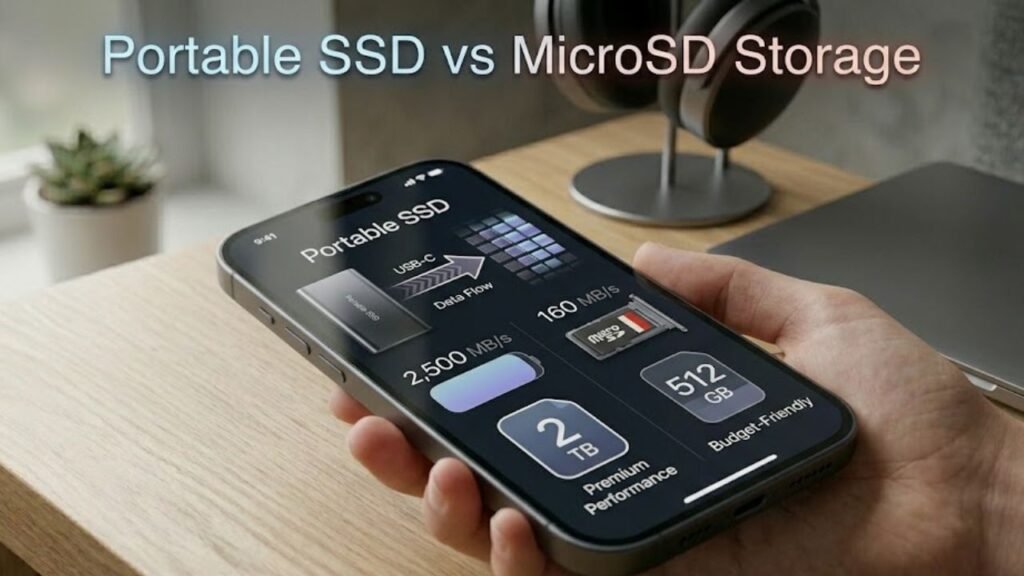
Portable SSD vs MicroSD Storage is a critical comparison for users looking to expand storage capacity while balancing speed, portability, and cost. As digital content grows—ranging from 4K videos to high-resolution photos and large applications—choosing the right storage solution becomes increasingly important.
While portable SSDs offer high-speed performance and durability, MicroSD cards provide unmatched portability and convenience. Each option serves a unique purpose, and understanding their differences is essential for making an informed decision. This comprehensive guide explores performance, reliability, use cases, and practical buying tips.
What Is a Portable SSD?
A portable SSD (Solid State Drive) is an external storage device that uses flash memory and connects via USB, typically USB-C.
Key Features of Portable SSDs
- High data transfer speeds
- Large storage capacities
- Durable and shock-resistant
- Plug-and-play functionality
How It Works
Portable SSDs use NAND flash memory to store data and advanced controllers to manage data transfer efficiently.
What Is MicroSD Storage?
MicroSD cards are small, removable flash storage devices commonly used in smartphones, cameras, and portable devices.
Key Features of MicroSD Cards
- Extremely compact size
- Affordable storage expansion
- Easy to insert and remove
- Widely compatible
How It Works
MicroSD cards store data using flash memory, similar to SSDs, but with simpler controllers and lower performance capabilities.
Portable SSD vs MicroSD Storage: Core Differences
Comparison Table
| Feature | Portable SSD | MicroSD Storage |
|---|---|---|
| Size | Small external device | Extremely compact card |
| Speed | Very high | Moderate to low |
| Capacity | Up to several TB | Up to 1TB+ (typical) |
| Durability | High | Moderate |
| Portability | High | Extremely high |
| Cost per GB | Higher | Lower |
| Use Case | Heavy workloads | Everyday storage |
Speed and Performance Comparison
Portable SSD Speed
- Speeds up to 1000–4000 MB/s
- Ideal for large file transfers
- Supports professional workflows
MicroSD Speed
- Speeds typically 10–300 MB/s
- Depends on class (UHS-I, UHS-II)
Key Insight
Portable SSDs significantly outperform MicroSD cards in speed and efficiency.
Capacity and Storage Limits
Portable SSD
- Available in 500GB, 1TB, 2TB, and higher
- Suitable for large datasets
MicroSD Cards
- Common capacities: 32GB to 1TB
- Ideal for lightweight storage needs
Durability and Reliability
Portable SSD Durability
- Shock-resistant design
- Better protection against physical damage
- Longer lifespan
MicroSD Durability
- More vulnerable to physical damage
- Limited write cycles
Portability and Convenience
Portable SSD
- Requires cable connection
- Slightly bulkier
MicroSD Storage
- Fits inside devices
- No external accessories needed
Practical Advantage
MicroSD cards are more convenient for on-the-go usage.
Use Cases: Portable SSD vs MicroSD Storage
Portable SSD Use Cases
- Video editing
- Backup storage
- Gaming libraries
- Professional workflows
MicroSD Use Cases
- Smartphone storage expansion
- Camera storage
- Dashcams and drones
Cost Comparison
Portable SSD
- Higher cost per GB
- Premium performance
MicroSD Cards
- Affordable
- Budget-friendly
Advantages of Portable SSD
1. High-Speed Performance
Ideal for large files and demanding tasks.
2. Large Storage Capacity
Suitable for professional use.
3. Better Durability
Resistant to shocks and drops.
4. Reliable Data Handling
Advanced controllers ensure stability.
Advantages of MicroSD Storage
1. Extreme Portability
Fits inside devices.
2. Affordable Storage
Lower cost per GB.
3. Easy Expansion
Simple plug-and-use functionality.
4. Wide Compatibility
Works with multiple devices.
Limitations of Portable SSD
Higher Cost
More expensive than MicroSD cards.
Requires External Connection
Needs cables and ports.
Limitations of MicroSD Storage
Lower Speed
Not suitable for high-performance tasks.
Limited Durability
More prone to wear and damage.
Performance Classes in MicroSD Cards
Speed Classes
- Class 10
- UHS-I / UHS-II
- V30, V60, V90
What They Mean
Higher class ratings indicate better performance.
Data Security and Backup
Portable SSD
- Better encryption options
- Suitable for sensitive data
MicroSD
- Limited security features
- Easier to lose due to size
Which One Should You Choose?
Choose Portable SSD If You Need:
- High-speed data transfer
- Large file handling
- Professional-grade storage
Choose MicroSD Storage If You Need:
- Compact and portable storage
- Budget-friendly option
- Device expansion
Practical Tips for Choosing Storage
1. Assess Your Needs
Determine whether speed or portability is more important.
2. Check Compatibility
Ensure your device supports the storage type.
3. Consider Future Use
Invest in higher capacity if needed.
4. Prioritize Reliability
Choose trusted brands.
5. Balance Cost and Performance
Avoid overpaying for unnecessary features.
Future Trends in Storage Technology
Faster MicroSD Standards
Improved speeds for future applications.
Portable SSD Advancements
Higher speeds and smaller designs.
Cloud Integration
Hybrid storage solutions combining local and cloud storage.
Common Myths About Portable SSD vs MicroSD Storage
Myth 1: MicroSD Is Always Slower
Reality: High-end cards can be relatively fast.
Myth 2: Portable SSDs Are Not Portable
Reality: They are compact and travel-friendly.
Myth 3: Both Serve the Same Purpose
Reality: They are designed for different use cases.
FAQs
1. Which is faster: Portable SSD or MicroSD?
Portable SSDs are significantly faster.
2. Which is better for smartphones?
MicroSD cards are more suitable.
3. Can I use a portable SSD with a phone?
Yes, if the phone supports USB OTG.
4. Are MicroSD cards reliable?
Yes, but less durable than SSDs.
5. Which is better for video editing?
Portable SSDs are ideal for high-performance tasks.
Conclusion
Portable SSD vs MicroSD Storage highlights the importance of choosing the right storage solution based on your specific needs. Portable SSDs excel in speed, durability, and capacity, making them ideal for professional and high-performance tasks. MicroSD cards, on the other hand, offer unmatched portability and affordability for everyday use.
Rather than competing directly, these storage options complement each other. Understanding their strengths and limitations allows users to optimize storage strategies for efficiency, convenience, and performance.
As storage technology continues to evolve, both portable SSDs and MicroSD cards will play essential roles in meeting the growing demands of modern digital lifestyles.
