

Android Kernel Versions Affect Updates in ways many smartphone users never notice. Every Android device runs on top of the Linux kernel, which acts as the core communication layer between hardware and the Android operating system.
When Google releases new Android versions, compatibility with the device’s kernel becomes a major factor. If the kernel is outdated or incompatible, the device may struggle to support newer Android features.
Understanding how Android Kernel Versions Affect Updates helps explain why some smartphones receive major Android OS upgrades while others stop receiving updates earlier than expected.
Kernel versions influence system stability, hardware drivers, security patches, and overall device performance. They also determine whether smartphone manufacturers can integrate new Android framework changes.
This guide explores how Android Kernel Versions Affect Updates, how manufacturers manage kernel compatibility, and why kernel architecture plays a critical role in the Android update ecosystem.
What Is the Android Kernel?
This YouTube video below from Rueben McBurrows explains what an Android kernel is and how to flash one. It highlights how the kernel manages communication between hardware and the operating system. The video serves as a quick reference for understanding Android system modification.
Before exploring how Android Kernel Versions Affect Updates, it is important to understand what the kernel does.
The Android kernel is the core system component responsible for communication between the operating system and device hardware.
Core responsibilities of the Android kernel
- hardware communication
- memory management
- process scheduling
- device driver support
- security enforcement
Android builds on the Linux kernel, customized by Google and smartphone manufacturers to support mobile hardware.
Because the kernel controls hardware interaction, its version directly affects Android OS compatibility.
Why Kernel Versions Matter for Android Updates
Android updates introduce new system features and APIs. These changes often require kernel-level support.
This is one of the main reasons Android Kernel Versions Affect Updates.
Reasons kernel versions influence updates
- hardware driver compatibility
- support for new Android features
- system security requirements
- device performance improvements
If the kernel cannot support new Android framework features, the device may not receive the update.
Android Kernel Version Structure
Kernel versions follow a standard Linux numbering format.
Example kernel version
Linux 5.10.43
Each number represents a specific part of the kernel release.
| Component | Meaning |
|---|---|
| Major Version | Major kernel architecture release |
| Minor Version | Feature updates |
| Patch Level | Bug fixes and improvements |
Smartphone manufacturers modify these kernels to support their hardware platforms.
Kernel Version and Android Version Relationship
Each Android release typically works best with specific kernel versions.
Understanding this relationship explains how Android Kernel Versions Affect Updates.
Typical Android and kernel compatibility
| Android Version | Common Kernel Version |
|---|---|
| Android 10 | Linux 4.14 |
| Android 11 | Linux 4.19 |
| Android 12 | Linux 5.4 |
| Android 13 | Linux 5.10 |
| Android 14 | Linux 5.15 |
Devices using much older kernels may struggle to run newer Android versions.
Kernel Drivers and Hardware Support
Hardware drivers rely on kernel integration.
Drivers allow Android to communicate with components such as cameras, processors, and sensors.
Hardware components controlled by the kernel
- CPU and GPU
- camera modules
- fingerprint sensors
- wireless radios
- display controllers
If these drivers are incompatible with newer kernels, manufacturers may struggle to deliver updates.
This is another key reason Android Kernel Versions Affect Updates.
Role of Chipset Manufacturers
Chipset vendors such as Qualcomm, MediaTek, and Samsung provide kernel drivers for their processors.
These drivers must support new Android versions before updates become possible.
Chipset responsibilities
- kernel driver updates
- hardware compatibility patches
- performance optimization
Without updated drivers, manufacturers cannot easily upgrade devices.
This dependency strongly explains how Android Kernel Versions Affect Updates.
Android Kernel Updates and Security
Kernel updates play a major role in Android security.
Security patches frequently target vulnerabilities inside the kernel.
Security improvements delivered through kernel updates
- memory protection enhancements
- vulnerability patches
- improved process isolation
- stronger encryption support
Because of these updates, Android Kernel Versions Affect Updates related to security patches.
Devices running older kernels may struggle to receive new security improvements.
Project Treble and Kernel Compatibility
Google introduced Project Treble to simplify Android updates.
Treble separates the Android framework from vendor hardware drivers.
This architectural change reduces how strongly Android Kernel Versions Affect Updates.
Benefits of Project Treble
- easier Android upgrades
- improved hardware abstraction
- faster firmware development
Although Treble improves compatibility, kernel limitations can still affect updates.
Generic Kernel Image (GKI)
This YouTube video below from Technical Hafiz explains the difference between GKI and Non-GKI Android kernels. It highlights how Google Kernel Image improves compatibility and system updates. The video serves as a quick reference for custom ROM users and developers.
Google later introduced Generic Kernel Image (GKI) to further improve update compatibility.
GKI standardizes the Android kernel across devices.
Advantages of GKI
- consistent kernel architecture
- easier Android upgrades
- improved security updates
GKI helps reduce fragmentation in the Android ecosystem.
However, Android Kernel Versions Affect Updates even with GKI because hardware drivers must remain compatible.
Impact on Device Performance
Kernel improvements often bring performance upgrades.
Performance improvements from kernel updates
- improved CPU scheduling
- better memory management
- enhanced battery optimization
- faster system responsiveness
These improvements show how Android Kernel Versions Affect Updates related to device performance.
Why Older Devices Stop Receiving Updates
Kernel limitations often explain why older smartphones stop receiving Android updates.
Common reasons
- outdated chipset drivers
- unsupported kernel architecture
- limited hardware compatibility
- manufacturer support policies
When manufacturers cannot update the kernel, they may discontinue Android OS upgrades.
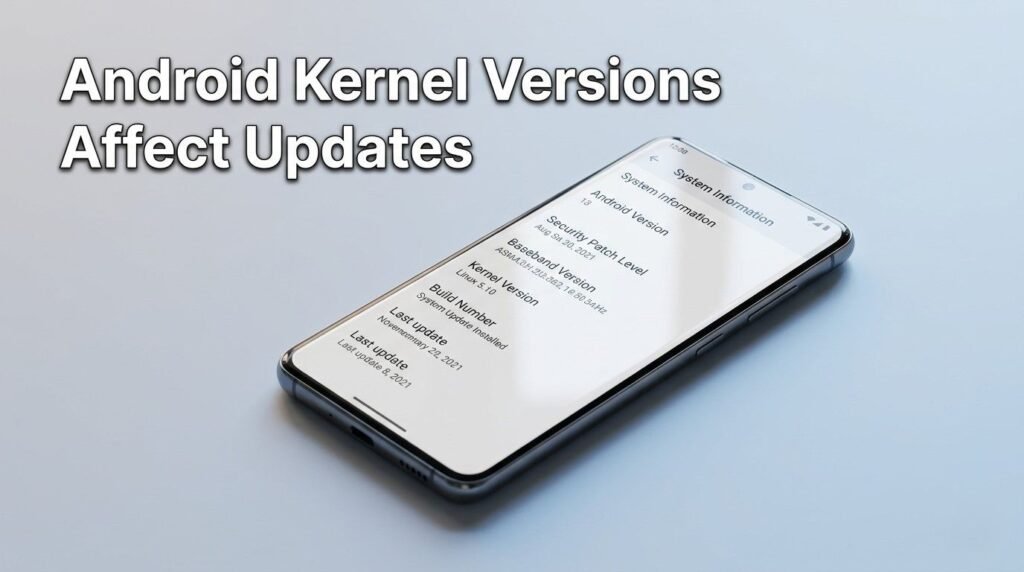
How Users Can Check Kernel Versions
Android users can easily check their device kernel version.
Steps to check kernel version
- Open Android Settings
- Scroll to About Phone
- Tap Software Information
- Locate Kernel Version
Knowing the kernel version helps users understand how Android Kernel Versions Affect Updates for their device.
Troubleshooting Kernel-Related Issues
Sometimes Android problems originate from kernel incompatibilities.
Possible symptoms
- device overheating
- battery drain
- app crashes
- network instability
Troubleshooting tips
- install the latest Android update
- update apps from the Google Play Store
- restart the device
- reset system settings if necessary
These steps may resolve issues caused by kernel-related software conflicts.
Future of Android Kernel Development
Android kernel development continues evolving to support modern mobile technology.
Future improvements may include:
- extended kernel support timelines
- improved hardware abstraction
- better security frameworks
- faster Android OS updates
These advancements will reduce how strongly Android Kernel Versions Affect Updates across devices.
Frequently Asked Questions
What is the Android kernel?
The Android kernel is the core system layer that manages hardware communication and system resources.
Why do kernel versions affect Android updates?
Kernel versions determine hardware compatibility and support for new Android features.
Can Android devices update their kernel?
Manufacturers sometimes update kernels during major Android OS upgrades.
Do kernel updates improve device performance?
Yes. Kernel improvements can enhance system stability, battery optimization, and performance.
How can I check my Android kernel version?
You can view the kernel version in Settings → About Phone → Software Information.
Conclusion
Understanding how Android Kernel Versions Affect Updates reveals the complex engineering behind Android smartphones. The kernel acts as the foundation connecting Android software with device hardware.
When kernel compatibility aligns with Android framework changes, devices can receive new features, security improvements, and performance upgrades.
However, outdated kernels can limit upgrade possibilities, which explains why some smartphones stop receiving Android updates earlier than others.
As Google continues improving Android architecture with technologies like Project Treble and Generic Kernel Image, future Android devices will experience faster updates and longer software support lifecycles.
