

Introduction
USB Power Delivery Voltage Profiles define how modern devices receive power efficiently, safely, and at high speeds through USB-C connections. As fast charging becomes the standard, understanding these voltage profiles is critical for selecting compatible chargers, cables, and devices.
USB Power Delivery (USB PD) is not just about faster charging—it is about intelligent power negotiation between devices. This guide explores how voltage profiles work, their technical structure, and how they impact real-world charging performance.
What Is USB Power Delivery (USB PD)?
USB Power Delivery is a universal charging standard that enables higher power transfer over USB connections. Unlike traditional USB charging, which is limited to lower wattage, USB PD allows dynamic voltage and current adjustments.
Key Features of USB Power Delivery
- Supports higher power output (up to 240W in newer versions)
- Uses USB-C connectors for efficient energy transfer
- Enables bidirectional power (devices can both send and receive power)
- Dynamically adjusts voltage and current
Why Voltage Profiles Matter
Voltage profiles determine how much voltage is delivered to a device during charging. They directly affect charging speed, efficiency, and safety.
Understanding USB Power Delivery Voltage Profiles
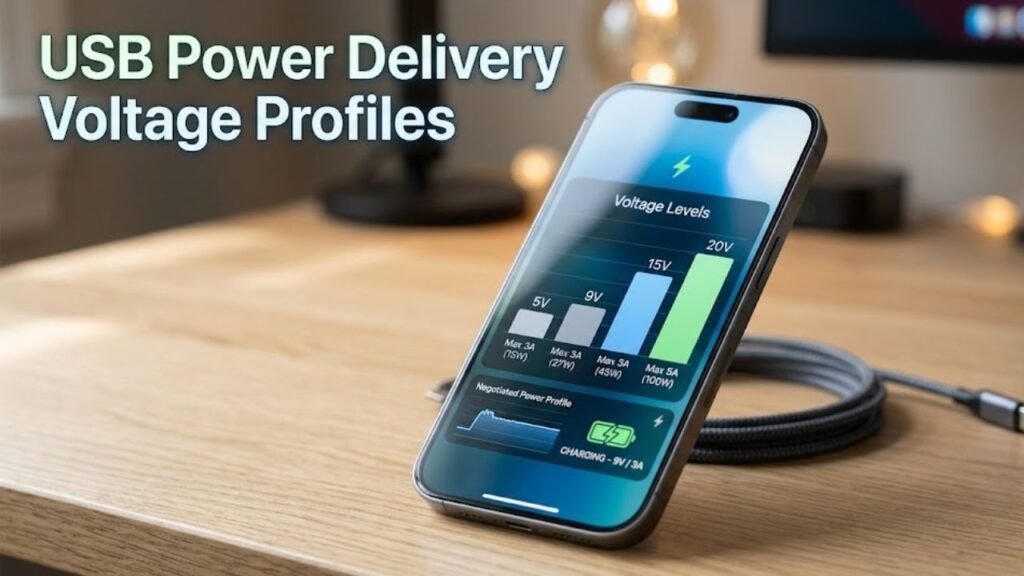
USB Power Delivery Voltage Profiles are predefined voltage levels that a charger can supply to a device. These profiles are negotiated between the charger (source) and the device (sink).
Standard Fixed Voltage Profiles
USB PD defines several fixed voltage levels:
- 5V
- 9V
- 15V
- 20V
- 28V (PD 3.1)
- 36V (PD 3.1)
- 48V (PD 3.1)
Each voltage level corresponds to specific power requirements.
USB PD Voltage Profiles Table
| Voltage | Typical Current | Maximum Power | Common Use Cases |
|---|---|---|---|
| 5V | Up to 3A | 15W | Smartphones, accessories |
| 9V | Up to 3A | 27W | Fast charging phones |
| 15V | Up to 3A | 45W | Tablets, ultrabooks |
| 20V | Up to 5A | 100W | Laptops |
| 28V | Up to 5A | 140W | High-end laptops |
| 36V | Up to 5A | 180W | Workstations |
| 48V | Up to 5A | 240W | Gaming laptops, monitors |
How USB Power Delivery Negotiation Works
USB Power Delivery Voltage Profiles rely on a communication protocol between the charger and the device.
Step-by-Step Process
- Device connects to charger via USB-C
- Charger advertises supported voltage profiles
- Device requests a suitable voltage level
- Charger adjusts output accordingly
Role of the USB-C Cable
Not all cables support all voltage profiles. High-power charging requires:
- Electronically marked (e-marker) cables
- 5A current support for higher wattage
Programmable Power Supply (PPS) Explained
PPS is an advanced feature within USB PD that allows dynamic voltage adjustment rather than fixed steps.
What Makes PPS Different
- Fine-grained voltage control (e.g., 3.3V to 21V)
- Improves charging efficiency
- Reduces heat generation
Benefits of PPS
- Better battery health
- Faster real-world charging
- Optimized energy delivery
Fixed vs Programmable Voltage Profiles
Fixed Voltage Profiles
- Predefined voltage steps
- Simple and widely supported
- Less efficient in some cases
Programmable Voltage Profiles (PPS)
- Dynamic voltage adjustment
- Higher efficiency
- More complex implementation
USB PD Versions and Voltage Evolution
USB PD 2.0 and 3.0
- Introduced fixed voltage profiles
- Maximum power up to 100W
USB PD 3.1
- Introduced Extended Power Range (EPR)
- Supports up to 240W
- Added higher voltage levels (28V, 36V, 48V)
Real-World Applications of USB Power Delivery Voltage Profiles
Smartphones
Most smartphones use:
- 5V for normal charging
- 9V for fast charging
- PPS for optimized performance
Laptops
Laptops typically require:
- 15V or 20V profiles
- High current (up to 5A)
Gaming Devices and Monitors
Modern high-power devices use:
- 28V to 48V profiles
- Up to 240W power delivery
Advantages of USB Power Delivery Voltage Profiles
1. Faster Charging Speeds
Dynamic voltage increases power delivery, reducing charging time.
2. Universal Compatibility
USB PD works across multiple devices and brands.
3. Improved Safety
Built-in negotiation prevents overvoltage and overheating.
4. Energy Efficiency
Optimized voltage reduces energy loss.
Limitations and Challenges
Compatibility Issues
Not all devices support all USB Power Delivery Voltage Profiles.
Cable Limitations
Using a low-quality cable can restrict voltage levels.
Cost Factors
High-power chargers and cables are more expensive.
How to Choose the Right Charger
1. Check Device Requirements
Always verify supported voltage profiles.
2. Look for PD Certification
Certified chargers ensure safe and reliable performance.
3. Consider PPS Support
For smartphones, PPS improves charging efficiency.
4. Match Cable Specifications
Ensure the cable supports required current and voltage.
Practical Tips for Optimizing USB PD Charging
- Use original or certified chargers
- Avoid cheap, uncertified cables
- Keep devices cool during charging
- Update device firmware for better compatibility
- Choose chargers with multiple voltage profiles
Common Myths About USB Power Delivery Voltage Profiles
Myth 1: Higher Voltage Damages Devices
Reality: Devices only draw what they need.
Myth 2: All USB-C Chargers Are the Same
Reality: Only USB PD chargers support advanced voltage profiles.
Myth 3: Faster Charging Always Means More Heat
Reality: Efficient voltage management reduces heat.
FAQs
1. What are USB Power Delivery Voltage Profiles?
They are predefined voltage levels used in USB PD to deliver power efficiently to devices.
2. What is the maximum voltage in USB PD?
USB PD 3.1 supports up to 48V.
3. Is PPS better than fixed voltage profiles?
Yes, PPS offers better efficiency and reduced heat.
4. Can I use any USB-C cable for fast charging?
No, high-power charging requires compatible cables with proper ratings.
5. Do all devices support USB PD?
No, only devices designed with USB PD compatibility can use these profiles.
Conclusion
USB Power Delivery Voltage Profiles are the foundation of modern fast charging technology. They enable devices to receive the right amount of power efficiently while maintaining safety and performance.
From fixed voltage levels to advanced PPS technology, USB PD continues to evolve, supporting higher power demands and broader compatibility. Understanding these profiles allows you to make informed decisions when choosing chargers, cables, and devices.
As technology advances, USB Power Delivery Voltage Profiles will play an even more critical role in powering everything from smartphones to high-performance laptops—making them essential knowledge for both consumers and professionals.
