

Introduction
Thermal Pads vs Cooling Fans is a critical comparison for anyone looking to optimize thermal management in electronics, whether in smartphones, laptops, gaming systems, or custom PC builds. As devices become more powerful, efficient heat dissipation is essential to maintain performance and prevent long-term damage.
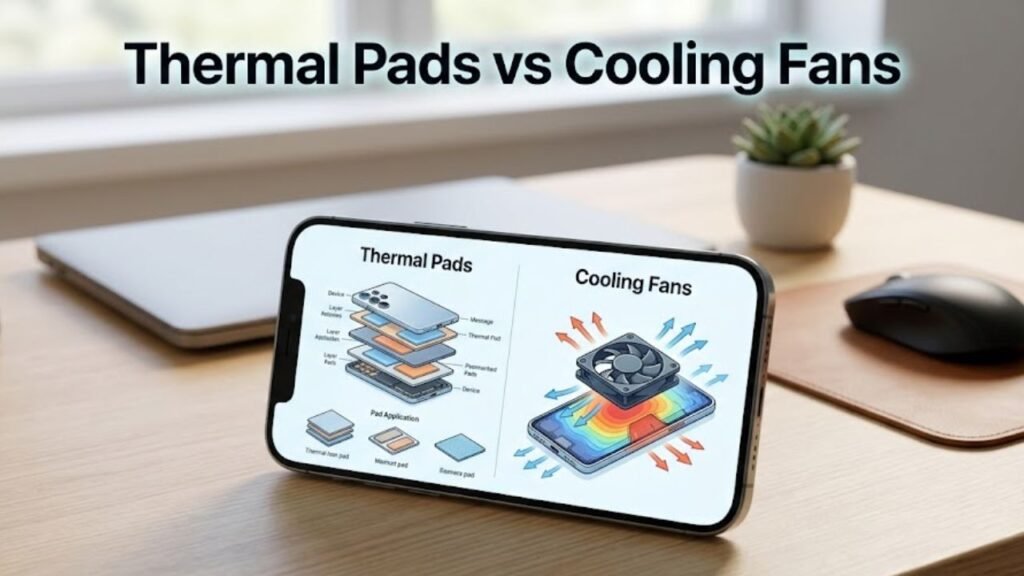
While both thermal pads and cooling fans are widely used cooling solutions, they operate in fundamentally different ways. Thermal pads focus on passive heat transfer, whereas cooling fans actively remove heat through airflow. Understanding their differences, advantages, and ideal use cases is key to choosing the right solution for your needs.
What Are Thermal Pads?
Thermal pads are soft, heat-conductive materials placed between components and heat sinks to improve heat transfer.
Key Characteristics of Thermal Pads
- Made from silicone or graphite-based materials
- Flexible and compressible
- Electrically insulating
- Easy to install
How Thermal Pads Work
Thermal pads fill microscopic gaps between surfaces, ensuring efficient heat conduction from components like CPUs, GPUs, or VRMs to heat spreaders.
What Are Cooling Fans?
Cooling fans are active cooling devices that use airflow to dissipate heat away from components.
Key Characteristics of Cooling Fans
- Use rotating blades to move air
- Require power to operate
- Available in various sizes and speeds
- Often used with heat sinks
How Cooling Fans Work
Fans pull cool air into the system and push hot air out, reducing internal temperatures and maintaining airflow circulation.
Thermal Pads vs Cooling Fans: Core Differences
Understanding Thermal Pads vs Cooling Fans begins with their fundamental differences.
Comparison Table
| Feature | Thermal Pads | Cooling Fans |
|---|---|---|
| Cooling Type | Passive | Active |
| Power Requirement | None | Requires power |
| Noise Level | Silent | Can produce noise |
| Installation | Simple | Moderate |
| Cooling Efficiency | Moderate | High |
| Maintenance | Minimal | Regular cleaning required |
| Cost | Low | Medium to High |
Passive vs Active Cooling Explained
Passive Cooling (Thermal Pads)
- Relies on heat conduction
- No moving parts
- Silent operation
Active Cooling (Cooling Fans)
- Uses airflow to remove heat
- Requires energy
- Provides stronger cooling performance
Performance and Cooling Efficiency
Thermal Pads Performance
Thermal pads improve heat transfer but do not actively remove heat. Their effectiveness depends on:
- Material quality
- Thickness
- Thermal conductivity rating
Cooling Fans Performance
Cooling fans actively reduce temperature by:
- Increasing airflow
- Enhancing heat dissipation
- Preventing heat buildup
Key Insight
For high-performance systems, cooling fans are significantly more effective.
Noise and User Experience
Thermal Pads
- Completely silent
- Ideal for noise-sensitive environments
Cooling Fans
- Produce noise depending on speed and quality
- Advanced fans offer low-noise operation
Installation and Maintenance
Thermal Pads Installation
- Easy to apply
- No tools required in most cases
- Minimal maintenance
Cooling Fans Installation
- Requires mounting and wiring
- Needs periodic cleaning to remove dust
Use Cases for Thermal Pads
1. Compact Devices
Used in smartphones, tablets, and ultrabooks where space is limited.
2. VRMs and Memory Modules
Ideal for components requiring consistent heat transfer.
3. Silent Systems
Perfect for noise-free environments.
Use Cases for Cooling Fans
1. Gaming PCs
High-performance systems require active cooling.
2. Laptops and Consoles
Fans prevent overheating during heavy workloads.
3. Servers and Workstations
Continuous operation demands efficient airflow.
Advantages of Thermal Pads
1. Silent Operation
No moving parts ensure zero noise.
2. Low Cost
Affordable and widely available.
3. Easy Installation
Simple to apply and replace.
4. Reliable Performance
No mechanical failure risk.
Advantages of Cooling Fans
1. High Cooling Efficiency
Actively removes heat from the system.
2. Suitable for High Loads
Handles intensive workloads effectively.
3. Improved Airflow
Maintains consistent internal temperature.
4. Scalable Cooling
Multiple fans can be used for better performance.
Limitations of Thermal Pads
Limited Cooling Capacity
Cannot handle high heat loads alone.
Material Degradation
May lose effectiveness over time.
Limitations of Cooling Fans
Noise Generation
Can be distracting in quiet environments.
Maintenance Requirements
Dust accumulation reduces efficiency.
Power Consumption
Requires additional energy.
Thermal Pads vs Cooling Fans: Which Should You Choose?
Choose Thermal Pads If You Need:
- Silent operation
- Compact design
- Basic heat transfer
Choose Cooling Fans If You Need:
- High-performance cooling
- Active heat removal
- Better temperature control
Combining Thermal Pads and Cooling Fans
In many systems, both solutions are used together for optimal performance.
How They Work Together
- Thermal pads transfer heat to heat sinks
- Cooling fans dissipate that heat through airflow
Best Practice
Combining both ensures efficient and balanced thermal management.
Factors to Consider Before Choosing
1. Device Type
Compact devices benefit from thermal pads, while larger systems need fans.
2. Heat Output
High-performance components require active cooling.
3. Noise Preference
Silent setups favor thermal pads.
4. Budget
Thermal pads are more affordable.
Practical Tips for Better Cooling
1. Use High-Quality Thermal Pads
Better conductivity improves performance.
2. Optimize Airflow
Ensure proper fan placement.
3. Clean Fans Regularly
Dust reduces cooling efficiency.
4. Monitor Temperature
Use software tools to track performance.
5. Combine Cooling Methods
Use both pads and fans for best results.
Future Trends in Cooling Technology
Advanced Materials
Graphene-based thermal pads offer improved conductivity.
Smart Cooling Systems
AI-driven fan control optimizes performance.
Miniaturized Cooling Solutions
Better cooling for compact devices.
Common Myths About Thermal Pads vs Cooling Fans
Myth 1: Thermal Pads Are Enough for All Devices
Reality: High-performance systems need active cooling.
Myth 2: Fans Always Make Noise
Reality: Modern fans can operate quietly.
Myth 3: More Fans Always Mean Better Cooling
Reality: Proper airflow design matters more.
FAQs
1. What is the main difference between thermal pads and cooling fans?
Thermal pads transfer heat passively, while fans actively remove heat.
2. Are thermal pads better than thermal paste?
They are easier to use but generally less efficient.
3. Do cooling fans consume a lot of power?
No, but they do require a power source.
4. Can I use both together?
Yes, combining them provides optimal cooling.
5. Which is better for gaming systems?
Cooling fans are essential for high-performance gaming setups.
Conclusion
Thermal Pads vs Cooling Fans is not a matter of choosing one over the other, but understanding their roles in effective thermal management. Thermal pads excel in passive heat transfer, offering silent and reliable performance in compact environments. Cooling fans, on the other hand, provide powerful active cooling for high-performance systems.
For most applications, the best solution lies in combining both technologies. Thermal pads ensure efficient heat transfer, while cooling fans actively dissipate that heat, maintaining optimal temperatures.
By understanding these differences and applying practical strategies, users can achieve better performance, improved durability, and enhanced reliability across a wide range of electronic devices.
