

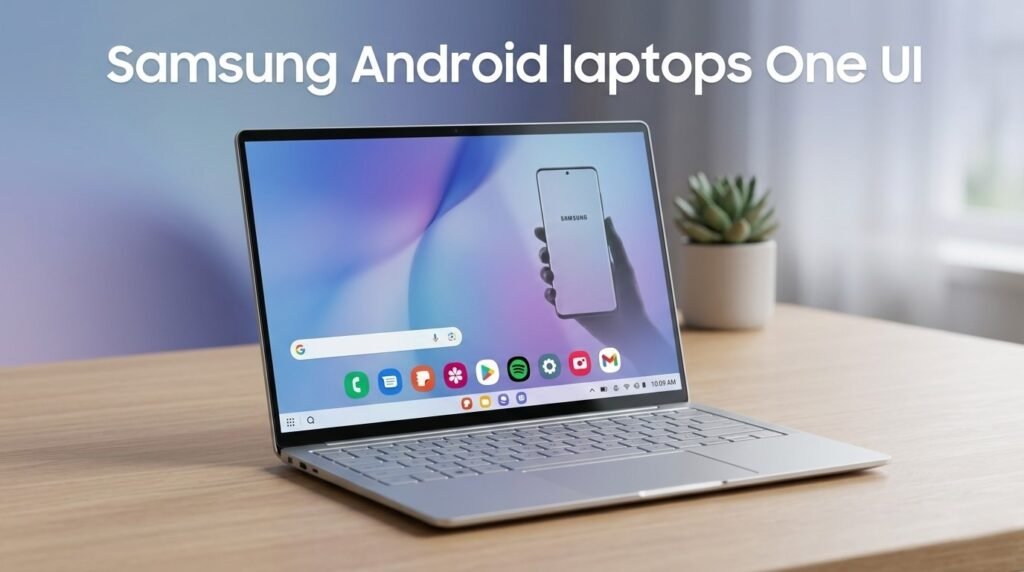
Samsung Android laptops One UI are reportedly in the works, and if the leak is accurate, it could mark the most interesting shift in the Galaxy Book story since Samsung went all-in on Windows. The idea is not that Samsung is abandoning Microsoft overnight. Instead, the claim is that Samsung is developing some Galaxy Book models that run an Android-based platform with One UI—likely built on the next evolution of ChromeOS that’s increasingly Android under the hood—while keeping Windows models in the lineup.
If that sounds like a weird hybrid, it’s actually a logical next step. Samsung already runs One UI across phones, tablets, and wearables, and it has invested heavily in DeX-style productivity, cross-device copy/paste, Multi Control, Quick Share, and Galaxy AI features. What it doesn’t have today is a consistent software experience across its laptops. A One UI laptop could fix that—and potentially create a “Galaxy MacBook” alternative that feels more unified than a Windows PC ever can.
Here’s what the leak suggests, what an Android-based Galaxy Book would mean for everyday users, and why this could become a real threat to traditional Windows ultrabooks if Samsung executes well.
What the leak claims: Galaxy Book models running Android 17 with One UI
According to reporting from Samsung-focused sources, Samsung is developing Galaxy Book laptops built around an Android-based platform, with software described as Android 17-based One UI 9.
That’s a big claim for two reasons:
- Android isn’t traditionally a laptop OS, even though it already powers tablets and foldables that do laptop-like work.
- One UI is Samsung’s strongest software differentiator—and putting it on a laptop would make the Galaxy ecosystem feel far more coherent.
The leak suggests Samsung may create multiple tiers of these laptops—entry-level, midrange, and flagship—while still offering Windows Galaxy Books alongside them.
In other words, Samsung Android laptops One UI would be a new category inside Galaxy Book, not a total replacement.
Why Samsung would do this: one ecosystem, one UI language
Samsung’s hardware ecosystem is enormous, but it’s fragmented across operating systems:
- Galaxy phones/tablets: Android + One UI
- Galaxy watches: Wear OS-based platform
- TVs/appliances: Samsung’s own platforms
- Galaxy Books: Windows
That mix makes continuity features harder than they need to be. Samsung can build excellent cross-device tools, but Windows is still a different UX and app ecosystem with its own update cadence and restrictions.
A move toward Samsung Android laptops One UI would give Samsung more control over:
- interface consistency
- feature rollout speed
- default apps and services
- deeper integration with DeX and Galaxy AI
- battery optimization tuned for Samsung hardware
It would also put Samsung closer to Apple’s playbook: one design language across devices, one account system, one continuity experience.
The ChromeOS angle: Android-based laptops without “Android laptop” baggage
The most realistic path here is that Samsung isn’t trying to turn Android into Windows. Instead, it could be leaning into Google’s next direction for ChromeOS, which has been drifting closer to Android for years.
If ChromeOS becomes more Android-based at its core (as leaks have hinted with internal codenames), Samsung could ship laptops that are effectively:
- ChromeOS-like in windowing, keyboard/mouse support, and desktop workflows
- Android-compatible for apps and services
- customized heavily with One UI visuals and Galaxy features
That’s important because consumers understand “Chromebook” as a laptop category. “Android laptop” is a harder sell unless it feels like a real desktop OS. ChromeOS provides a familiar framework: browser-first computing with Android apps when needed.
In that sense, Samsung Android laptops One UI could be a marketing simplification for “Galaxy Book running a new Android-based ChromeOS platform with One UI.”
DeX on a laptop could be the killer feature
Samsung already has DeX, and it’s quietly one of the most mature “phone as a PC” concepts in Android. Put DeX into a laptop OS—and improve it—and Samsung gains something Windows can’t offer: a seamless workflow between your phone and laptop without third-party hacks.
If Samsung Android laptops One UI ship with an upgraded DeX-style desktop mode, expect benefits like:
- a consistent taskbar/windowing UI across phone, tablet, and laptop
- instant continuity: open an app on your phone, continue on the laptop
- better multi-window multitasking than current Android tablets
- strong external display support with fewer quirks
- simpler file sharing and clipboard sync across Galaxy devices
For Galaxy users, that’s huge. For everyone else, it’s a reason to consider Samsung hardware even if you’re not locked into Windows.
Galaxy AI on a laptop: what it could look like
Samsung has been pushing Galaxy AI features across its mobile devices. If Samsung Android laptops One UI include Galaxy AI, Samsung could offer:
- on-device writing tools and summarization
- transcription and meeting notes
- image editing and generative tools
- smart search across local files (with privacy controls)
- cross-device AI actions using your phone as the “identity anchor”
The practical advantage is not that AI exists—Windows and macOS have AI too—but that Samsung could make AI features feel consistent across your phone, tablet, and laptop.
What could go wrong: app gaps, pro workflows, and buyer expectations
This concept is exciting, but it comes with real risks.
1) Desktop app expectations
Many buyers choose Windows laptops for specific apps: full Adobe suites, engineering software, niche business tools, certain games. Android/ChromeOS alternatives can’t replace that for everyone.
Samsung will need to position Samsung Android laptops One UI carefully:
- great for students, web work, productivity, communication, and media
- not necessarily for high-end pro workflows
2) Gaming and compatibility
Android gaming is strong, but laptop buyers may expect Steam libraries and PC titles. Cloud gaming can fill some gaps, but it’s not the same as native PC gaming.
3) Perception problem
Consumers have been trained to think:
- Windows = “real computer”
- ChromeOS = “simple laptop”
- Android = “phone OS”
Samsung’s job would be to make the experience feel undeniably laptop-class—fast windowing, great keyboard shortcuts, strong trackpad support, and reliable external monitor behavior.
When could Samsung launch these One UI laptops?
The leak doesn’t provide a firm date, but the timing aligns with the broader Android and ChromeOS roadmap cadence, where Google often previews platform direction at major developer events and then partners ship hardware later.
If Samsung is indeed building Samsung Android laptops One UI, you should watch for:
- Samsung model numbers appearing in certification databases
- ChromeOS/Android platform announcements that emphasize laptop convergence
- Samsung’s own “ecosystem” messaging shifting toward unified UI across devices
- leaks mentioning DeX enhancements designed for larger screens
Bottom line
If the leak is real, Samsung Android laptops One UI could be Samsung’s most strategic ecosystem move in years. It would let Samsung extend its strongest software identity—One UI—into laptops, tighten integration with Galaxy phones and tablets, and offer a more Apple-like continuity experience without relying entirely on Windows.
This won’t replace Windows for everyone. But for students, remote workers, and Galaxy users who live in browser apps, messaging, documents, and cloud workflows, a One UI-powered Galaxy Book could be exactly the kind of streamlined “just works” laptop that Windows PCs struggle to deliver consistently.
If Samsung can nail DeX, battery life, and a polished desktop experience, Windows should absolutely be paying attention.
