

Introduction
Google Play Protect Security System is the backbone of Android’s built-in defense against malicious apps and security threats. As mobile devices become central to personal and financial activities, protecting them from malware, spyware, and harmful applications is more critical than ever.
Google Play Protect operates continuously in the background, scanning apps, monitoring behavior, and warning users about potential risks. Unlike traditional antivirus tools, it is deeply integrated into the Android ecosystem, providing real-time protection without requiring manual intervention.
This comprehensive guide explores how Google Play Protect works, why it matters, and how you can use it effectively to secure your Android device.
What Is Google Play Protect Security System?
The Google Play Protect Security System is a cloud-powered and on-device security service designed to detect and remove harmful applications.
It scans apps from both the Google Play Store and external sources, ensuring your device remains protected regardless of where apps are installed from.
Core Functions
- Scans apps before and after installation
- Detects malware and suspicious behavior
- Warns users about harmful apps
- Removes or disables dangerous applications
It acts as a continuous security layer built directly into Android.
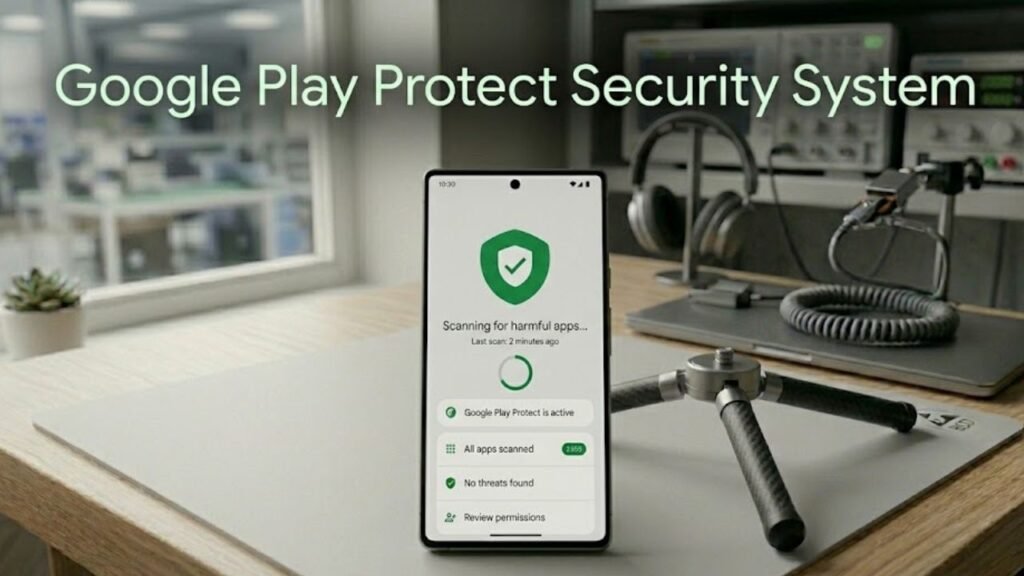
How Google Play Protect Security System Works
The Google Play Protect Security System uses a combination of machine learning, behavioral analysis, and cloud intelligence.
Step-by-Step Process
- App is downloaded or updated
- Play Protect scans the app code
- Behavior is analyzed in real time
- Threats are flagged or blocked
- User is notified if action is needed
This multi-layered approach ensures both proactive and reactive protection.
Key Features of Google Play Protect
Understanding these features is essential to fully grasp Google Play Protect Security System.
1. Real-Time App Scanning
Continuously scans installed apps for threats.
2. Cloud-Based Threat Detection
Uses Google’s global database to identify new malware.
3. Safe Browsing Integration
Warns users about dangerous websites.
4. App Permission Monitoring
Detects unusual access to sensitive data.
5. Find My Device Integration
Helps locate, lock, or erase your device remotely.
Types of Threats Detected
Google Play Protect Security System is designed to handle a wide range of threats.
Common Threat Categories
- Malware and viruses
- Spyware and stalkerware
- Phishing apps
- Fake or cloned applications
- Apps with hidden malicious code
Behavior-Based Detection
It doesn’t just rely on signatures—it monitors how apps behave.
Google Play Protect vs Traditional Antivirus
Understanding this comparison helps highlight the strengths of Google Play Protect Security System.
Comparison Table
| Feature | Google Play Protect | Traditional Antivirus |
|---|---|---|
| Integration | Built into Android | Requires installation |
| Real-Time Scanning | Yes | Yes |
| Cloud Intelligence | Advanced | Moderate |
| Battery Impact | Low | Higher |
| User Intervention | Minimal | Frequent |
| Cost | Free | Often paid |
Google Play Protect offers seamless, lightweight protection without compromising performance.
Where to Find Google Play Protect
Accessing Google Play Protect Security System is simple.
Steps to Access
- Open Google Play Store
- Tap your profile icon
- Select Play Protect
- View scan status and settings
Here, you can manually scan apps and review security alerts.
Why Google Play Protect Is Important
The Google Play Protect Security System plays a critical role in modern mobile security.
Key Benefits
- Protects against unknown threats
- Works automatically in the background
- Keeps apps verified and safe
- Reduces risk of data theft
Without it, users would need third-party tools for basic protection.
Limitations of Google Play Protect
While powerful, it is not perfect.
Known Limitations
- May miss highly sophisticated malware
- Limited control for advanced users
- Relies partly on cloud detection
- Slower response to zero-day threats
Understanding these limitations helps users take additional precautions.
Best Practices for Maximum Security
To get the most from Google Play Protect Security System, follow these expert strategies.
1. Keep Play Protect Enabled
Never disable it unless necessary.
2. Avoid Unknown Sources
Install apps only from trusted platforms.
3. Review App Permissions
Limit unnecessary access.
4. Update Apps Regularly
Updates fix vulnerabilities.
5. Combine with Safe Browsing
Avoid suspicious links and downloads.
Advanced Security Enhancements
Google continues to improve Google Play Protect Security System with advanced technologies.
1. AI-Based Threat Detection
Uses machine learning to identify new threats.
2. App Behavior Monitoring
Detects suspicious actions even after installation.
3. Continuous Updates
Security database is updated frequently.
Signs Your Device May Be at Risk
Even with protection, users should stay alert.
Warning Signs
- Sudden battery drain
- Unexpected pop-ups
- Unknown apps installed
- Data usage spikes
If you notice these, run a manual scan immediately.
Actionable Security Checklist
Use this checklist to strengthen your device security:
- Enable Google Play Protect
- Run weekly manual scans
- Remove unused apps
- Check app permissions regularly
- Avoid downloading APK files from unknown sources
- Keep your Android OS updated
FAQs: Google Play Protect Security System
What is Google Play Protect Security System?
It is Android’s built-in security service that scans apps and protects against malware.
Is Google Play Protect enough?
For most users, it provides strong protection, but additional tools can enhance security.
Does it scan apps outside Play Store?
Yes, it scans sideloaded apps as well.
Can I disable Google Play Protect?
Yes, but it is not recommended.
How often does it scan apps?
It runs continuous background scans and periodic checks.
Is Google Play Protect free?
Yes, it is completely free and built into Android.
Conclusion
Understanding the Google Play Protect Security System is essential for anyone using an Android device. As cyber threats continue to evolve, having a reliable, built-in security solution is no longer optional—it is a necessity.
Google Play Protect stands out by combining real-time scanning, machine learning, and seamless integration into the Android ecosystem. It offers a powerful first line of defense without compromising device performance or user experience.
By following best practices and staying aware of potential risks, users can maximize the effectiveness of Google Play Protect and maintain a secure digital environment. Ultimately, it represents a significant step toward safer, smarter mobile computing.
