

Introduction
Audio Latency in Wireless Earbuds is one of the most overlooked yet critical factors affecting the overall listening experience. Whether you are watching videos, gaming, or making calls, even a slight delay between audio and visuals can disrupt immersion and reduce usability.
As wireless audio technology becomes mainstream, latency issues have become more noticeable, especially with high-definition streaming and competitive gaming. This guide provides an in-depth understanding of audio latency, its causes, real-world impact, and practical solutions to minimize delay.
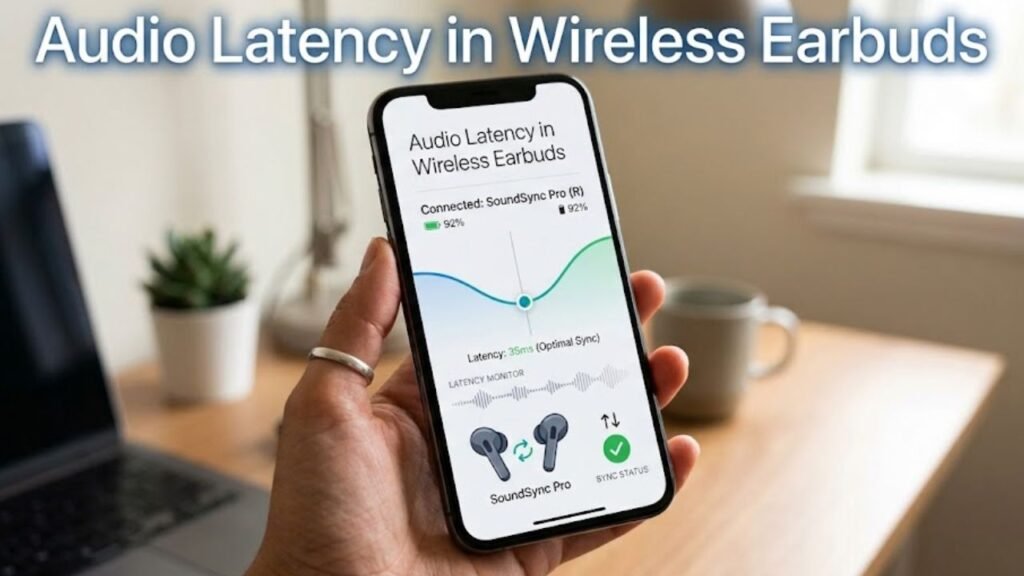
What Is Audio Latency?
Audio latency refers to the delay between the moment a sound is generated and when it is heard through wireless earbuds.
Measured in Milliseconds (ms)
Latency is typically measured in milliseconds:
- 0–50 ms: Imperceptible
- 50–150 ms: Slight delay
- 150–300 ms: Noticeable
- 300+ ms: Disruptive
Why It Matters
Even minor latency can cause:
- Lip-sync issues in videos
- Delayed sound effects in games
- Poor call quality
How Wireless Earbuds Transmit Audio
Understanding Audio Latency in Wireless Earbuds requires examining the transmission process.
Step-by-Step Audio Flow
- Audio signal generated by device
- Encoding into Bluetooth format
- Transmission to earbuds
- Decoding and playback
Each step introduces a small delay, contributing to overall latency.
Causes of Audio Latency in Wireless Earbuds
1. Bluetooth Transmission Delay
Bluetooth inherently introduces latency due to encoding and decoding processes.
2. Audio Codec Processing
Different codecs compress audio differently, affecting delay.
3. Device Processing Power
Older devices may take longer to process audio signals.
4. Interference and Signal Strength
Obstacles and interference can increase transmission delay.
Audio Codec Impact on Latency
Common Bluetooth Codecs
- SBC (Standard codec)
- AAC (Apple devices)
- aptX
- aptX Low Latency
- LDAC
Latency Comparison Table
| Codec | Latency Level | Performance |
|---|---|---|
| SBC | High | Basic |
| AAC | Moderate | Balanced |
| aptX | Lower | Good |
| aptX Low Latency | Very Low | Excellent |
| LDAC | Variable | High quality |
Audio Latency in Gaming vs Video Playback
Gaming
- Requires ultra-low latency
- Even 100 ms delay can affect performance
Video Streaming
- Slight latency is often corrected automatically
- Lip-sync issues may still occur
Calls and Communication
- Delay affects conversation flow
- Can cause overlapping speech
Bluetooth Versions and Latency
Bluetooth 4.2
- Higher latency
- Limited efficiency
Bluetooth 5.0 and Above
- Improved speed and stability
- Reduced latency
Bluetooth LE Audio
- Future standard with lower latency and better efficiency
Role of Earbud Design in Latency
True Wireless Stereo (TWS)
TWS earbuds require synchronization between left and right units, adding slight delay.
Master-Slave Configuration
Older designs used one earbud as the primary receiver, increasing latency.
Modern Dual-Channel Transmission
Newer earbuds receive signals independently, reducing delay.
Impact of Audio Latency on User Experience
1. Entertainment Disruption
Audio lag reduces immersion in movies and videos.
2. Gaming Disadvantage
Delayed sound cues affect reaction time.
3. Communication Issues
Latency disrupts natural conversation flow.
Advantages of Low Latency Earbuds
1. Seamless Audio-Video Sync
Perfect synchronization improves viewing experience.
2. Better Gaming Performance
Real-time audio enhances gameplay accuracy.
3. Enhanced Call Quality
Clear and timely communication.
Limitations of Wireless Audio Technology
Inherent Latency
Wireless transmission always introduces some delay.
Codec Dependency
Performance depends on device and codec compatibility.
Environmental Factors
Interference can impact latency unpredictably.
How to Reduce Audio Latency in Wireless Earbuds
1. Choose Low-Latency Codecs
Look for aptX Low Latency or similar technologies.
2. Use Compatible Devices
Ensure both device and earbuds support the same codec.
3. Keep Devices Close
Reduce distance to minimize delay.
4. Avoid Interference
Stay away from crowded wireless environments.
5. Enable Gaming Mode
Many earbuds include a low-latency mode.
Practical Buying Tips
Check Codec Support
Ensure compatibility with low-latency codecs.
Look for Bluetooth 5.0+
Newer versions offer better performance.
Evaluate Brand Optimization
Some brands optimize latency through software.
Read Real-World Reviews
User feedback provides practical insights.
Future of Audio Latency in Wireless Earbuds
Bluetooth LE Audio
Expected to significantly reduce latency while improving efficiency.
Advanced Codec Development
New codecs will focus on balancing quality and speed.
AI-Based Optimization
Future devices may dynamically adjust latency in real time.
Common Myths About Audio Latency
Myth 1: All Wireless Earbuds Have High Latency
Reality: Modern earbuds can achieve very low latency.
Myth 2: Expensive Means Zero Latency
Reality: Latency depends on technology, not just price.
Myth 3: Latency Only Affects Gaming
Reality: It impacts video, calls, and general usage.
FAQs
1. What is audio latency in wireless earbuds?
It is the delay between audio generation and playback in earbuds.
2. What is acceptable latency?
Below 100 ms is generally acceptable for most uses.
3. Which codec has the lowest latency?
aptX Low Latency offers one of the lowest delays.
4. Can latency be eliminated completely?
No, but it can be minimized significantly.
5. Do all devices support low-latency codecs?
No, compatibility varies between devices.
Conclusion
Audio Latency in Wireless Earbuds is a critical factor that directly impacts audio quality, user experience, and performance across different use cases. While wireless convenience is unmatched, latency remains a technical challenge that requires careful consideration.
From codec selection to Bluetooth versions and device compatibility, multiple factors influence latency levels. Fortunately, advancements in technology—such as low-latency codecs and Bluetooth LE Audio—are rapidly improving performance.
By understanding the causes and applying practical solutions, users can significantly reduce audio delay and enjoy a seamless, synchronized experience. Choosing the right earbuds with optimized latency features ensures better entertainment, communication, and gaming performance in today’s wireless world.
