

Introduction
Android Clipboard Privacy Protection is a crucial advancement in mobile security designed to safeguard sensitive information copied to your device’s clipboard. From passwords and OTPs to personal messages and financial data, the clipboard often contains highly confidential information that can be vulnerable if not properly protected.
In earlier Android versions, apps could access clipboard data freely, creating potential privacy risks. Modern Android systems have introduced robust clipboard privacy protections that limit access, notify users, and automatically clear sensitive data when necessary.
In this comprehensive guide, we will explore Android Clipboard Privacy Protection in depth, including how it works, why it matters, key features, security benefits, and best practices for users and developers.
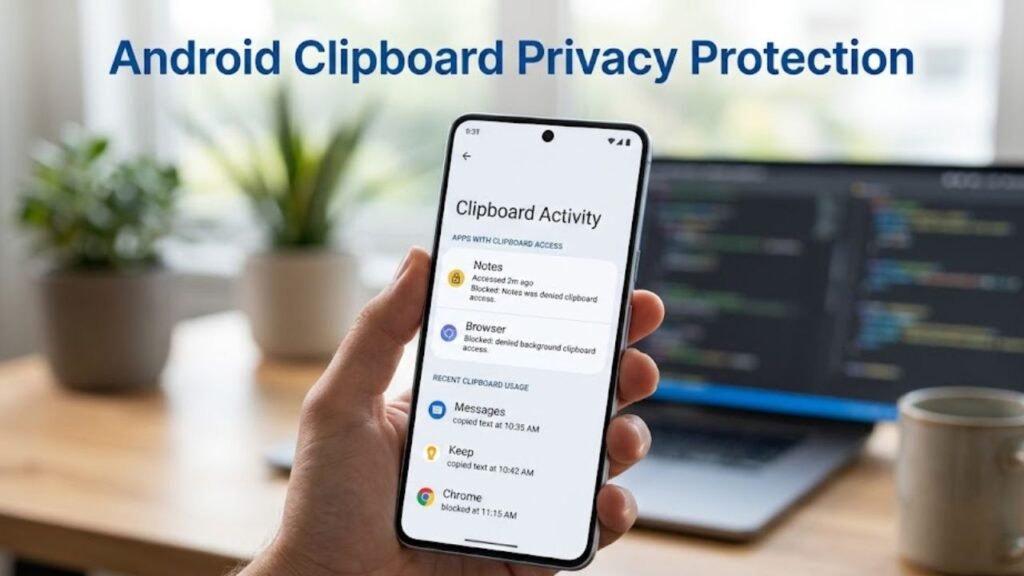
What Is Android Clipboard Privacy Protection?
Android Clipboard Privacy Protection refers to a set of system-level features that control how apps access and use clipboard data.
It ensures that only authorized apps can access copied content and that users are aware of clipboard activity.
Core Objectives
- Protect sensitive copied data
- Prevent unauthorized access
- Enhance user awareness
- Reduce privacy risks
This system plays a vital role in securing everyday interactions on Android devices.
Why Android Clipboard Privacy Protection Matters
Understanding Android Clipboard Privacy Protection highlights its importance in modern digital life.
Key Benefits
- Prevents data leaks
- Protects passwords and personal information
- Enhances user trust
- Reduces malicious app behavior
Clipboard data is often overlooked, making it a critical area for privacy protection.
How Android Clipboard Privacy Protection Works
Android Clipboard Privacy Protection operates through multiple safeguards.
Step-by-Step Process
- User copies data to clipboard
- System monitors clipboard access
- Apps requesting access are evaluated
- User receives notifications (in newer versions)
- Clipboard data may be cleared automatically
This ensures transparency and control.
Key Features of Clipboard Privacy Protection
To fully understand Android Clipboard Privacy Protection, explore its main features.
1. Clipboard Access Notifications
Users are alerted when apps access clipboard data.
2. Auto-Clear Clipboard
Sensitive data is automatically removed after a short period.
3. Restricted Background Access
Apps cannot freely access clipboard data in the background.
4. User Awareness Enhancements
Visual indicators improve transparency.
Evolution of Clipboard Privacy in Android
Android Clipboard Privacy Protection has evolved significantly.
Before Android 10
- Apps could access clipboard freely
- No user notifications
Android 10–11
- Limited background access
- Initial restrictions introduced
Android 12 and Above
- Clipboard access notifications
- Auto-clear features
- Enhanced restrictions
This evolution reflects Android’s focus on privacy-first design.
Types of Data at Risk
Clipboard often contains sensitive information.
Common Data Types
- Passwords
- OTP codes
- Credit card details
- Personal messages
- Email addresses
Protecting this data is essential for security.
Clipboard Privacy vs Traditional Clipboard Behavior
Comparison Table
| Feature | Modern Clipboard Protection | Traditional Clipboard |
|---|---|---|
| Access Control | Restricted | Open |
| User Awareness | High | None |
| Auto-Clear | Yes | No |
| Security Level | High | Low |
Modern systems provide significantly better protection.
Security Risks Without Clipboard Protection
Without Android Clipboard Privacy Protection, several risks arise.
Potential Threats
- Data theft by malicious apps
- Unauthorized background access
- Exposure of sensitive information
- Increased attack surface
Impact on User Experience
Clipboard protection enhances usability and trust.
UX Benefits
- Greater transparency
- Reduced privacy concerns
- Improved control over data
Possible Drawbacks
- Frequent notifications
- Clipboard clearing inconvenience
Best Practices for Users
To maximize benefits from Android Clipboard Privacy Protection, follow these tips.
1. Avoid Copying Sensitive Data Frequently
Use secure password managers instead.
2. Monitor Clipboard Notifications
Stay aware of app behavior.
3. Clear Clipboard Manually
Remove sensitive data after use.
4. Install Trusted Apps Only
Reduce risk of malicious access.
Best Practices for Developers
Developers must respect clipboard privacy guidelines.
Key Recommendations
- Avoid unnecessary clipboard access
- Inform users before accessing clipboard
- Handle data securely
- Follow Android privacy policies
Advanced Features Enhancing Clipboard Security
Modern Android versions include additional protections.
1. AI-Based Detection
Identifies sensitive data like passwords.
2. Smart Clipboard Suggestions
Offers context-aware actions securely.
3. Integration with Privacy Dashboard
Tracks clipboard access activity.
Common Issues and Troubleshooting
Users may encounter minor issues.
Common Problems
- Clipboard cleared too quickly
- Frequent access alerts
- App compatibility issues
Solutions
- Adjust settings if available
- Use trusted apps
- Update system software
Use Cases of Clipboard Privacy Protection
Understanding real-world scenarios helps explain Android Clipboard Privacy Protection.
Examples
- Copying OTP codes securely
- Sharing sensitive documents
- Managing login credentials
Actionable Checklist
Use this checklist to enhance clipboard security:
- Monitor clipboard access alerts
- Avoid copying sensitive data unnecessarily
- Use secure apps
- Clear clipboard regularly
- Keep device updated
FAQs: Android Clipboard Privacy Protection
What is Android Clipboard Privacy Protection?
It is a system that secures copied data and limits app access.
Does Android notify clipboard access?
Yes, newer versions show notifications.
Is clipboard data stored permanently?
No, it may be cleared automatically.
Can apps access clipboard in background?
Access is restricted in modern Android versions.
How can I protect clipboard data?
Use secure apps and clear clipboard regularly.
Is clipboard protection enabled by default?
Yes, in modern Android versions.
Conclusion
Understanding Android Clipboard Privacy Protection is essential in today’s privacy-focused digital environment. As users frequently copy sensitive information, ensuring that this data remains secure is critical.
Android has significantly improved clipboard security by introducing access restrictions, user notifications, and automatic data clearing. These enhancements not only protect sensitive information but also empower users with greater control and awareness.
By following best practices and leveraging built-in protections, users can minimize risks and maintain a secure mobile experience. Ultimately, Android Clipboard Privacy Protection represents a vital step toward stronger, more transparent mobile privacy.
