

Android Verified Email feature is emerging as one of the most important changes to how users sign up for apps, and it could fundamentally reshape authentication across Android devices. Instead of juggling OTP codes or tapping verification links in emails, this new system aims to complete the process instantly—right on your device.
For years, account creation on Android has relied on clunky workflows: switching between apps, waiting for SMS codes, or dealing with delayed email links. This is designed to eliminate that friction while maintaining strong security standards.
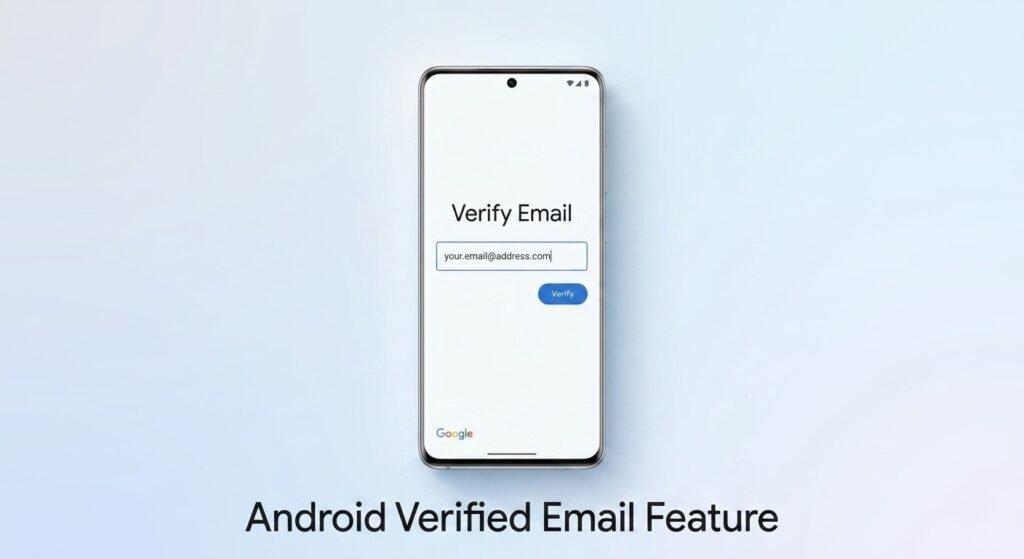
How Android Verified Email Feature Works
At the center of the Android Verified Email feature is Google’s Credential Manager, which stores and manages secure credentials directly on the device. Instead of sending a one-time password or requiring email confirmation, apps can request verification through a system-level prompt.
Here’s what happens during sign-up:
- The app requests access to a verified email
- A native Android prompt appears on screen
- The user reviews the request and taps approve
- Verification is completed instantly
This process means users no longer need to leave the android app. The Android Verified Email feature keeps everything within a single flow, making onboarding significantly faster and more intuitive.
Why Android Verified Email Feature Could Replace OTPs
The biggest implication of the Android Verified Email feature is its potential to reduce or even eliminate OTP-based verification. While OTPs have been widely used, they come with several limitations:
- Delays in receiving SMS or email codes
- Risk of phishing attacks
- Poor user experience due to app switching
- Dependence on network connectivity
By contrast, the Android Verified Email feature uses a cryptographically verified credential stored on the device. This makes the process both faster and more secure.
From a usability perspective, it also removes unnecessary steps. Instead of copying and pasting codes, users can complete verification with a single tap.
Android Verified Email Feature and On-Device Security
Security remains a core focus of the Android Verified Email feature. Google is not simply removing OTPs—it is replacing them with a system that relies on device-level authentication.
Key security aspects include:
- Credentials are stored securely on the device
- Apps cannot access data without explicit permission
- Each request is clearly displayed to the user
- Verification uses encrypted communication
This ensures that the Android Verified Email feature balances convenience with protection. Users stay in control of what information is shared, reducing the risk of unauthorized access.
Beyond Sign-Ups: More Use Cases Emerging
While app registration is the most obvious use case, the Android Verified Email feature extends far beyond initial sign-ups. Google is positioning it as a broader identity verification tool.
Potential use cases include:
- Account recovery without email access
- Verifying sensitive actions like password changes
- Confirming transactions in financial apps
- Updating account details securely
This versatility makes the Android Verified Email feature more than just a convenience—it becomes part of a larger identity framework within Android.
Android Verified Email Feature vs Traditional Authentication
The shift introduced by the Android Verified Email feature highlights a major evolution in authentication design. Instead of relying on external systems like SMS or email servers, verification happens locally.
Traditional Methods:
- OTP via SMS or email
- Manual input required
- Dependent on network reliability
- Vulnerable to phishing
Verified Email Approach:
- Instant device-based verification
- One-tap approval
- Reduced reliance on external systems
- Improved resistance to phishing
This comparison shows why the Android Verified Email feature could quickly gain adoption among developers looking to improve user experience.
What Developers Need to Know
For developers, the Android Verified Email feature introduces new opportunities—but also responsibilities. Apps must integrate with Credential Manager and design flows that support this verification method.
Google recommends:
- Including fallback options like OTP or manual entry
- Clearly explaining verification prompts to users
- Encouraging passkey setup after verification
- Ensuring compatibility with different Android versions
Adoption will depend on how quickly developers embrace the Android Verified Email feature and integrate it into their apps.
Device Compatibility and Availability
This is designed to work across a wide range of devices. It supports Android devices running Android 9 and above, provided they have updated Google Play services.
However, its full potential will likely be realized on newer Android versions where system-level integrations are deeper and more refined.
As adoption grows, the Android Verified Email feature could become a standard part of Android’s identity and authentication ecosystem.
A Shift Toward Frictionless Android Experiences
What makes the Android Verified Email feature particularly important is the broader trend it represents. Android is moving toward reducing friction in everyday interactions.
Instead of:
- Switching between apps
- Waiting for verification codes
- Repeating the same steps across services
Users get a streamlined, consistent experience. This is a clear example of how Android is evolving into a more intelligent and user-friendly platform.

Final Thoughts
This may not look revolutionary at first glance, but its impact could be massive. By removing the need for OTPs and email links, it simplifies one of the most common interactions on smartphones—signing up for apps.
If widely adopted, the Android Verified Email feature could redefine authentication on Android, making it faster, safer, and far more seamless. For users, that means less time dealing with verification steps and more time actually using their apps.
