

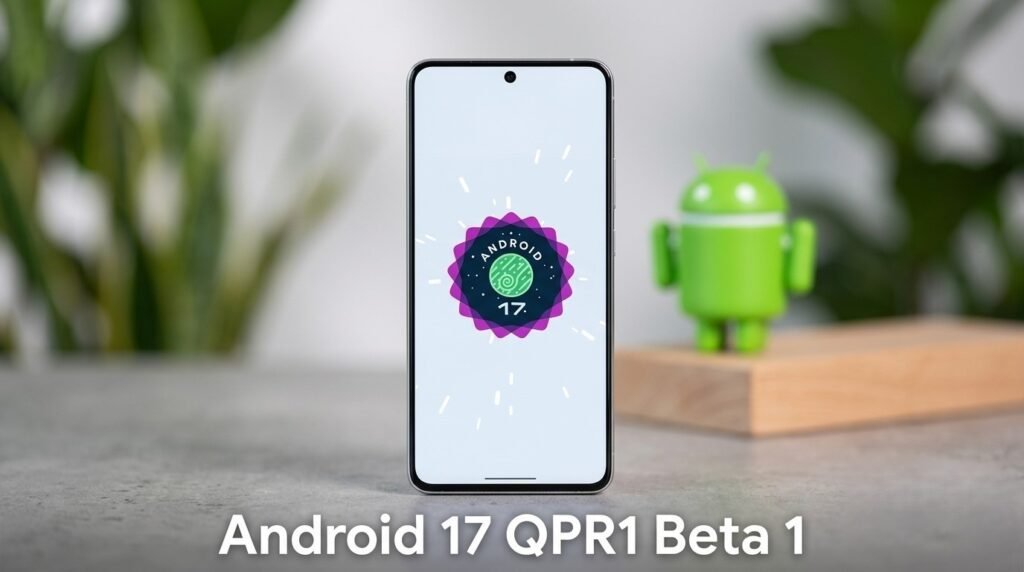
Android 17 QPR1 Beta 1 is now rolling out, marking the first major post-beta update cycle for Pixel devices. With Android 17 QPR1 Beta 1, Google is shifting focus from feature experimentation to refinement, stability, and system-wide performance improvements. This release kicks off the next Quarterly Platform Release (QPR), which is expected to shape the upcoming Feature Drop and refine the overall Android experience for millions of users.
Unlike earlier Android 17 beta builds that introduced broader changes, this is more about polishing the system, fixing long-standing bugs, and quietly improving usability in ways that everyday users will actually notice.
What’s New in This Update
The biggest takeaway from Android 17 QPR1 Beta 1 is stability. While there are no flashy UI overhauls, the update introduces meaningful under-the-hood improvements that enhance the reliability of Pixel devices.
- Fixes for print service crashes, especially when ink levels are low
- Resolution of Terminal app freezing issues
- Improved audio stability during VoIP calls
- General system performance optimizations
- Better background process handling
These changes may sound minor individually, but together they make Android 17 QPR1 Beta 1 a crucial update for users who rely on their devices for daily productivity.
Hidden Changes in Android 17 QPR1 Beta 1
Beyond the official changelog, this introduces several subtle improvements that are not immediately obvious but contribute to a smoother experience.
UI and System Behavior Tweaks
- Faster app switching animations
- More consistent gesture navigation
- Reduced system lag during multitasking
Background Optimization
Another important aspect of this is how it handles background apps. The system appears to be more aggressive in managing idle processes, which can improve battery life without affecting performance.
These hidden refinements show this is focused on long-term usability rather than short-term visual changes.

Eligible Devices for Android 17 QPR1 Beta 1
As expected, This is available for a wide range of Pixel devices. If you own a recent Pixel smartphone, chances are you can install this update.
Supported devices include:
- Google Pixel 6 and newer models
- Pixel 7 series
- Pixel 8 series
- Pixel Fold
- Pixel 10 Pro
- Android Emulator for developers
This broad compatibility ensures that Android 17 QPR1 Beta 1 reaches both mainstream users and developers testing apps across different hardware configurations.
How to Install Android 17 QPR1 Beta 1
Getting started with Android 17 QPR1 Beta 1 is relatively simple if you’re already in the beta ecosystem.
Steps to enroll:
- Visit the Android Beta Program website
- Sign in with your Google account
- Select your eligible Pixel device
- Opt into the beta program
- Download the OTA update
Once enrolled, Android 17 will be delivered as a standard software update.
However, it’s important to remember that Android 17 QPR1 Beta 1 is still a beta build. While it is more stable than earlier versions, minor bugs and inconsistencies may still exist.
Android 17 QPR1 Beta 1 vs Previous Beta Builds
Compared to earlier Android 17 beta releases, this represents a shift in priorities.
- Earlier betas focused on new features
- This focuses on stability and bug fixes
- Performance improvements are more noticeable in daily use
- Fewer experimental changes, more refinement
This makes Android 17 QPR1 Beta 1 particularly appealing for users who want early access without dealing with major instability.
What’s Next After Android 17 QPR1 Beta 1
The release of Android 17 QPR1 Beta 1 signals the beginning of a new update cycle. Over the coming weeks, additional beta updates are expected to follow, each bringing incremental improvements.
Expected roadmap:
- Beta 2 and Beta 3 with additional bug fixes
- Platform stability milestone before final release
- Official rollout as part of the Feature Drop
If everything goes as planned, the stable version of this update will deliver a polished experience built on the foundation laid by Android 17 QPR1 Beta 1.
Should You Install Android 17 QPR1 Beta 1?
Whether you should install Android 17 QPR1 Beta 1 depends on how you use your device.
You should consider it if:
- You enjoy testing new Android updates early
- You want improved performance and bug fixes
- You own a secondary Pixel device
You may want to wait if:
- You rely on your phone for critical tasks
- You prefer fully stable software
- You don’t want to deal with potential bugs
For most enthusiasts, This strikes a good balance between innovation and stability.
Why Android 17 QPR1 Beta 1 Matters
While it may not introduce headline-grabbing features, Android 17 QPR1 Beta 1 plays a crucial role in shaping the Android ecosystem. It reflects a broader trend where software updates are increasingly focused on refinement rather than radical change.
By addressing real-world issues and improving system reliability, Android 17 QPR1 Beta 1 ensures that Android continues to evolve in a way that benefits everyday users.
Bottom Line
This is a meaningful step forward in the Android update cycle. It may not reinvent the interface, but it strengthens the foundation of the platform through critical fixes, performance gains, and subtle enhancements.
For Pixel users, Android 17 QPR1 Beta 1 offers a glimpse into what the next stable release will feel like—faster, smoother, and more reliable. And for the broader Android ecosystem, it reinforces the idea that sometimes the most important updates are the ones you don’t immediately notice.
