

Android 17 Leak Reveals Glassy Design and Blur UI
The latest Android 17 leak is giving us the clearest preview yet of Google’s next major design evolution, and it signals a noticeable shift toward a more glassy, translucent interface across core system elements. Leaked screenshots from an internal Android 17 build suggest that Google is expanding blur effects, refining system UI animations, and quietly testing new functional upgrades that could shape the Android experience in 2026.
According to multiple reports and leaked images shared by reliable sources, Android 17 appears to build directly on the foundation laid by Material 3 Expressive, introducing more visual depth without abandoning Android’s signature simplicity.
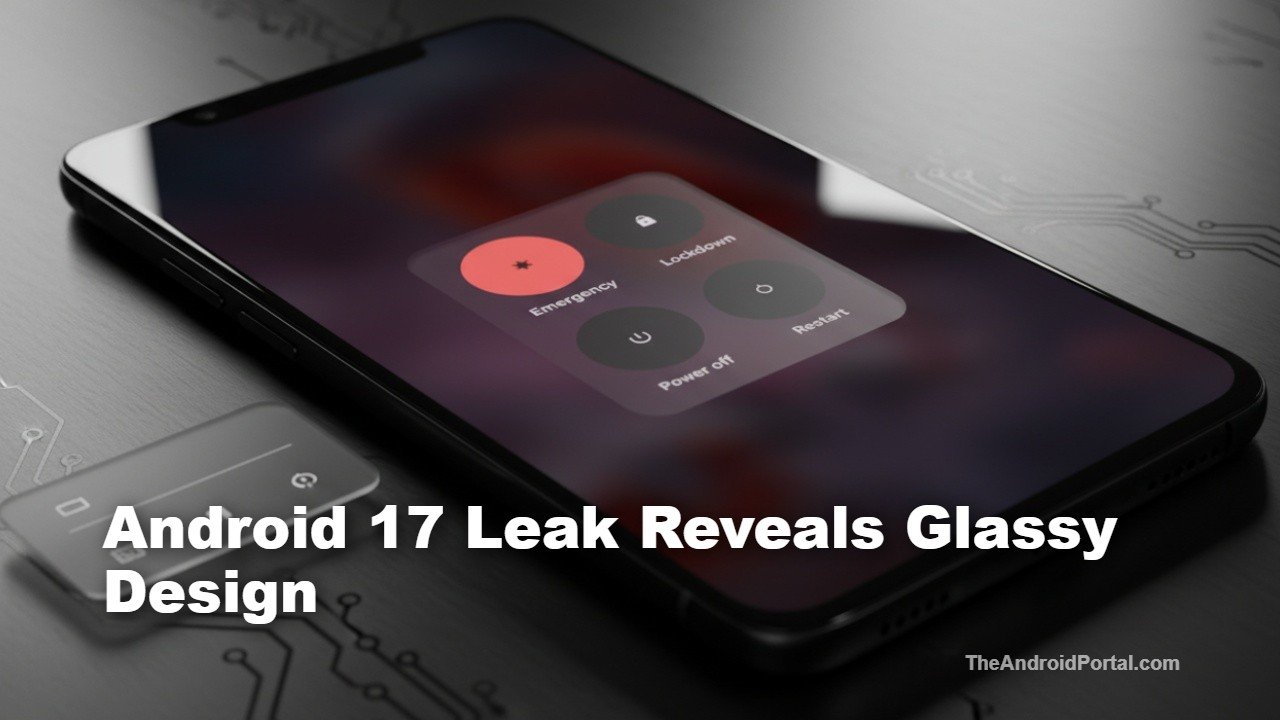
While the changes are still a work in progress, the direction is clear: Android is moving away from flat, solid blocks of color and embracing subtle transparency.
A New Blur Effect Takes Over System UI
One of the most striking changes spotted in the Android 17 leak is the expanded use of blur across system UI elements. The volume slider is the best early example. Instead of the opaque pill design seen in Android 16, the new slider uses a translucent material that allows the wallpaper or app beneath it to remain partially visible.
This blur effect also carries over to the expanded volume panel, where app icons can be faintly seen beneath the interface. Colors are still dynamically pulled from the user’s wallpaper via Dynamic Color theming, but the added transparency gives the UI a layered, more premium feel.
The power menu has also received a visual refresh. Screenshots show a translucent power menu that actively blurs the background content, making it feel more integrated with the current screen rather than floating awkwardly on top. While some comparisons are being drawn to Apple “Liquid Glass” aesthetic, Android’s implementation appears more restrained and practical.
Screen Recorder Gets a Cleaner, Smarter Interface
Beyond visual polish, the Android 17 leak also highlights meaningful improvements to the built-in screen recording tool. Currently, starting a screen recording brings up a pop-up menu while Quick Settings remains visible in the background. In Android 17, this interaction has been redesigned.
Leaked images reveal a floating pill-style interface that feels lighter and less intrusive. When users select “Entire screen,” they’re presented with clearer recording options, including:
- Record device audio
- Record microphone input
- Show touch indicators
Once recording begins, a compact control pill remains accessible from the status bar. Tapping it brings back recording controls, along with new annotation tools that allow users to doodle on the screen using multiple colors. After stopping the recording, users are taken to a preview screen where they can quickly edit or share the clip.
App Lock and Expanded Bubble Support Spotted
The leaked Android 17 build also hints at features that are still under development. One such addition is a “Lock app” option that appears when long-pressing on an app icon. While not fully functional yet, this suggests Google may be working on a native app-locking solution, reducing reliance on third-party apps.
Another subtle discovery points to expanded Bubble support. Traditionally limited to conversation-based apps, bubbles in Android 17 may extend to other app categories, potentially making multitasking faster and more flexible.
What This Means for Android’s Future
It’s important to note that all leaked screenshots come from an internal, unfinished Android 17 build. Design elements, blur intensity, and feature behavior could change significantly before public beta releases arrive. However, these leaks strongly suggest that Google is doubling down on translucency, smoother interactions, and visual depth.
With Android 16’s stable release still relatively recent, Android 17 is likely months away from official previews. A clearer picture should emerge once Canary or early developer builds begin rolling out. Until then, these leaks offer an exciting glimpse into how Android’s interface may evolve next.
